






SleekPixel for fine dining restaurant
Eight courses, the paired flight, the seasonal change at the end of the month. Every tasting menu and seating saves with a 1200x630 OG image that reads as carefully as the room.
♾️ Lifetime License available
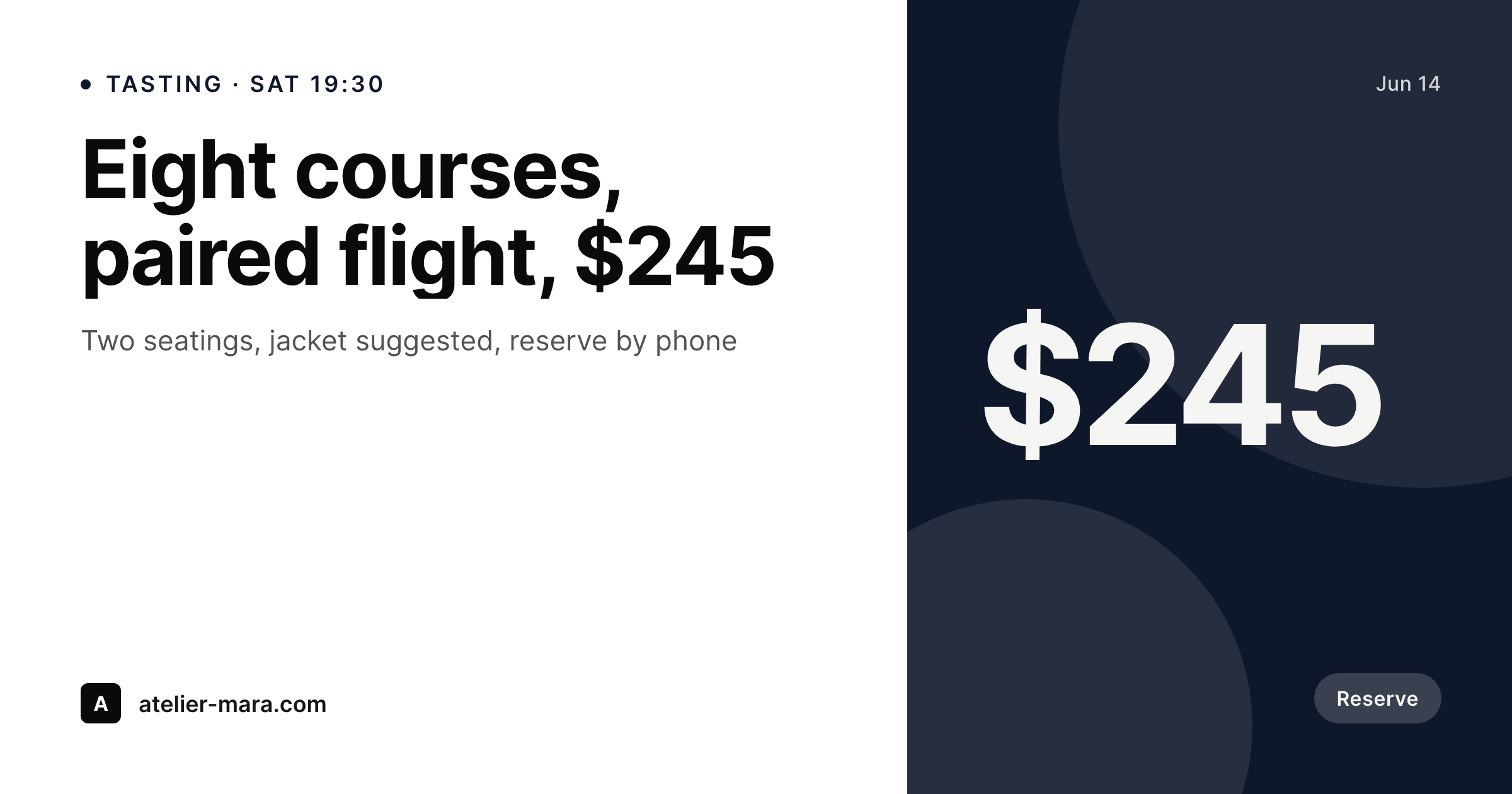
When the share card has to match the room
Fine dining lives on a feel. The room is calm, the type on the menu is considered, the wine list reads like it was set by hand. The moment a guest taps the restaurant's link in a text and the preview card shows up in Messages or WhatsApp, that share card has to feel the same way. Right now, on most fine dining sites, that share card is a stock photo of a plate from the launch shoot, or a generic logo on a beige background. The seasonal tasting menu, the eight courses that just changed yesterday, the new paired flight, none of that shows up.
The data is already on the website. The chef updates the seasonal tasting in the menu CPT. The sommelier types the paired flight into an ACF field. The price for the eight-course is on the same post. The seating times are on the booking post. The typing is done.
SleekPixel turns that data into the share card. Saving the seasonal tasting post renders a 1200x630 OG image with the courses, the paired flight, and the price. The Messages preview, the WhatsApp card, the Slack unfurl all show what's actually on the menu tonight, in the type the restaurant uses on the printed carte. The room and the share card finally match.
Workflow
From seasonal change to share-ready URL
Map menu, pairing, and seating fields
Design one OG and one print-feel template
Publish the seasonal tasting
Confirm the carte and the share card match
Output
What gets generated per tasting menu
A 1200x630 OG image with the courses, the price, the seating time, and the restaurant's brand mark. Pulled live from the menu and seating posts.
Comparison
Default fine dining restaurant image vs SleekPixel
Default fine dining restaurant image
- Share preview is a launch-shoot stock photo from two seasons ago
- Menu changes never make it into the OG image, the chef updates the carte and the share card lags
- Wine pairing on the share preview doesn't match the sommelier's current list
- Marketing manager designs a Canva card per seasonal change, slowly
- Sister rooms in the group all share one stale OG image across their URLs
SleekPixel
- Save the seasonal tasting, the 1200x630 OG image renders with the new courses
- Courses, price, and paired flight pulled from the menu and ACF fields
- OG image is wired into the URL so every share preview is current
- Manual download from Gutenberg for an Instagram or press use
- Multi-room groups stay on-brand with one shared template
Features
What SleekPixel gives you for fine dining restaurant
Seasonal OG card
Every seasonal tasting post saves with a 1200x630 OG image. The courses and the price come from the menu fields, not a Canva file.
Share-ready URLs
Messages, WhatsApp, Slack, and Facebook all show the current menu in the preview card. The link the host stand texts a guest looks like the room.
Paired flight included
Sommelier types the paired flight into the ACF field once. Both the OG image and the printed carte read from the same source.
Use cases
Who uses SleekPixel for fine dining restaurants
Tasting menu rooms
Seasonal eight- and twelve-course menus save with an OG image that reflects the current courses, not a launch-photo placeholder.
Cellar and pairing programs
Wine pairing nights, sommelier dinners, and cellar tastings each render as a card with the bottle list and the price.
Anniversary and special seatings
Truffle weekends, anniversary tastings, and visiting-chef seatings each render an OG image for the seating post.
The bigger picture
Why fine dining links shouldn't show stock plates
A fine dining restaurant signals its standards in small details. The weight of the menu paper, the typography on the carte, the way the sommelier writes a tasting note. When a guest taps the link to the restaurant and the preview card in Messages is a generic plate from a year-old shoot, the signal breaks.
The room is careful, the link is careless. The way to keep the signal intact is to treat the share card as derived from the same menu that goes onto the table. The chef updates the seasonal tasting once.
The sommelier updates the paired flight once. Saving the post renders both the print-ready carte and the 1200x630 OG image. The Messages preview matches the carte.
The host stand can text a guest the link and trust the preview to do the room justice. That match is small, but it's the kind of small detail fine dining lives on.
Questions
Common questions about SleekPixel for fine dining restaurant
Yes. Editing the menu post re-renders the OG image and re-wires the og:image meta tag. Sharing the URL after the change shows the new menu in the preview card.
Yes. Loading the same type and palette into the SleekPixel template keeps the share card consistent with the printed carte. The carte still gets typeset elsewhere, but both pull from the same menu fields.
Each special seating is its own post. Saving the post renders an OG image with that seating's courses, date, and price. The image is wired into the seating's URL.
Yes. SleekPixel reads any post type and any field, so Five Star Menu, a Reservations CPT, or a custom tasting CPT all map onto the template.
Yes. With multisite or a location taxonomy, each room renders the same brand frame with its own courses, address, and seating times.
No. SleekPixel renders the image and saves it to uploads. Posting is a manual step from the platform's app or a scheduling tool.
Yes. A seasonal tasting post can render a 1200x630 OG image, a 1080x1080 grid card, and a 1080x1920 story in a single save.
No. SleekPixel renders static PNG and JPG only. Animated stories and video are out of scope, the focus is still images that match the carte.
Pricing
More than 1000+
happy customers
Explore our flexible licensing options tailored to your needs. Upgrade your license anytime to access more features, or opt for a lifetime license for ongoing value, including lifetime updates and lifetime support. Our hassle-free upgrade process ensures that our platform can grow with you, starting from whichever plan you choose.
Lifetime ♾️
Most popular
EUR
once
- Unlimited websites
- Lifetime updates
- Lifetime support
...or get the Bundle Deal
and save €250 🎁
💎 Want everything forever? The All Access Pass is going away on 01.08.2026.
The Bundle (unlimited sites)
Pay once, own it forever
Elevate your WordPress site with our exclusive plugin bundle that includes all of our premium plugins in one package. Enjoy lifetime updates and lifetime support. Save significantly compared to buying plugins individually.
What’s included
-
SleekAI
-
SleekByte
-
SleekMotion
-
SleekPixel
-
SleekRank
-
SleekView
€749
Continue to checkoutBrowse more
- Threads post images
- Signal sticker pack
- Telegram channel images
- Etsy shop banners
- YouTube podcast thumbnails
- Telegram channel cover images
- GitHub README banners
- Twitch alert
- Buy Me a Coffee banners
- Shopify collection banners
- Instagram Shop product images
- LINE official account banners
- Substack post headers
- Twitter header banners
- YouTube Shorts thumbnails