






SleekPixel for personal chef
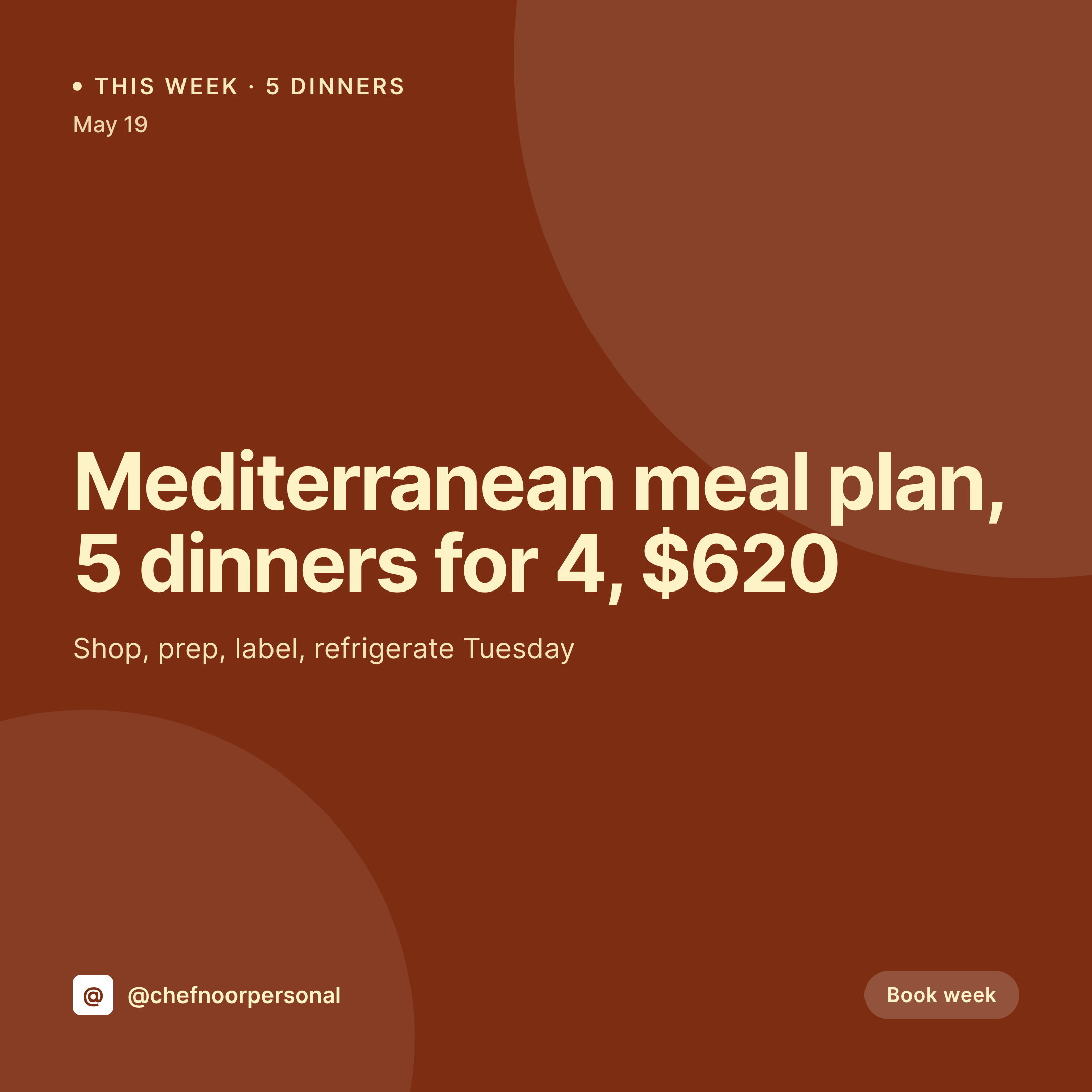
Five dinners for a family of four, the produce list, the prep day, the price. The booking already has every field. SleekPixel renders the 1080x1080 card so the chef stops rebuilding a graphic between shopping runs.
♾️ Lifetime License available
Weekly menus and the Sunday graphic
A personal chef works on a weekly loop. Sunday or Monday is consult, Tuesday is shop, Wednesday is prep, the family eats from a stocked fridge until Saturday. Each week the chef sends a menu to the client and posts a teaser to Instagram or the chef's site, because the next booking comes from the last one looking good. Five dinners, a sauce or two, a snack, a dessert.
The menu data already lives somewhere on the WordPress site. The booking CPT carries the client, the week, the price, and the dishes. ACF fields hold the dietary restrictions, the servings, and the prep day. The chef typed it once when the consult ended. The chef should not retype it into a Canva file at 6am on Tuesday before the farmers market.
SleekPixel renders the card on save. The 1080x1080 PNG carries the dish list, the price, the prep day, and the chef's mark. The OG image for the booking URL matches. The teaser ships before the produce is even bagged.
Workflow
From booking save to weekly card
Map booking fields
Design one square template
Publish the weekly booking
Send to client and post
Output
What gets generated per week
A 1080x1080 square card with the five dinners, servings, prep day, and weekly price, pulled from the booking post and framed in the chef's brand.

Comparison
Default personal chef image vs SleekPixel
Default personal chef image
- Chef rebuilds a Canva card every Monday before the shop run
- Servings on the card don't match what the family actually requested
- Price quoted in DM is different from the price on the social card
- Dietary tags (GF, DF, nut-free) get typed inconsistently week to week
- Multi-client chefs end up with one slightly off-brand card per family
SleekPixel
- Save the weekly booking, the 1080x1080 card lands in uploads
- Dishes, servings, prep day, and price pulled from booking fields
- Dietary tags render the same on every card across every client
- OG image wires to the booking URL so the share preview is current
- One template across clients keeps every booking on the chef's brand
Features
What SleekPixel gives you for personal chef
Card per booking
Every weekly booking saves with a square card. Dish list, servings, and price come from the booking post, not a fresh Canva file.
Diet tags consistent
Gluten-free, dairy-free, nut-free, low-FODMAP. The tags render from the booking fields so the same shorthand shows across every client.
Prep day visible
The shop and prep day are part of the card, so the client and the chef both know when the fridge gets stocked without checking DMs.
Use cases
Who uses SleekPixel for personal chefs
In-home weekly chefs
Chefs who cook on a regular Tuesday or Wednesday in the client's kitchen render a card per week with that week's menu and servings.
Multi-client meal plans
A chef serving three or four families renders a card per family per week. Each card holds the family's dietary tags and servings.
Specialty diet chefs
Plant-based, paleo, postpartum, or athlete-focused chefs render cards that surface the protein target, the calorie band, or the macro split.
The bigger picture
Why personal chef marketing leans on the weekly menu graphic
Personal chefs sell trust on a weekly clock. A family is paying several hundred dollars per week, and they want to see a clear, considered menu before the chef shows up at the door with two bags of groceries. The chefs who hold those bookings are the ones whose menu communication looks finished, not the ones whose dish list shows up as a paragraph in Messenger.
The trap is that the chef is also the operator, the shopper, the cook, and the cleaner, so any minute spent in Canva is a minute not spent prepping. The fix is to type the menu into the post that already represents the booking, and let one template do the graphic. The dietary tags stay consistent, the price on the card matches the price on the invoice, and the client gets a Tuesday morning teaser that earns the next Thursday's referral.
Questions
Common questions about SleekPixel for personal chef
Yes. Each booking post carries that client's dietary tags and servings, and the card renders those values. Different clients can use the same template with different data.
Yes. Two templates can render off the same booking, a public version without the price and a private client-only PDF with the price. The public Instagram card omits the price field.
Yes. SleekPixel reads any post type and any field, so Amelia, LatePoint, or a custom Booking CPT all map onto the card template.
Yes. If each dish is its own sub-post or term, the card template can loop over them. Most chefs prefer one card per week with the dish list, which the template handles directly.
No. SleekPixel renders the image and saves it to uploads. Posting and sending stay manual steps from the chef's phone or scheduling tool.
Yes. One save can produce a 1080x1080 grid card, a 1080x1920 story, and a 1200x630 OG image. Each format is configured once.
Yes. Field text in any language renders into the template. A chef in Montreal can render French and English menus side by side or as separate cards via WPML or Polylang.
No. SleekPixel renders static PNG and JPG only. Reels or stories with motion stay in the chef's video tool.
Pricing
More than 1000+
happy customers
Explore our flexible licensing options tailored to your needs. Upgrade your license anytime to access more features, or opt for a lifetime license for ongoing value, including lifetime updates and lifetime support. Our hassle-free upgrade process ensures that our platform can grow with you, starting from whichever plan you choose.
Lifetime ♾️
Most popular
EUR
once
- Unlimited websites
- Lifetime updates
- Lifetime support
...or get the Bundle Deal
and save €250 🎁
💎 Want everything forever? The All Access Pass is going away on 01.08.2026.
The Bundle (unlimited sites)
Pay once, own it forever
Elevate your WordPress site with our exclusive plugin bundle that includes all of our premium plugins in one package. Enjoy lifetime updates and lifetime support. Save significantly compared to buying plugins individually.
What’s included
-
SleekAI
-
SleekByte
-
SleekMotion
-
SleekPixel
-
SleekRank
-
SleekView
€749
Continue to checkoutBrowse more
- Mailchimp email headers
- SoundCloud track art
- YouTube Shorts thumbnails
- VK community cover photos
- YouTube channel banners
- Dribbble shot covers
- Etsy listing images
- Gumroad product covers
- podcast cover art
- Lens Protocol posts
- YouTube podcast thumbnails
- Facebook Marketplace images
- Bandcamp release cover
- Apple Podcasts covers
- X community banners