






SleekPixel for mead maker
A bourbon-barrel cyser, an orange-blossom traditional, a hopped braggot. Each release has a style, a honey source, an aging window, an ABV, and a bottle count. SleekPixel renders the card on save.
♾️ Lifetime License available
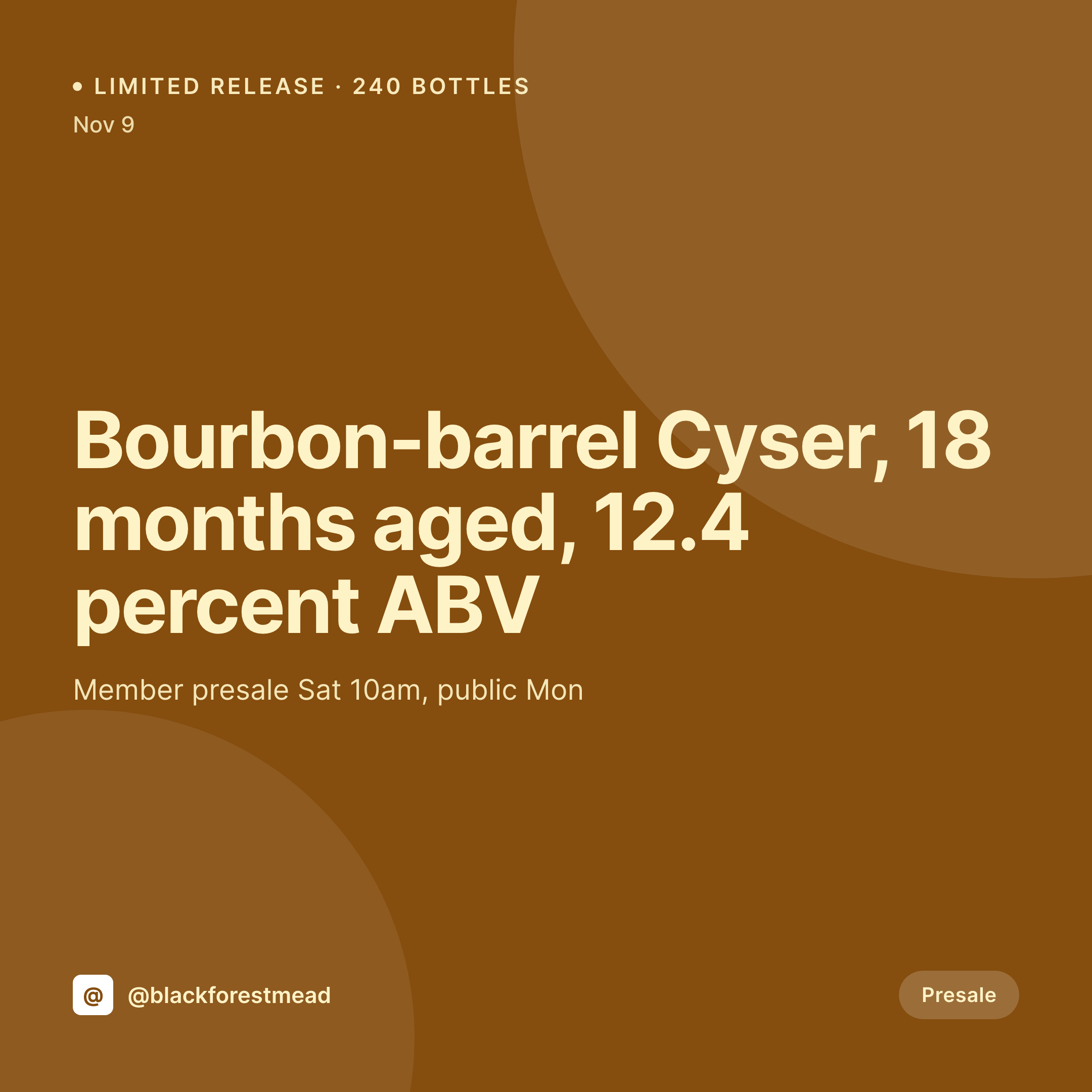
Mead releases run small and the graphic has to keep up
A meadery's release calendar is built around small batch numbers. Two hundred and forty bottles of the bourbon-barrel cyser, one hundred and twenty of the brett-finished cherry melomel. Each release sells out in a presale week, and the buyer's decision is made on Instagram between when the post drops and when the cart opens.
The product page on the WordPress site holds the data. The style is the product title, the honey source is an ACF field, the aging window and barrel type are in the long description, the ABV is on the variation, the bottle count is the stock. The work of describing the mead has been done.
SleekPixel turns that data into a release card. Saving the release post renders a 1080x1080 PNG with the style, the honey source, the aging window, the ABV, and the bottle count. The OG image wires to the release URL. The members presale opens on Saturday, the card is already on the grid.
Workflow
From release date to card
Map release fields
Design one square template
Publish the release
Post on presale morning
Output
What gets generated per release
A 1080x1080 square card with the mead style, honey source, aging window, ABV, and bottle count, pulled from the product post.
Comparison
Default mead maker image vs SleekPixel
Default mead maker image
- Mead maker rebuilds a Canva card for each release
- Honey source spelling drifts (wildflower vs wild-flower vs Wildflower)
- ABV on the card lags behind the lab measurement
- Bottle count on the card doesn't match the actual stock
- Multi-style releases each end up with slightly different layouts
SleekPixel
- Save the release post, the 1080x1080 card lands in uploads
- Style, honey source, aging, and ABV pulled from fields
- Bottle count renders from stock so the card matches the cart
- OG image wires to the release URL for clean share previews
- One template across releases keeps the meadery on-brand
Features
What SleekPixel gives you for mead maker
Honey source visible
Orange blossom, buckwheat, sourwood, tupelo. The honey source field renders on the card so each release's terroir is clear.
Aging and barrel
Eighteen months in bourbon, six months in port, eight months neutral. Aging window and barrel type render from the post fields.
Bottle count from stock
The bottle count on the card pulls from the actual product stock, so a 240-bottle release shows as 240 and counts down as bottles sell.
Use cases
Who uses SleekPixel for mead makers
Limited release meaderies
Meaderies running members-presale releases render a card per release with the bottle count and presale window.
Single-source honey meaderies
Meaderies sourcing from one apiary render cards that name the apiary and the honey varietal, supporting the terroir story.
Barrel-aged programs
Bourbon, rum, wine, and spirits-barrel programs render cards with the barrel provenance and aging window per release.
The bigger picture
Why mead releases ride on the launch image
Mead is a tier-driven category. The same producer's cyser sells for fifteen dollars or sixty depending on barrel time, honey source, and aging. Members-tier customers pay a premium because the producer's story is told well, and that story lives on Instagram across a year of small releases.
The meaderies that hold their members are the ones whose release cards look as considered as the bottle itself. The trap is that a meadery is usually one or two people, and bottling day is a long day. The fix is to type the release into the product post that already runs the cart and let the template do the graphic.
The card matches the bottle, the bottle count on the card matches the stock, the ABV matches the lab. The members open the post on a Saturday morning and trust that the cart will sell what the card says.
Questions
Common questions about SleekPixel for mead maker
The card can re-render at intervals or on stock changes, so the count reflects the live cart. Most meaderies render once for launch and keep that image as the social post, while the OG image updates with stock.
Yes. A barrel field can carry the distillery and the cooper, and the card renders that line for releases where the barrel matters.
Both. SleekPixel reads any post type and any field. Members-only pricing and presale windows mapped through Woo or EDD render correctly.
Yes. A release with 375ml and 750ml variants can render a card that includes both sizes and prices side by side.
A presale variant template and a public variant template can both render off the same product. The store selects the variant by user role or date.
Label art is usually a separate print workflow. SleekPixel handles social, story, and OG images. The print-side label still ships from the design tool.
No. SleekPixel saves the image to uploads. Posting stays a manual step or runs through a third-party scheduler.
A short tasting note field can render on the card under the title. The full release notes still live on the product page for buyers who click through.
Pricing
More than 1000+
happy customers
Explore our flexible licensing options tailored to your needs. Upgrade your license anytime to access more features, or opt for a lifetime license for ongoing value, including lifetime updates and lifetime support. Our hassle-free upgrade process ensures that our platform can grow with you, starting from whichever plan you choose.
Lifetime ♾️
Most popular
EUR
once
- Unlimited websites
- Lifetime updates
- Lifetime support
...or get the Bundle Deal
and save €250 🎁
💎 Want everything forever? The All Access Pass is going away on 01.08.2026.
The Bundle (unlimited sites)
Pay once, own it forever
Elevate your WordPress site with our exclusive plugin bundle that includes all of our premium plugins in one package. Enjoy lifetime updates and lifetime support. Save significantly compared to buying plugins individually.
What’s included
-
SleekAI
-
SleekByte
-
SleekMotion
-
SleekPixel
-
SleekRank
-
SleekView
€749
Continue to checkoutBrowse more
- TikTok ad images
- Twitch profile banner
- kbin post images
- LinkedIn company banners
- Ko-fi shop images
- Poshmark listing images
- Warpcast frame images
- YouTube community images
- TikTok profile banners
- Discord server icon
- Etsy shop banners
- Facebook event covers
- Twitch starting soon screen
- Snapchat Discover tiles
- Open Graph images