






SleekPixel for sound healers
Sound baths, gong meditations, and series passes each become a 1080x1080 card on save. Date, instruments, mat count, and facilitator pulled from the post.
♾️ Lifetime License available
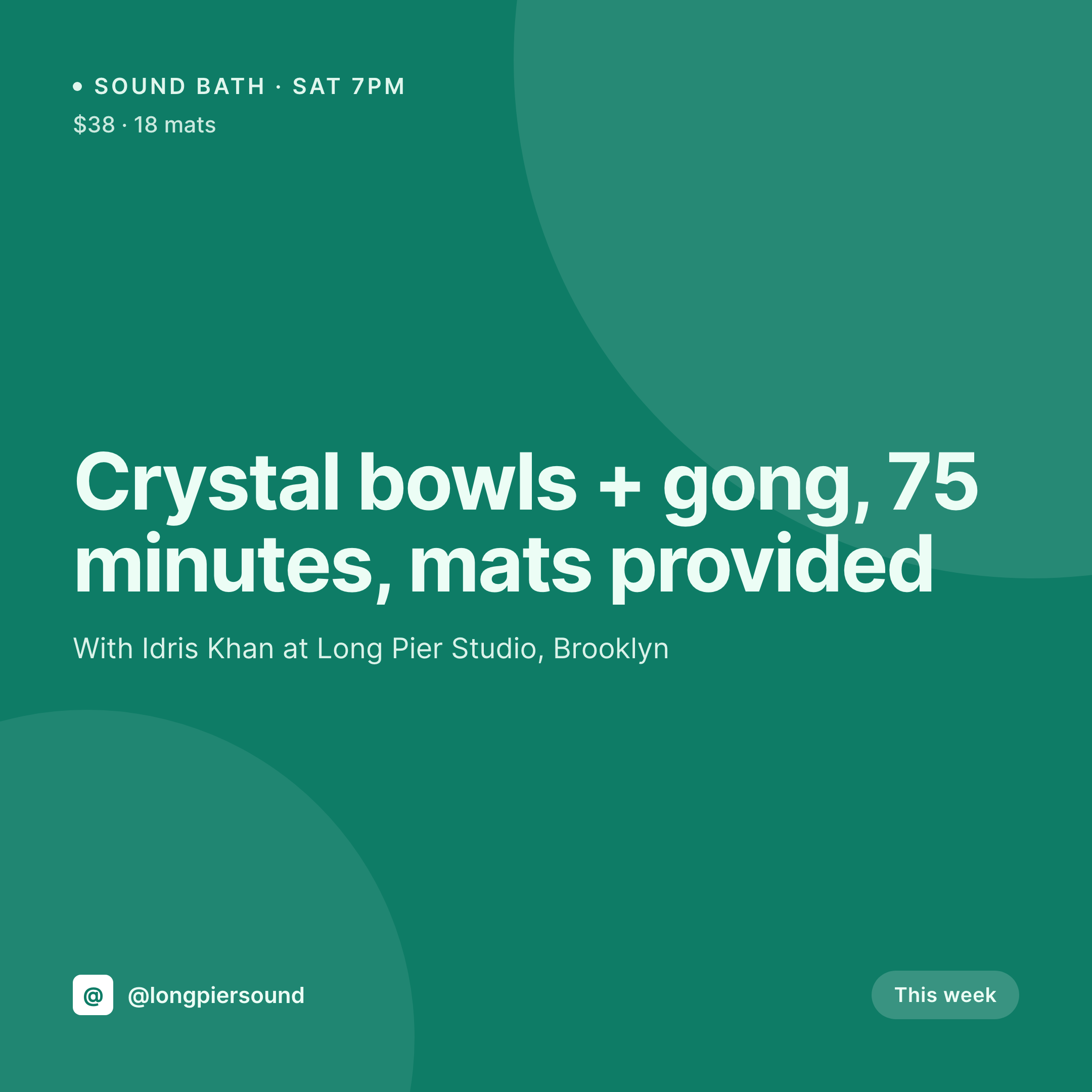
Sound bath posts that don't need a new Canva file every week
A sound-healing practice tends to live on a weekly rhythm. A Saturday-night sound bath at a yoga studio, a midweek gong meditation in a small loft, an occasional series pass for a six-week cycle. Each event is its own post on the practice site with the date, the instruments, the facilitator, the studio, the mat count, and the price. Each event also needs a 1080x1080 square because that is what fills mats most reliably.
The data is already in WordPress, sitting in the event post or the WooCommerce product. The gap is the square, which gets rebuilt from a duplicated Canva file each week and sometimes ships with last week's date still on it.
SleekPixel removes the rebuild. Build one 1080x1080 template in the admin with the practice mark, a date slot, an instrument slot, a facilitator slot, and a mat-count slot. Save an event, and a fresh PNG lands in uploads while the next event is still being drafted. The weekly post stays steady because the template doesn't move.
Workflow
From event draft to feed-ready square in one save
Design the square
Connect to event post type
Save the event
Post from the sidebar
Output
What gets generated per sound bath post
A 1080x1080 square with the event title, date, instruments, facilitator, mat count, and price. Pulled from the event post fields.
Comparison
Default sound healers image vs SleekPixel
Default sound healers image
- Each sound bath needs a new Canva square built from a duplicated file
- Dates and mat counts get retyped weekly and occasionally ship wrong
- Stock photos of crystals and bowls slip in and break the studio's tone
- Series passes and one-offs use slightly different layouts each time
- Posts ship without a square on the weeks the facilitator is traveling
SleekPixel
- Auto-generated 1080x1080 PNG per event on save
- Date, instruments, facilitator, and mat count pulled from the post
- One template, every sound bath stays on the same grid
- Edit the template once and every legacy event's card refreshes
- Falls back gracefully if mat count or price is left blank
Features
What SleekPixel gives you for sound healers
Template-driven
Design the 1080x1080 layout once with the practice mark, a date slot, and an instrument slot. Every event post inherits it on save.
Instrument-aware
An instrument field on the event post drives a small icon row on the card, so a crystal-bowl bath and a gong meditation read visibly different.
Regenerate on demand
Updated a facilitator or studio? Save the event and the square re-renders automatically with the new details.
Use cases
Where this fits best for sound healers
Weekly sound baths
Saturday-night sound baths get a date, instrument, and mat-count card that fills the feed week to week without manual redraws.
Series passes
Six-week gong cycles and seasonal series get a square for the open-enrollment window with the start date and facilitator attached.
Pop-up locations
Each guest studio or pop-up gets its own card so a venue partner can re-share an event with the right address baked in.
The bigger picture
Why a consistent feed card matters for sound healers
Sound baths fill on community familiarity. A regular notices the same studio's square in their feed week after week, recognizes the rhythm, and books the seat. When the squares drift in tone, the rhythm breaks and the bookings slow, even if the writing on the post is excellent.
A template that pulls the date, the instruments, and the facilitator automatically keeps the weekly post visually steady so the regulars keep showing up and new mats fill from re-shares. The practitioner gets the hour back that would have gone into Canva and spends it on the next set. SleekPixel does that inside WordPress, with no post data leaving the server.
Questions
Common questions about SleekPixel for sound healers
Yes. SleekPixel reads from regular post meta and event-plugin meta the same way, so a card can pull the event start, end, and venue fields directly.
Yes. SleekPixel supports per-category and per-CPT templates. A weekly sound bath and a six-week series pass can each have a tailored design.
Update the date in the event post and the card re-renders on save. The image URL stays stable so any existing link previews still resolve.
Yes. SleekPixel supports multiple templates per post. One can be the 1200x630 OG card, another the 1080x1080 Instagram square, both produced on save.
No. The image is rendered once at save time and stored as a static PNG. Visitors load a regular image URL with no live rendering.
Yes. The admin has a one-click bulk regeneration that re-renders every event's square so the entire archive lines up with the new design.
Yes. SleekPixel exposes the image URL on the post and on a small Gutenberg sidebar block. Editor-level access is enough.
Stores. Each generated image is a real PNG saved to the uploads folder, so it survives plugin deactivation and pages stay fast under any share spike.
Pricing
More than 1000+
happy customers
Explore our flexible licensing options tailored to your needs. Upgrade your license anytime to access more features, or opt for a lifetime license for ongoing value, including lifetime updates and lifetime support. Our hassle-free upgrade process ensures that our platform can grow with you, starting from whichever plan you choose.
Lifetime ♾️
Most popular
EUR
once
- Unlimited websites
- Lifetime updates
- Lifetime support
...or get the Bundle Deal
and save €250 🎁
💎 Want everything forever? The All Access Pass is going away on 01.08.2026.
The Bundle (unlimited sites)
Pay once, own it forever
Elevate your WordPress site with our exclusive plugin bundle that includes all of our premium plugins in one package. Enjoy lifetime updates and lifetime support. Save significantly compared to buying plugins individually.
What’s included
-
SleekAI
-
SleekByte
-
SleekMotion
-
SleekPixel
-
SleekRank
-
SleekView
€749
Continue to checkoutBrowse more
- SoundCloud track art
- LINE official account banners
- Etsy shop banners
- Instagram highlight covers
- Spotify Canvas
- Depop listing images
- Lemon Squeezy product covers
- Behance project covers
- Twitter card images
- Pinterest product pin covers
- Mastodon post images
- Signal sticker pack
- Apple Podcasts covers
- Telegram channel cover images
- Lens Protocol posts