






SleekPixel for meal prep service
Twelve meals, the macros per meal, the cutoff for Sunday orders, the Tuesday delivery window. Saving the weekly menu post renders the social card and the OG image at the same moment.
♾️ Lifetime License available
Sunday cutoffs and the weekly card
A meal prep service runs on a weekly clock. The new menu drops on a Thursday or Friday. Customers have until Sunday at 20:00 to lock their order. Delivery goes out Tuesday morning. Every step is time-bound and every step needs a social card and an OG image that reflect this week's menu, not last week's.
The data is on the WordPress site. The twelve meals are products, each with macros in ACF fields. The week's total price is on the product variation. The order cutoff is on the menu post. The delivery window is on the same post. The typing has been done.
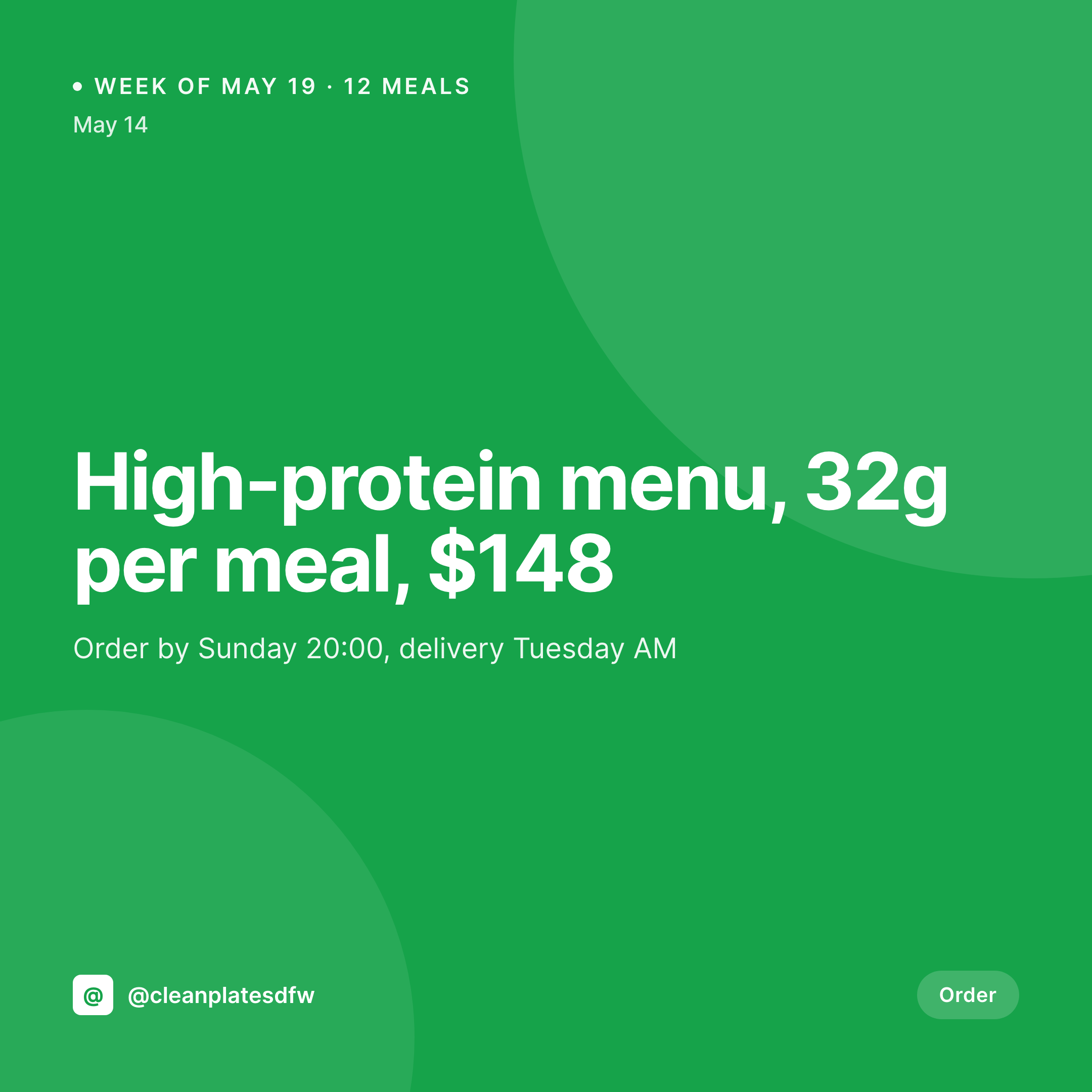
SleekPixel renders the card on save. Saving Thursday's menu post produces a 1080x1080 grid card with the meal count, the lead protein, the macros, and the price, plus a 1200x630 OG image for the URL. The marketing manager doesn't open Canva on a Thursday afternoon. The card and the URL preview are current for the whole week.
Workflow
From weekly menu drop to card
Map menu and macro fields
Design one square template
Publish the weekly menu
Post on launch day
Output
What gets generated per week
A 1080x1080 square card with the week's meal count, the lead macros, the price, the order cutoff, and the delivery window, pulled from the menu post.


Comparison
Default meal prep service image vs SleekPixel
Default meal prep service image
- Marketing manager builds a Canva card for every weekly menu drop
- Macros on the card lag behind what the kitchen actually plated this week
- Sunday cutoff time on the card is wrong half the time
- Last week's price hangs around on the OG image after the new menu goes live
- Multi-city meal prep services have each market posting its own off-brand card
SleekPixel
- Save the weekly menu post, the 1080x1080 card lands in uploads
- Macros, meal count, price, and delivery window pulled from the post
- OG image wires into the URL so share previews always show this week
- Sidebar download for fast Instagram posting on launch day
- Multi-market services stay on-brand with one shared template
Features
What SleekPixel gives you for meal prep service
Weekly card
Every weekly menu post saves with a 1080x1080 square card. Meal count, macros, and price come from the menu post fields.
Macros included
Protein, carbs, fat, and calories per meal can render on the card when those fields are filled. The card looks like the macro card customers care about.
Cutoff and delivery
The order cutoff and the delivery window come from the menu post. Customers see the right times in the social card and the share preview.
Use cases
Who uses SleekPixel for meal prep services
High-protein and macro-tracked menus
Macro-tracked services render cards with grams per meal so customers see the protein target before they open the order page.
Vegan and plant-based prep
Vegan meal prep services render weekly cards with the meal list and ingredient highlights pulled from the product fields.
Multi-city delivery operators
Services delivering across two or three cities share one template. Each market's cutoff, delivery window, and menu render correctly.
The bigger picture
Why meal prep marketing breaks at weekly cutoffs
A meal prep service has one of the cleanest weekly clocks in food. Order by Sunday, eat from Tuesday, repeat. The marketing has to keep up with that clock or it falls behind by a week and customers stop trusting that the menu they see is the menu they'll get.
Most services run lean, the operator is also the marketer, and Thursday is busy in the kitchen because that's when the new menu drops. The fix is to treat the social card and the OG image as derived from the menu post. The kitchen types the meals and macros into the system that already runs the order page.
Saving the post renders the card and the OG image together. Sunday's cutoff time on the card matches the actual cutoff. Tuesday's delivery window on the card matches the actual delivery window.
The clock and the marketing finally agree.
Questions
Common questions about SleekPixel for meal prep service
Yes. Protein, carbs, fat, and calories can live in ACF or WooCommerce fields and render directly on the card. Each week's macros stay tied to that week's post.
Editing the menu post re-renders the card and updates the OG image. The version attached to the URL is always current with the latest meal list.
Yes. SleekPixel reads any post type and any field, so WooCommerce products, a Meals CPT, or a Weekly Menu post type all map onto the card template.
Yes. With multisite or a location taxonomy, each market renders the same brand frame with its own cutoff, delivery window, and meal list.
No. SleekPixel renders the image and saves it to uploads. Posting is a manual step from the platform's app or a scheduling tool.
Yes. A weekly menu post can render a 1080x1080 grid card, a 1080x1920 story, and a 1200x630 OG image at the same time.
SleekPixel renders images, not macro calculations. If a third-party tool calculates macros and writes them back to ACF fields, the card picks them up. The calculation itself stays in the original tool.
No. SleekPixel renders static PNG and JPG only. Animated and video formats are out of scope, the focus is still images that stay current with the weekly menu.
Pricing
More than 1000+
happy customers
Explore our flexible licensing options tailored to your needs. Upgrade your license anytime to access more features, or opt for a lifetime license for ongoing value, including lifetime updates and lifetime support. Our hassle-free upgrade process ensures that our platform can grow with you, starting from whichever plan you choose.
Lifetime ♾️
Most popular
EUR
once
- Unlimited websites
- Lifetime updates
- Lifetime support
...or get the Bundle Deal
and save €250 🎁
💎 Want everything forever? The All Access Pass is going away on 01.08.2026.
The Bundle (unlimited sites)
Pay once, own it forever
Elevate your WordPress site with our exclusive plugin bundle that includes all of our premium plugins in one package. Enjoy lifetime updates and lifetime support. Save significantly compared to buying plugins individually.
What’s included
-
SleekAI
-
SleekByte
-
SleekMotion
-
SleekPixel
-
SleekRank
-
SleekView
€749
Continue to checkoutBrowse more
- eBay listing images
- LINE official account banners
- X social cards
- Warpcast frame images
- X ad images
- Twitter card images
- Mailchimp email banner
- Beacons.ai banner
- LinkedIn showcase page banners
- YouTube Shorts thumbnails
- Facebook group banners
- X community banners
- Pinterest video pin covers
- Instagram grid tiles
- Mastodon profile banners