






SleekPixel for office hours card
Title, date, time zone, host, and topic already live in the office hours post. SleekPixel turns each one into a 1080x1080 invite on save, ready to drop into Instagram, LinkedIn, or a Slack community channel.
♾️ Lifetime License available
Why office hours invites stop happening after week three
Open office hours die in social production, not in scheduling. The first three sessions get a hand-designed Canva tile because the host is excited. By session six the host is typing the topic into a calendar invite and posting a plain text reminder. By session twelve the cadence has slipped because the visual asset is no longer free, and "I will design the card this week" sits in the to-do list under a dozen other things.
Almost every host already keeps the office hours schedule somewhere structured. A small custom post type, an Airtable, a Notion database, a Google Calendar feed pulled into WordPress. Topic, weekday, time zone, host name, host headshot, week number. The data exists. What does not exist is the bridge from a structured row to a 1080x1080 square card with the right typography and the right accent.
SleekPixel renders that bridge. One template covers every weekly slot. Editing the topic regenerates the card. Adding a co-host adds a second avatar. Changing the time zone updates the label. The card stops being a designer task and becomes an output of typing the topic, which is the only step that actually requires the host's attention.
Workflow
From scheduled slot to share-ready card
Encode the invite layout
Capture the session
Share before the session
Edit if the topic shifts
Output
What a rendered office hours card looks like
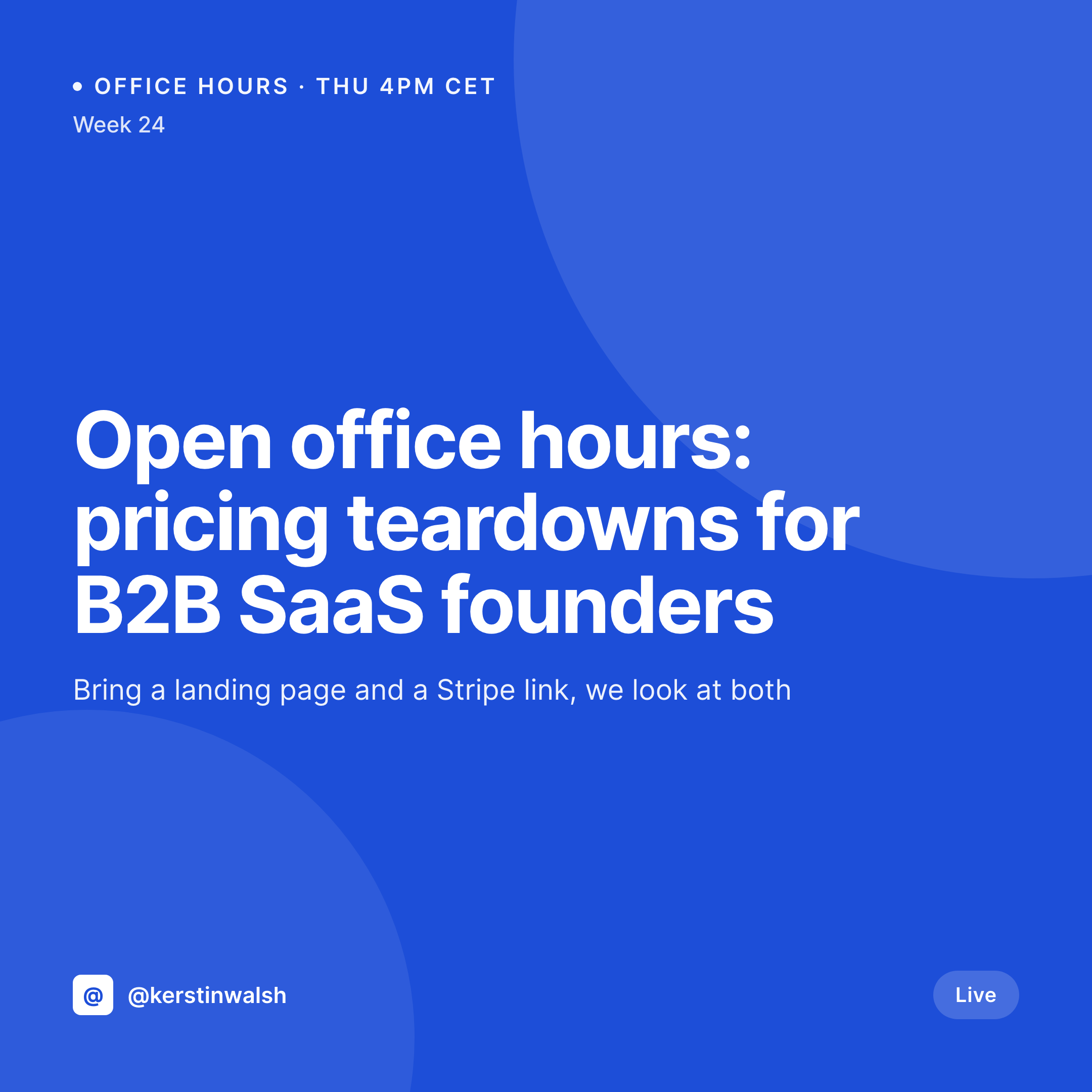
A 1080x1080 invite with topic, weekday and time, time zone label, host name, headshot, and a small week number, all pulled from the office hours post.


Comparison
Manual Canva invite vs auto-rendered card
Canva or Figma per session
- The first three sessions get a card, the next twenty do not
- Time zone abbreviations get inconsistent between sessions
- Topic edits force a Canva re-export and a re-upload
- Co-host avatars get pasted in at different sizes each week
- The text post on Slack does not match the design on Instagram
SleekPixel
- Every office hours post renders a square card on save
- Topic, weekday, time zone, and host pulled from real fields
- Avatar slot supports one or two hosts without template forks
- Sidebar download button serves the latest PNG to the host directly
- Bulk regenerate sweeps the whole archive after a brand refresh
Features
What SleekPixel gives you for office hours card
Schedule-aware
The card pulls the next session's weekday, time, and time zone from the office hours post so the invite never disagrees with the calendar.
One or two hosts
Avatar placeholders accept solo or duo office hours without a separate template. The layout adapts so the second host does not look like an afterthought.
Sidebar download
Hosts grab the PNG from the Gutenberg sidebar minutes before posting. No designer hand-off, no waiting for a Slack thread to resolve.
Use cases
Office hours patterns this template handles
Founder office hours
Weekly open sessions where the founder takes questions on pricing, hiring, or product. One card per week with a rotating topic line.
Course office hours
Live Q&A blocks attached to a paid course. The card includes the course name and cohort tag so students recognise it in their feed.
Community AMAs
Drop-in sessions for a paid community. The card carries the community handle, the topic, and the guest if there is one.
The bigger picture
Why office hours cards are worth automating
Office hours are a long game. The value compounds across sessions because regulars start showing up, questions get richer, and the host becomes someone people associate with answers in a niche. The thing that quietly kills office hours is asymmetric cost.
The actual session is cheap (an hour, a Zoom link, a topic) but every session needs a visual invite that hits social, and that invite is the part hosts skip first. Without it the audience forgets the cadence, regulars miss a week, momentum dies. A card per session, rendered from the same row that schedules the slot, keeps the visual asset free.
The host types a topic, the card exists, the invite goes out. Sessions stay on a weekly rhythm because nothing in the publishing pipeline pushes back.
Questions
Common questions about SleekPixel for office hours card
Yes. Edit the office hours post with the new date or time and save. SleekPixel regenerates the PNG at the same /uploads URL, so the og:image and the Gutenberg sidebar download both serve the updated card.
Yes. Add a guest field on the office hours post and map it to a second name slot in the template. The layout shifts to fit one or two avatars without a fork.
Run each week as its own post in a CPT, or use ACF to store the next-up week's data on a singular post. Either pattern renders a fresh card per week.
Add a short Zoom or Meet code as a label on the design if you want, but most hosts keep the URL out of the image so it does not date. The post body holds the link for click-throughs.
No. The card is a social asset that promotes the slot. Calendar invites still go out through Calendly, Google Calendar, or your community tool.
Yes. Register a vertical 1080x1920 size on the same template and the renderer outputs both formats per save. Editorial picks which one to share.
Swap the host field on the post and the card updates on next save. Past weeks keep their cards intact because each session is its own post.
Yes. The avatar slot accepts a media library image, an ACF image, or a remote URL fetched on render. Co-host headshots can come from anywhere your team manages photos.
Pricing
More than 1000+
happy customers
Explore our flexible licensing options tailored to your needs. Upgrade your license anytime to access more features, or opt for a lifetime license for ongoing value, including lifetime updates and lifetime support. Our hassle-free upgrade process ensures that our platform can grow with you, starting from whichever plan you choose.
Lifetime ♾️
Most popular
EUR
once
- Unlimited websites
- Lifetime updates
- Lifetime support
...or get the Bundle Deal
and save €250 🎁
💎 Want everything forever? The All Access Pass is going away on 01.08.2026.
The Bundle (unlimited sites)
Pay once, own it forever
Elevate your WordPress site with our exclusive plugin bundle that includes all of our premium plugins in one package. Enjoy lifetime updates and lifetime support. Save significantly compared to buying plugins individually.
What’s included
-
SleekAI
-
SleekByte
-
SleekMotion
-
SleekPixel
-
SleekRank
-
SleekView
€749
Continue to checkoutBrowse more
- Passes page banner
- Twitch overlay
- TikTok cover images
- Farcaster cast images
- Poshmark listing images
- Twitch profile banner
- Douyin thumbnails
- Facebook Shop product images
- Warpcast frame images
- Bluesky link cards
- Bluesky profile banner
- Klaviyo email headers
- LinkedIn showcase page banners
- YouTube ad thumbnails
- Tumblr header