






SleekPixel for poll result card
SleekPixel turns a poll post into a branded OG card. The question, the winning option, the percentage split across choices, and the total turnout are template fields, so the recap reads consistently across every poll the team runs.
♾️ Lifetime License available
Poll recaps are too small to design and too important to skip
Polls are easy to start and easy to lose. A team posts a LinkedIn or Twitter poll, gets a few hundred votes over four days, and then the result lives only as a screenshot of the closed poll. The recap rarely makes it back to the website, the data never enters search, and the audience that voted has nothing to share. The reason is simple: a designed recap card costs more than the poll is worth, so it never gets made.
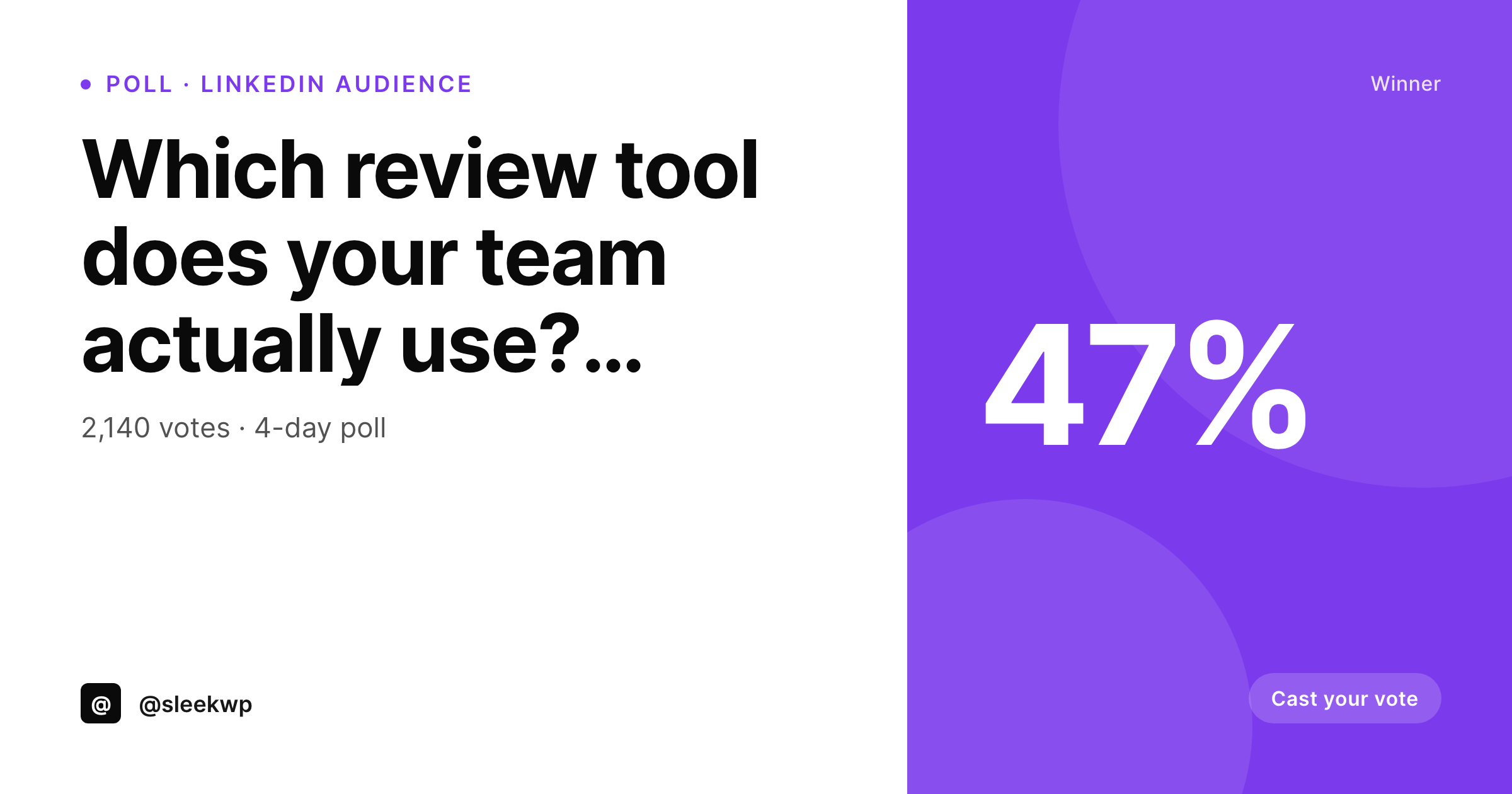
SleekPixel makes the recap effectively free. The poll post holds the question, the option labels, the percentage each option received, and the total vote count. The template renders an OG card with the winner foregrounded, the runner-up listed, and the turnout in a meta line. Every poll the team runs gets the same treatment, and ten polls a quarter become ten searchable, shareable archive pages instead of ten ephemeral platform posts.
The card also enables a follow-up post. Linking back to the poll-result page on the website carries the rendered card, so a thread that says here are the results of last month's poll has a real share asset behind it. Polls become recurring content rather than one-off social experiments.
Workflow
From closed poll to archived recap
Define the poll template
Log the poll on a post
Publish the archive page
Run the cadence
Output
How the poll card composes
An OG card with the question, the winning option highlighted in the accent, the runner-up below, and the total vote count in the meta line.
Comparison
Screenshot recaps vs auto-rendered cards
Closed-poll screenshot
- Recap is a screenshot of a closed platform poll
- No archive page exists for the poll on the website
- Vote totals get cropped or compressed in the screenshot
- Brand mark is missing from the platform-native screenshot
- Resharing the recap loses context after the platform purges polls
SleekPixel
- Question and vote split rendered from real fields
- Winning option highlighted in the accent color
- Total turnout sits in a stable meta line
- Archive page on the website carries the card forward
- Same template handles two-option and four-option polls
Features
What SleekPixel gives you for poll result card
Vote-split layout
Options render as a small bar or list with their percentages. The winner is foregrounded in the accent color so the recap reads at a glance.
Winner emphasis
The accent color and a subtle ribbon mark the winning option without adding a separate design pass per poll.
Run-cadence ready
A weekly or monthly poll cadence becomes a content series. Each archive page carries a card, building a search-friendly poll library over time.
Use cases
Poll formats it covers
Two-option polls
A vs B with the percentage split rendered cleanly. Use the meta slot for context like total votes or the audience the poll ran in.
Multi-option polls
Three- or four-option polls render the full split. Long option labels truncate gracefully and the winner sits at the top in the accent.
Audience cuts
Same poll asked to two different audiences. Render two cards, label each in the meta line, and share them as a comparison.
The bigger picture
Why polls deserve archive cards
A poll is one of the cheapest ways to learn what an audience thinks, and one of the most underused for long-term content. The platforms that host the poll do not preserve it well. Twitter polls disappear from feeds within a week.
LinkedIn polls become hard to find a month later. The data is gone, the engagement is gone, and the brand has nothing to point to. A rendered recap card on a permanent URL changes that economics.
The poll lives twice: once as the live engagement on the platform, once as a searchable, shareable post on the website. The website version compounds. Five years of weekly polls becomes a real archive, with five years of OG cards driving traffic back to the site.
SleekPixel reduces the per-poll cost of building that archive to zero. The team logs the poll, the card renders, the page is searchable, the link carries a strong asset. The decision to start running polls becomes a decision about content, not about whether the recap will get designed.
Questions
Common questions about SleekPixel for poll result card
No. The poll can run on LinkedIn, Twitter, or any platform. The post type is the recap, not the live poll. You log the question and the closed-poll percentages and the card renders from those fields.
Yes. The options are a repeater. Two, three, or four options all render in the same layout with consistent type sizes. Long option labels truncate or shift to two lines according to the rules you set.
Yes. The template can read the row marked as winner and apply the accent color, a small badge, or a ribbon. The other options stay in muted styling so the recap reads at a glance.
Yes. Each recap is a permanent post, so its URL never expires. A retrospective post on the year's most surprising polls can link to ten archive pages, each carrying its rendered card.
Yes. The template is HTML and CSS, so any chart you can render in markup works. Many teams use a slim horizontal bar to keep the focus on the winner without dominating the card.
Render the question and a short summary line in place of percentages. The template can switch layout based on a poll-type field, so quantitative and qualitative polls share the same series treatment.
Yes. Map the audience or cohort label to the meta slot. A LinkedIn poll to founders and a separate one to engineers can render with the audience clearly called out so comparisons stay honest.
Yes. Run a bulk regenerate after the template change. Every existing recap re-renders against the new layout, so the archive stays cohesive without reopening old posts.
Pricing
More than 1000+
happy customers
Explore our flexible licensing options tailored to your needs. Upgrade your license anytime to access more features, or opt for a lifetime license for ongoing value, including lifetime updates and lifetime support. Our hassle-free upgrade process ensures that our platform can grow with you, starting from whichever plan you choose.
Lifetime ♾️
Most popular
EUR
once
- Unlimited websites
- Lifetime updates
- Lifetime support
...or get the Bundle Deal
and save €250 🎁
💎 Want everything forever? The All Access Pass is going away on 01.08.2026.
The Bundle (unlimited sites)
Pay once, own it forever
Elevate your WordPress site with our exclusive plugin bundle that includes all of our premium plugins in one package. Enjoy lifetime updates and lifetime support. Save significantly compared to buying plugins individually.
What’s included
-
SleekAI
-
SleekByte
-
SleekMotion
-
SleekPixel
-
SleekRank
-
SleekView
€749
Continue to checkoutBrowse more
- Pinterest shop banners
- Patreon cover images
- YouTube thumbnails
- Telegram channel images
- Dailymotion thumbnails
- Medium article headers
- Spotify podcast covers
- YouTube podcast thumbnails
- Warpcast frame images
- Instagram Shop product images
- Depop listing images
- WeChat Moments images
- Amazon A+ content images
- Apple Podcasts covers
- Slack channel headers