






SleekPixel for product page
When a product page gets shared on Facebook, Threads or Slack, the link card needs to sell the product. SleekPixel renders an OG image per product on save with title, price, photo and brand mark.
♾️ Lifetime License available
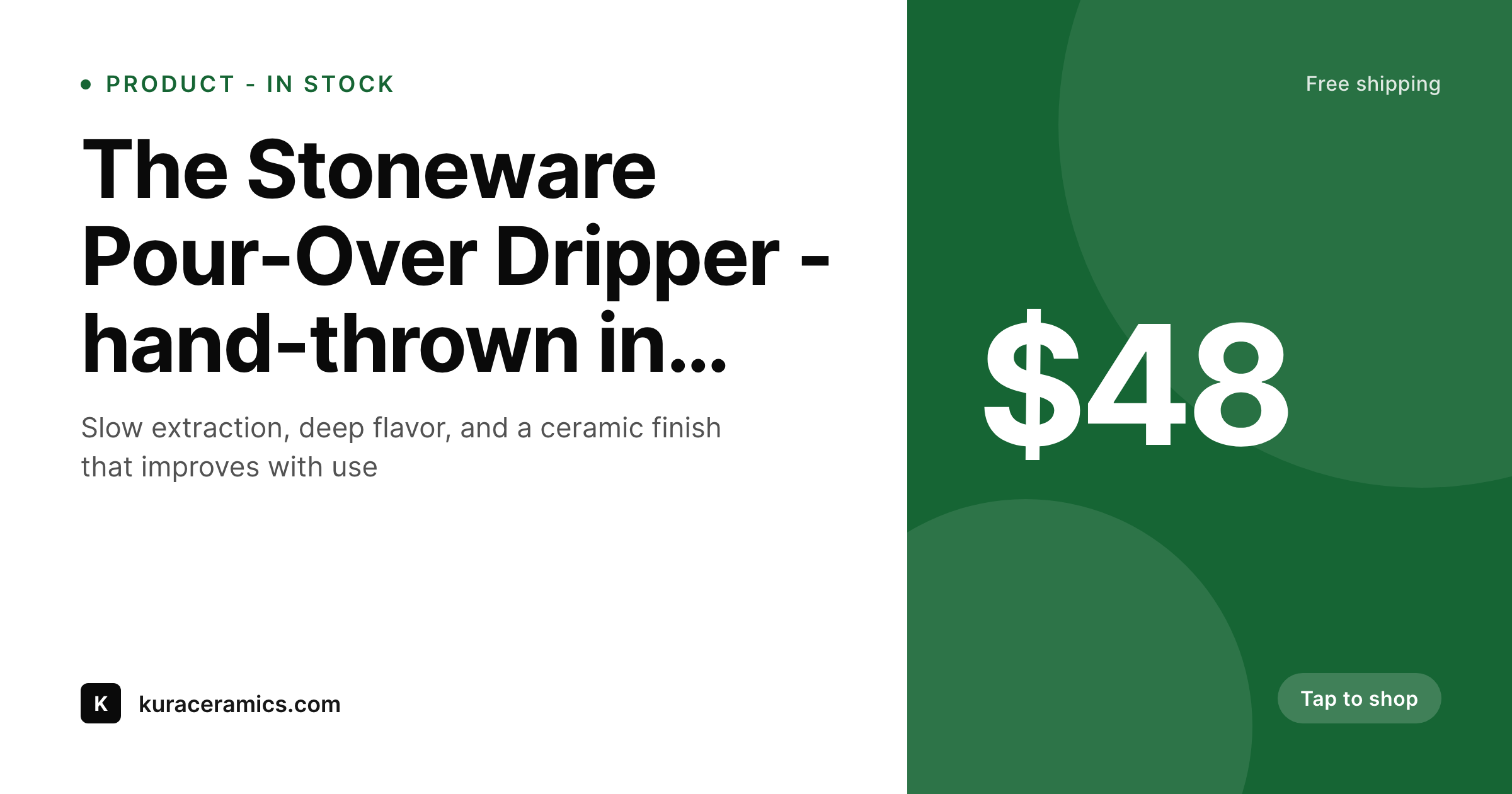
Product link cards are tiny shop windows
WooCommerce by default sets og:image to the product's featured image. That seems fine until the photo is a top-down studio shot that gets cropped to nothing, or a lifestyle image that does not show the product, or a transparent-background PNG that renders against an awkward background on different platforms. The link cards end up unreliable and do nothing to convey price, brand, or the call to action.
The shops that sell over social treat the link card as a tiny shop window. It shows the product, the price, the brand mark, and an implicit "Tap to shop" cue. The visual language is consistent across every product, so a follower seeing a link card recognizes the shop instantly. Designing this manually for every product is the kind of overhead that grows linearly with catalog size, which means it does not scale past a few dozen SKUs.
SleekPixel runs at the WooCommerce product level. The template binds to product title, sale price, regular price, gallery image, and any product-meta fields you store. On product save, the OG image renders to uploads and the og:image meta tag is written. New product, new card. Price update, new card. No manual design step.
Workflow
Product OG workflow from save to share
Design template
Save product
Meta tag set
Customer shares
Output
What a product OG image looks like
A 1200x630 PNG built from product title, price and main photo with the shop's brand mark, served as og:image when the product URL is shared.
Comparison
Default product OG vs SleekPixel
Featured image cropped wrong
- Studio product shot crops to nothing in the OG card
- No price shown, customer has to click to know if it is in budget
- Different products show wildly different visual styles
- Sale price changes do not update the share card
- Brand mark is invisible so the link does not feel like a shop
SleekPixel
- Render runs on every product save in WooCommerce
- Title, price, sale price, image and brand all from the product
- og:image and twitter:image meta tags written into the product head
- Per-collection or per-category template variants
- Price changes regenerate the card immediately
Features
What SleekPixel gives you for product page
WooCommerce native
Reads product title, prices, gallery images, and product meta directly. No mapping layer needed - just pick the WooCommerce post type in template settings and bind layers.
Price-aware layout
Sale price field shows when on sale, regular price shows when not. The strikethrough and the badge ("On sale", "Out of stock") render conditionally based on product status.
Updates on save
Edit a price, change the photo, mark something out of stock - the share card regenerates. The og:image URL is stable, so social re-scrapes pick up the latest version.
Use cases
Stores this fits especially well
Single-product catalogs
Small artisan brands with 20-200 products. Each product gets a card with the photo, the price, and the brand. Threads and Pinterest shares feel like the shop itself.
Drop-based stores
Stores that release new collections weekly. Every drop product gets a card on launch, ready for the social manager to share without a separate design pass per item.
Multi-collection brands
Brands with several distinct collections that need different visual treatments. Per-category templates render the right collection style without manual switching.
The bigger picture
Why product share cards drive ecommerce sales
Direct social sales for small ecommerce brands depend almost entirely on link cards. A creator posts an outfit photo and links to the product. A customer shares a piece they love into a Slack channel.
A reviewer drops the product URL into a thread. In every case, what readers see first is the link card, not the product page. If the card shows a tight crop of the product, a clear price, and the shop's brand, the click is much more likely.
If the card shows a malformed product photo with no price and no shop branding, the link looks like spam and gets scrolled past. The default WooCommerce setup ships with whatever the store owner uploaded as the featured image and no overlay, no price, no brand. That is fine for a catalog but inadequate for social.
The shops that take this seriously usually have a designer maintain a Photoshop template and rebuild the share image for every product, which works for thirty SKUs and falls apart at three hundred. Templated rendering at the product-save level removes the bottleneck. Every product, every variation, every drop ships with a share card built from the product itself.
Price changes propagate. Out-of-stock badges appear and disappear. The catalog stays consistent on social as it grows.
Questions
Common questions about SleekPixel for product page
Yes. The template binds to the parent product by default. For variations with their own price or image, you can configure the template to read from the variation level or the parent. Most stores use the parent product fields for the share card.
Yes. The template editor lets you create conditional layers - show the sale price prominent and the regular price struck through when on sale, show only the regular price otherwise. The conditional logic reads WooCommerce's sale-price field.
Add a conditional badge layer that shows when WooCommerce stock status is out-of-stock. The card automatically renders with the badge so social link cards reflect current availability.
Yes. WooCommerce Subscriptions products are still standard WooCommerce post types. Bind the template to the subscription price field and "per month" copy. The share card shows the recurring price the same way the product page does.
Yes. Templates are assignable per product category, per tag, or per custom taxonomy. Apparel can render with a clean white background, ceramics with a darker theme, all from the same plugin without manual switching per product.
SleekPixel still runs server-side in WordPress and writes the PNG to uploads. Your headless front-end can read the og:image meta tag from the WordPress REST API or pull the PNG directly from the uploads URL. The render step does not require WordPress to render the front-end.
Pinterest rich pins read open-graph and product schema. SleekPixel sets og:image which Pinterest uses for the pin image. Schema.org product markup stays the responsibility of WooCommerce or your SEO plugin - SleekPixel only handles the visual asset.
Yes. SleekPixel includes a bulk regenerate command that re-renders all product cards under a given template. Useful when you change the brand mark, update the layout, or migrate to a new template - the entire catalog can be rebuilt in a queued background process.
Pricing
More than 1000+
happy customers
Explore our flexible licensing options tailored to your needs. Upgrade your license anytime to access more features, or opt for a lifetime license for ongoing value, including lifetime updates and lifetime support. Our hassle-free upgrade process ensures that our platform can grow with you, starting from whichever plan you choose.
Lifetime ♾️
Most popular
EUR
once
- Unlimited websites
- Lifetime updates
- Lifetime support
...or get the Bundle Deal
and save €250 🎁
💎 Want everything forever? The All Access Pass is going away on 01.08.2026.
The Bundle (unlimited sites)
Pay once, own it forever
Elevate your WordPress site with our exclusive plugin bundle that includes all of our premium plugins in one package. Enjoy lifetime updates and lifetime support. Save significantly compared to buying plugins individually.
What’s included
-
SleekAI
-
SleekByte
-
SleekMotion
-
SleekPixel
-
SleekRank
-
SleekView
€749
Continue to checkoutBrowse more
- feature comparison cards
- ESG report card
- thank you cards
- benchmark report cards
- GDPR update card
- certification announcement cards
- state of industry cards
- feature flag card
- swipe file card
- office opening card
- seed round cards
- order confirmation cards
- FAQ cards
- song of the day cards
- YouTube comment card
- Dribbble shot covers
- Dailymotion thumbnails
- Douyin cover
- Mailchimp email headers
- Instagram highlight covers
- Open Graph images
- Tumblr header
- Nostr note images
- YouTube thumbnails
- Reddit subreddit banners
- Ko-fi shop images
- Threads post images
- Stan Store cover
- Kick stream thumbnails
- Substack post headers