






SleekPixel for certification announcement cards
New certifications are LinkedIn moments. SleekPixel renders one card per certification announcement in WordPress, generated from the post fields on save.
♾️ Lifetime License available
Certification announcements live on LinkedIn first
A new certification, the first SOC 2 Type II, an ISO 27017 award, a HIPAA attestation, an EU AI Act readiness statement, is a hard-earned company milestone. Most of the reach for these announcements happens on LinkedIn, where the CEO or the head of security shares the post with a short note, and a chain of customer-facing employees reshares it through their network. The share card carries most of the first-impression weight in that chain.
Most companies publish certification announcements with the default site og:image. The result is a LinkedIn share where the company tile says nothing about the certification itself, and the reader has to infer from the caption what the news actually is. The shares that get the most traction on LinkedIn are the ones where the card itself communicates the framework name and the scope in a way that the security professional scrolling the feed can register in half a second.
SleekPixel binds the certification card to the post. Framework name, scope, award date, and a short headline bind to fields. The render fires on publish, writes a LinkedIn-sized PNG, and the post is ready for the team-wide share without anyone touching a design file.
Workflow
From audit award to a LinkedIn-ready share card
Design the announcement template
Configure the announcement post type
Publish the announcement
Update if scope expands
Output
What a generated certification card looks like
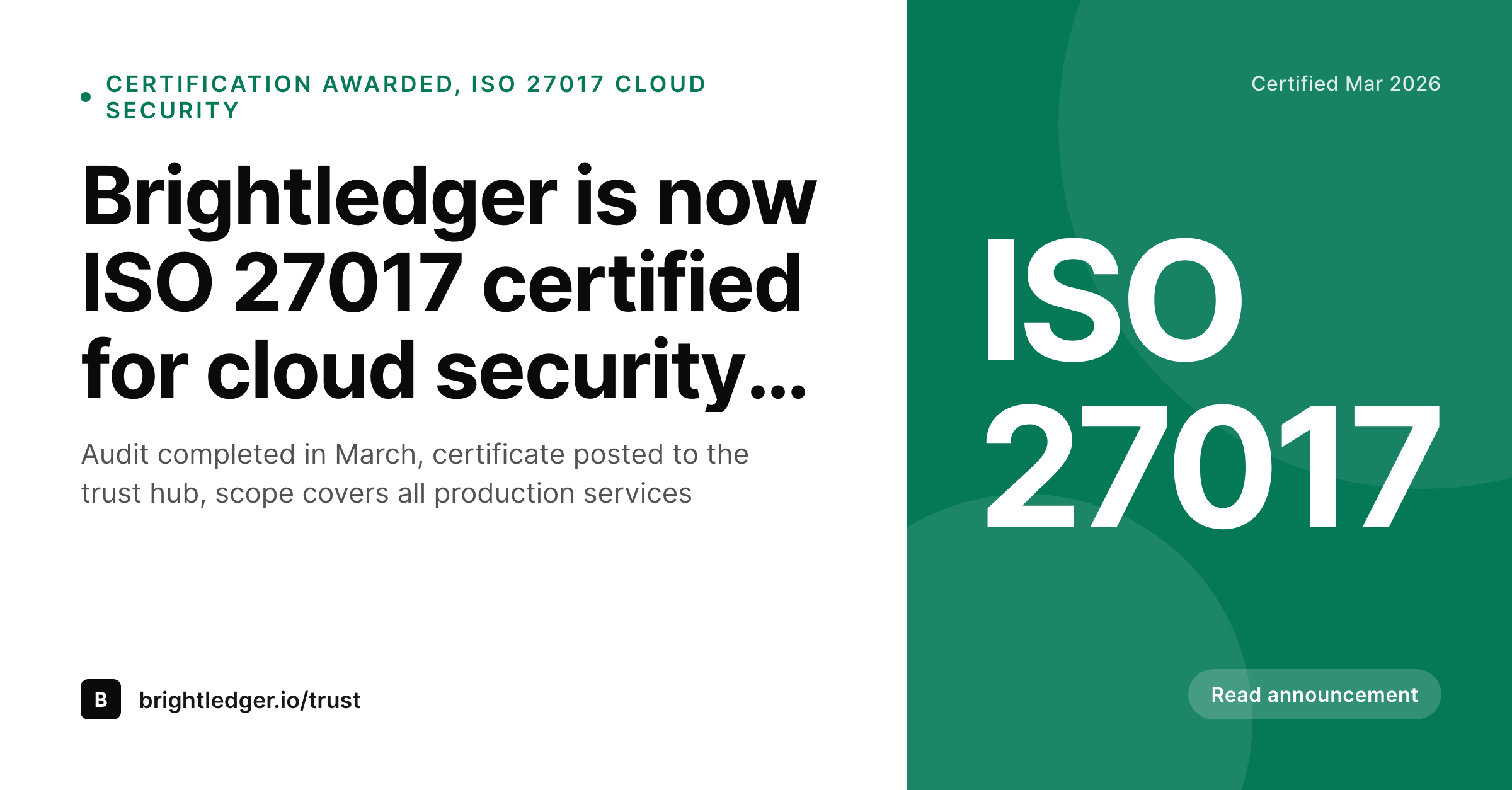
A 1200x627 LinkedIn share image with the framework name, the scope summary, and the award date pulled from the post.
Comparison
Default certification announcement image vs SleekPixel
Default announcement image
- Same company tile on every certification share, no framework visible
- Scope of the certification missing from the preview
- Award date hidden inside the post body
- Designer cycles consumed by one-off announcement images
- No regeneration path when the scope is broadened after a re-audit
SleekPixel
- Render fires on publish for every certification announcement
- Framework, scope, and award date from post fields
- LinkedIn-sized 1200x627 share asset
- Framework logo or mark renders in a fixed slot
- Scope updates regenerate the card before the next share
Features
What SleekPixel gives you for certification announcement cards
Framework in the share
Bind the framework name to a post field. SOC 2, ISO 27001, ISO 27017, HIPAA, each renders as its own headline in the card so the announcement reads correctly on first scroll.
Scope visible
Show a short scope line, the products or environments the certification covers. Customers and prospects can immediately determine relevance to their own deployment.
Award date and audit window
Render the award date and optionally the audit window. Security professionals scrolling LinkedIn register the recency of the certification before opening the link.
Use cases
Where certification announcement cards earn their keep
B2B SaaS trust and security teams
Companies announcing a first or expanded certification. The card carries the framework name and scope across LinkedIn, the blog, and the trust hub.
Sales and customer success amplification
Teams that want every customer-facing employee to reshare a milestone. The card looks the same regardless of who shares it, which is what amplification campaigns need.
Startups crossing security milestones
Early-stage teams hitting their first SOC 2 or ISO milestone. The card is the credible visual artifact the announcement needs without a designer in the loop.
The bigger picture
Why certification announcements deserve a card that names the framework
Certifications are a multi-month investment that culminate in a single announcement, and that announcement is the moment where the work converts into pipeline lift, hiring credibility, and customer trust. The LinkedIn share is the largest amplification surface, and the card carries the load of the first impression. A company tile with a generic caption misses most of the reach available, while a card that names the framework, the scope, and the date captures the half-second of attention from every security professional scrolling the feed.
SleekPixel makes the announcement card a side effect of publishing the post, which means the security team can ship the milestone the moment the certificate is in hand, without queuing a creative ticket and without losing momentum.
Questions
Common questions about SleekPixel for certification announcement cards
Yes. Bind a certifying-body slot and render the logo in a fixed position. Each certifying body has its own mark, and the card pulls the right one based on the field value.
The scope line is bound to a text field, so it can carry whatever scope statement matches the certificate. A short summary in the card and the full statement on the page is the typical pattern.
Yes. SleekPixel can render in draft status. The card is ready in uploads, the security team can review it alongside the draft post, and the og:image goes live on publish.
Best practice is one certification per post for clean amplification, but the template can render a multi-framework slot if a single milestone covers two attestations awarded together.
Yes. Configure templates for LinkedIn, OG, and Twitter card sizes against the same post. All render on save and are downloadable from the editor.
Templates can read the active locale and pick a layout per language. Translated headlines and date formats render correctly without separate manual exports.
SleekPixel runs a headless render on save. For most templates the render completes in under a second, the post save returns normally, and the file lands in uploads in the background.
Yes. The admin includes a bulk regenerate action that re-renders every announcement under a chosen template, useful after a brand refresh or a trust-hub redesign.
Pricing
More than 1000+
happy customers
Explore our flexible licensing options tailored to your needs. Upgrade your license anytime to access more features, or opt for a lifetime license for ongoing value, including lifetime updates and lifetime support. Our hassle-free upgrade process ensures that our platform can grow with you, starting from whichever plan you choose.
Lifetime ♾️
Most popular
EUR
once
- Unlimited websites
- Lifetime updates
- Lifetime support
...or get the Bundle Deal
and save €250 🎁
💎 Want everything forever? The All Access Pass is going away on 01.08.2026.
The Bundle (unlimited sites)
Pay once, own it forever
Elevate your WordPress site with our exclusive plugin bundle that includes all of our premium plugins in one package. Enjoy lifetime updates and lifetime support. Save significantly compared to buying plugins individually.
What’s included
-
SleekAI
-
SleekByte
-
SleekMotion
-
SleekPixel
-
SleekRank
-
SleekView
€749
Continue to checkout