






SleekPixel for session recap cards
Post-event recaps drive the long tail of conference traffic. SleekPixel turns each session recap post into a branded share card with the session title, headline takeaway, and replay link state.
♾️ Lifetime License available
Recap traffic outlasts the announce campaign by months
The week after a conference, attendees and the people they tell start hunting for session recaps. Those recaps live on the event site as a separate post type, usually one post per session with a short writeup and a link to the recording when it goes live. The share card on those recaps is the asset that compounds, because every quote, every screenshot, every recommendation links back to a recap URL for months.
The default share is whatever the post editor set as featured image, often a stage photo with no caption or context. Hand-designed Canva recap cards solve a few featured sessions and leave the rest with generic shares. The result is uneven downstream traffic, where one session goes viral and twenty are invisible because nobody bothered to brand the recap card.
SleekPixel binds the recap card to the recap post. Session title and speaker name from custom fields, headline takeaway from the post excerpt, replay status from a meta field. The render fires on save, every recap ships with the same caliber of share asset, and the long-tail post-event traffic actually builds the brand instead of leaking it.
Workflow
From recap writeup to social-ready card in one save
Design the recap template
Write the recap post
Share the recap URL
Flip the replay state and re-render
Output
What a generated recap card looks like
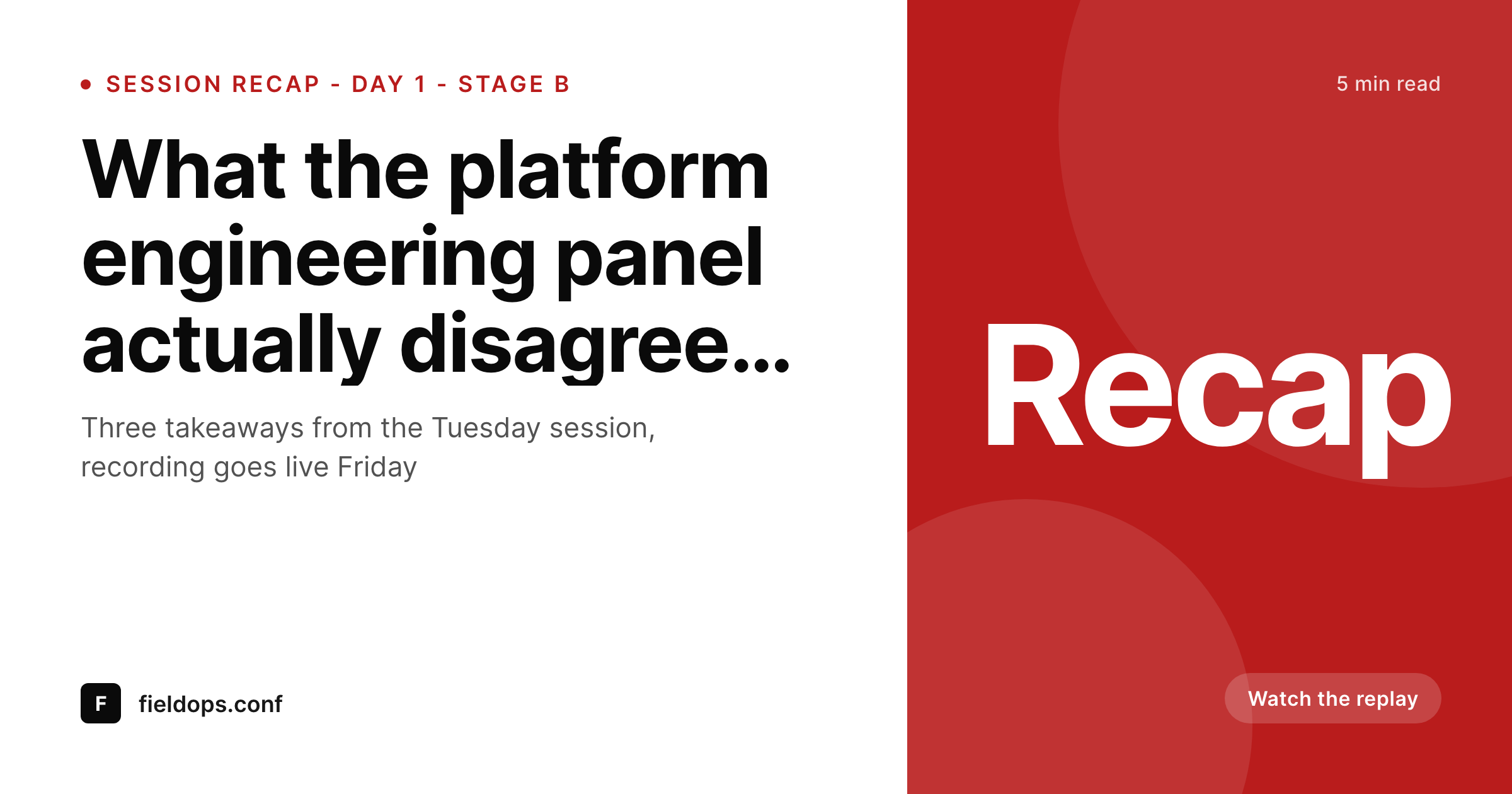
A 1200x630 OG-tuned PNG built from the recap post, with session title, headline takeaway, speaker name, and a small replay status badge.
Comparison
Default recap share image vs SleekPixel
Default session recap cards image
- Stage photo with no caption or session context
- Recap title cut off by Twitter card cropping
- No replay-status indicator, attendees do not know if the recording is live
- Manual Canva cards only ship for the marquee sessions
- Recap edits never update the share preview
SleekPixel
- Render fires on save for every recap post
- Session title, takeaway, and speaker from post fields
- Replay status badge updates when the recording goes live
- og:image and twitter:image written automatically
- Bulk regenerate the full recap archive after a rebrand
Features
What SleekPixel gives you for session recap cards
Replay state in the card
Coming soon, live now, or members only, the badge reflects the current replay status straight from the recap post meta.
Takeaway-first layout
The headline takeaway gets the prominent slot, not a generic event logo, so the share card sells the click on the substance of the session.
Edits regenerate
Sharpen the takeaway a week after the event, the recap post saves, the card refreshes. The next share picks up the better wording.
Use cases
Who uses SleekPixel for session recap cards
Conference content teams
Producers writing recaps in the week after the event. SleekPixel removes the per-recap design step so every session ships with a branded card.
Hybrid event organizers
Events that publish recordings on a rolling schedule. The replay-status badge flips automatically as each session goes live.
Educational conferences
Programs where session recaps function as part of the curriculum. Branded share cards drive enrollment for the next edition.
The bigger picture
Why recap cards drive next-year ticket sales
Conferences sell next year's tickets primarily on this year's content. The recap archive is the asset that does that selling, and it sells on link clicks across months, not days. A prospect researching whether to attend an event hits a Google result, a quoted tweet, a recommended link from a coworker, and that link almost always points at a recap URL.
If the share card looks like a generic event ad, the click does not happen and the recap leaks no signal. SleekPixel keeps every recap card branded to the event, anchored on the takeaway, and current on replay status. The archive compounds into next year's announce wave with a hundred branded artifacts instead of three.
Questions
Common questions about SleekPixel for session recap cards
No. SleekPixel only renders the share card. The recording itself lives wherever you host video, Vimeo, YouTube, Mux, Cloudflare Stream, or a paywalled portal. The recap card just reflects whether playback is live.
Yes. SleekPixel reads native post meta, ACF, Meta Box, and Pods. Set a status field on the recap post and the template badge picks it up.
Yes. Bulk regenerate runs every recap post against the updated template so the archive carries the current edition's masthead automatically.
WordPress.com Business and higher support plugin installs. SleekPixel runs the same way it does on self-hosted WordPress on those plans.
The recap card focuses on the session content, not the recap author. The plugin renders the same template regardless of which editor saved the post.
Yes. If the recap post links to the speaker post, SleekPixel can resolve the headshot from the speaker featured image and lay it into the recap template.
Yes. SleekPixel writes og:image, twitter:image, and the matching width and height meta tags so X and LinkedIn pick the recap card up immediately.
The same render can be saved at a smaller size for embedding inside newsletter sends. SleekPixel supports multiple output sizes from one template definition.
Pricing
More than 1000+
happy customers
Explore our flexible licensing options tailored to your needs. Upgrade your license anytime to access more features, or opt for a lifetime license for ongoing value, including lifetime updates and lifetime support. Our hassle-free upgrade process ensures that our platform can grow with you, starting from whichever plan you choose.
Lifetime ♾️
Most popular
EUR
once
- Unlimited websites
- Lifetime updates
- Lifetime support
...or get the Bundle Deal
and save €250 🎁
💎 Want everything forever? The All Access Pass is going away on 01.08.2026.
The Bundle (unlimited sites)
Pay once, own it forever
Elevate your WordPress site with our exclusive plugin bundle that includes all of our premium plugins in one package. Enjoy lifetime updates and lifetime support. Save significantly compared to buying plugins individually.
What’s included
-
SleekAI
-
SleekByte
-
SleekMotion
-
SleekPixel
-
SleekRank
-
SleekView
€749
Continue to checkoutBrowse more
- WhatsApp status images
- eBay listing images
- Reddit subreddit banners
- Tumblr header
- SoundCloud track art
- Substack podcast cover
- Facebook Marketplace images
- Snapchat Discover tiles
- Mastodon link previews
- Dailymotion thumbnails
- Pinterest shop banners
- YouTube Shorts cover
- Threads profile banners
- Discord stage banner
- Twitch schedule banners