






SleekPixel for art gallery
Solo shows, group exhibitions, opening receptions, artist talks. Each exhibition or event on the gallery CPT renders into a 1200x630 OG image and a matching social card pulled from the show post.
♾️ Lifetime License available
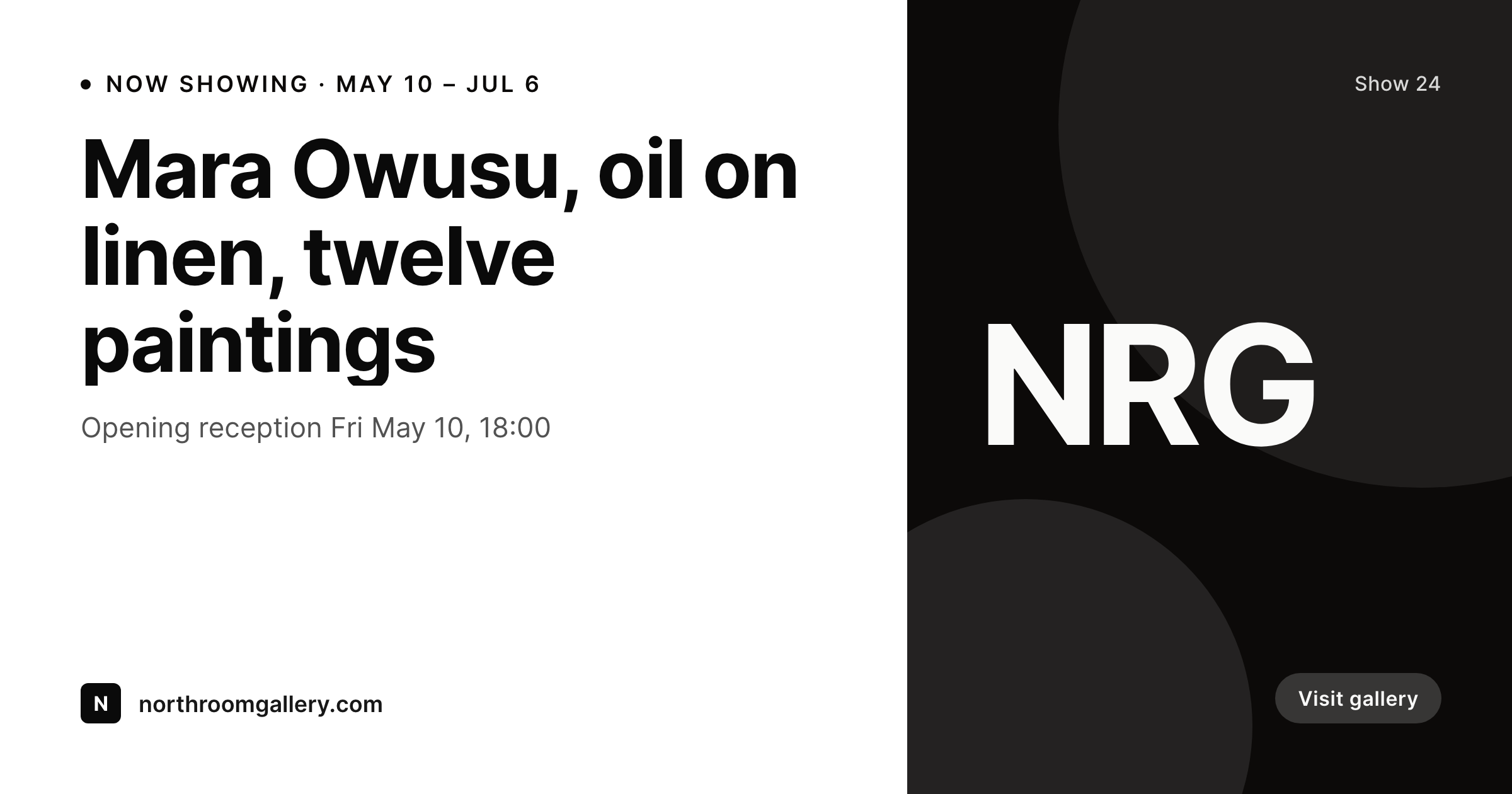
Openings, press lists, and the share-ready URL
An art gallery's press pipeline runs through email. The press list goes out the week before an opening, the URL of the exhibition page gets pasted into the body, and a critic decides whether to open the email based on the preview card. A generic gallery logo loses that decision before the body is read. A strong preview card with the artist's name, the show title, and the dates wins the click.
The data is already on the WordPress site. The gallery runs an exhibition CPT, and each show has fields for artist, title, medium, opening date, closing date, opening reception time, and hero image. The hero photo is in the media library after the gallery shoots the install. The typing is done at the time the show is announced. The gap is the 1200x630 OG image and the 1080x1080 social card that the gallery would otherwise build in Photoshop alongside every show.
SleekPixel renders both on save. The exhibition post saves, the OG image renders to uploads with the show title, artist, and dates locked in, and the social card sits beside it. The press email goes out with the URL, the critic sees the show in the preview, and the gallery's Instagram and Facebook channels post the matching square the same day.
Workflow
From show announcement to press email
Map exhibition fields
Design one OG and one social template
Publish the show post
Send the press email
Output
What gets generated per show
A 1200x630 OG image with the artist, show title, medium, dates, and opening reception. Pulled from the exhibition CPT.
Comparison
Default art gallery image vs SleekPixel
Default art gallery image
- Director builds a Photoshop OG image per show the week of the press send
- Show dates and opening times on the card drift from the gallery's calendar
- Artist name and medium get retyped wrong between the press release and the OG card
- Solo shows, group shows, and artist talks each end up with mismatched templates
- OG image and Instagram square are designed twice when one save could feed both
SleekPixel
- Save the show post, the 1200x630 OG and 1080x1080 social card render together
- Artist, show title, medium, and dates pulled live from the exhibition post
- OG image wired to the show URL for press emails and shared links
- Sidebar download for the social card to post on Instagram and Facebook
- One template across solo, group, and event shows keeps the program coherent
Features
What SleekPixel gives you for art gallery
Card per show
Every solo, group, and event saves with an OG image and a matching social card. The artist, title, and dates come from the post.
Opening and run dates
Opening reception, run dates, and hours render on the card so a critic or visitor sees the show's window before clicking through.
Press-ready URL
The OG image on the exhibition URL is the same render. A press email or Slack share carries the show into the preview card.
Use cases
Who uses SleekPixel for art galleries
Commercial galleries
Programs with 6 to 10 shows a year keep the press pipeline supplied with on-brand OG and social cards without an extra design pass.
Artist-run and nonprofit spaces
Small spaces running monthly shows and events render each show with the artist credit, medium, and run dates pulled live.
Museum and institutional galleries
Institutional shows render with the curator credit, exhibition catalog link, and program affiliation on the public card.
The bigger picture
Why a gallery's preview card carries the press conversation
A gallery's audience is mostly recruited through email. Press lists, collector lists, and curator lists all run on links pasted into messages, and the preview card on those links is the only piece of the gallery's design language most of the recipients ever see before the opening. A generic logo or a missing OG image strips the show of context, and the recipient closes the email without scheduling a visit.
The fix is to derive the preview from the exhibition post the gallery is already maintaining. The artist, the title, the medium, the dates, and the reception time live in the exhibition CPT. Saving the post renders the OG image and the social card together, both in a template the gallery designed alongside its printed program.
The URL travels with the show attached, the press conversation starts with the work visible, and the gallery's Instagram and Facebook channels stay in lock with the press send because every image came from one save.
Questions
Common questions about SleekPixel for art gallery
Yes. Templates can be conditional on show type. Solos use one layout, group shows another, performance and talk events a third, all pulling from the same exhibition fields.
Both work. SleekPixel reads any post type and any field, so The Events Calendar, EventOn, or a custom exhibition CPT can feed the template.
Yes. The curator field on the exhibition post renders on the card. Institutional programs can include the program affiliation and exhibition catalog link as well.
Yes. Editing the exhibition post re-renders the OG image. Pressing send on a revised press email after the edit shows the latest dates in the preview.
Yes. A single save can produce the 1200x630 OG, the 1080x1080 social, a 1000x1500 Pinterest pin, and a 1080x1920 story. Each format is configured once.
Yes. The hero image field on the exhibition post can be set to the install shot. The template renders whatever image the gallery selects for the field.
No. SleekPixel renders the image and saves it to uploads. Posting and pinning are manual steps from the platform's app or a scheduling tool.
No. SleekPixel renders static PNG and JPG only. Walkthroughs and 3D tours are out of scope, the focus is still images tied to the exhibition data.
Pricing
More than 1000+
happy customers
Explore our flexible licensing options tailored to your needs. Upgrade your license anytime to access more features, or opt for a lifetime license for ongoing value, including lifetime updates and lifetime support. Our hassle-free upgrade process ensures that our platform can grow with you, starting from whichever plan you choose.
Lifetime ♾️
Most popular
EUR
once
- Unlimited websites
- Lifetime updates
- Lifetime support
...or get the Bundle Deal
and save €250 🎁
💎 Want everything forever? The All Access Pass is going away on 01.08.2026.
The Bundle (unlimited sites)
Pay once, own it forever
Elevate your WordPress site with our exclusive plugin bundle that includes all of our premium plugins in one package. Enjoy lifetime updates and lifetime support. Save significantly compared to buying plugins individually.
What’s included
-
SleekAI
-
SleekByte
-
SleekMotion
-
SleekPixel
-
SleekRank
-
SleekView
€749
Continue to checkoutBrowse more
- Substack podcast cover
- Facebook ad images
- YouTube community images
- Threads profile banner
- Twitter/X header
- LinkedIn company banners
- Bluesky feed banner
- Gumroad product covers
- LinkedIn carousel slides
- Mailchimp email headers
- Telegram channel images
- Twitch schedule banners
- Lemon8 post
- Facebook Shop product images
- Bandcamp release cover