






SleekPixel for Substack publications
Substack handles the email and the comments. The WordPress mirror handles the SEO, the sponsorship pages, and the long-tail archive. SleekPixel renders a real share image for every mirrored issue so the WordPress side looks like a real publication, not a parked blog.
♾️ Lifetime License available
Substack writers who keep a WordPress mirror still need real OG images
Substack is a competent email platform with a built-in network effect and a clean reader. Plenty of writers stay on it for years, and that is fine. A meaningful slice of Substack writers, especially those crossing into paid newsletters with sponsorship revenue, run a parallel WordPress site to keep control of SEO, to host longer-form essays outside Substack's reading layout, and to publish lead magnets and sponsorship pages that Substack does not really support.
That mirror site is where most external linking lands. Journalists link to the WordPress essay version, not the Substack version, because they know WordPress URLs survive platform churn. Industry roundups link to the WordPress archive because the URLs are stable and the search snippets are easier to control. Every one of those external links pulls the WordPress OG image, and every WordPress OG image that falls back to a stretched homepage banner is a small lost impression.
SleekPixel renders the share image from the mirrored Substack archive post on the WordPress side. Subject line, issue number, free or paid tier, original send date, all become real card content. The WordPress side starts sharing like the polished publication it actually is, while Substack continues to handle the email and the comments unchanged.
Workflow
From Substack send to WordPress mirror card
Mirror Substack issues to WordPress
Build the issue template
Save the mirror post
Share from anywhere
Output
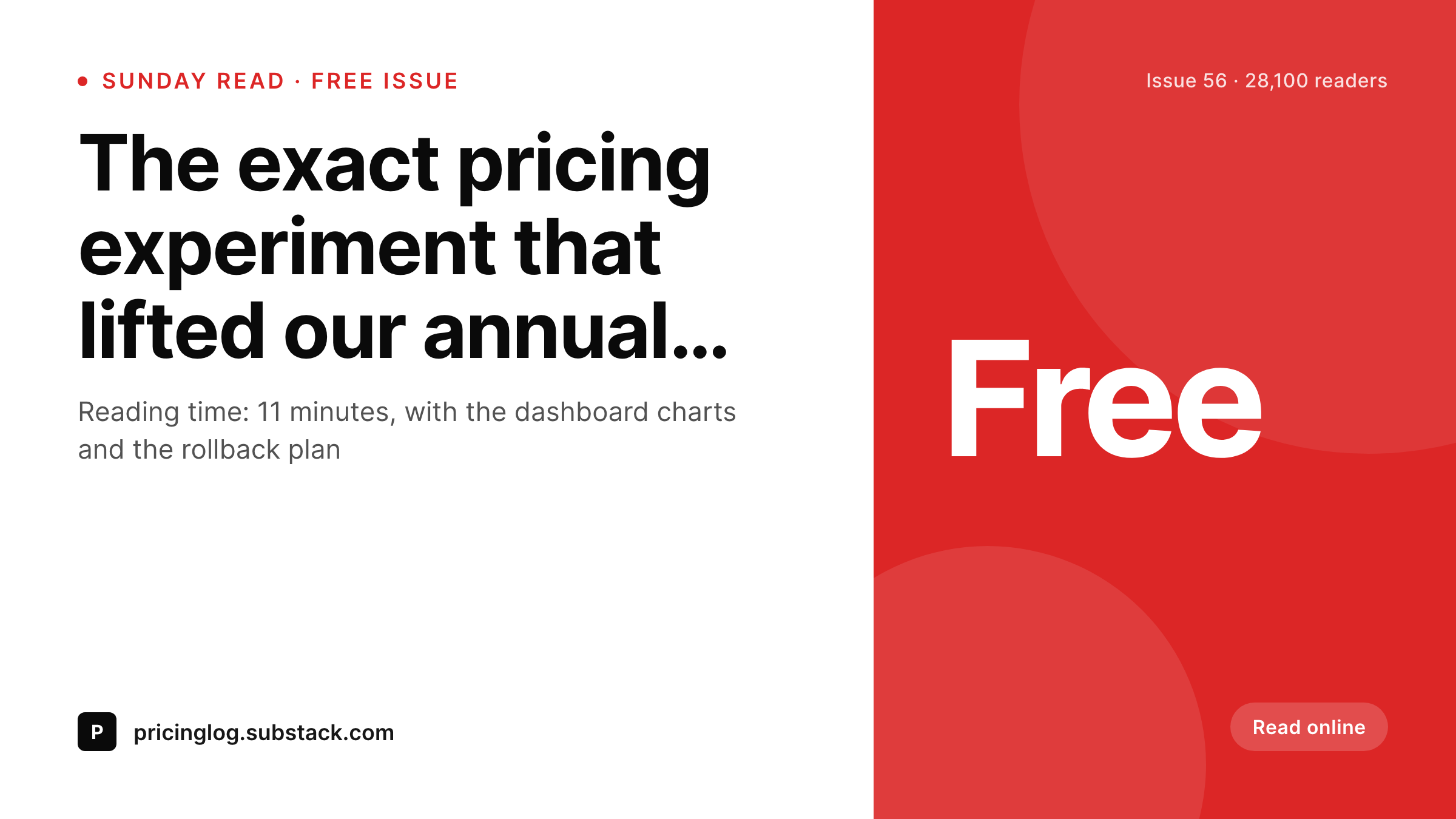
Sample Substack-mirrored Twitter card
A 1200x675 Twitter card: issue subject, issue number, free or paid tier, original send date, and publication wordmark, rendered from the WordPress mirror post on save.
Comparison
Default theme OG vs Substack-aware rendering
Default theme OG image
- WordPress mirror shares with a homepage banner instead of the issue
- Free and paid tier badges never appear on the share preview
- Issue numbers and original Substack send dates go missing
- Manual Canva work for past issues stops after the first quarter
- Rebrands force a per-issue rework across the full archive
SleekPixel
- Reads the WordPress mirror post for every Substack issue
- Free or paid tier, issue number, and send date render onto the card
- Sponsorship landing pages and archive issues use the same template family
- Bulk re-render the archive after a rebrand without manual exports
- Leaves Substack's email and comments side untouched
Features
What SleekPixel gives you for Substack publications
Subject-line headlines
The Substack subject line becomes the card headline on the WordPress mirror. No retyping, no second copywriting pass for the share image.
Free vs paid tier badge
Free issues render one badge variant, paid issues render another. Readers know what they are clicking into before they hit the paywall on Substack.
Canonical-friendly
If the canonical points back to the Substack URL, the share card still renders cleanly for the WordPress URL while search engines defer to the canonical.
Use cases
What Substack publications generate with SleekPixel
Mirrored issue archive
Every Substack issue mirrored to WordPress gets a real card. External backlinks and Slack forwards land with subject and issue number visible.
Sponsorship landing pages
Each sponsor page renders a card showing the sponsor, the issue placement, and the audience size. Sales decks open with consistent branded previews.
Long-form essays
Essays that outgrow the Substack reading layout live as full WordPress posts. Each essay carries a card with its title, reading time, and topic tag.
The bigger picture
Why Substack writers keep a WordPress mirror at all
Substack is generous with the writer relationship but stingy with platform-level SEO and OG control. Writers who want long-term ownership of their audience and search presence build a WordPress mirror precisely because URL ownership, theme control, and OG image customization all matter for a serious publication. The mirror is where backlinks land, where sponsorship landing pages live, and where lead magnets get hosted.
The economics tilt toward the mirror because sponsorship revenue tends to outgrow paid-subscription revenue at scale, and sponsorship sales depend heavily on the mirror's public face. A sponsor evaluating a placement screenshots the mirror, not the Substack page, because the mirror is the asset the publication actually controls. If the mirror's share previews are stretched homepage banners, the sponsor's impression of the publication is correspondingly thinner.
SleekPixel closes that gap. Every mirror issue, every essay, every sponsorship page renders with a real branded share card. The Substack side keeps the email subscribers and the comments.
The WordPress side gains the polished public face that converts external clicks into either subscribers or sponsorship leads, depending on the publication's revenue model.
Questions
Common questions about SleekPixel for Substack publications
Substack's hosted share images are fine for Substack URLs. The reason to add a WordPress mirror is everything that is not the email: SEO control, sponsorship pages, lead magnets, and URL ownership. SleekPixel only covers the WordPress side of that combined setup.
Substack publishes an RSS feed per publication. A scheduled feed import plugin or a custom cron job creates a WordPress archive post on each new issue. Some writers cross-post manually for control over the body. SleekPixel renders the share image once the WordPress post exists.
Substack does not block cross-posting and many writers do it openly. The standard pattern is to publish the full issue on Substack and either republish in full or in excerpt to the WordPress mirror, with a canonical link if you want search engines to defer to the Substack URL.
Yes. The mirror post can carry a tier field, and the template renders a 'free' or 'paid members' badge accordingly. Readers know before clicking whether the WordPress mirror will show the full essay or an excerpt with a Substack subscribe prompt.
Substack chat and notes live inside Substack and are not typically mirrored to WordPress. SleekPixel only renders share cards for WordPress URLs. If you do mirror a notes archive to WordPress for SEO, the same template approach works.
Yes. Categorization on the mirror post, or a custom field for tier, picks the right template variant. Free issues might render a light variant, paid issues a darker one with a 'members' badge, bonus issues a third variant if you want.
Yes. SleekPixel runs wherever WordPress runs. Whether the mirror is at archive.yourpublication.com or yourpublication.com/newsletter, the rendered images land in that install's uploads and the og:image tags resolve on those URLs.
The WordPress mirror and its rendered share images stay where they are with stable URLs. You update the ingestion pipeline to point at the new email sender. The archive's share previews keep working for every past issue without re-rendering.
Pricing
More than 1000+
happy customers
Explore our flexible licensing options tailored to your needs. Upgrade your license anytime to access more features, or opt for a lifetime license for ongoing value, including lifetime updates and lifetime support. Our hassle-free upgrade process ensures that our platform can grow with you, starting from whichever plan you choose.
Lifetime ♾️
Most popular
EUR
once
- Unlimited websites
- Lifetime updates
- Lifetime support
...or get the Bundle Deal
and save €250 🎁
💎 Want everything forever? The All Access Pass is going away on 01.08.2026.
The Bundle (unlimited sites)
Pay once, own it forever
Elevate your WordPress site with our exclusive plugin bundle that includes all of our premium plugins in one package. Enjoy lifetime updates and lifetime support. Save significantly compared to buying plugins individually.
What’s included
-
SleekAI
-
SleekByte
-
SleekMotion
-
SleekPixel
-
SleekRank
-
SleekView
€749
Continue to checkoutBrowse more
- Instagram collab post images
- Discord server icon
- Bluesky link cards
- YouTube podcast thumbnails
- TikTok cover images
- YouTube ad thumbnails
- Patreon cover images
- Behance banner
- Lens Protocol posts
- Patreon tier images
- Rednote (Xiaohongshu) post
- Instagram carousel slides
- Vimeo thumbnails
- YouTube community images
- Snapchat Spotlight covers