






SleekPixel for Coda docs
Coda powers the doc, WordPress hosts the public mirror, SleekPixel renders the share image. Title, owner, section count and last update bind directly to the template on save.
♾️ Lifetime License available
Coda is a great doc surface and a generic share surface
Coda built a sharp product around the idea that docs are interactive systems, not static pages. Teams use Coda for playbooks, internal tools, project trackers and hiring loops. Public publishing from Coda is supported, but the share surface that the public web sees is intentionally minimal: doc title, doc icon, a Coda logo. Whatever care went into building the doc itself does not survive the trip out to Twitter, LinkedIn or Slack.
The fix that scales is to mirror public Coda docs into WordPress, where each doc lives as a post with its own URL, its own SEO and its own OG tag. SleekPixel reads the synced fields and renders a per-doc share image. Doc title, owner, section count, last update and any custom property bind into the template on save.
External-facing Coda artifacts - public playbooks, customer-facing trackers, partner pages - reach social with branded previews. Internal docs that occasionally leak into a Slack DM with a customer still benefit if they have a public WordPress mirror. The team stops choosing between Coda's productivity and the public web's expectations.
Workflow
From Coda doc to branded share card
Mirror Coda to WordPress
Design the doc template
Bind the synced fields
Edit in Coda
Output
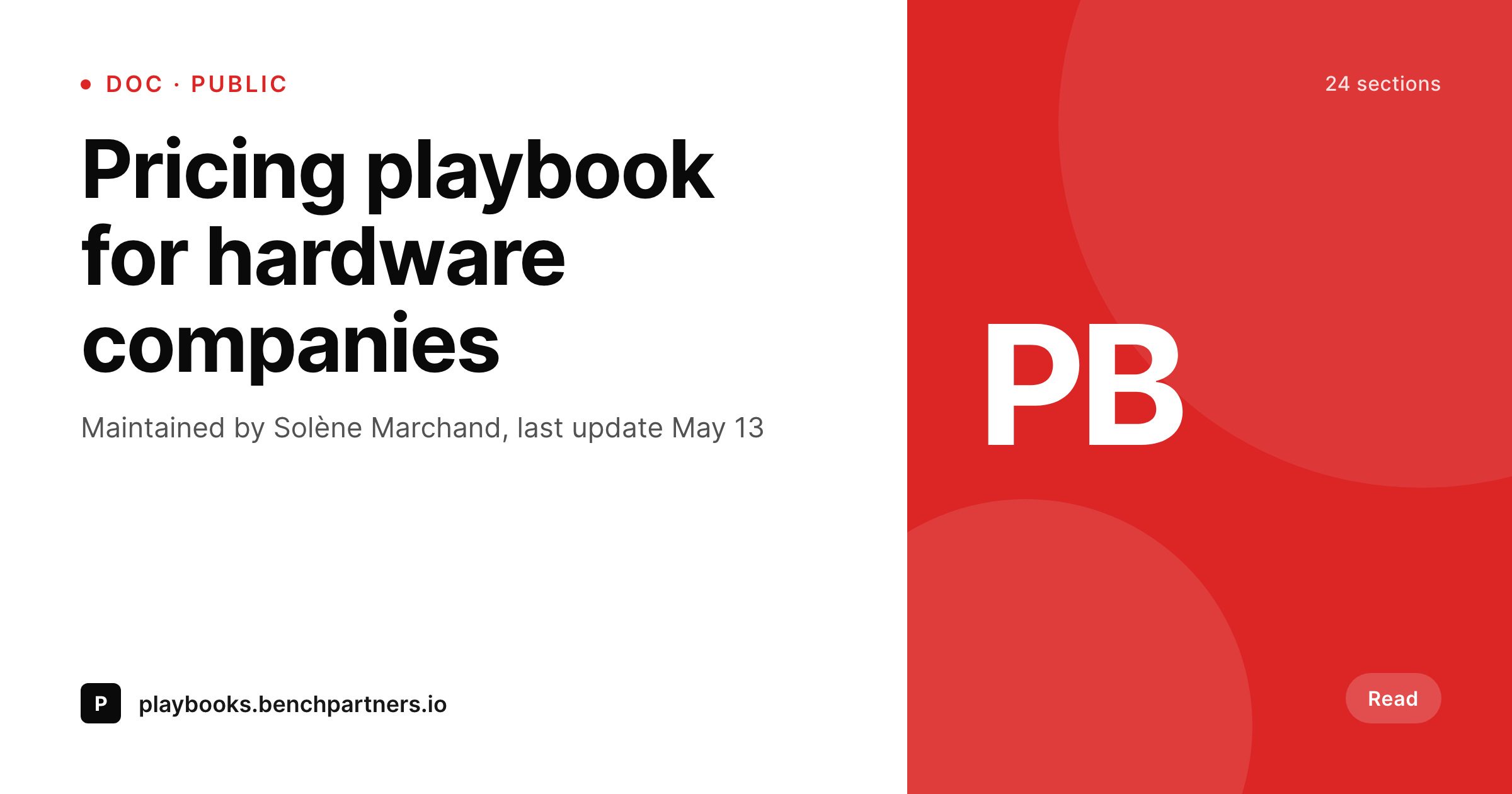
Sample Coda doc share card
A 1200 by 630 OG image rendered from a Coda doc mirrored to WordPress: title, owner, sections and last update in your brand colors.
Comparison
Default Coda share vs SleekPixel via WordPress
Default Coda public share
- Default Coda share shows the doc title and the Coda logo, nothing brand-specific
- Owners and last-update info never appear on the share preview
- Custom subdomains do not change the OG image, only the URL
- Public Coda docs at scale share with visually identical cards
- Manual social art per doc is unrealistic past a small handful
SleekPixel
- Reads Coda doc fields from the WordPress mirror without manual re-entry
- Owner, section count and last update render onto every share card
- Custom doc properties bind into template slots via post meta
- Edits in Coda that sync to WordPress trigger a SleekPixel render
- PNGs stay in your uploads on your own domain
Features
What SleekPixel gives you for Coda docs
Doc-aware fields
Title, owner, section count and last update come from the synced doc record. The template renders from real data, not placeholders.
Owner attribution
Doc owner or maintainer renders onto the share card so readers see who is responsible for the document, useful for trust and accountability.
Sync-friendly
Coda Packs or custom syncs that update the WordPress post on doc edits trigger an automatic SleekPixel render.
Use cases
Where Coda teams use SleekPixel
Public playbooks
Industry playbooks shared publicly get share cards with the playbook title, owner and last update on every social post.
Customer-facing trackers
Shared project trackers that customers refer back to share with cards that include the project name and current status.
Knowledge base articles
Coda-authored knowledge base entries mirrored to WordPress share with per-article cards, useful for support links.
The bigger picture
Why Coda docs benefit from a real share layer
Coda is at its best when a team builds something that hovers between a doc and an app. Pricing models, hiring loops, sprint trackers and onboarding plans that would normally live as half-broken spreadsheet-and-doc combinations consolidate into a single Coda surface. The product is excellent at that internal use case.
It is less excellent at the public-facing version of the same work, where a doc needs to function as marketing as much as as a tool. Mirroring to WordPress is the standard way to bridge that gap, and SleekPixel finishes the bridge. The public playbook, the customer tracker, the partner page all land on social with cards that match the care that went into the doc itself.
Over time the share cards become a recognizable part of the brand on Twitter and LinkedIn - readers learn that a particular card style means a real doc with real thinking behind it. The team gets the productivity of Coda and the public-web polish that Coda alone does not provide.
Questions
Common questions about SleekPixel for Coda docs
Most setups use Coda Packs with webhooks, a custom sync against the Coda API, or a workflow tool like Make or n8n. The result is a WordPress post per doc with synced fields in post meta.
Yes. Map docs to post types or categories on WordPress and apply different SleekPixel templates per group. Playbooks, trackers and KB articles can each have their own template.
Tables sync as either denormalized text on the doc post or as separate rows linked to the doc. SleekPixel can surface table-derived metadata like row count or summary statistics.
Buttons, sliders and other interactive elements are Coda-side only. They do not affect the share image, which is a static representation of the doc's metadata.
Yes, if the icon syncs as an image URL or emoji to WordPress. The template can composite it into the layout as a corner mark or feature element.
Update the sync mapping to point to the new property name, and SleekPixel continues rendering. The template binding is to the WordPress post meta, which is decoupled from Coda's internal naming.
Only docs you mirror to a public WordPress post get a SleekPixel share image. Private Coda docs that never reach WordPress are out of scope by design.
No. The render runs after the WordPress save, not during the Coda edit. Coda's editing experience is untouched.
Pricing
More than 1000+
happy customers
Explore our flexible licensing options tailored to your needs. Upgrade your license anytime to access more features, or opt for a lifetime license for ongoing value, including lifetime updates and lifetime support. Our hassle-free upgrade process ensures that our platform can grow with you, starting from whichever plan you choose.
Lifetime ♾️
Most popular
EUR
once
- Unlimited websites
- Lifetime updates
- Lifetime support
...or get the Bundle Deal
and save €250 🎁
💎 Want everything forever? The All Access Pass is going away on 01.08.2026.
The Bundle (unlimited sites)
Pay once, own it forever
Elevate your WordPress site with our exclusive plugin bundle that includes all of our premium plugins in one package. Enjoy lifetime updates and lifetime support. Save significantly compared to buying plugins individually.
What’s included
-
SleekAI
-
SleekByte
-
SleekMotion
-
SleekPixel
-
SleekRank
-
SleekView
€749
Continue to checkoutBrowse more
- Bluesky feed banner
- Fansly banner
- Vimeo channel banners
- Rednote (Xiaohongshu) post
- YouTube Shorts cover
- TikTok shop images
- Facebook Shop product images
- Apple Podcasts covers
- Lemmy post images
- Behance project covers
- Slack channel headers
- YouTube end cards
- YouTube thumbnails
- TikTok cover images
- Facebook group banners