






SleekPixel for Drip emails
Drip's strength is ecommerce automation and tag-driven segmentation. When campaigns and broadcasts get mirrored to WordPress as the public archive, SleekPixel renders an archive cover that pulls the subject, tag and sequence number straight from the post.
♾️ Lifetime License available
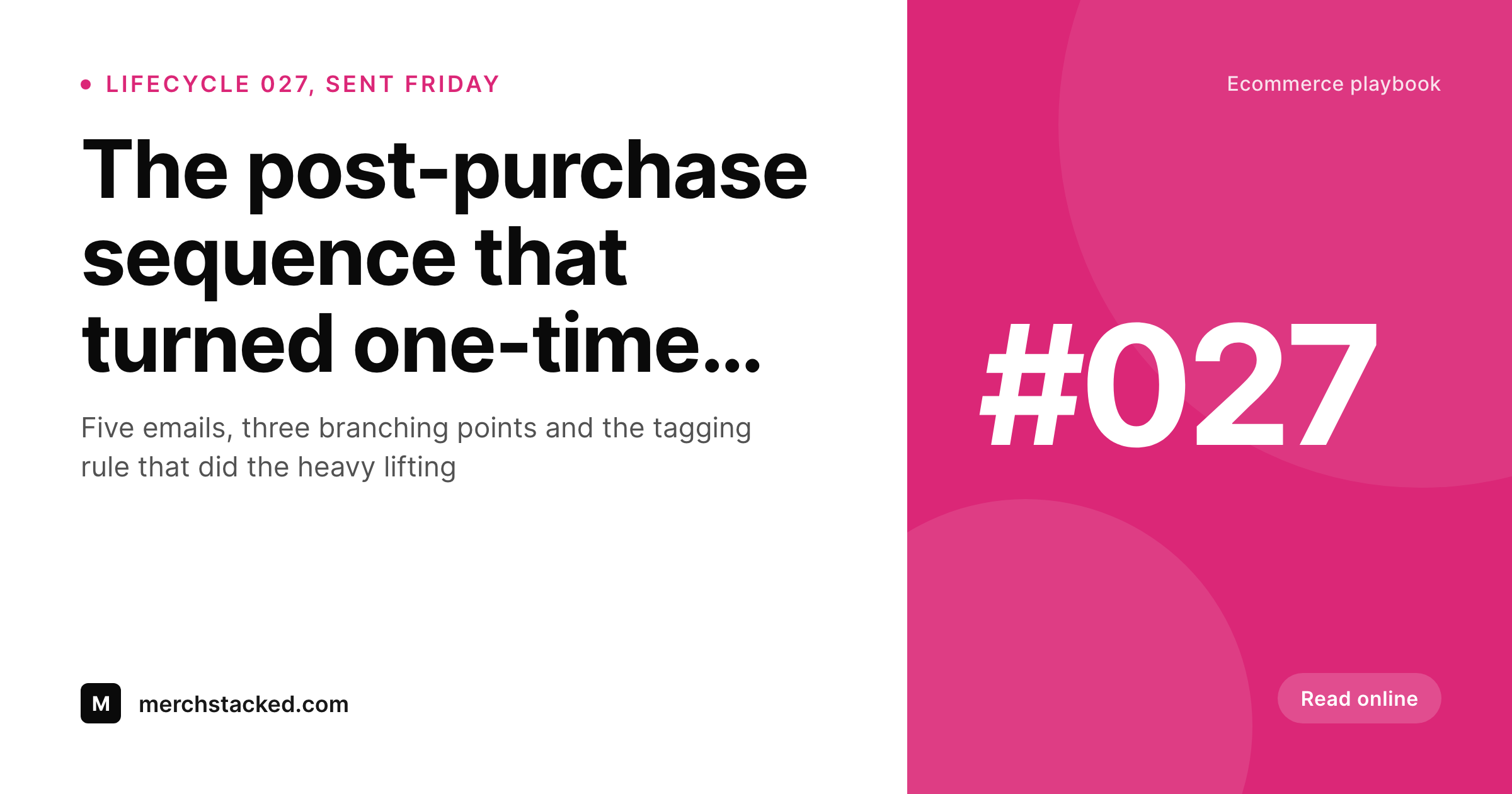
Drip ecommerce archives need real share previews
Drip is an ecommerce-leaning ESP built around behavioral tags and lifecycle workflows. The strength of the platform shows up in cart abandonment sequences, post-purchase follow-ups and re-engagement series, all of which run as automations rather than one-off broadcasts. Many Drip-powered ecommerce brands mirror their campaigns and broadcast emails into a WordPress archive so each send has a permanent public URL that can be linked from the product blog or referenced in support replies.
That archive URL is what gets shared on social media, in Discord communities, in product reviews and in customer-support replies. The OG image on those shares is what social platforms render in the preview card. For most Drip-powered stores the OG image falls back to the homepage banner, which means every shared campaign link looks identical regardless of whether it points to a launch announcement, a flash sale or a post-purchase educational email.
SleekPixel sits on the WordPress side and renders a branded cover on save from the archive post fields. Subject line takes the headline, sequence or campaign number sits in the version slot, send date renders small, tag or audience comes through as a corner badge. The og:image tag writes itself, and the archive URL now shares with a real card. Subject changes after send re-render the cover on the next save, which matters for ecommerce teams who frequently tweak promo wording after they see early performance.
Workflow
From Drip campaign to social-ready archive
Design the cover template
Mirror the campaign
Share the archive URL
Edit and re-render
Output
What a Drip archive cover ships with
A 1200 by 630 PNG: sequence number, subject line, send date and tag, rendered from the archive post fields on save.
Comparison
Default Drip archive share vs SleekPixel
Default Drip archive image
- Theme falls back to the homepage banner on every archived Drip campaign
- Cart abandonment and post-purchase posts share with identical defaults
- Tag-driven lifecycle distinctions never come through visually
- Featured product images get cropped wrong on Facebook and Pinterest
- Manual covers drift across the year as promo wording changes
SleekPixel
- Render fires on save for every archived Drip campaign post
- Subject, sequence number and tag pulled from existing fields
- og:image and twitter:image written automatically
- Per-tag templates for cart, post-purchase, re-engagement and broadcast
- Bulk re-render the catalog when the brand or product line evolves
Features
What SleekPixel gives you for Drip emails
Tag-aware templates
Drip's tag system drives different cover templates: cart abandonment, post-purchase, re-engagement and broadcasts each get their own layout.
Ecommerce-fluent
Product references, SKU mentions and price call-outs render onto the cover when they exist on the archived post. The store's identity carries to social.
Edits regenerate
Tweak promo wording or update a sequence subject, the next save re-renders the cover. Shared links never carry yesterday's headline.
Use cases
Who uses SleekPixel for Drip emails
Ecommerce founders
Drip-powered DTC brands archive their broadcasts and key lifecycle templates to WordPress. SleekPixel makes every shared sale link open with a real preview.
Ecommerce marketing agencies
Agencies running Drip for multiple ecommerce clients set up per-client templates. Each client's archive renders with their brand without manual design per send.
Product education series
Onboarding sequences and product-education drips get a permanent archive home. Customer-success shares and review posts open with the right context.
The bigger picture
Why Drip-powered stores benefit from archive covers
Ecommerce brands using Drip share campaign URLs in a wider variety of places than typical newsletter publishers. Product reviewers link to the welcome sequence; affiliates post the archive of a launch campaign in their roundups; customer-support agents paste the educational email URL into support replies; influencers screenshot a flash-sale preview into their feed. Every one of those touchpoints pulls the OG image, and a stretched homepage banner there is a quiet but constant brand drag that shows up nowhere on the Drip dashboard.
Across a year of ecommerce activity that adds up to thousands of weakened brand impressions in places the team will never see in their analytics. The second reason is the lifecycle context. Drip's value is in tag-driven segmentation, and the campaigns that result are very different in tone: cart abandonment is urgent, post-purchase is reassuring, re-engagement is reintroductory.
When every archive cover shares with the same default, those distinctions collapse at the preview layer even though they were carefully designed in the email body. SleekPixel restores the distinction because templates pick themselves from the tag, and the right tone reaches the share preview without any manual design step.
Questions
Common questions about SleekPixel for Drip emails
Common patterns: Drip webhook to a custom wp-json endpoint, Zapier from a Drip event trigger, or a manual paste-in after each send. SleekPixel runs on the resulting WordPress post fields regardless of how the post got created. Stores with high broadcast volume usually prefer the webhook route.
Yes, if the tag or workflow name is captured as a custom field on the archived post. Most ecommerce integrations include this in the payload. Bind the cover template slot to the field and the tag renders in a small badge or caption.
Yes. Behavioral broadcasts are simply campaigns that fire based on tags or events. When mirrored to WordPress as archive posts, they look like any other campaign to SleekPixel. The cover template can use the behavioral trigger as a tag or category field for variant selection.
If you mirror SMS broadcasts into an archive post type, the cover can render from those fields, often with a different template that emphasizes the message text rather than a long subject line. The use case is less common but the mechanism is identical to email broadcasts.
Yes. Multi-category stores often run separate Drip campaign series per product line. Tag each archive post with the category and the template router picks the matching cover. Each line can carry its own product photography style and color palette.
Yes. Drip's Shopify and WooCommerce integrations handle the ecommerce trigger side; the resulting campaign emails get archived to WordPress like any other Drip send. SleekPixel renders covers for the archived versions. WooCommerce's own transactional emails are private and stay separate.
Yes. Renders happen on save, not on page load. Even high-volume Drip accounts producing dozens of broadcasts per day generate dozens of saves per day, which is small at the WordPress side. Public visitors hit cached PNG files. The bulk re-render runs once per template change.
Yes. The bulk re-render iterates through every archived post and renders each from its existing fields. A multi-year archive of ecommerce broadcasts and lifecycle posts usually completes in a few minutes, including past sequences that never had branded covers before.
Pricing
More than 1000+
happy customers
Explore our flexible licensing options tailored to your needs. Upgrade your license anytime to access more features, or opt for a lifetime license for ongoing value, including lifetime updates and lifetime support. Our hassle-free upgrade process ensures that our platform can grow with you, starting from whichever plan you choose.
Lifetime ♾️
Most popular
EUR
once
- Unlimited websites
- Lifetime updates
- Lifetime support
...or get the Bundle Deal
and save €250 🎁
💎 Want everything forever? The All Access Pass is going away on 01.08.2026.
The Bundle (unlimited sites)
Pay once, own it forever
Elevate your WordPress site with our exclusive plugin bundle that includes all of our premium plugins in one package. Enjoy lifetime updates and lifetime support. Save significantly compared to buying plugins individually.
What’s included
-
SleekAI
-
SleekByte
-
SleekMotion
-
SleekPixel
-
SleekRank
-
SleekView
€749
Continue to checkoutBrowse more
- Lens Protocol posts
- Discord event cover
- Threads post cover
- Klaviyo email headers
- LinkedIn document post covers
- Gumroad product covers
- Spotify podcast covers
- Fansly banner
- TikTok profile banners
- VSCO cover
- Beacons.ai banner
- Patreon post thumbnails
- YouTube community images
- Bluesky link cards
- TikTok ad images