






SleekPixel for landscaping company
Garden installs, hardscape projects, and design pages on a landscaping company's site already carry finished-job photos and plant lists. SleekPixel renders branded share cards on save so portfolio links land with the actual planting, not a stock garden hose.
♾️ Lifetime License available
Landscape portfolios disappear behind stock images at the share step
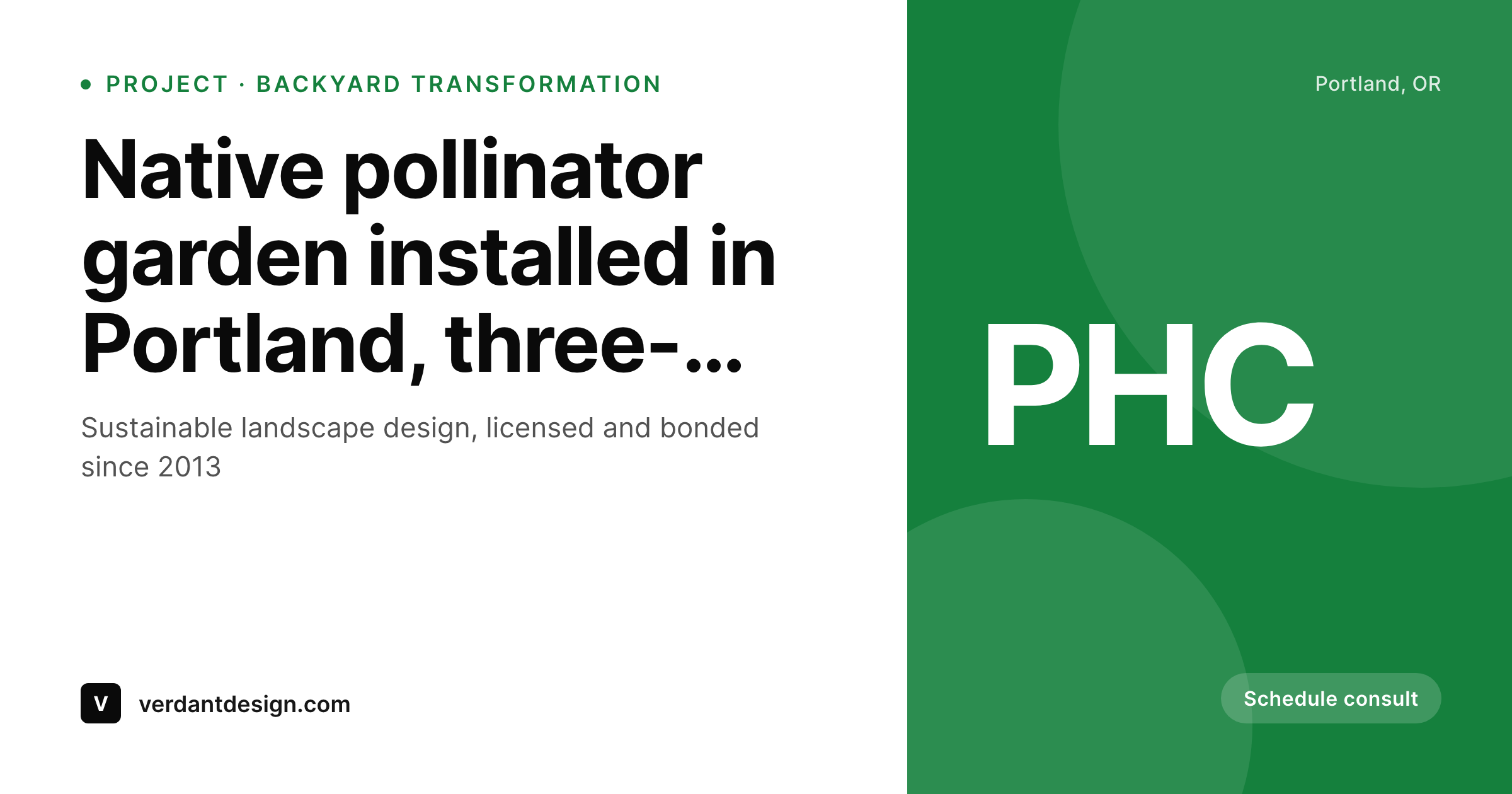
Landscape design is sold on the visible difference between a stock plant photo and the actual native garden completed last fall. Homeowners researching a backyard renovation spend hours on Houzz, Pinterest, and Instagram, then forward links to spouses and neighbors with the question 'what about this one'. The link preview is the moment the conversation either accelerates or stalls. Most landscaping company sites surface a stock garden hose, a generic lawn photo, or the theme's default banner. The pollinator garden the team installed in May, the bluestone patio they completed in June, the rain garden they designed for a coastal site, all sit visible on the site but invisible in the share preview.
The standard fix is a designer who exports portfolio cards by hand. Landscape design firms typically have a single principal who is also the designer, also the project manager, and increasingly also the marketing surface. Designing share cards in Canva is the work that gets cut first when a planting season hits and three crews need direction. The portfolio grows; the share images do not. Across years the portfolio fragments visually, even as the actual installations get more accomplished and the firm earns recognition.
SleekPixel reads each project page on save and renders the share image from the firm's template. Project type, neighborhood, plant palette, and finished-install hero photo all pull from post fields. The PNG saves to uploads, og:image and twitter:image fire, and the next homeowner who forwards the link to a spouse sees a clean branded preview that names the project and shows the actual garden. The portfolio finally travels with the firm's identity instead of getting flattened by social platforms.
Workflow
From completed install to portfolio-ready in one save
Set the firm template
Map project post types
Save the project page
Homeowners share the link
Output
What ships with every project page
A 1200 by 630 share image carrying the project type, neighborhood, plant palette callout, and finished-install photo behind the firm wordmark. Ready for Houzz, Facebook, and Pinterest cross-posts.
Comparison
Stock garden hose vs auto-rendered project cards
Stock photo / Theme default
- Stock garden-hose or generic lawn photo on most landscape company shares
- Theme default banner stretches over every project page
- Plant palette and design intent never reach the share preview
- Principal designer can't keep Canva queue current during planting season
- Old portfolio pages share with brand templates from prior years
SleekPixel
- Project galleries render branded share cards on save
- Project type, neighborhood, plant palette pull from post fields
- Real finished-install photos slot into the share card background
- Native and pollinator project pages call out ecological focus in preview
- Old projects refresh in bulk after a brand update, no per-project work
Features
What SleekPixel gives you for landscaping company
Project gallery cards
Garden installs, hardscape projects, and seasonal plantings each save with a share image showing the project type and the firm wordmark.
Service area pages
Landing pages for each neighborhood served render share cards with the area name, distinguishing each from the rest of the catalog.
Design philosophy pages
Pages explaining native planting, pollinator gardens, and rainwater design render share cards aligned with the firm's ecological positioning.
Use cases
What landscapers generate with SleekPixel
Garden install galleries
Project pages share with cards showing the planting type, the neighborhood, and the season of install. Useful when homeowners forward links to spouses.
Hardscape projects
Patio, walkway, and retaining wall pages render share cards with the material used and the project scale. Distinct visual treatment from soft-scape galleries.
Rain gardens and stormwater
Stormwater management project pages render share cards calling out the ecological function and the certification, useful for municipal and HOA sharing.
The bigger picture
Why share previews drive landscape design leads
Landscape design converts on the visible difference between an idea and a finished space, and the share preview is where that difference either gets communicated or gets erased. A homeowner researching a backyard renovation forwards three or four links to a spouse over the course of a week. The forwarded preview shapes whether the spouse engages or scrolls past.
A clean branded preview, the actual finished garden visible, the project name stated, signals a designer whose work is worth a discovery call. A stock garden hose tells the spouse this is one of dozens of generic lawn-care companies, and the link gets ignored. Across the multi-week research process, the cumulative effect of strong share previews compounds into the design consultation calendar.
The second reason is the recognition feedback loop. Landscape design firms increasingly compete on ecological positioning: native plantings, pollinator gardens, sustainable hardscape, stormwater design. The audience that cares about those values shares related content frequently in environmentally aware communities.
A portfolio whose share previews call out the ecological intent, name the certifications, and show the actual native planting earns shares from those communities at a meaningful rate. The same portfolio shared with stock images earns nothing from those communities, because the preview reads as generic lawn-care rather than aligned design. SleekPixel binds that ecological intent to the share preview at the moment of save, so the firm's positioning travels with every link and the design work attracts the audience it was made for.
Questions
Common questions about SleekPixel for landscaping company
Yes. The template has a slot for plant palette callouts that pulls from post fields. Native species, pollinator favorites, or signature trees render in the preview directly. Useful when the planting itself is the conversation hook in homeowner forwards and design-aware communities.
Yes. Hardscape projects, patios, walkways, retaining walls can use one template variant. Softscape projects, gardens, plantings, lawns can use another. Both stay anchored to the same firm wordmark and palette, but the visual treatment matches the project category. Marketing keeps both portfolios visually distinct without losing brand cohesion.
Yes. Sustainable Sites Initiative, certified pollinator habitat, audubon certifications, and similar marks can be configured as template constants or per-page fields. The certification badge renders in the footer slot. Pages aligned with the certification carry it, generic service pages skip it. Marketing controls the alignment in one place.
If a project page has multiple gallery photos across seasons, the template can pull the most recent or a specifically tagged hero photo as the share card background. Designers can swap the hero across the year as the install matures, and the next save re-renders the share card with the latest seasonal photo.
Houzz reads og:image when projects link from external sources, so the SleekPixel preview shows up there. Direct uploads to Houzz still need to be done through Houzz's tools, but any inbound link to the firm's site arrives with a branded preview. The plugin does not interfere with Houzz workflows.
Yes. Stormwater design has emerged as a distinct portfolio category with municipal and HOA audiences. The template can switch to a stormwater-specific variant on those pages, with ecological function and any municipal certifications called out. The preview signals the firm's stormwater capability to the audiences that procure that work.
Pinterest pins are 1000 by 1500 vertical, and SleekPixel can render that aspect ratio alongside the 1200 by 630 OG image on the same save. Two share images per project, both write to the post, and a Pinterest scheduler reads the OG image when pinning the page. Useful given how much landscape research happens on Pinterest.
Yes. Bulk re-render walks every project page and refreshes the share image to the latest template. File names stay the same, social platforms refresh their cached previews on the next scrape, and the entire portfolio rebrands visually in a single pass. Years of installs return to visual coherence without per-project edits.
Pricing
More than 1000+
happy customers
Explore our flexible licensing options tailored to your needs. Upgrade your license anytime to access more features, or opt for a lifetime license for ongoing value, including lifetime updates and lifetime support. Our hassle-free upgrade process ensures that our platform can grow with you, starting from whichever plan you choose.
Lifetime ♾️
Most popular
EUR
once
- Unlimited websites
- Lifetime updates
- Lifetime support
...or get the Bundle Deal
and save €250 🎁
💎 Want everything forever? The All Access Pass is going away on 01.08.2026.
The Bundle (unlimited sites)
Pay once, own it forever
Elevate your WordPress site with our exclusive plugin bundle that includes all of our premium plugins in one package. Enjoy lifetime updates and lifetime support. Save significantly compared to buying plugins individually.
What’s included
-
SleekAI
-
SleekByte
-
SleekMotion
-
SleekPixel
-
SleekRank
-
SleekView
€749
Continue to checkout