






SleekPixel for shipping update cards
Shops sending shipping update emails want a card that summarizes the carrier, tracking, and ETA. SleekPixel renders one per order in WordPress or WooCommerce, generated from the order fields on save.
♾️ Lifetime License available
Shipping updates are where retention starts
The shipping notification is the email a customer opens with real attention, sometimes the only post-purchase email they open at all. They want to know it shipped, who is carrying it, when it arrives, and where to track it. Four data points, one message, and most shops still deliver them inside a wall of text under a generic header image. The customer reads the answer in five seconds and closes the tab. The brand surfaces in that window or it does not.
The fix is to surface those four data points as a real card at the top of the message and on the shipping update page. Carrier name and logo, tracking number, ETA window, order summary. That information visible in a single glance, before any body copy, is what makes the customer feel that the shop has its operations together. Most teams cannot produce a per-order card by hand, so they default to a static header image and the moment passes.
SleekPixel renders the card on the shipping status transition. Tracking number, carrier, and ETA bind to fields written by the fulfillment integration. The same image embeds in the shipping update email and lives as og:image on the order tracking page. When the carrier scans the parcel as delivered, a delivery-status card re-renders to reflect the new state.
Workflow
From handoff to a real shipping update card in seconds
Design the shipping template
Connect to the fulfillment trigger
Order ships
Email and page pull the image
Output
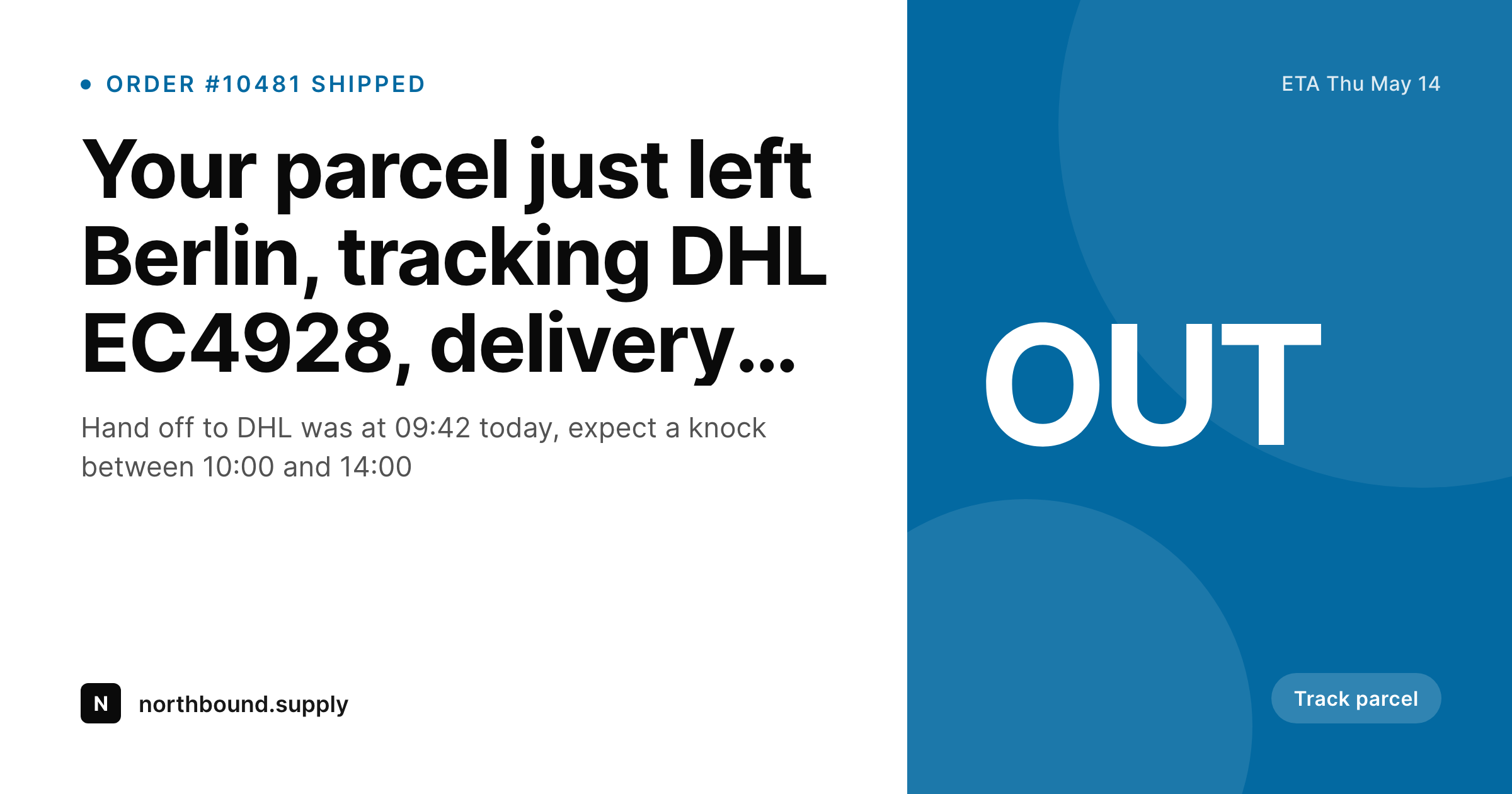
What a generated shipping update card looks like
A 1200x630 share image with the carrier, tracking number, and ETA pulled from the order fulfillment fields.
Comparison
Default shipping update vs SleekPixel
Default shipping update image
- Shipping emails use a generic header image with no order detail
- Tracking number lives only in the email body, not visible in a forward
- Carrier name buried in tables instead of shown at glance level
- ETA changes never propagate to the share or the page preview
- No regeneration path when fulfillment plans change mid-route
SleekPixel
- Render fires on shipping status transition for every order
- Carrier, tracking number, and ETA come from order fulfillment fields
- Embedded in the shipping update email and the tracking page
- Re-renders on delivery scan so the same path always shows current state
- Per-carrier templates can include the carrier logo or color
Features
What SleekPixel gives you for shipping update cards
Carrier and tracking visible
Render the carrier name and the tracking number in clean type. The customer can see both before opening the email body or clicking through to the page.
ETA stays current
Bind the ETA slot to the carrier-reported delivery window. When the carrier updates the window, save, the card re-renders and the email link preview catches up.
Delivery state re-renders
When the parcel scans as delivered, the status transition fires another render. The card flips from "out for delivery" to "delivered" at the same path.
Use cases
Where shipping update cards earn their keep
Direct-to-consumer brands
Stores shipping daily through DHL, UPS, USPS, or regional carriers. The card carries the carrier and the tracking inside every update email.
Cross-border merchants
International orders involve multiple carriers and longer windows. Per-leg templates show the right carrier and ETA at each handoff.
Marketplaces and multi-vendor
Platforms with multiple sellers want a unified shipping update look. SleekPixel renders per-order cards branded to the platform regardless of which vendor ships.
The bigger picture
Why shipping updates need a card, not a header image
Shipping updates are the post-purchase moment where customer attention spikes again after dropping off following the confirmation. The customer wants to know exactly four things and the email that answers all four in the first glance feels operationally tight, while the one that buries them in a table feels sloppy. That perception cascades into ratings, repeat purchase, and unsolicited recommendations.
The cost of producing a per-order shipping card by hand is impossible at any reasonable volume, which is why this is one of the highest-leverage points for automated rendering. SleekPixel makes the card a side effect of the fulfillment status transition. Every shipped parcel produces a real card, every tracking page carries a real preview, every forwarded email looks intentional.
The compounded effect across a year shows up in lower support volume and higher repeat-order rates without changing anything in the actual logistics.
Questions
Common questions about SleekPixel for shipping update cards
Yes. SleekPixel reads from the shipment tracking meta written by the plugin and renders the carrier and tracking number into the card. Other shipping plugins work the same way.
Yes. Configure a logo slot bound to carrier name. SleekPixel can pick the right logo from a small library based on the carrier value on the order.
Each shipment can produce its own card. The template includes a "package 1 of 2" line so the customer knows whether the order is fully out the door yet.
Yes. The carrier and tracking number bind to whatever fields the integration writes, including international carriers and the multi-leg trackers some plugins produce.
Update the order ETA or notes when the integration writes the change, save. SleekPixel re-renders the card with the updated window at the same path.
If the carrier provides one and the order meta captures the URL, yes. The template can include an image slot bound to that field on the delivered render.
No. The render runs in the status transition hook, after the order saves. Most templates render in under a second. The fulfillment flow is not blocked.
Yes. Per-region templates support local date formats, time formats, and language. The card stays readable for US, EU, UK, and other markets without separate manual exports.
Pricing
More than 1000+
happy customers
Explore our flexible licensing options tailored to your needs. Upgrade your license anytime to access more features, or opt for a lifetime license for ongoing value, including lifetime updates and lifetime support. Our hassle-free upgrade process ensures that our platform can grow with you, starting from whichever plan you choose.
Lifetime ♾️
Most popular
EUR
once
- Unlimited websites
- Lifetime updates
- Lifetime support
...or get the Bundle Deal
and save €250 🎁
💎 Want everything forever? The All Access Pass is going away on 01.08.2026.
The Bundle (unlimited sites)
Pay once, own it forever
Elevate your WordPress site with our exclusive plugin bundle that includes all of our premium plugins in one package. Enjoy lifetime updates and lifetime support. Save significantly compared to buying plugins individually.
What’s included
-
SleekAI
-
SleekByte
-
SleekMotion
-
SleekPixel
-
SleekRank
-
SleekView
€749
Continue to checkoutBrowse more
- LinkedIn post images
- Klaviyo email headers
- X list banners
- KDP paperback cover
- Twitch overlay
- Lemmy post images
- Nostr note images
- Instagram highlight covers
- Twitch camera frame
- Threads story-style images
- Notion page covers
- Discord server icon
- Buy Me a Coffee banners
- LinkedIn article covers
- Discord stage banner