






SleekPixel for investor update card
Founders write monthly or quarterly updates on the blog and email them to investors. SleekPixel renders a branded OG image for that post with the quarter, the headline metric, and the round status, so the link preview in the investor's inbox matches the discipline of the update itself.
♾️ Lifetime License available
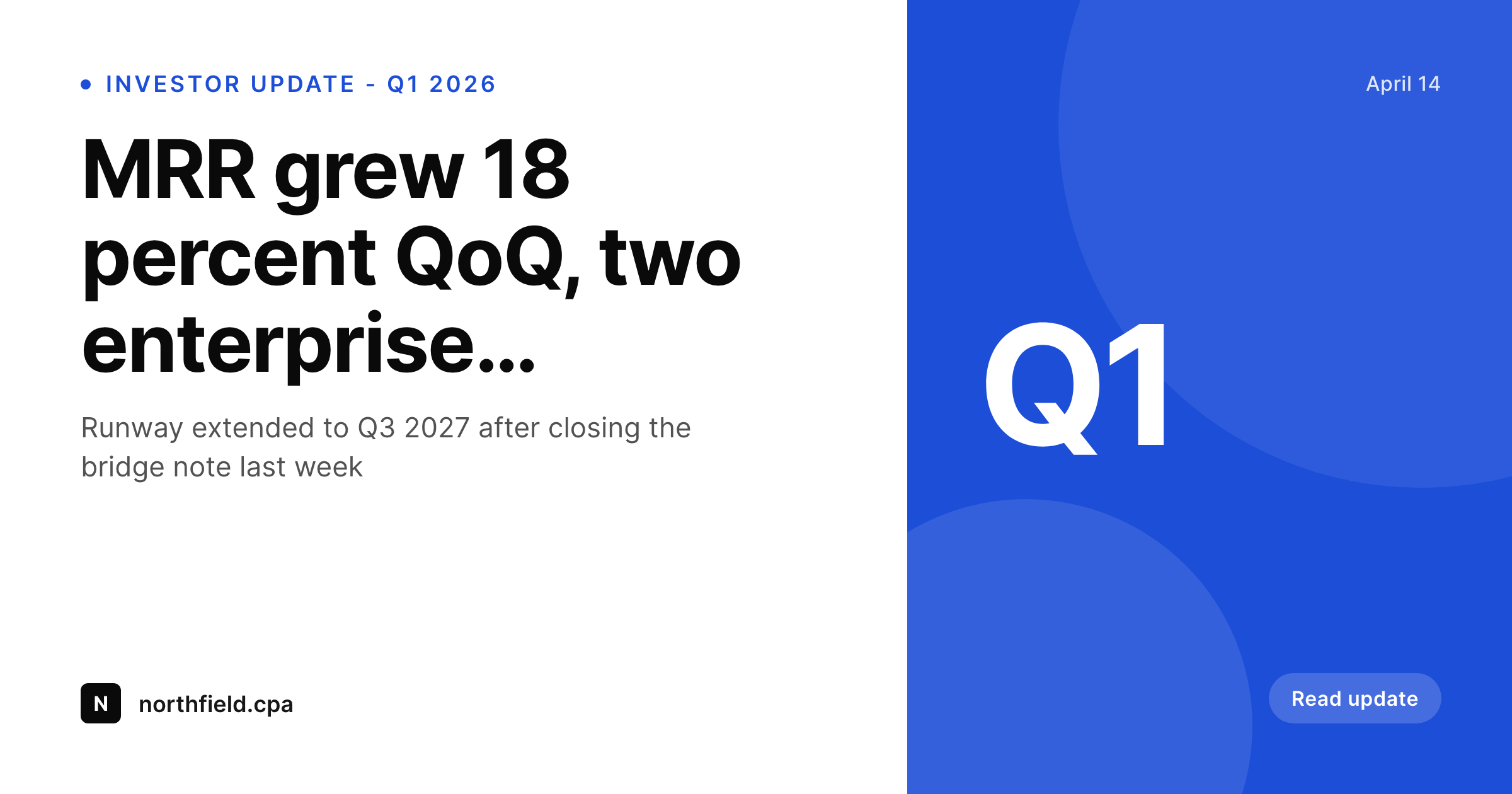
Investor updates land in inboxes and on links
The well-run startups send investor updates the same week of every month or every quarter. The update is a blog post on the company site, emailed as a link, and re-shared in board prep, advisor threads, and follow-on conversations. Each of those moments shows a link preview. If the preview is a generic site logo, the update reads as routine. If the preview shows the quarter, the lead metric, and the company brand, it signals a team that takes investor communication seriously.
The friction is the same as for press releases. Designing the preview by hand each quarter falls off the list. Most founders write the update on a Sunday night, hit publish, send the email, and never touch the social card.
SleekPixel renders the card automatically from the post. The quarter, the headline metric, the runway figure, the round status, and the date all bind to post fields. On save, the PNG renders and the og:image meta tag points at it. The investor opens the email Monday morning and sees the company brand, the quarter, and the headline number before clicking through to read the full update.
Workflow
From draft to investor inbox in one save
Build the update template
Write the update post
Card renders on save
Send the email and share
Output
Sample investor update card
A 1200x630 OG card with quarter, headline metric, and update title rendered from the investor update post.
Comparison
Generic site logo preview vs SleekPixel
No card, default logo
- Email link preview shows generic site logo every quarter
- No way to surface the headline metric in the preview
- Quarter and date drift get lost between posts
- Updating runway figure does not flow into the social card
- Board members forwarding the link cannot tell which quarter at a glance
SleekPixel
- Renders on save, no quarter-end design crunch
- Quarter, headline metric, runway pulled from post fields
- Email link preview, LinkedIn share, and Slack unfurl all use the same card
- Backfill prior quarters with a single bulk regeneration
- Per-quarter template variants supported
Features
What SleekPixel gives you for investor update card
Metric-led layout
The headline metric is the largest element on the card. MRR, ARR, customer count, runway - whichever number the update leads with, that is the number an investor sees at a glance.
Quarter-aware
Q1, Q2, Q3, Q4 badges render from a post field. The investor knows which quarter the update covers without reading the headline.
Email-ready
Email clients that support link previews read og:image directly. The same branded card that shows on LinkedIn shows in the investor's Gmail or Superhuman inbox.
Use cases
Where investor update cards fit
Monthly founder updates
Cadence is the discipline. The card signals that the cadence is intact. Every month, on the same date, with the latest metric on the same template.
Quarterly board updates
Pre-board prep often includes the same letter that goes to the broader investor list. The card carries through from the public update to the board materials with a consistent visual identity.
Pro rata and follow-on conversations
When an existing investor forwards the update to a prospective follow-on lead, the link preview shows the brand and the headline metric, which lifts the temperature of the next intro.
The bigger picture
Why the investor update card matters more than founders think
The investor update is the only piece of writing most founders do that goes to people who can write follow-on checks. Investors read dozens of updates a month, often on a phone, often skimming. The card in the email preview is what determines whether the update gets opened immediately or pushed to a list of things to read later, and later often means never.
Founders who treat the update as a forwarded piece of communication that will land in twenty inboxes - each with its own preview rendering - design the card to do work. The headline metric reads at glance. The quarter is unambiguous.
The brand is reinforced. Multiply across twenty-four months of monthly updates and the investor's perception of the company is shaped not just by the metrics but by the discipline of the format. SleekPixel makes that discipline cheap.
The update post is the source. The render runs on save. The card stays consistent across two years of monthly updates without a single design task on the founder's calendar.
Questions
Common questions about SleekPixel for investor update card
Yes. Add a custom field for the headline metric on the post, bind it to a large text layer in the template. The figure appears prominently on every update card, pulled directly from the post.
Run two separate update posts: one for the broad investor list, one for a tighter inner circle. Each post can use its own template variant. Each URL previews independently.
The post needs to be readable by whoever is opening the link. Most founders make investor updates publicly accessible but unlinked from the main site navigation. SleekPixel renders the card regardless of public-vs-private status.
Yes. Use any membership plugin to gate the post body. SleekPixel still renders the card and writes og:image to the post head, which is publicly accessible for link previews.
Email clients that support link previews fetch og:image automatically. For inline images inside the email body, you would still place the image manually or use the email tool's link preview feature, which usually pulls og:image from the URL.
Yes. Bulk regenerate runs the current template across every past update post. Two years of monthly updates pick up the current brand template in a single batch.
SleekPixel handles the card on the WordPress post. The email tool sends the link to that post. When the recipient's inbox previews the link, og:image is read from the post and the card appears.
Yes. Runway can stay in a private custom field that does not render on the public post body but does feed the card. The card reads from the field, the public post body does not display it. Privacy on the figure, brand on the preview.
Pricing
More than 1000+
happy customers
Explore our flexible licensing options tailored to your needs. Upgrade your license anytime to access more features, or opt for a lifetime license for ongoing value, including lifetime updates and lifetime support. Our hassle-free upgrade process ensures that our platform can grow with you, starting from whichever plan you choose.
Lifetime ♾️
Most popular
EUR
once
- Unlimited websites
- Lifetime updates
- Lifetime support
...or get the Bundle Deal
and save €250 🎁
💎 Want everything forever? The All Access Pass is going away on 01.08.2026.
The Bundle (unlimited sites)
Pay once, own it forever
Elevate your WordPress site with our exclusive plugin bundle that includes all of our premium plugins in one package. Enjoy lifetime updates and lifetime support. Save significantly compared to buying plugins individually.
What’s included
-
SleekAI
-
SleekByte
-
SleekMotion
-
SleekPixel
-
SleekRank
-
SleekView
€749
Continue to checkoutBrowse more
- Snapchat snap images
- Depop listing images
- Twitter card images
- YouTube channel banners
- Threads post cover
- Twitch profile banner
- Snapchat Discover tiles
- Twitch stream overlay images
- YouTube Shorts cover
- Mastodon link previews
- Facebook cover photos
- Twitter header banners
- Bluesky profile banner
- Patreon post thumbnails
- Tumblr header