






SleekPixel for event rental companies
Each inventory page, collection lookbook, and rental package already has a name, capacity, and category. SleekPixel renders Pinterest pins and OG images on save so every Pinterest save and DM forward looks like the same company.
♾️ Lifetime License available
Event rental is a Pinterest-and-DM business
An event-rental company publishes constantly: inventory pages for hundreds of pieces (tables, chairs, glassware, linens, lounge furniture, lighting, dance floors), collection lookbooks for romantic, modern, vintage, and tropical aesthetics, package pages for tabletop-only and full-event rentals, and the occasional real-event feature when a partner planner submits photos. Each one ends up shared on Pinterest by planners building moodboards, in DMs from brides comparing options, and in vendor partner stories. The pre-publish ritual is always the same: the rental company crops a product photo, types over it, exports a square, and uploads it.
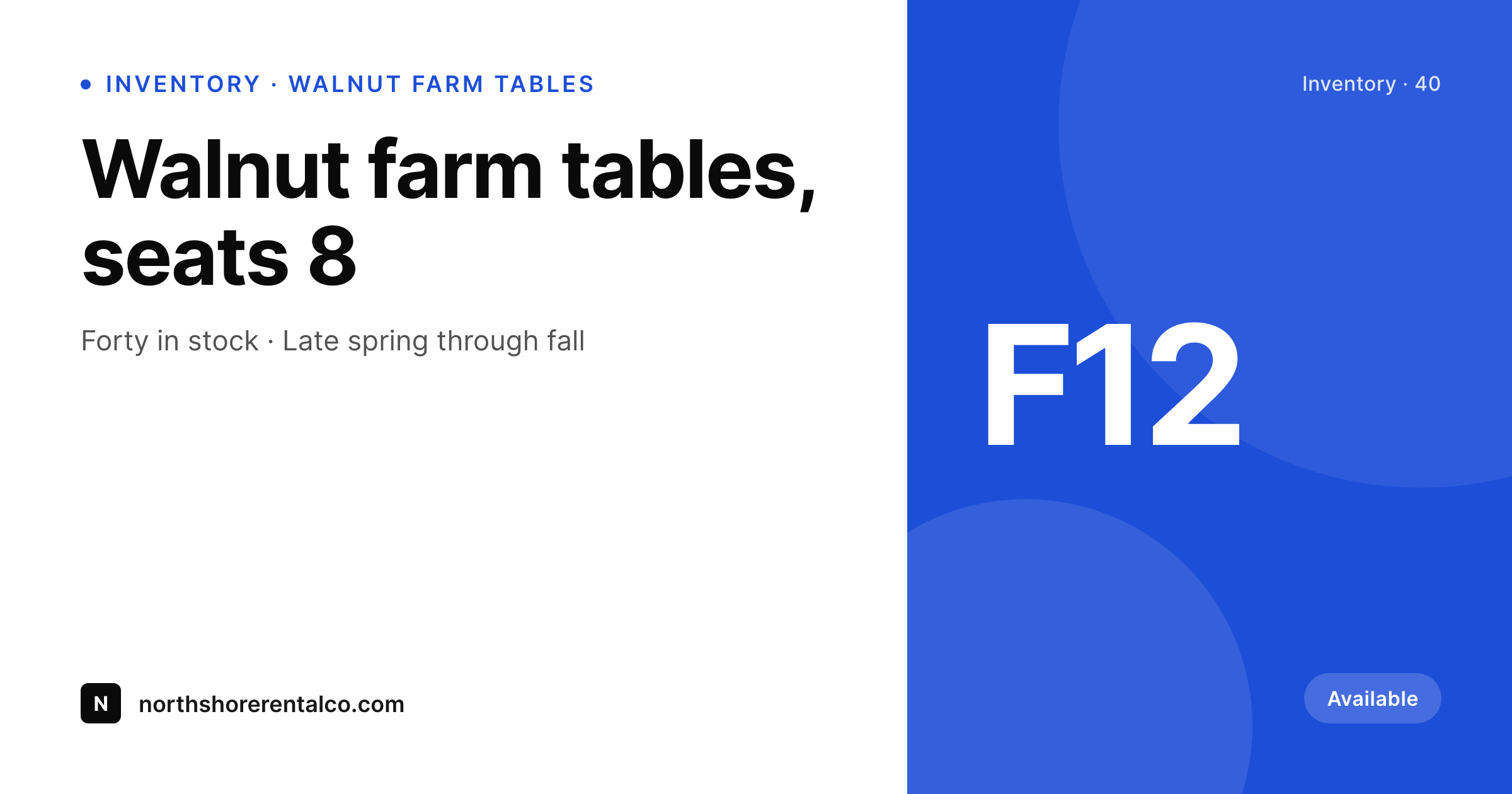
The frustrating part is that the inventory page already holds the item name, the dimensions, the capacity (seats four, seats eight), and the available quantity. The collection page already has the aesthetic name and a list of pieces. The package page already has the tier and what it includes. SleekPixel reads those fields on save and renders the Pinterest pin, the Instagram square, and the OG image in one pass. The rental company updates inventory, hits save, and the share art is ready for the next Pinterest pin or DM forward.
The product photography on the inventory page itself still drives the page layout, so the rentals do the visual heavy lifting. The share card is a separate, considered piece that keeps Pinterest boards and link previews on-brand. Planners pinning the company's walnut farm tables to their wedding moodboards pull a card that says company name, capacity, and category, not a stretched homepage logo. The company stops opening Canva to keep up with inventory updates and goes back to delivering rentals.
Workflow
From inventory update to share-ready in one save
Set the inventory template
Map the post types
Update and save
Share everywhere
Output
What ships with every inventory page
A 1200 by 630 OG image: item name, dimensions, capacity, and company wordmark, ready for Pinterest, planner moodboards, and DM forwards.
Comparison
Canva queue vs auto-rendered inventory art
Canva / Manual export
- Every inventory page means redoing a Canva template and retyping dimensions
- Pinterest pins, Instagram squares, and OG images all need separate exports
- Brand drift across seasons as templates get re-saved and re-edited
- Hundreds of inventory pages mean hundreds of one-off graphic-design jobs
- Old inventory links share with stretched logos when planners forward them
SleekPixel
- Inventory page becomes the source: name, dimensions, capacity
- Pinterest pin, Instagram square, and OG image render in one save
- Collection pages get aesthetic name and piece list onto the card
- Re-render the catalog when the brand evolves (no per-page work)
- OG and Twitter cards write to the head so links share with real previews
Features
What SleekPixel gives you for event rental companies
Inventory art ready
Every inventory page saves with a feed-ready square and a Pinterest pin. The company updates capacity; the art reflects it.
Collection lookbooks
Romantic, modern, vintage, and tropical collections each share with the aesthetic name and a piece list. Planners see the look at a glance.
Package previews
Tabletop-only and full-event packages share with a clean card showing tier and inclusions. No more stretched homepage banners.
Use cases
What event rental companies generate with SleekPixel
Inventory pages
Each piece saves with a square, a Pinterest pin, and an OG image. Planners pinning the item to a moodboard see capacity and category at a glance.
Collection lookbooks
Each aesthetic gets its own share card so a Pinterest pin from a tropical collection lands on a tropical card, not a generic company logo.
Real-event features
When a partner planner submits photos from a real event, the feature renders with the planner credit and the rentals used.
The bigger picture
Why share consistency drives rental bookings
Event rental is a moodboard business. A planner builds a Pinterest board for a client's wedding, pulls in inspiration, and saves rental pieces from multiple companies. The board is doing real work: it is the bridge between aesthetic vision and a final rental order.
A clean card with the item name, the dimensions, and a real photo signals a company that takes its inventory seriously. A stretched homepage logo or a generic blob signals a company that has not figured out the basics. Across a wedding season of moodboards the difference compounds into actual rental orders.
The second reason is scale. An event-rental company with three hundred inventory items and a dozen collections is not going to hand-make share art for every page. The math does not work.
SleekPixel makes the share card a property of the inventory record, so adding a new piece or updating capacity is a publishing task, not a design task. The company saves the inventory page and the launch art falls out of it. The hours saved across hundreds of pages compound into something real: more inventory listed, more collections published, more Pinterest reach over the long arc of a season.
Questions
Common questions about SleekPixel for event rental companies
If the inventory plugin stores item name, dimensions, capacity, and quantity in custom fields, SleekPixel can read them. Most popular rental-inventory plugins store these as standard postmeta, which is exactly what SleekPixel binds to.
It can show availability at the moment of the last save. If a piece becomes fully booked for a date range, SleekPixel re-renders the share card with the updated availability label. The card is then current the next time someone forwards the link.
Pinterest still drives a large share of inquiries for event-rental companies because planners build moodboards there. SleekPixel renders a 1000 by 1500 vertical pin alongside the square. Same template, different aspect ratio, both write to the post.
Yes. The Gutenberg sidebar has a download button for each rendered format. The square version exports at full resolution, ready for paste into a DM or attachment to an email proposal.
Indirectly. Search engines do not rank pages by their OG image, but click-through rates from social shares affect the size of an audience that ends up linking back. A clean share preview drives more pins, more pins bring more planners, and more planners create the orders that matter for organic visibility.
Yes. SleekPixel supports per-category, per-tag, and per-CPT templates. Routing rules pick the right card so glassware items look distinct from lounge-furniture items, all from the same template family.
Run a bulk re-render and every existing inventory and collection page updates to the new visual. File names stay the same, so cached OG previews refresh on the next platform scrape. The catalog stays unified instead of looking like 'before and after' the rebrand.
Companies with hundreds of items see the largest gains because the math is favorable. A bulk re-render after a rebrand costs one click and processes the entire catalog. The same rebrand done by hand in Canva is weeks of work, which is why most rental companies never actually do it and end up with a fragmented visual identity instead.
Pricing
More than 1000+
happy customers
Explore our flexible licensing options tailored to your needs. Upgrade your license anytime to access more features, or opt for a lifetime license for ongoing value, including lifetime updates and lifetime support. Our hassle-free upgrade process ensures that our platform can grow with you, starting from whichever plan you choose.
Lifetime ♾️
Most popular
EUR
once
- Unlimited websites
- Lifetime updates
- Lifetime support
...or get the Bundle Deal
and save €250 🎁
💎 Want everything forever? The All Access Pass is going away on 01.08.2026.
The Bundle (unlimited sites)
Pay once, own it forever
Elevate your WordPress site with our exclusive plugin bundle that includes all of our premium plugins in one package. Enjoy lifetime updates and lifetime support. Save significantly compared to buying plugins individually.
What’s included
-
SleekAI
-
SleekByte
-
SleekMotion
-
SleekPixel
-
SleekRank
-
SleekView
€749
Continue to checkoutBrowse more
- fact-of-the-day card
- new arrival cards
- customer spotlight cards
- company milestone card
- guest spot card
- release day cards
- movie review cards
- ship log cards
- status update cards
- workshop replay card
- fundraising announcement cards
- data visualization cards
- office hours card
- Trustpilot review cards
- statistic cards
- Klaviyo email headers
- Amazon Storefront banners
- X community banners
- Pinterest Idea Pins
- Spotify podcast covers
- Twitch profile banner
- X Space banners
- Bluesky profile banners
- Spotify Canvas
- Pinterest product pin covers
- Patreon tier images
- Facebook ad images
- Discord event cover
- Instagram feed posts
- Instagram Shop product images