






SleekPixel for news publisher
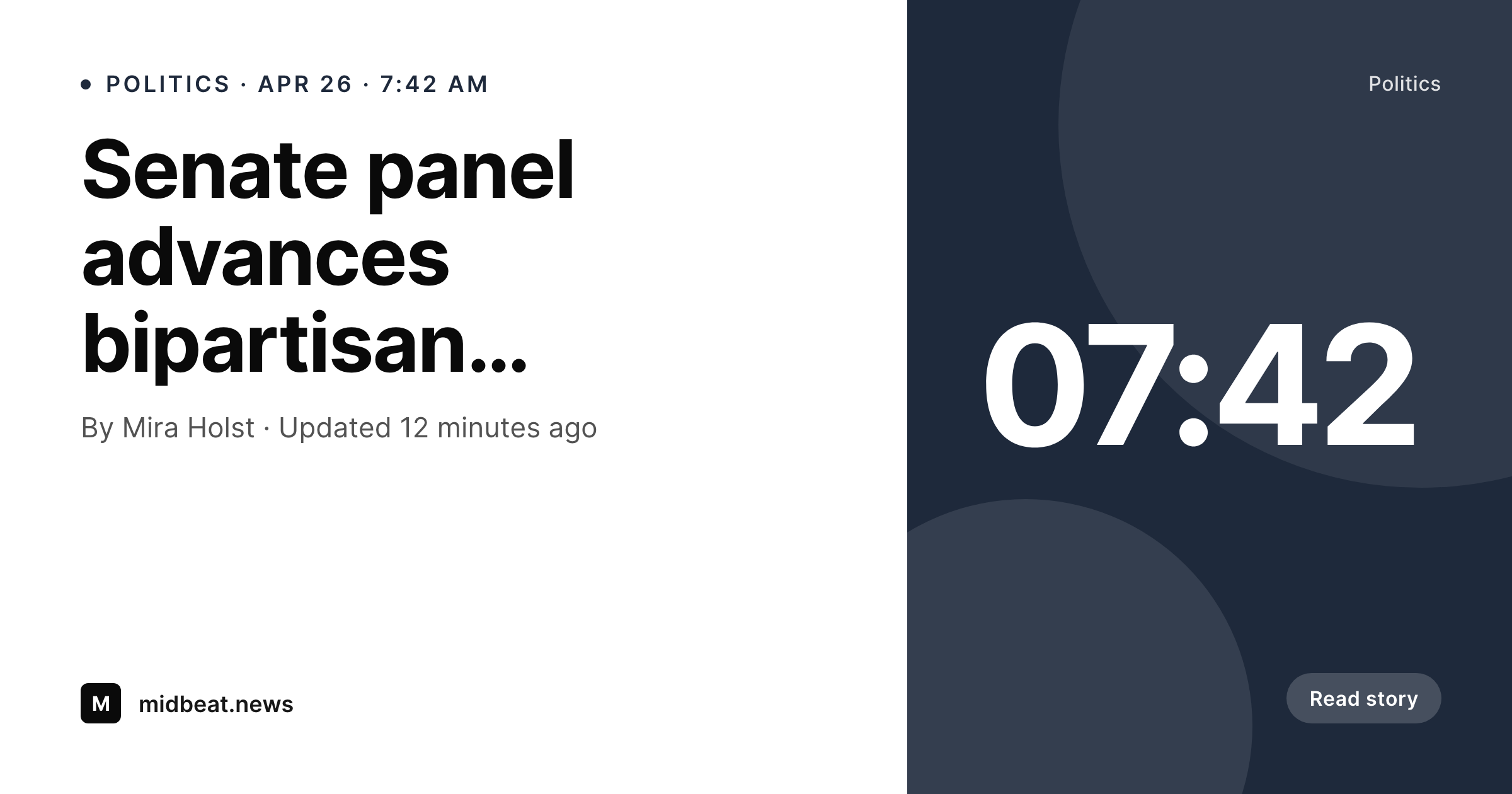
SleekPixel renders a branded OG card for every story on save, pulling headline, byline, section, and timestamp from the post. Breaking news ships with a card; updates regenerate it; the editorial pipeline never waits on design.
♾️ Lifetime License available
News graphics can't sit in a design queue
News publishing has the highest publish-frequency to design-headcount ratio of any content business. A small newsroom might ship forty stories a day; a regional outlet might ship a hundred. Every one of those stories has a headline, a byline, a section, and a timestamp. Every one of them benefits from a share card that gives readers — and aggregators — a glance-readable preview. And every one of them ships in minutes from filing, which is incompatible with a designer building an OG image per story.
SleekPixel turns the story post into the source of truth. The headline maps to the post title, the byline to the author, the section to the primary category, the timestamp to the publish or update time. The card renders on save and again on every update. Breaking news that gets revised five times in an hour ends with a card that matches the latest version, not the first one. Long headlines auto-fit between size bounds so a 22-word politics title and an 8-word business one both look intentional.
For section fronts, the same template can power section-specific accents — politics in slate, business in green, culture in plum — driven by the section taxonomy term. The result is a coherent editorial brand applied across every story without anyone manually assigning a card per article. The newsroom keeps moving at the speed of news, and the social and aggregator surfaces present a consistent identity throughout the day.
Workflow
From filing to share-ready card
Build the editorial template
Map editorial fields
File and publish
Update and correct
Output
How a story card composes
An OG card with the headline, byline, section, and timestamp pulled from the story post the moment it publishes.
Comparison
Default story OG vs rendered cards
Default theme OG image
- Default OG card never updates with the story headline
- Updates and corrections don't propagate to the social card
- Section identity disappears on shared links
- Designers cannot keep pace with newsroom output
- Aggregators and feeds see inconsistent or generic artwork
SleekPixel
- Card renders on save and on every update
- Section taxonomy drives the accent so politics, business, culture each look distinct
- Headline auto-fits no matter the length
- Bulk regenerate covers the entire archive
- Byline and timestamp stay in sync with the story
Features
What SleekPixel gives you for news publisher
Story-aware
Reads headline, byline, section, and timestamp from the story post. The card matches whatever version of the story is currently live, including correction updates.
Section colors
Drive the accent from the section taxonomy. Politics, business, sports, culture each render with their own color from one shared template.
Update-safe
Every save regenerates the card. Editors who push corrections through the day end with cards that match the final version, not the first cut.
Use cases
Where newsrooms use it
Breaking news
Stories that publish and update within an hour. The card tracks every revision without a design touchpoint.
Section fronts
Politics, business, culture each render with section-specific accent and typography variations from the same template.
Bylined columns
Columnists and recurring features get their own treatment via an author or column field, while sharing the publication's identity.
The bigger picture
Why news publishers need rendered cards
News is the canonical high-velocity publishing problem. The output cadence is set by the world; the editorial team is small relative to the content volume; the value of a story decays sharply over hours. Anything in the pipeline that requires a design step per story is incompatible with that shape.
The default response — a generic site-wide OG image — is the failure mode every newsroom should be ashamed of, because it forfeits the most-shared surface (link cards in chat apps, Slack, and aggregators) at exactly the moment a story is most viral. SleekPixel maps the story's structured fields to a template and produces a real, consistent, brand-correct card per article. Section identity is preserved.
Bylines are credited. Updates propagate. The template can be tightened or rebranded later with a single bulk regenerate, and the entire archive — yesterday's stories and ten years of back issues — refreshes overnight.
The newsroom keeps publishing; the brand keeps presenting.
Questions
Common questions about SleekPixel for news publisher
Yes. SleekPixel renders on every save, including updates. The same /uploads path serves the new version. Aggregators and chat apps that re-fetch the OG card pick up the revised artwork on their next refresh; the canonical URL stays stable throughout.
Yes. Map the accent in the template to the primary section taxonomy term. Politics, business, culture, sports each render with their own color from the same template. New sections inherit a color by adding a term meta field, with no template duplication.
Whichever you prefer. The template can read post_date, post_modified, or a custom editorial timestamp. Publications that show last-updated for live stories typically render that on the card so readers see how fresh the version is at the share moment.
Yes. Wire-imported stories that land as posts trigger the same render pipeline as native ones. As long as the headline, byline, and section fields are populated on import, the cards render automatically.
Yes. Paywall logic affects what the article serves to a reader, not whether a card exists. SleekPixel renders based on the post fields. The card itself can include a subscriber-only badge if your template chooses to show it.
Use a feature taxonomy or a special field to flag long-form pieces and let the template apply a different layout — bigger headline, smaller meta strip, optional cover image. One render pipeline still covers daily news and feature work.
Yes. Run a bulk regenerate against the story post type and every legacy article ends up with a rendered card. Years of back issues become consistent without anyone reopening a story to touch design.
No. SleekPixel renders the OG card and writes the meta tags on the story URL. Distribution to Apple News, Google News, and other aggregators still happens through your existing feeds and CMS integrations. The card is the artifact those distribution paths use; producing it consistently is the part SleekPixel handles.
Pricing
More than 1000+
happy customers
Explore our flexible licensing options tailored to your needs. Upgrade your license anytime to access more features, or opt for a lifetime license for ongoing value, including lifetime updates and lifetime support. Our hassle-free upgrade process ensures that our platform can grow with you, starting from whichever plan you choose.
Lifetime ♾️
Most popular
EUR
once
- Unlimited websites
- Lifetime updates
- Lifetime support
...or get the Bundle Deal
and save €250 🎁
💎 Want everything forever? The All Access Pass is going away on 01.08.2026.
The Bundle (unlimited sites)
Pay once, own it forever
Elevate your WordPress site with our exclusive plugin bundle that includes all of our premium plugins in one package. Enjoy lifetime updates and lifetime support. Save significantly compared to buying plugins individually.
What’s included
-
SleekAI
-
SleekByte
-
SleekMotion
-
SleekPixel
-
SleekRank
-
SleekView
€749
Continue to checkoutBrowse more
- SOC 2 announcement card
- waitlist open card
- growth chart cards
- book recommendation cards
- chart of the week cards
- course module cards
- award win card
- compliance update cards
- shell tip card
- patent grant card
- behind the scenes cards
- quote graphic
- referral program cards
- build in public cards
- tweet screenshot card
- YouTube podcast thumbnails
- Etsy cover photos
- Twitter card images
- YouTube banner art
- Gumroad product covers
- Ghost feature images
- Threads profile banners
- Behance project covers
- Linktree banner image
- Facebook Shop product images
- kbin post images
- Nostr note images
- Kindle book cover
- Warpcast frame images
- Mastodon link previews