






SleekPixel for pet photographer
A summer studio mini day, a fall outdoor session, a holiday Santa shoot, a finished gallery release. Each shoot post renders into a 1080x1080 tile with the date, slot count, and rate the moment it publishes.
♾️ Lifetime License available
Mini session days, themed shoots, and the booking deadline
A pet photographer's calendar runs on mini session days. A summer studio set, a fall foliage outdoor day, a Santa shoot in November, a Valentine sweetheart set in February. Each one is a square image with a date, a slot count, a per-session rate, and a quick line on what the package includes. Each one needs to ship a week before the date or the slots do not fill.
The data is already on the photographer's site. Most pet photography studios run an event CPT, a booking plugin like 17hats or Honeybook synced into WordPress, or ACF groups for mini session date, slot count, and package fields. The shoot details get typed once when the date is set. The work that keeps repeating is opening Canva on a phone between editing sessions and rebuilding the same tile.
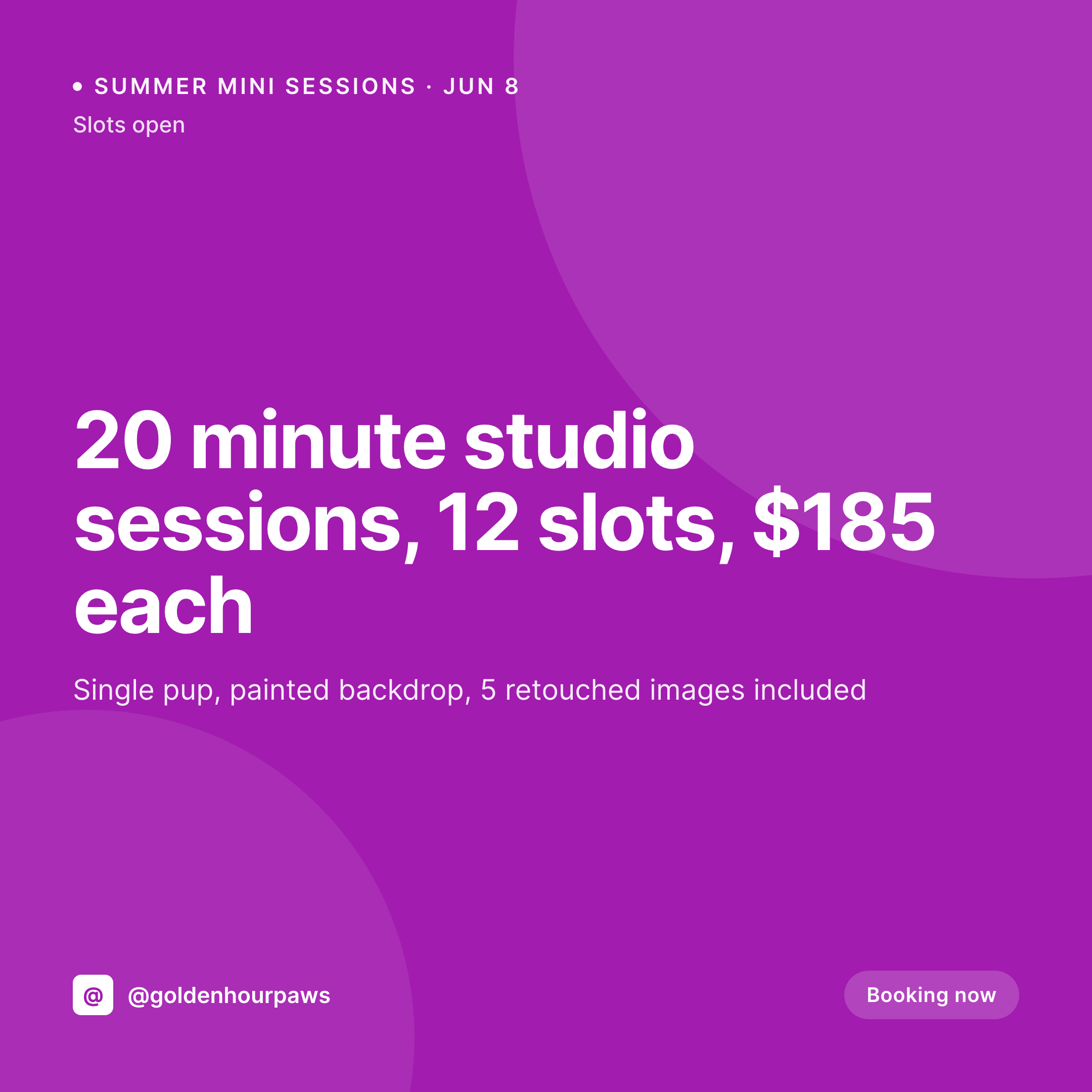
SleekPixel turns the shoot post into the tile. Save the June 8 summer mini day with twelve slots and a $185 rate, the 1080x1080 PNG lands in uploads. Slots fill, update the count, the tile re-renders. The photographer goes back to culling and editing the last session, and dog owners scrolling at lunch see real availability instead of last year's promo.
Workflow
From booking calendar to posted tile
Map the shoot fields
Design one tile template
Publish or update the shoot
Post between edits
Output
What gets generated per shoot day
A 1080x1080 square card with the session date, slot count, package rate, and the photographer's brand frame, pulled live from the shoot post fields.
Comparison
Default pet photographer image vs SleekPixel
Default pet photographer image
- Photographer builds a Canva tile per mini day between editing sessions
- Slot count on the tile reads twelve when only five remain
- Package details typed slightly different on the tile vs the booking page
- Summer set and Santa shoot tiles drift into different fonts
- Multi-photographer studios post their own off-brand mini day flyers
SleekPixel
- Save the shoot post, the 1080x1080 tile lands in uploads
- Date, slot count, and rate pulled from the booking fields
- Slot count re-renders when bookings come in and spots fill
- Photographer downloads from the Gutenberg sidebar between edits
- One template across themed shoots keeps the brand consistent
Features
What SleekPixel gives you for pet photographer
Tile per mini day
Summer studio set, fall outdoor day, Santa shoot, Valentine set. Each shoot post renders into a tile with the date and slot count on the image.
Live slot counts
When a booking comes in and slots drop, the tile re-renders with the new number. The grid stops claiming twelve slots when only five remain.
Gallery release tiles
A finished gallery for a recent shoot renders its own tile with the dog's name and a featured frame, framed in the studio's brand.
Use cases
Who uses SleekPixel for pet photography
Outdoor mini days
Bluebonnet spring sets, fall foliage days, beach sunset shoots each render with their own location, date, and slot count tile.
Themed studio shoots
Santa mini days, Valentine sweetheart sets, birthday cake smash shoots save with theme and package details on the tile.
Gallery deliveries
A finished gallery for a Labrador named Mango renders its own tile with the dog's name and a preview frame, ready to share.
The bigger picture
Why pet photographers fill mini days through their grid
Pet photography mini days fill on Instagram, almost without exception. A dog owner sees a tile in the morning, taps through to the booking page at lunch, and pays for a slot before the kids get home from school. If the tile reads twelve slots when only five remain, the owner shows up at the booking page confused, the link to her favorite photographer breaks trust, and she books somewhere else.
Most pet photographers are solo operations or two-person studios, and the photographer is also the editor, the booker, and the social manager. The work that gets cut first is the visual brand, slot counts drift, package details miss a line, and themed days end up looking like two different studios. Treating the tile as a byproduct of the shoot post keeps slot count, rate, and package details live with what the booking page knows.
Owners book in one tap, the photographer fills the mini day, and the brand stays consistent across a year of themed shoots.
Questions
Common questions about SleekPixel for pet photographer
Yes when the booking data lands in WordPress as a post or accessible record. Most photography CRMs sync to WordPress via a plugin or webhook, and those records map onto a SleekPixel template the same way a CPT does. Cloud-only data needs a sync step first.
Yes. Templates can be conditional on a theme taxonomy, so Santa shoots can use one layout, summer outdoor days another, and Valentine sets a third. All pull from the same shoot fields, just styled per theme.
A gallery CPT with the pet's name, breed, and a featured preview image can render into its own tile when the photographer publishes the gallery. The image carries the dog's name and preview, framed in the studio's brand.
Yes. One save can produce a 1080x1080 grid tile, a 1080x1920 story for last-minute slots, and a 1000x1500 Pinterest pin. Configure each format once and they all render together.
No. SleekPixel renders the PNG and saves it to uploads. Posting to Instagram, Pinterest, or Facebook is a manual step from the platform's app or a scheduling tool.
Yes. When a mini day fills and a waitlist field on the post crosses a threshold, a second shoot post can be auto-created with the same template, ready for the photographer to confirm a date and publish.
No. Generation runs on save in the admin. Owners viewing the booking calendar on the front end never trigger image rendering, they see the cached PNG. The og:image meta tag points at a static file.
Yes. The shoot post can store a featured frame field, and the template renders that image into the layout next to the slot count and rate. The grid shows real work instead of a generic camera icon.
Pricing
More than 1000+
happy customers
Explore our flexible licensing options tailored to your needs. Upgrade your license anytime to access more features, or opt for a lifetime license for ongoing value, including lifetime updates and lifetime support. Our hassle-free upgrade process ensures that our platform can grow with you, starting from whichever plan you choose.
Lifetime ♾️
Most popular
EUR
once
- Unlimited websites
- Lifetime updates
- Lifetime support
...or get the Bundle Deal
and save €250 🎁
💎 Want everything forever? The All Access Pass is going away on 01.08.2026.
The Bundle (unlimited sites)
Pay once, own it forever
Elevate your WordPress site with our exclusive plugin bundle that includes all of our premium plugins in one package. Enjoy lifetime updates and lifetime support. Save significantly compared to buying plugins individually.
What’s included
-
SleekAI
-
SleekByte
-
SleekMotion
-
SleekPixel
-
SleekRank
-
SleekView
€749
Continue to checkoutBrowse more
- Linktree banner image
- Mastodon profile header
- Twitch overlay
- Discord stage banner
- Pinterest board covers
- TikTok shop images
- Threads social images
- Ghost feature images
- TikTok profile banners
- Passes page banner
- Klaviyo email banner
- Kick stream thumbnails
- SoundCloud banner
- GitHub README banners
- Mastodon post images