






SleekPixel for chart of the week cards
Newsletters and weekly digests need a card per chart that reads cleanly in a LinkedIn feed. SleekPixel renders one card per chart post in WordPress, generated from the post fields on save.
♾️ Lifetime License available
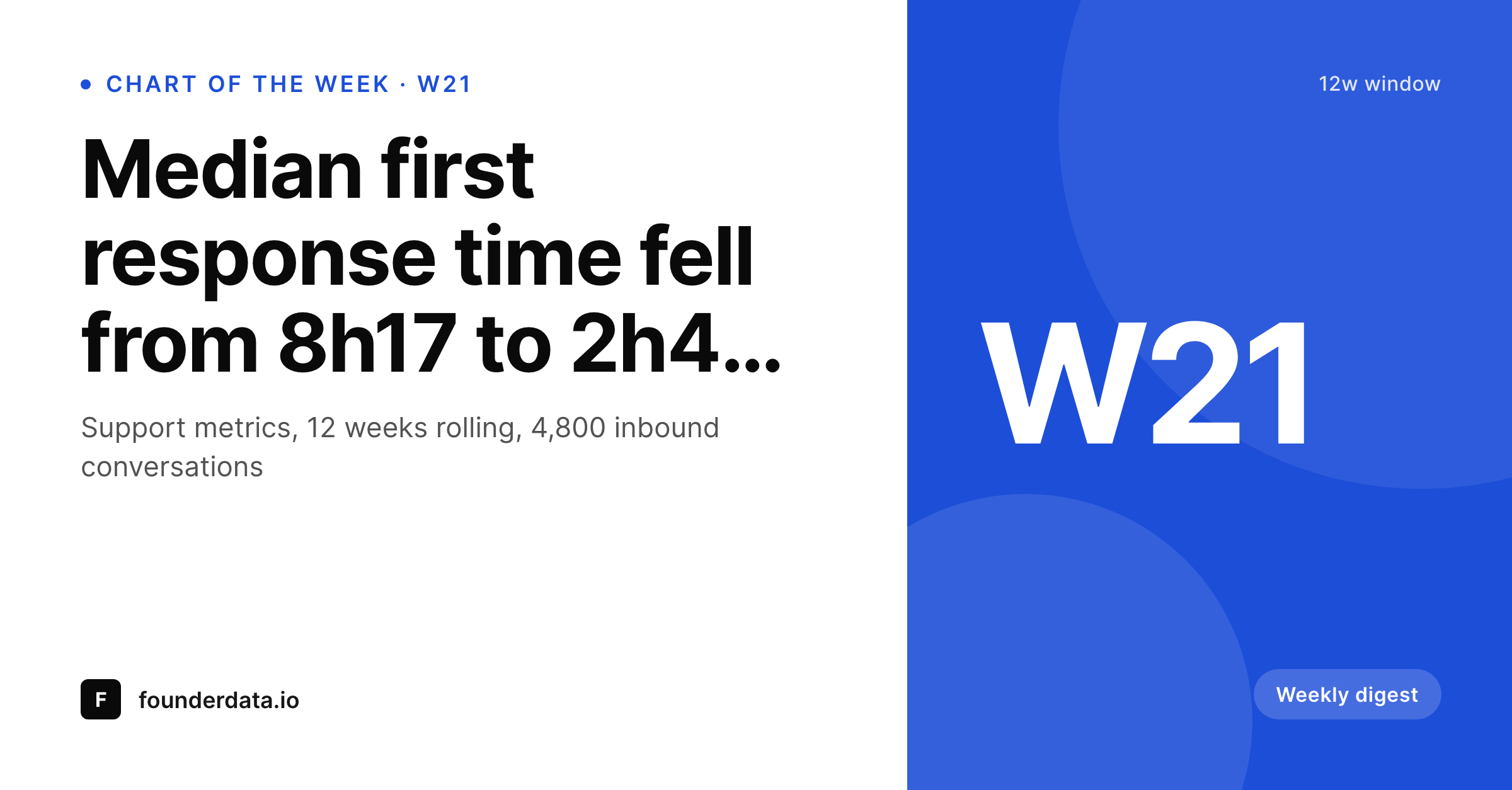
A weekly chart series has to look like a weekly series
Weekly chart programs only build an audience if the cards are recognizable across weeks. Week three's card should look like week eleven's card. The week number, the headline, the chart, the brand mark sit in the same places. The reader sees a chart-of-the-week card scroll past in LinkedIn and knows what publication it came from before reading the words. That recognition is the whole asset, and it is the thing that breaks first when the production is manual.
The usual workflow is a designer building each week's card in Figma. The first ten look consistent. By week twenty, three people have touched the template, the week number is in a different size, the chart image has shifted, and the brand bar is on the wrong side. The card stops being a series and turns into a sequence of one-offs. The audience stops recognizing it at a glance.
SleekPixel makes the card a render output of the post. The week number, the chart headline, the period label, and the chart image are post fields. The template handles the layout. Save the chart post, the LinkedIn-shaped PNG is in uploads and registered as og:image. The card looks identical across fifty-two weeks because it comes out of the same renderer fifty-two times.
Workflow
From a chart screenshot to a weekly share asset on save
Design the chart-of-the-week frame
Add a chart post
Ship to LinkedIn
Run the series
Output
What a generated chart-of-the-week card looks like
A 1200x627 LinkedIn share card with the week number, headline, period, and chart pulled from the post fields.
Comparison
Default chart-of-the-week image vs SleekPixel
Default weekly chart image
- Layout drifts between authors over the run of a series
- Week number and period label sit in different places per card
- Chart screenshots are placed at different sizes each time
- Brand mark migrates corners as the file passes around
- No regeneration path when the headline or chart changes
SleekPixel
- Render fires on save for every chart-of-the-week post
- Week number, headline, and period pulled from post fields
- Chart image placed inside the same frame every week
- og:image and twitter:image meta tags written automatically
- Series stays visually consistent across a full year
Features
What SleekPixel gives you for chart of the week cards
Week number locked in
The week label binds to a meta field. Editors set the week, the renderer puts it in the same spot every time. Readers recognize the series at a glance.
Chart in a fixed frame
The chart image fills a defined slot inside the card. Bar charts, lines, and stacked areas all read at the same scale across weeks.
Same card, 52 weeks
The template renders week one and week fifty-two identically. The audience builds a memory of the series instead of seeing it as random posts.
Use cases
Weekly chart programs this supports
Newsletter weekly chart
Newsletters that publish one chart per week. The card lives in the post, gets shared in the newsletter, and travels to LinkedIn under the same frame.
Public metrics digests
Companies sharing weekly metrics in public. The chart-of-the-week post becomes a discoverable archive with a consistent card per week.
Educational data series
Analysts running a teaching series with one chart per week. The format stays steady so subscribers track the series across months.
The bigger picture
Why a weekly chart series lives or dies on consistency
Recurring content programs work on recognition. A reader sees a card from your series in their feed, recognizes the frame before reading the headline, and clicks. They build that recognition over weeks of consistent exposure.
If the card drifts, the recognition breaks and the program restarts at week one in the reader's mind. Manual design workflows guarantee drift. Two designers, three sprints, one rebrand and the cards no longer feel like the same series.
SleekPixel removes the drift by making the card a deterministic output of the post. The week-number slot is in the same place because the template puts it there. The chart fits the same frame because the renderer places it there.
After a year, the series looks like a year of one publication, not fifty-two separate launches. The cost of producing the asset becomes proportional to writing the chart's headline, not to opening a design file.
Questions
Common questions about SleekPixel for chart of the week cards
Yes. Bind the week slot to a function that returns ISO week from the post date. Editors do not need to fill it in. Manual override is still possible via a meta field.
The chart slot uses object-fit. Tall and wide charts both place cleanly without distortion. For tight control, prepare the chart at the template's expected ratio.
Yes. Per-category templates let a revenue series and a product series carry distinct frames inside one brand system. Editors pick category, renderer picks template.
Yes. Templates can render a hero number alongside the chart for readers who scan the share without zooming in. Bind the number to a post meta field.
LinkedIn uses 1.91:1 share cards. Twitter accepts the same aspect for summary_large_image cards. One render covers both surfaces.
Yes. Bulk regenerate runs the template over every post in the category. An archive of forty posts gets forty new cards in one batch.
No. Any image field works. SVG charts exported as PNG, dashboard screenshots, hand-drawn diagrams: the renderer treats them all as image inputs.
Add a meta toggle for dark mode on the post and switch the template's colors based on it. The renderer produces a dark card for that week, light for the next.
Pricing
More than 1000+
happy customers
Explore our flexible licensing options tailored to your needs. Upgrade your license anytime to access more features, or opt for a lifetime license for ongoing value, including lifetime updates and lifetime support. Our hassle-free upgrade process ensures that our platform can grow with you, starting from whichever plan you choose.
Lifetime ♾️
Most popular
EUR
once
- Unlimited websites
- Lifetime updates
- Lifetime support
...or get the Bundle Deal
and save €250 🎁
💎 Want everything forever? The All Access Pass is going away on 01.08.2026.
The Bundle (unlimited sites)
Pay once, own it forever
Elevate your WordPress site with our exclusive plugin bundle that includes all of our premium plugins in one package. Enjoy lifetime updates and lifetime support. Save significantly compared to buying plugins individually.
What’s included
-
SleekAI
-
SleekByte
-
SleekMotion
-
SleekPixel
-
SleekRank
-
SleekView
€749
Continue to checkoutBrowse more
- product update images
- employee spotlight card
- fundraising announcement cards
- live now card
- shareholder letter card
- LinkedIn thread card
- delivery cards
- data point card
- build in public cards
- speaker cards
- industry report cards
- research note card
- Google review cards
- chart explainer card
- guest post card
- LinkedIn company banners
- Amazon Storefront banners
- LINE official account banners
- Discord stage banner
- Facebook event covers
- YouTube playlist covers
- Mailchimp email headers
- Substack podcast cover
- Signal sticker pack
- Behance banner
- Fanvue page banner
- Fansly banner
- Facebook ad images
- Bluesky feed banner
- Reddit subreddit banners