






SleekPixel for build in public cards
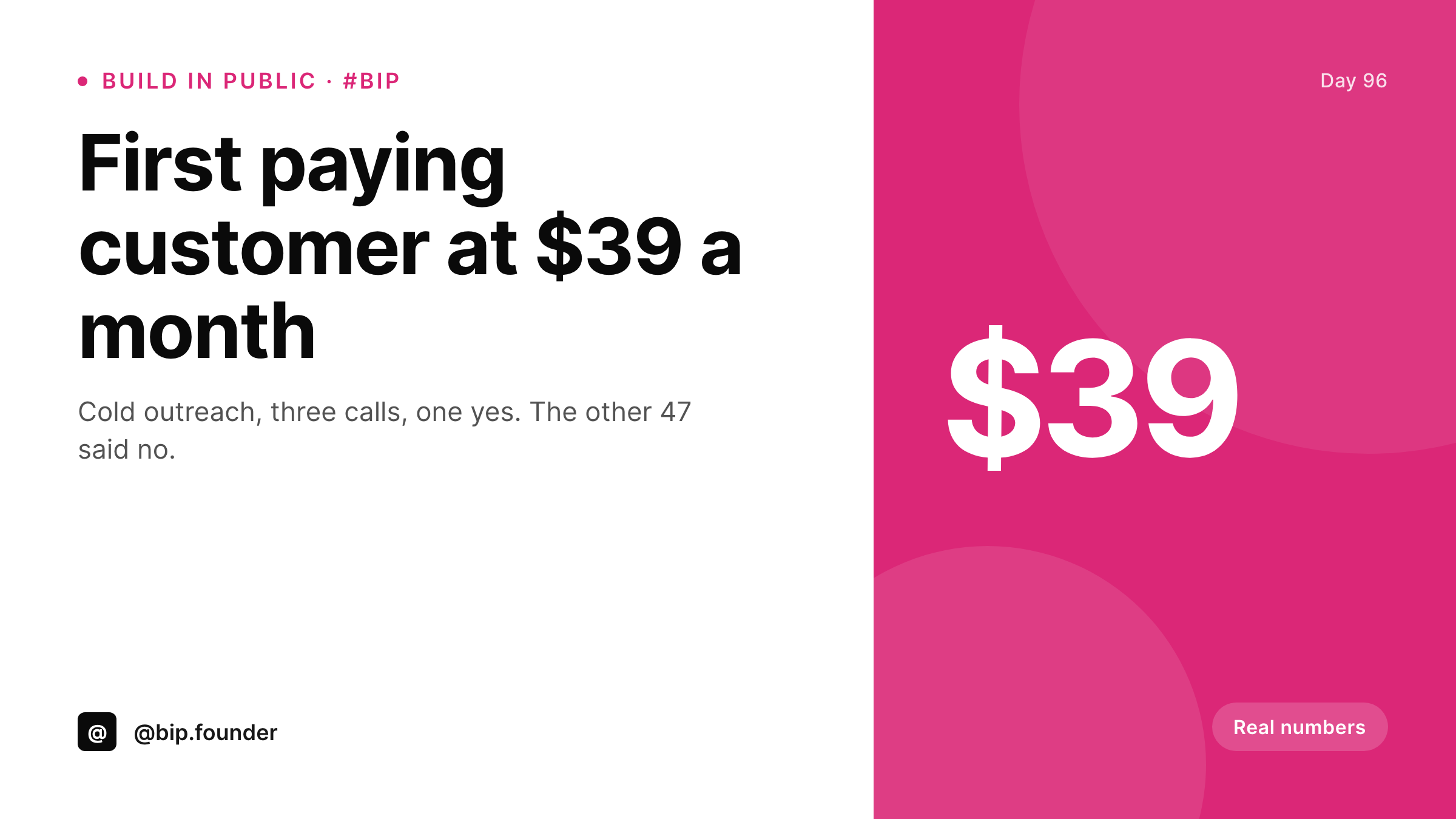
BIP works when the milestones are visible. SleekPixel renders a 1200x675 card per WordPress BIP post with the day number, the milestone metric, and the brand mark, so every #BuildInPublic tweet ships with the same recognizable card.
♾️ Lifetime License available
Build-in-public works when the audience can pattern-match the brand
BIP accounts that compound followers do one thing the casual ones do not: they look the same on every milestone tweet. The day-12 tweet, the first-customer tweet, the first-100-MRR tweet, and the first-1k-MRR tweet all carry the same card layout, same accent, same handle in the same place. That visual signature is what makes a stranger scrolling Twitter pause on the fifth time they see the account.
SleekPixel makes the signature free to produce. The BIP post in WordPress holds the day number, the headline metric, and a short context line. The 1200x675 template lays them out. Every BIP tweet attaches the same kind of card, even when one post is a milestone and the next is a setback.
The audience reads the brand on the second appearance and the engagement compounds across the BIP series, instead of starting from zero on every tweet.
Workflow
From BIP post to BIP tweet card
Design the BIP template
Bind to the BIP post type
Write the BIP post
Tweet the BIP card
Output
What a build-in-public card carries
A 1200x675 image with the day number, the headline metric, a short context line, and the handle. Same slots every post, content varies.
Comparison
Text-only BIP tweet vs SleekPixel BIP card
Text-only BIP tweet
- Text-only BIP tweets do not pattern-match across a series
- Designing a card per milestone breaks the rhythm of public posting
- Day numbers and dollar figures get hand-typed each time
- Different days produce visibly different cards over a quarter
- No connection between the WordPress BIP archive and the BIP tweet
SleekPixel
- 1200x675 BIP card rendered per WordPress BIP post
- Day number, metric, context line, and handle bind to fields
- Same template across milestone, setback, and routine posts
- og:image set automatically for the WordPress BIP archive
- Sidebar download for the BIP tweet attachment
Features
What SleekPixel gives you for build in public cards
Metric slot
A dedicated big-number slot for the headline metric of the post. First customer, first $1k, first 100 signups. Different metric, same position.
Day-of-build counter
A consistent day-of-build counter in the corner. The counter ties the series together so the audience tracks the timeline without effort.
One accent forever
BIP works on visual consistency. Pick one accent at the start and the template uses it on every card for the life of the project.
Use cases
Who runs build-in-public seriously
Solo SaaS founders
A founder posting daily or weekly BIP updates compounds followers with a card that pattern-matches across the series.
Two-person founding teams
Both founders share the same BIP card series, so milestones tweeted from either account read as the same project.
Newsletter writers building a tool
A writer with an existing audience launches a tool with BIP posts. The cards make the build visually distinct from the newsletter feed while still feeling on-brand.
The bigger picture
Why BIP cards compound where one-off tweets do not
Build-in-public is a long game played in short tweets. The reason most BIP accounts plateau is that each tweet starts cold for the algorithm and for the reader, because nothing about the tweet ties it to the previous one. Accounts that break out are the ones whose tweets pattern-match: same card, same accent, same handle position.
The third or fourth time a stranger sees that pattern in the feed, they follow. SleekPixel removes the cost of producing the pattern, which is the only reason most solo founders abandon the visual layer of BIP. A year of consistent cards is a year of compounding recognition, which is what turns a small audience into a launch list when the product hits.
Questions
Common questions about SleekPixel for build in public cards
Yes. Bind a placeholder to a chart screenshot or to an SVG generated elsewhere. The template can compose a small chart alongside the metric. Many BIP accounts run a tiny MRR sparkline on every card.
No. The format works for setbacks too. A post about losing a customer or hitting a bug uses the same template; the metric slot might show a negative number or a status word like 'Setback'. Honesty is part of why BIP works.
Yes. Register a template per category. A founder running two BIP projects can use two accent colors and two handles, each routing automatically from the post category.
The metric slot can hold a short phrase instead of a number. 'First demo call' or 'Bug fixed' both fit. The template position is fixed; the content is yours.
No. SleekPixel renders the card. Tracking engagement and growth still happens in Twitter analytics, IndieHackers, or whatever BIP dashboard you already use. The card is the visual layer; the analytics is a separate concern.
Yes. A first-customer milestone can render the customer logo in a small slot, assuming the customer consents to being named. Bind the logo to an ACF image field on the milestone post.
Yes. The template does not care about cadence. Use it for daily posts, weekly recaps, or one-off milestones. A founder mixing all three uses the same template family.
Yes. Open-startup dashboards live separately and pull live metrics. The BIP card is a snapshot per post. They complement each other: the dashboard for the live view, the cards for the narrative.
Pricing
More than 1000+
happy customers
Explore our flexible licensing options tailored to your needs. Upgrade your license anytime to access more features, or opt for a lifetime license for ongoing value, including lifetime updates and lifetime support. Our hassle-free upgrade process ensures that our platform can grow with you, starting from whichever plan you choose.
Lifetime ♾️
Most popular
EUR
once
- Unlimited websites
- Lifetime updates
- Lifetime support
...or get the Bundle Deal
and save €250 🎁
💎 Want everything forever? The All Access Pass is going away on 01.08.2026.
The Bundle (unlimited sites)
Pay once, own it forever
Elevate your WordPress site with our exclusive plugin bundle that includes all of our premium plugins in one package. Enjoy lifetime updates and lifetime support. Save significantly compared to buying plugins individually.
What’s included
-
SleekAI
-
SleekByte
-
SleekMotion
-
SleekPixel
-
SleekRank
-
SleekView
€749
Continue to checkoutBrowse more
- LinkedIn article covers
- Bluesky link cards
- GitHub social preview images
- LinkedIn carousel slides
- Mastodon post images
- Linktree banner image
- Mailchimp email headers
- LinkedIn ad images
- Facebook group banners
- X social cards
- Discord event cover
- Pinterest product pin covers
- SoundCloud track art
- YouTube end screens
- TikTok cover images