






SleekPixel for GitHub social preview images
Templated 1280x640 GitHub social preview images rendered from your WordPress repo posts, downloadable from the editor sidebar. Repo descriptions, languages, and license stay consistent across every project.
♾️ Lifetime License available
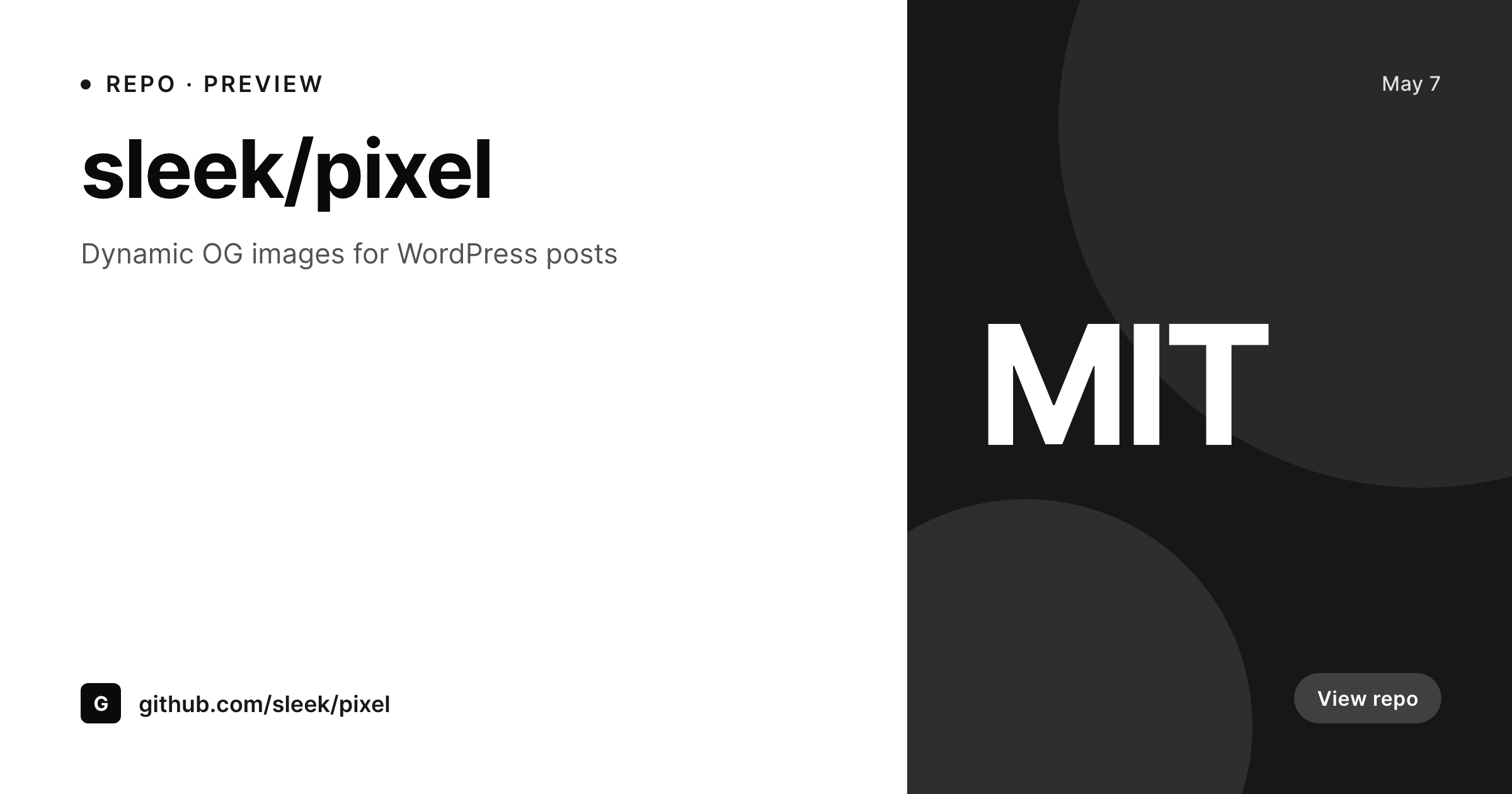
GitHub social previews are the link unfurl most repos skip
GitHub uses the social preview image as the unfurl on Twitter, LinkedIn, Slack, and Discord whenever the repo URL is shared. The preview is set in repo settings under General, expects a 1280 by 640 image, and almost no maintainers ever upload one. The default fallback is a generic GitHub card with the repo path, which loses brand identity the moment the link enters a noisy channel. Org-level accounts with twenty repos compound the problem because the marketing team would rather not design twenty separate previews and has no good way to keep them in sync as the repos evolve.
SleekPixel makes the preview a render of a WordPress post. The template is 1280 by 640, in HTML and CSS, with slots for the repo name, the description, the primary language, and the license. A docs site that publishes a project page per repository can render a preview from the same post. Quarterly version bumps and renames update the preview without a Figma round trip.
GitHub does not accept third-party uploads to social previews, so SleekPixel exposes a download button in the WordPress editor sidebar. The PNG sits in uploads named after the repo, ready to drop into GitHub repo settings.
Workflow
From repo post to GitHub-ready preview
Design the template
Bind the repo fields
Save the post
Upload to GitHub
Output
What gets generated per repo
A 1280x640 PNG sized for the GitHub social preview slot, with the repo name, description, primary language, and license.
Comparison
Manual GitHub previews versus SleekPixel
Manual / Figma / default fallback
- Repo shares unfurl as a generic GitHub card with no brand identity
- Twenty repos under one org each get a different cobbled-together preview
- Description and language changes never propagate to the preview
- Designers refuse to redo the file every time a license changes
- The 1280 by 640 ratio is small enough to look broken when designed manually
SleekPixel
- 1280x640 PNG rendered per repo post on save
- Repo name, description, language, and license fields bind into the template
- Downloadable from the editor sidebar for GitHub repo settings
- Org identity shared across every repo in the account
- Real PNGs in uploads, available for re-download anytime
Features
What SleekPixel gives you for GitHub social preview images
Per-repo render
Each repo post produces its own 1280 by 640 social preview with the right name, description, language, and license.
Org consistency
Twenty repos under one org share the template, so every repo unfurl reads as one team.
Sidebar download
The PNG is one click from the editor sidebar, ready for GitHub repo settings.
Use cases
Where GitHub previews change repo perception
Open source orgs
An org publishing twenty libraries renders a preview per repo from one template, so every Twitter share unfurls cleanly.
Language refresh
Primary language changes after a refactor update the preview on save without a designer touching the file.
Project landing pages
Docs sites that mirror repo descriptions render a preview from the same post the docs page uses.
The bigger picture
Why GitHub previews shape open-source first impressions
Open source repos live or die by the moment a developer sees the link unfurl in Slack or Twitter. A real social preview with the project name, what it does, the language, and the license tells that developer in two seconds whether the repo is worth a click. The default GitHub card buries that information behind a generic frame and loses the click.
Org-level accounts compound the problem because no marketing team is going to design twenty bespoke previews, and even if they did, the previews go stale the next sprint. SleekPixel makes the preview a render of the repo post, so org-wide consistency and per-repo specificity coexist. New repos get a preview the day they ship.
Refactors that change the primary language update the preview on save. Docs sites that mirror repo descriptions get a preview that matches the docs page. The whole org reads as one team across every channel where the link gets shared.
Questions
Common questions about SleekPixel for GitHub social preview images
No. GitHub does not accept third-party uploads to social previews via API. SleekPixel renders the PNG and exposes a download button in the editor sidebar.
1280 by 640, the GitHub-recommended social preview size. The dimension is configurable in the template.
Yes. Bind a language field on the repo post and the template renders the language tag.
Yes. The template is shared and each repo binds its own fields. Twenty repos render twenty consistent previews.
Yes. Run batch regenerate from the SleekPixel admin and every repo preview is rebuilt on the current template.
Yes, including self-hosted custom fonts. The template is HTML and CSS, so any font you can serve works.
In the WordPress uploads directory as real PNGs, available in the media library and included in normal backups.
No. Rendering happens on save. There is no per-view API call and no usage cap.
Pricing
More than 1000+
happy customers
Explore our flexible licensing options tailored to your needs. Upgrade your license anytime to access more features, or opt for a lifetime license for ongoing value, including lifetime updates and lifetime support. Our hassle-free upgrade process ensures that our platform can grow with you, starting from whichever plan you choose.
Lifetime ♾️
Most popular
EUR
once
- Unlimited websites
- Lifetime updates
- Lifetime support
...or get the Bundle Deal
and save €250 🎁
💎 Want everything forever? The All Access Pass is going away on 01.08.2026.
The Bundle (unlimited sites)
Pay once, own it forever
Elevate your WordPress site with our exclusive plugin bundle that includes all of our premium plugins in one package. Enjoy lifetime updates and lifetime support. Save significantly compared to buying plugins individually.
What’s included
-
SleekAI
-
SleekByte
-
SleekMotion
-
SleekPixel
-
SleekRank
-
SleekView
€749
Continue to checkoutBrowse more
- Shopify collection banners
- Facebook Marketplace images
- X social cards
- Threads social images
- Threads post cover
- Discord stage banner
- Spotify podcast covers
- Stan Store cover
- Threads profile banner
- Warpcast frame images
- Rumble thumbnails
- Dribbble shot covers
- Snapchat Discover tiles
- Bluesky link cards
- LinkedIn banner images