






SleekPixel for build log cards
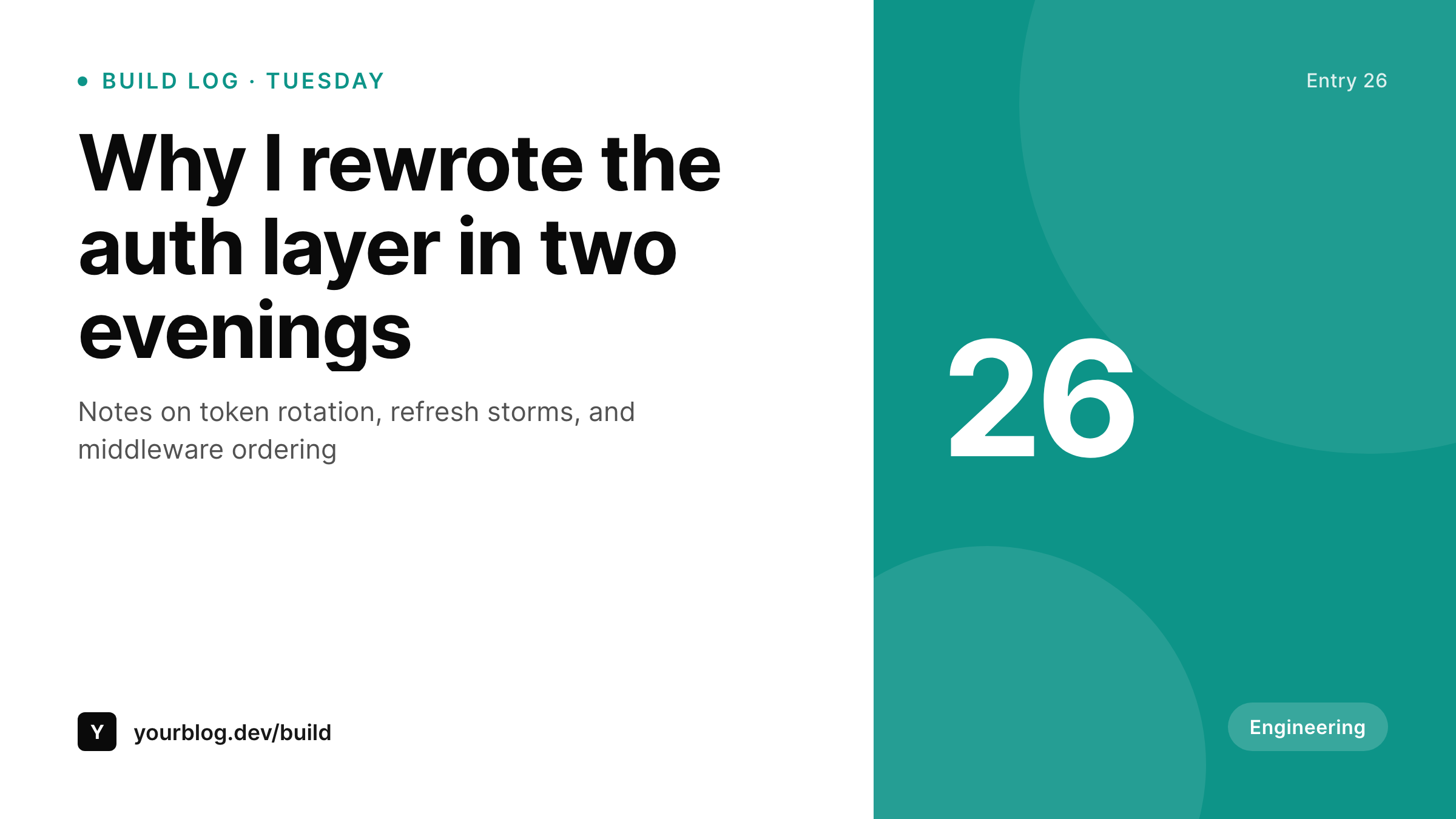
Engineering blogs live or die on whether each post is shareable. SleekPixel renders a 1200x675 card per WordPress build log post, with the entry number, title, and brand mark already in fixed slots for the dev-twitter share.
♾️ Lifetime License available
Build logs are deeper than ship logs, and they need a different card
A build log is not a ship log. A ship log says what shipped. A build log explains how something was built and what was learned. The audience is different too: engineers who care about details, not just metrics. Engineers click cards that look like engineering content, not cards that look like marketing.
SleekPixel renders the engineering card from the build log post. Entry number, title, and a small brand mark bind to fields on a WordPress post. The 1200x675 template uses a typeface and color treatment that reads as engineering content rather than as a SaaS landing page. The Tuesday or Thursday cadence of build logs becomes recognizable in the dev-twitter feed.
Over a year that is fifty-two engineering cards from one blog, all matching, all clearly from the same writer. The dev audience pattern-matches and the next post earns the benefit of recognition from the start.
Workflow
From engineering post to dev-twitter share
Design the build log template
Bind to the build log post type
Write the engineering post
Share to dev-twitter
Output
What goes on a build log card
A 1200x675 image with the entry number, the post title, and a small engineering brand mark. Tight, restrained, recognizable as engineering content.
Comparison
Generic blog card vs SleekPixel build log card
Generic blog OG image
- Generic blog OG images read as marketing, not as engineering content
- Designing a card per engineering post slows down posting cadence
- Entry numbers do not survive a generic OG image plugin
- Different engineering posts produce visibly different cards over time
- Dev-twitter cards from the same writer do not pattern-match
SleekPixel
- 1200x675 build log card rendered per WordPress engineering post
- Entry number, title, and brand mark bind to post fields
- Engineering-feeling typography and restrained color treatment
- og:image set automatically for the engineering blog archive
- Sidebar download for the dev-twitter share
Features
What SleekPixel gives you for build log cards
Mono and serif mix
The build log template defaults to a mono-and-serif mix that reads as engineering content. Different from the marketing template, intentionally.
Entry number slot
A small fixed slot for the entry number so the series compounds. Entry 1 and entry 26 read as the same series at a glance.
Subtle accent
Engineering audiences distrust loud cards. The template uses a single subtle accent rather than a saturated brand color, which reads as serious engineering content.
Use cases
Where build logs need a different card from ship logs
Engineering blog from a SaaS
A SaaS engineering blog separate from the marketing site needs its own visual identity. The build log card carries that identity per post.
Personal dev blog
An engineer's personal blog produces a recognizable build log series across years. The same accent and entry number tie the archive together.
Open-source project journal
Maintainers of an OSS project run a build log to document major architectural choices. The card makes each entry shareable in dev-twitter circles.
The bigger picture
Why an engineering audience needs a different card from a marketing audience
Engineering audiences are skeptical of cards that look like ads. A loud accent, a big call-to-action, and a marketing-style headline triggers the ad filter for most developers. A restrained card with a mono headline, a small entry number, and a quiet accent reads as serious content and earns the click.
Most blogs use the same OG image template for engineering posts and marketing posts, which means engineering posts get a marketing-feeling card and underperform on dev-twitter. SleekPixel supports running a separate template per category, which means the engineering blog can have an engineering-feeling card and the marketing blog can have a marketing-feeling card from the same WordPress install. Over a year that is the difference between a build log series that compounds dev followers and a build log series that looks like content marketing.
Questions
Common questions about SleekPixel for build log cards
Yes. Bind a code block to a placeholder and the template can render syntax-highlighted code at the right size. Some build log cards show three lines of the post's most quotable code.
Yes. Register the engineering template against a Build Log category and the marketing template against the rest. Each post gets the right card automatically based on its category.
Either auto-incremented from the post count, or hand-set in a numeric field. The hand-set version is more reliable across skipped or unpublished drafts.
Not natively. The template renders text and SVG. For math-heavy posts, render the equation to SVG with a tool like KaTeX and bind the SVG as an image placeholder.
Yes. SleekPixel renders the card to the WordPress uploads directory regardless of subdomain. The og:image meta tag is absolute and works across subdomains.
RSS readers pick up the featured image, not the og:image. If you want the build log card to appear in RSS, set it as the featured image too. SleekPixel can write to both fields on save.
Hacker News and Lobsters do not preview images. Dev.to and Hashnode crossposts use the og:image tag, so the card appears there. Twitter and Mastodon use the og:image too.
Yes. The homepage uses its own og:image, separate from the per-post cards. Set a homepage card in the SleekPixel options panel or via a static template.
Pricing
More than 1000+
happy customers
Explore our flexible licensing options tailored to your needs. Upgrade your license anytime to access more features, or opt for a lifetime license for ongoing value, including lifetime updates and lifetime support. Our hassle-free upgrade process ensures that our platform can grow with you, starting from whichever plan you choose.
Lifetime ♾️
Most popular
EUR
once
- Unlimited websites
- Lifetime updates
- Lifetime support
...or get the Bundle Deal
and save €250 🎁
💎 Want everything forever? The All Access Pass is going away on 01.08.2026.
The Bundle (unlimited sites)
Pay once, own it forever
Elevate your WordPress site with our exclusive plugin bundle that includes all of our premium plugins in one package. Enjoy lifetime updates and lifetime support. Save significantly compared to buying plugins individually.
What’s included
-
SleekAI
-
SleekByte
-
SleekMotion
-
SleekPixel
-
SleekRank
-
SleekView
€749
Continue to checkoutBrowse more
- contributor spotlight card
- growth experiment card
- stat callout cards
- product launch cards
- conference banner cards
- policy update cards
- poll result card
- album release cards
- code snippet card
- holiday greeting cards
- tweet screenshot card
- panel discussion card
- chart explainer card
- job posting
- GitHub release card
- Pinterest product pin covers
- Instagram Reels covers
- Twitch offline banners
- Instagram Shop product images
- Facebook event covers
- Facebook Shop product images
- YouTube end screens
- X social cards
- Lemon Squeezy product covers
- Facebook cover photos
- Ghost feature images
- Notion page covers
- Amazon Storefront banners
- TikTok cover images
- Depop listing images