






SleekPixel for Facebook cover photos
Render the cover image from a WordPress post that holds the current hours, promo, or season. When the field updates, save and download the new cover.
♾️ Lifetime License available
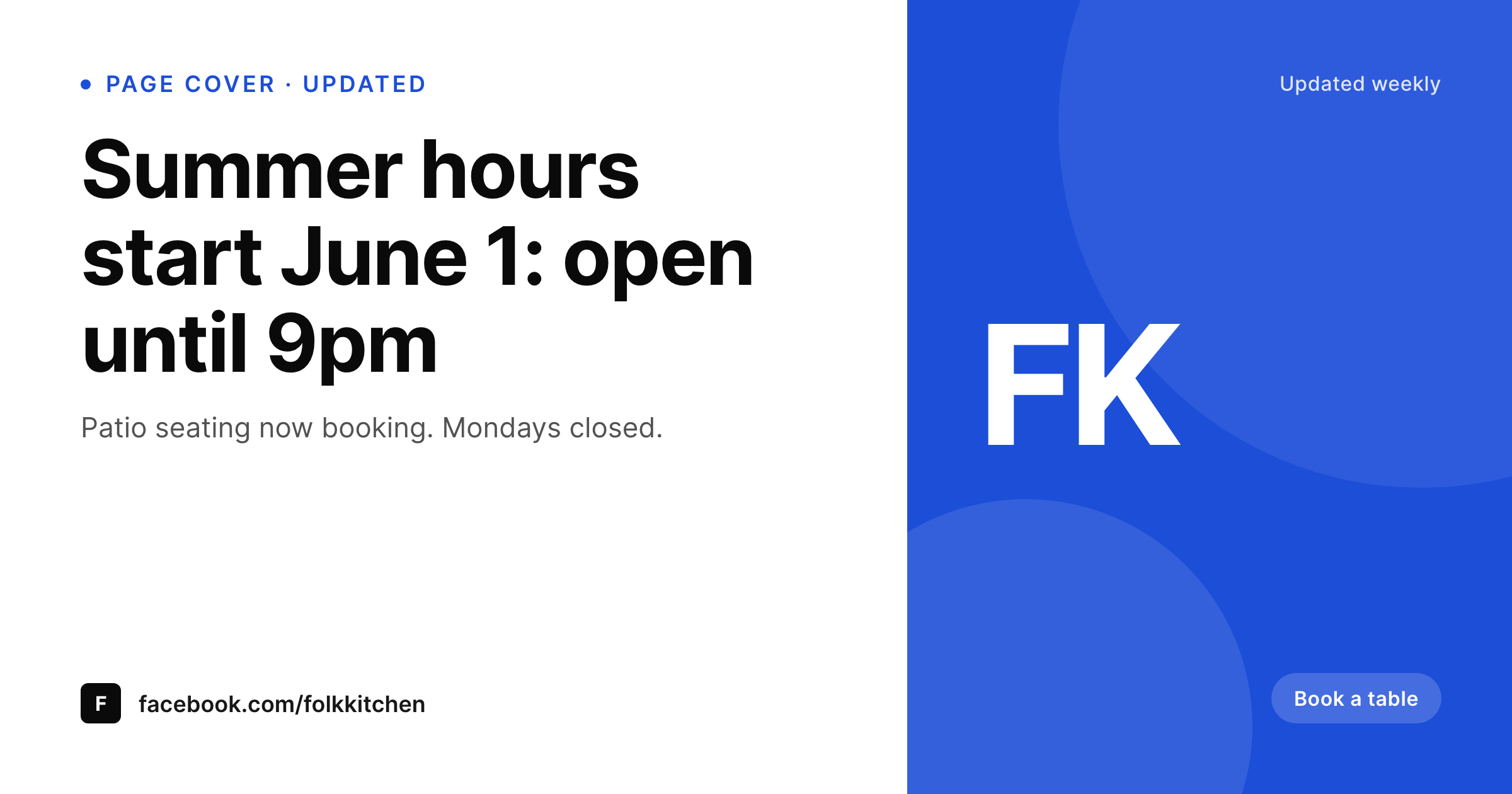
The Facebook page cover is what visitors read first
The Facebook page cover is the largest visual element a visitor sees when they land on your business or brand page. For restaurants, studios, retail shops, and service businesses, the cover is often used to communicate current hours, seasonal promos, event windows, or a featured menu item. The standard workflow is a Canva file edited each time those details change, exported, and manually uploaded to Facebook. Keeping the cover honest at that cost is usually too much work, so most pages run with a stale cover that hurts trust the moment a visitor checks it.
SleekPixel lets a single WordPress post hold the current hours and messaging. Save the post and a 1200x630 cover renders to uploads with the new content. The cover comes off the page sidebar as a ready-to-upload PNG.
This keeps the public-facing cover photo synchronised with whatever single source of truth you already update in WordPress, which is usually faster than opening Canva.
Workflow
Facebook covers that move at WordPress speed
Design the cover template
Pick the source post
Edit the post
Download and upload
Output
What renders for the page cover
A 1200x630 PNG sized for the Facebook page cover slot, with the current hours, promo, and brand mark pulled from a WordPress post.
Comparison
Canva cover updates vs SleekPixel for Facebook cover photos
Manual Canva updates
- Hours and promos drift between the website and the Facebook cover
- Each seasonal change reopens a Canva file that whoever has access touches
- Brand consistency varies depending on who updates the cover that week
- Cover upload is a manual step that often gets skipped on busy days
- Older campaigns linger on the cover long after they should have ended
SleekPixel
- 1200x630 cover PNG rendered from a WordPress post
- Hours, promos, and seasonal messaging update in WordPress fields
- Sidebar download for one-click handoff to the Facebook upload screen
- Same brand fonts and colors as your site, no Canva approximations
- Cover PNGs in WordPress uploads with the rest of your media
Features
What SleekPixel gives you for Facebook cover photos
Hours and seasons
Map open hours, seasonal status, and a current promo into the cover. Update WordPress, save, download, upload to Facebook.
On-brand by default
Real brand fonts and exact accent colors render every time. Covers stop drifting between people and weeks.
Editor handoff
The Gutenberg sidebar shows a live preview of the current cover and a download button. Facebook page admin uploads it from disk.
Use cases
Where Facebook covers earn customer trust
Restaurants and cafes
Cover communicates today's hours, daily special, and the booking link. Customers stop calling to ask if you are open.
Studios and classes
Term dates, the current cohort, and the next intake stay current on the cover with no Canva-per-term work.
Retail and pop-ups
Seasonal sales, pop-up dates, and stockists update on the cover the same day the website updates.
The bigger picture
Why a current Facebook cover beats a pretty one
Local-business Facebook pages are checked for one thing more than any other: is this place open now and what is the current deal. The cover photo is the single largest answer to that question because it loads first and reads from a phone screen at a glance. Stale covers leak trust fast.
Customers who see last summer's hours start to assume that everything on the page is out of date. SleekPixel makes the cover update fast enough to keep up with reality. Hours, promos, and seasonal status live as fields in a WordPress post that someone is already updating.
A save and a sidebar download produces a new cover ready to upload. The cost falls from a Canva session to a thirty-second action, which is the cost most teams will actually pay.
Questions
Common questions about SleekPixel for Facebook cover photos
No, Facebook does not let third-party plugins replace page cover photos without going through the Graph API with elevated permissions. SleekPixel renders the PNG and provides a sidebar download for manual upload.
1200x630, the size Facebook currently renders cleanly on both desktop and mobile. Facebook does crop slightly on mobile, so keep critical content inside the safe zone.
Yes, the template can bind to a single source: a specific post, an ACF option page, or a custom post type used for site-wide settings.
As often as you want. Facebook itself shows a cover history on the page, so frequent updates work fine. Each update is a fresh PNG on upload.
Yes, scope the cover to a current-event field. When the event ends, the cover reverts to the default messaging on the next save.
SleekPixel handles the cover, not the profile photo. The profile photo is usually a stable logo that does not need re-rendering on a schedule.
Yes, if you manage multiple pages from the same WordPress site, scope the template to a post per page. Each page has its own current cover.
In the WordPress uploads directory, in your media library, included in backups.
Pricing
More than 1000+
happy customers
Explore our flexible licensing options tailored to your needs. Upgrade your license anytime to access more features, or opt for a lifetime license for ongoing value, including lifetime updates and lifetime support. Our hassle-free upgrade process ensures that our platform can grow with you, starting from whichever plan you choose.
Lifetime ♾️
Most popular
EUR
once
- Unlimited websites
- Lifetime updates
- Lifetime support
...or get the Bundle Deal
and save €250 🎁
💎 Want everything forever? The All Access Pass is going away on 01.08.2026.
The Bundle (unlimited sites)
Pay once, own it forever
Elevate your WordPress site with our exclusive plugin bundle that includes all of our premium plugins in one package. Enjoy lifetime updates and lifetime support. Save significantly compared to buying plugins individually.
What’s included
-
SleekAI
-
SleekByte
-
SleekMotion
-
SleekPixel
-
SleekRank
-
SleekView
€749
Continue to checkout