






SleekPixel for BuddyPress groups
Each BuddyPress group has its own audience, brand and growth story. SleekPixel renders an OG card per group, pulling name, description, member count and avatar into a card that helps the group recruit new members.
♾️ Lifetime License available
BuddyPress groups grow by being shared
BuddyPress communities live or die by the network effect. Existing members share group URLs with friends, members tweet about discussions they had inside, founders post group links into newsletters and Slack threads. The growth loop is the share, and the share preview is the og:image meta on the group URL. By default that image is whatever the BuddyPress site theme ships, which means every group on the network shares with the same picture.
The result is that group differences (a 200-member focused niche group versus a 5000-member general community) disappear at the link-share level. A new visitor sees the same card whether they were sent the SaaS founders group or the indie writers group. The mismatch hurts both groups: the niche one loses the signal that 'this is a small focused community', and the big one loses the signal that 'this is a large established community'.
SleekPixel renders a per-group OG card from each group's BuddyPress data: name, description, member count, group avatar, type (public, private, hidden) and even recent activity counts. The share preview tells the prospective member what kind of community is on the other side of the link, before they click.
Workflow
From BuddyPress group to share image
Enable the group post type
Build the group template
Trigger renders on group save
Group URLs share with the new card
Output
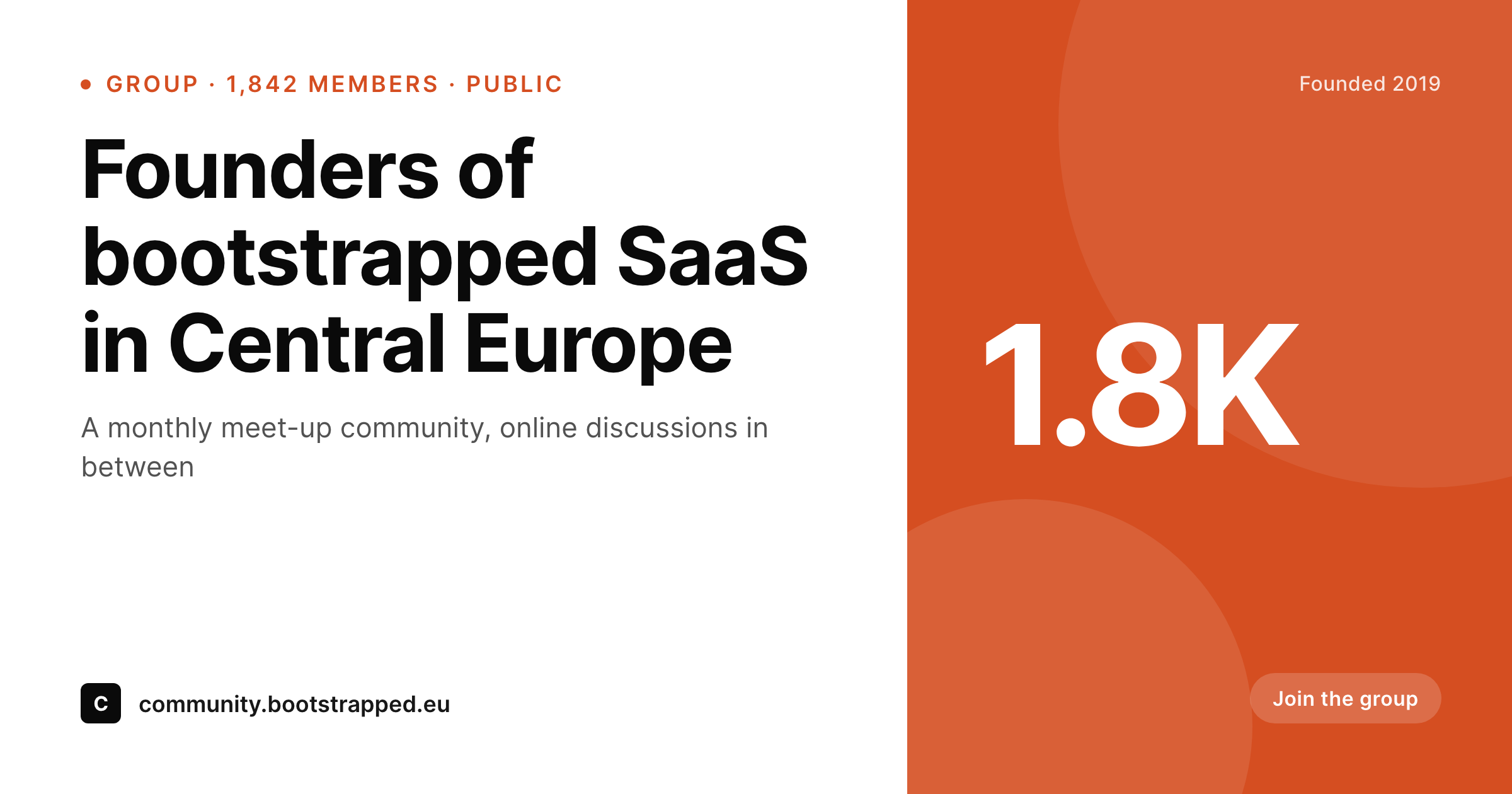
Card for a BuddyPress group share
A 1200 by 630 OG card with the group name, description excerpt, member count and avatar, rendered from BuddyPress data on the group save hook.
Comparison
Default BuddyPress share vs SleekPixel per group
Default group OG
- Every group on the network shares with the same OG image
- Group name and member count never appear in the share preview
- Group avatars only show on the group page, not in unfurls
- Member count growth never refreshes the share image
- Private and public groups share with identical previews
SleekPixel
- Reads BuddyPress group fields directly: name, description, members, avatar
- Per-group OG image with member count and group status
- Group avatar composited into the card with safe-zone padding
- Re-renders on member count milestones (configurable)
- Different templates for public, private and hidden group statuses
Features
What SleekPixel gives you for BuddyPress groups
Member-count aware
The card shows current member count. Configurable thresholds re-render the image on milestones (250, 500, 1k members).
Group avatar rendering
The group avatar from BuddyPress is composited into the card. New uploads trigger a re-render so the share reflects the current image.
Status-aware templates
Public groups, private groups and hidden groups can each use a different template. Hidden groups can opt out of card rendering entirely.
Use cases
Where BuddyPress communities benefit most
Founder and operator communities
Niche professional groups share invite links via email and Twitter. Per-group cards make the share unmistakably about that specific community.
Course and cohort networks
Educational platforms running BuddyPress for cohort groups get a per-cohort card with the cohort name, semester and roster size.
Hobby and interest communities
Local-interest groups (cycling clubs, photography circles, book clubs) share with cards that name the specific community on the unfurl.
The bigger picture
Why BuddyPress group cards drive growth
BuddyPress communities recruit through trust. A prospective member who sees a link in a friend's tweet wants to know if the community is the right size, the right topic and the right vibe in the second between seeing the link and clicking it. The share card answers most of that.
Group name names the topic. Member count signals size and momentum. Avatar signals identity.
Type (public, private) signals access. None of those signals require the prospective member to leave the share-preview frame. SleekPixel makes that card render on group creation, refresh on avatar change and update on member milestones, so the community grows on a preview that stays accurate to where the group is now, not where it was six months ago.
Questions
Common questions about SleekPixel for BuddyPress groups
Group name, description, status (public, private, hidden), member count, creator user, avatar, cover image and creation date. Custom group meta added by other plugins is also accessible if it lives in the standard groups meta table.
Both. BuddyBoss extends BuddyPress and exposes the same core group object plus a few extras. SleekPixel hooks the core object so it works on either platform.
Yes. Posts in the last 30 days and active members in the last 7 days are derivable from BuddyPress activity tables and can render onto the card as small badges.
Hidden groups can opt out of card rendering entirely, or render a generic 'private community' card that does not expose member counts. The setting is per-status.
Image generation runs in a few hundred milliseconds on save. For larger networks with thousands of group creations per day, the queue mode pushes renders to background workers so the create flow returns immediately.
Yes. BuddyPress group types (a feature for tagging groups with categories like 'startup', 'design') map to template selection in SleekPixel. Each type can have its own card design.
It does not. Activity stream items have their own URLs separate from groups. SleekPixel renders OG for the group URL itself, not for the activity items inside the group. Activity items use the site's default OG.
Yes. Card rendering is independent of how the group was created. REST API creates, mobile app creates and admin creates all trigger the same save hook.
Pricing
More than 1000+
happy customers
Explore our flexible licensing options tailored to your needs. Upgrade your license anytime to access more features, or opt for a lifetime license for ongoing value, including lifetime updates and lifetime support. Our hassle-free upgrade process ensures that our platform can grow with you, starting from whichever plan you choose.
Lifetime ♾️
Most popular
EUR
once
- Unlimited websites
- Lifetime updates
- Lifetime support
...or get the Bundle Deal
and save €250 🎁
💎 Want everything forever? The All Access Pass is going away on 01.08.2026.
The Bundle (unlimited sites)
Pay once, own it forever
Elevate your WordPress site with our exclusive plugin bundle that includes all of our premium plugins in one package. Enjoy lifetime updates and lifetime support. Save significantly compared to buying plugins individually.
What’s included
-
SleekAI
-
SleekByte
-
SleekMotion
-
SleekPixel
-
SleekRank
-
SleekView
€749
Continue to checkoutBrowse more
- Telegram channel banner
- Open Graph images
- YouTube podcast thumbnails
- YouTube end cards
- SoundCloud track art
- Twitch camera frame
- Poshmark listing images
- Discord server icon
- Dailymotion thumbnails
- YouTube thumbnails
- VSCO cover
- Slack channel headers
- Patreon post thumbnails
- YouTube ad thumbnails
- Facebook Marketplace images