






SleekPixel for YouTube playlist covers
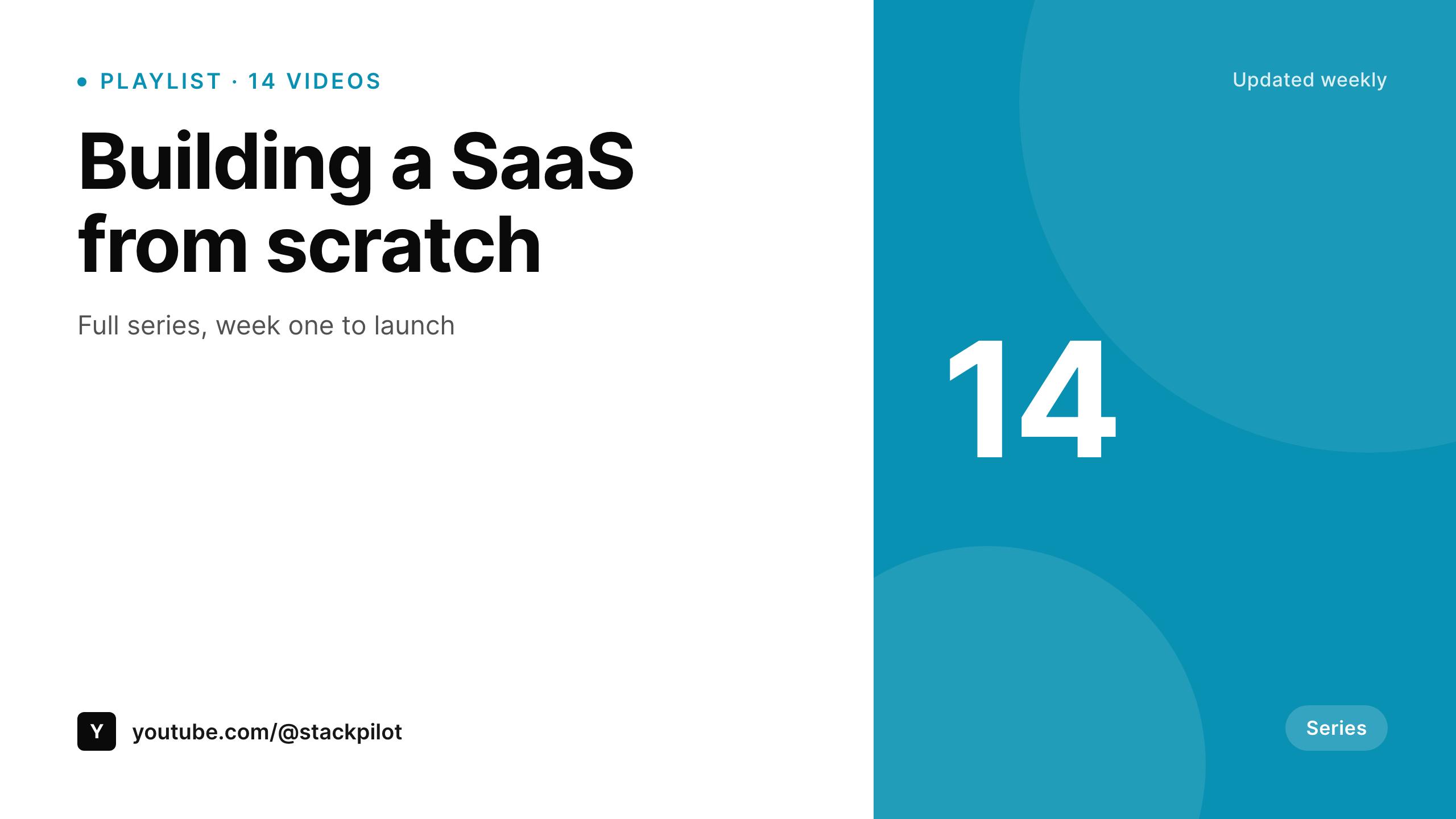
Each WordPress playlist post renders a 1280x720 cover with the series title, the video count, and the last update date. Add a video, the count updates, the cover re-renders.
♾️ Lifetime License available
Playlist covers are the brand sign on a series
YouTube playlist covers are easy to ignore because the channel page shows them small. They matter more when the playlist is embedded on a website, shared on social, or linked from a newsletter, where the cover replaces the channel art as the lead image. Default playlist covers, which pull from the first video, often crop badly or carry a face that does not represent the series.
SleekPixel reads a WordPress playlist post that has the series title, the count of videos, the season number, and the cadence. The 1280x720 PNG renders with that data and a consistent type system across every series the channel runs.
The same playlist post can also output a 1200x630 social card for sharing the playlist link, and a 1080x1080 Instagram tile. One playlist, three placements, one template family.
Workflow
From series brief to playlist cover
Create a playlist post in WordPress
Map the playlist template
Save the post
Upload to YouTube Studio
Output
Sample YouTube playlist cover
1280x720 PNG with series title, video count, and update cadence, sized for both the channel page and embedded grids.
Comparison
Default playlist cover vs SleekPixel
Default YouTube playlist cover
- Default cover pulls from the first video, which may not represent the series
- Updating a custom cover means uploading a new image in YouTube Studio per playlist
- Video count, last update date, and season are not on the cover unless redesigned
- Sharing the playlist on social shows a poorly cropped frame
- Channels with many playlists drift visually across series
SleekPixel
- 1280x720 cover with series title and video count
- Reads playlist data from a WordPress post
- Same source produces a social card and Instagram tile
- Video count and update date refresh automatically
- Channel-wide playlist refresh in one batch
Features
What SleekPixel gives you for YouTube playlist covers
Series-led typography
Type sizes are tuned for the channel page grid and the larger embedded view. Series titles get billboard treatment.
Live count and cadence
Video count and last-update date pull from the playlist's WordPress data. Adding a video updates both fields and re-renders.
Share-ready variants
The same playlist source also emits a 1200x630 OG card and a 1080x1080 Instagram tile for sharing the playlist link off-platform.
Use cases
Channels using SleekPixel for playlist covers
Course channels
Education channels that organize lessons into series. Each course is a playlist, each cover carries the course title and lesson count.
Build-along series
Project-build channels with multi-episode arcs. The cover shows the project name and the episode count so viewers know they are joining a series.
Podcast channels
Podcast YouTube channels that group episodes into seasons. Each season is a playlist with its own cover and a season number.
The bigger picture
Why playlist covers matter for series-led channels
Channels that build series rather than one-off videos rely on playlists as the structural unit. The playlist is the page a returning viewer lands on, the link the channel shares, and the unit a newsletter recommends. The cover is the channel's chance to show the series as a series, not a folder.
Generic covers signal that the series is incidental, custom covers signal that there is a plan. The hard part is keeping every series cover up to date with video count, season, and current branding. Doing it from a WordPress source means the series page on the website and the cover on YouTube stay synced, and a brand refresh hits every playlist at once.
Questions
Common questions about SleekPixel for YouTube playlist covers
No. SleekPixel renders the PNG. The channel manager uploads it as the playlist cover in YouTube Studio. A separate YouTube API integration could automate that step.
1280x720 works as the canonical playlist cover size. YouTube crops it for the channel page grid and uses the full size in embeds and the playlist page header.
Yes. The template has a channel mark slot for a small logo and handle. It is sized so the series title remains dominant.
The WordPress playlist post owns the count field. Updating the post re-renders the cover. A scheduled sync against the YouTube API can update the post automatically.
Yes. Season 1 and Season 2 are two playlist posts that share a series accent and type, with different season numbers and counts.
Yes. The OG card is 1200x630, the Instagram tile is 1080x1080. The template family handles each aspect with the same type system.
Yes. Batch regenerate from the SleekPixel admin. Every playlist post produces a fresh PNG, useful after a brand update.
The PNG renders fine. YouTube Music has its own cover handling and may require a separate upload path.
Pricing
More than 1000+
happy customers
Explore our flexible licensing options tailored to your needs. Upgrade your license anytime to access more features, or opt for a lifetime license for ongoing value, including lifetime updates and lifetime support. Our hassle-free upgrade process ensures that our platform can grow with you, starting from whichever plan you choose.
Lifetime ♾️
Most popular
EUR
once
- Unlimited websites
- Lifetime updates
- Lifetime support
...or get the Bundle Deal
and save €250 🎁
💎 Want everything forever? The All Access Pass is going away on 01.08.2026.
The Bundle (unlimited sites)
Pay once, own it forever
Elevate your WordPress site with our exclusive plugin bundle that includes all of our premium plugins in one package. Enjoy lifetime updates and lifetime support. Save significantly compared to buying plugins individually.
What’s included
-
SleekAI
-
SleekByte
-
SleekMotion
-
SleekPixel
-
SleekRank
-
SleekView
€749
Continue to checkoutBrowse more
- YouTube Shorts covers
- Facebook post images
- Warpcast frame images
- Weibo post images
- Bandcamp release cover
- LinkedIn newsletter headers
- Facebook Marketplace images
- Passes page banner
- YouTube end screens
- LinkedIn ad images
- X social cards
- YouTube community images
- Depop listing images
- Pinterest Idea Pins
- VK community cover photos