






SleekPixel for LinkedIn newsletter headers
Templated 744x400 LinkedIn newsletter headers rendered from your issue posts, downloadable from the editor sidebar. Issue numbers, themes, and series branding stay consistent without rebuilding each header in Canva.
♾️ Lifetime License available
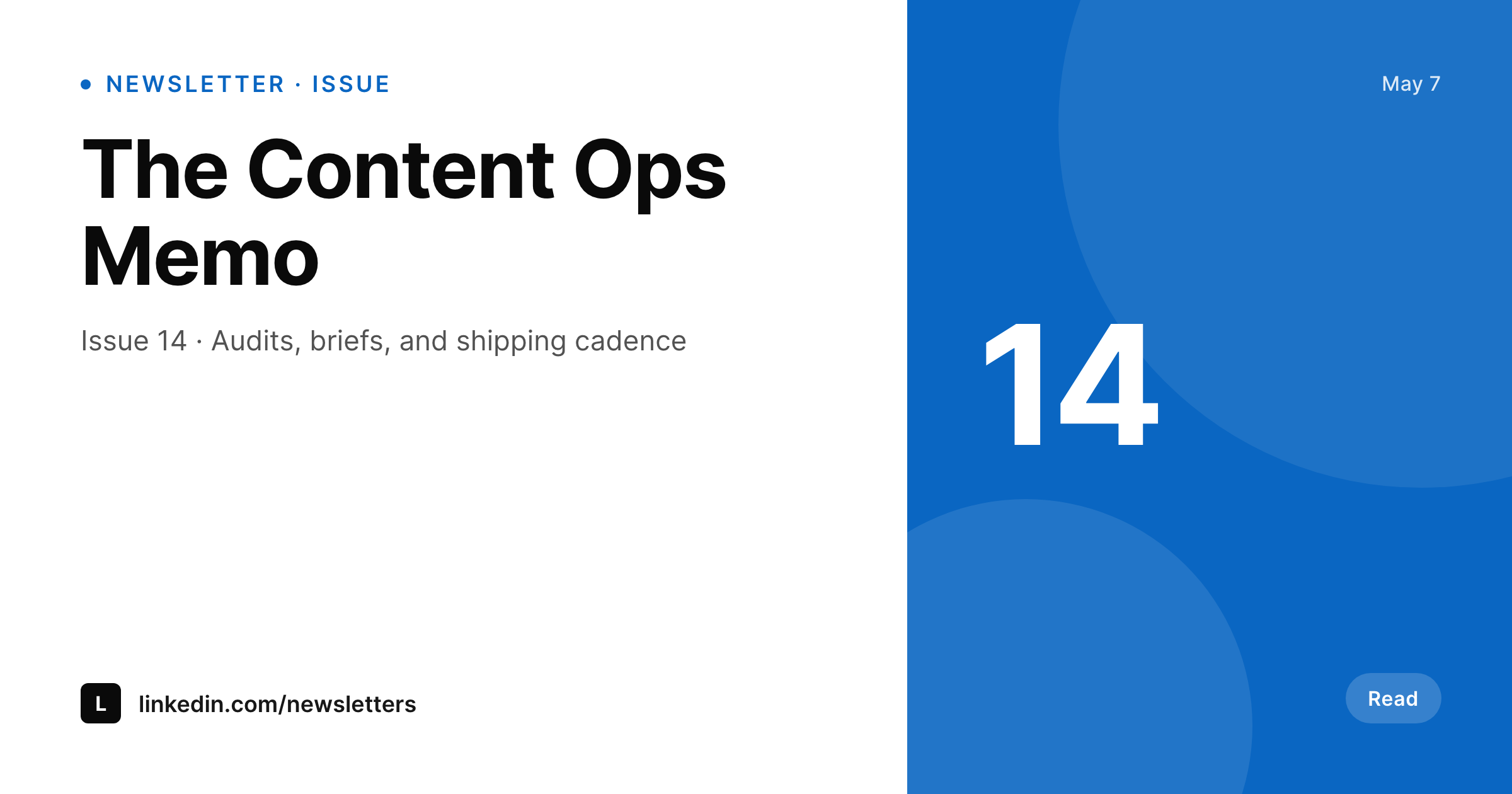
LinkedIn newsletter headers carry the issue identity
The LinkedIn newsletter header is the visual that sits at the top of every issue and inside every reshare. LinkedIn shows it in the feed, in notifications, and in the newsletter landing page. The recommended size is 744 by 400, a smaller, denser canvas than a typical OG image, so squeezing in the issue number, the theme, and the brand mark requires careful layout. Most newsletter operators end up with one or two beautiful headers and a long tail of issues that reused the same header because nobody had time to redesign for issue 14.
SleekPixel turns the header into a render of the issue post. The template is 744 by 400 in HTML and CSS, with slots for the issue number, the theme line, the date, and any author or guest field. Each issue saves with a fresh header that surfaces what is actually inside, instead of a generic series logo. The brand fonts and colors come from the theme, not from a Canva approximation, so refreshes propagate by re-rendering issues in batch.
LinkedIn does not allow third-party uploads to the newsletter header, so SleekPixel exposes a download button in the WordPress editor sidebar. The PNG is in uploads, named after the issue, and ready to drop into the LinkedIn newsletter editor.
Workflow
From issue post to LinkedIn-ready header
Design the template
Bind the issue fields
Save the issue
Download and paste
Output
What gets generated per issue
A 744x400 PNG sized for the LinkedIn newsletter header, with the issue number, theme line, date, and any field mapped from the issue post.
Comparison
Manual newsletter headers versus SleekPixel
Manual / Canva / static reuse
- Issue 14 ships with the issue 1 header because nobody had time to redesign
- A series of twenty issues ends up with three header styles bolted together
- Theme lines or guest names never make it onto the visual
- 744 by 400 is awkward enough that Canva templates rarely match it cleanly
- Branding refreshes leave older issues with the previous header forever
SleekPixel
- 744x400 PNG rendered per issue post on save
- Issue number, theme line, and guest fields bind into the template
- Downloadable from the editor sidebar for the LinkedIn newsletter editor
- Series identity shared across every issue in the run
- Real PNGs in uploads, available for re-download anytime
Features
What SleekPixel gives you for LinkedIn newsletter headers
Per-issue render
Each issue post produces its own 744 by 400 header with the right issue number, theme line, and guest credit.
Series identity
Every issue in the run shares the template, so issue 1 and issue 50 read as one publication without redesign work.
Sidebar download
The PNG is one click from the editor sidebar, ready for the LinkedIn newsletter editor.
Use cases
Where newsletter headers carry the read
Weekly issues
Each weekly issue renders a header with its number and theme, so the feed entry looks like the issue it points at.
Guest features
Guest interviews surface the guest name and credit on the header without a designer redrawing the file.
Seasonal arcs
A multi-issue arc shares an accent that propagates across the run, then resets for the next arc with a single template tweak.
The bigger picture
Why newsletter headers decide the open
LinkedIn newsletters compete for attention against a noisy feed, and the header is the first signal a reader uses to decide whether this issue is worth opening. A header that has visibly nothing to do with this week's issue (because it is the same image on every issue) trains readers to skim past the entry. A header that surfaces issue 14 with this week's theme and guest tells the reader the issue is fresh and gets the open.
Doing this manually does not survive a publishing cadence past a handful of issues, so most newsletter operators settle for a static header and lose engagement to it. SleekPixel makes the header a function of the issue post. Every issue saves with a fresh header.
Guest features surface the guest. Seasonal arcs share an accent. The publication identity carries from issue 1 to issue 50 because every header rendered from the same template, and the issue-specific information rendered from the issue post.
Questions
Common questions about SleekPixel for LinkedIn newsletter headers
No. LinkedIn does not allow third-party uploads to newsletter headers via API. SleekPixel renders the PNG and exposes a download button in the editor sidebar for the LinkedIn newsletter editor.
744 by 400, the LinkedIn-recommended newsletter header size. The dimension is configurable in the template if needed.
Yes. Bind a guest field on the issue post and the template renders a guest credit row when the field is present.
Yes. Each newsletter has its own template, and each issue renders against that template. Sister newsletters share fonts but can vary the accent.
Yes. Run batch regenerate from the SleekPixel admin and every issue in the archive renders a new header on the current template.
Yes, including self-hosted custom fonts. The template is HTML and CSS so any font you can serve works.
In the WordPress uploads directory as real PNGs, available in the media library and included in normal backups.
No. Rendering happens on save. There is no per-view API call and no usage cap.
Pricing
More than 1000+
happy customers
Explore our flexible licensing options tailored to your needs. Upgrade your license anytime to access more features, or opt for a lifetime license for ongoing value, including lifetime updates and lifetime support. Our hassle-free upgrade process ensures that our platform can grow with you, starting from whichever plan you choose.
Lifetime ♾️
Most popular
EUR
once
- Unlimited websites
- Lifetime updates
- Lifetime support
...or get the Bundle Deal
and save €250 🎁
💎 Want everything forever? The All Access Pass is going away on 01.08.2026.
The Bundle (unlimited sites)
Pay once, own it forever
Elevate your WordPress site with our exclusive plugin bundle that includes all of our premium plugins in one package. Enjoy lifetime updates and lifetime support. Save significantly compared to buying plugins individually.
What’s included
-
SleekAI
-
SleekByte
-
SleekMotion
-
SleekPixel
-
SleekRank
-
SleekView
€749
Continue to checkoutBrowse more
- Tumblr header
- VK community cover photos
- Twitch alert
- Farcaster cast images
- Slack channel headers
- TikTok Now image
- Snapchat Spotlight covers
- LinkedIn event banners
- Reddit subreddit banners
- WhatsApp status images
- Twitter header banners
- Telegram channel cover images
- Discord event cover
- Discord server icon
- Twitch stream overlay images