






SleekPixel for lead magnet card
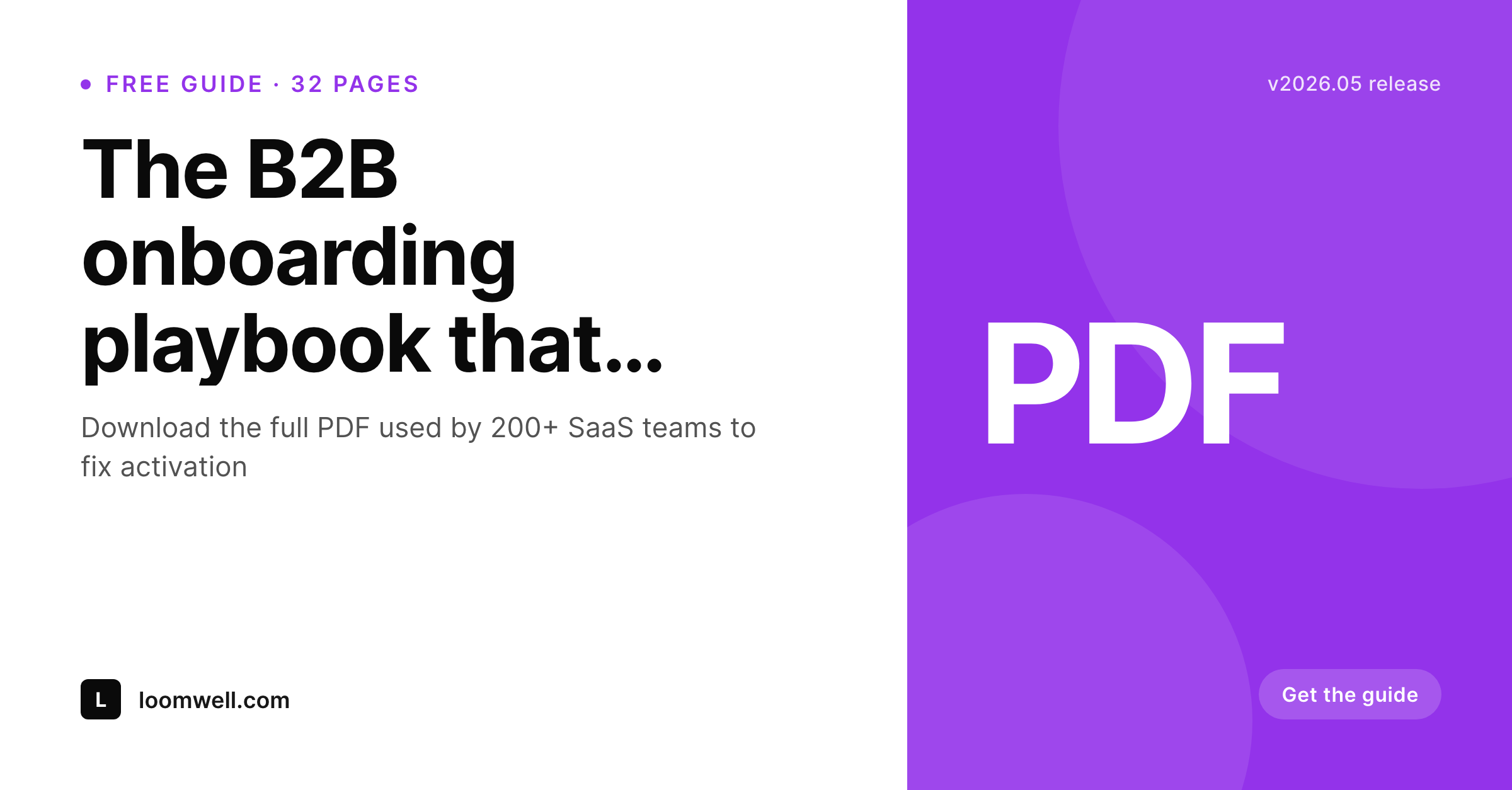
A lead magnet only converts if people click the share. SleekPixel renders a 1200x627 LinkedIn card from the landing page itself, pulling the title, the page count, and the call-to-action, and writes og:image so every share preview matches the actual offer.
♾️ Lifetime License available
Lead magnet landing pages need their own share card
A team publishes a free guide, an ebook, or a benchmark report. The landing page goes live with the form, the gated PDF sits in a Drive folder, and the marketing team shares the URL on LinkedIn, in newsletters, and through partner co-marketing. The share preview on LinkedIn is usually whatever the homepage og:image happens to be, or worse, a generic gradient. That is the single most important visual touchpoint for the campaign and most teams ship it accidentally.
SleekPixel ties the share card to the landing page. The title of the guide pulls from the post. The page count, the audience, the call-to-action all live as fields on the same page. The render produces a 1200x627 LinkedIn card with the guide's brand, its title, and a clear download cue. og:image and twitter:image update on save. Every LinkedIn share, every newsletter button, every partner repost pulls the same branded preview.
The marketing team can ship the campaign without paging a designer at launch. Updates to the title or page count re-render the card instantly. The lead magnet looks like the polished asset it is, all the way down to the link preview. The post is the source, the card is rendered, the campaign clicks better.
Workflow
Lead magnet launch in fewer steps
Design the lead-magnet template
Build the landing page
Publish and share
Iterate the offer
Output
Sample lead magnet share card
A 1200x627 LinkedIn card with the guide title, page count, audience cue, and download call-to-action composed from fields on the landing page.
Comparison
Designer renders the card vs SleekPixel
Designer per campaign
- Designer ships the share card three days before launch, often late
- Title changes in the landing page never reach the already-exported card
- Page count, audience, and CTA all live in separate places from the card source
- A/B test variants need separate card exports each time
- Past campaigns' cards go stale and stay stale on the still-active landing pages
SleekPixel
- Landing page is the single source for title, count, and CTA
- Render on save means card matches the live landing copy
- A/B test variants render their own card automatically
- Old campaigns refresh their cards in a bulk regenerate
- og:image points at the rendered card without extra plugins
Features
What SleekPixel gives you for lead magnet card
Field-driven content
Title, page count, audience descriptor, and CTA all bind to landing-page fields. No retyping the offer details into a card.
Built-in download cue
Templates include a clear visual signal that the asset is downloadable, helping the share card communicate the offer at a glance.
A/B variants supported
If the landing page has variants with different titles, each variant renders its own card. The right preview shows for the right URL.
Use cases
Where lead magnet cards earn their keep
B2B SaaS marketing
Demand-gen teams running guide downloads and benchmark reports get branded LinkedIn previews on launch day instead of three days later.
Course providers
Free preview lessons and chapter samplers get share cards that match the paid course's branding without commissioning new designs.
Consultancies and agencies
Whitepaper-driven inbound programs ship every report with a consistent share card across LinkedIn, newsletters, and partner co-marketing.
The bigger picture
Why the share card is the most-seen asset in a campaign
Most demand-gen campaigns measure ad impressions, landing-page views, and form conversions. They rarely measure how many times the share preview appears in a feed before someone clicks the link, but that number is often the largest one in the funnel. Every LinkedIn share, every newsletter button, every partner repost shows the preview to readers who never click.
That preview is the silent first impression of the offer, and most companies treat it as an afterthought because the workflow to make it good is too heavy. SleekPixel restructures that workflow. The landing page is already the source of truth for the offer.
The render makes the share card a function of that source. The card stays in sync with the live page automatically. Campaigns ship on day one with a polished preview.
Updates ripple through without a designer rebuilding exports. The most-seen asset in the campaign becomes the easiest to get right.
Questions
Common questions about SleekPixel for lead magnet card
Yes. The render reads the landing-page fields, not the form. Whichever form plugin captures the lead, SleekPixel only cares about the title, count, and CTA living on the post.
Yes. If the field is empty, the template can hide the page-count badge entirely. Useful for assets that are not paginated, like a Notion template or a video course.
Each variant lives at its own URL. SleekPixel renders the card per URL, so the variant titled 'Activation Playbook' shows that on its card and the variant titled 'Onboarding Guide' shows the other.
Yes. The CTA field accepts any short phrase: 'Get the guide,' 'Read the report,' 'See the benchmark,' or whatever the campaign uses. The template renders it as a button-like graphic on the card.
Yes. WPML and Polylang translate the post fields. SleekPixel renders one card per translation, each with the localized title and CTA. og:image points at the right card per locale.
Yes. Bind a custom image field to a layer inside the template. The asset's cover, a 3D mockup of the PDF, or any artwork can sit next to the text portion of the card.
SleekPixel does not push leads anywhere. It only renders the card and writes og:image. HubSpot, Mailchimp, and others continue to handle lead capture and nurture on the form side.
Yes. After updating the template, run bulk regenerate across the landing-page post type. Every lead magnet card refreshes to the new brand in one batch.
Pricing
More than 1000+
happy customers
Explore our flexible licensing options tailored to your needs. Upgrade your license anytime to access more features, or opt for a lifetime license for ongoing value, including lifetime updates and lifetime support. Our hassle-free upgrade process ensures that our platform can grow with you, starting from whichever plan you choose.
Lifetime ♾️
Most popular
EUR
once
- Unlimited websites
- Lifetime updates
- Lifetime support
...or get the Bundle Deal
and save €250 🎁
💎 Want everything forever? The All Access Pass is going away on 01.08.2026.
The Bundle (unlimited sites)
Pay once, own it forever
Elevate your WordPress site with our exclusive plugin bundle that includes all of our premium plugins in one package. Enjoy lifetime updates and lifetime support. Save significantly compared to buying plugins individually.
What’s included
-
SleekAI
-
SleekByte
-
SleekMotion
-
SleekPixel
-
SleekRank
-
SleekView
€749
Continue to checkoutBrowse more
- Weibo post images
- Douyin cover
- Instagram highlight covers
- Odnoklassniki banners
- Twitter card images
- Telegram channel images
- GitHub social preview images
- Threads profile banners
- Mastodon profile banners
- Substack post thumbnail
- Douyin thumbnails
- Threads post images
- Slack channel headers
- Bluesky profile banner
- Apple Music cover art