






SleekPixel for SAT prep service
Spring 8-week, summer intensive, fall booster. Each cohort post on the SAT prep site renders an OG and Twitter card with the score target, schedule, seats, and price baked in, so every link shared on Instagram, in newsletters, or in parent emails previews cleanly.
♾️ Lifetime License available
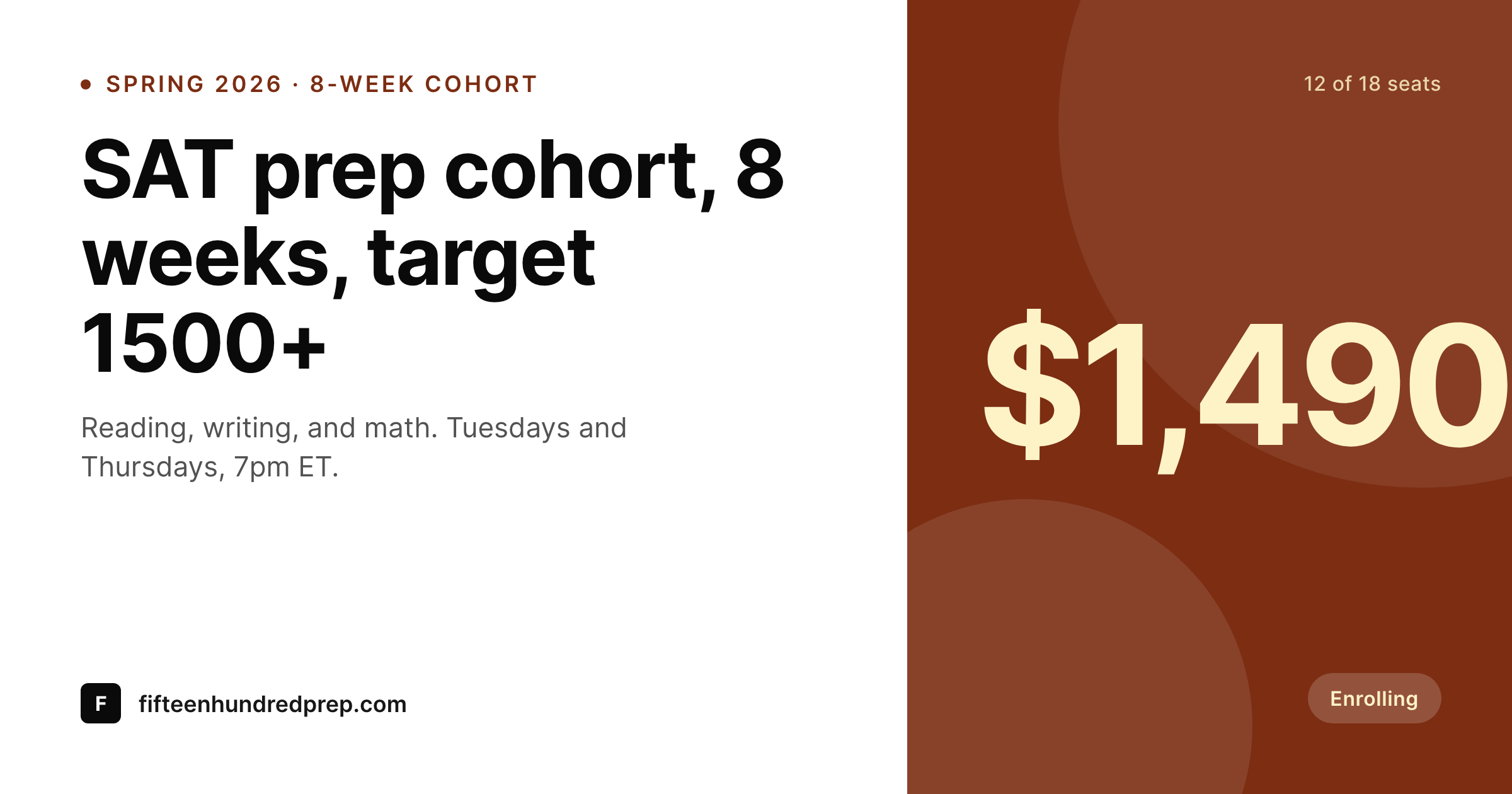
SAT prep enrollment lives or dies on the link preview
SAT prep enrolls through email and group chats. A parent gets a forwarded link from another parent, pastes it into a counselor's group chat, and the preview either shows what the cohort actually is or it doesn't. When the preview is a default WordPress card with the site logo and a 200-word teaser, the link gets ignored. When the preview shows 'Spring 8-week, target 1500+, 12 of 18 seats, $1,490,' it gets clicked.
The cohort data is already on the WordPress site. Most SAT prep services run a cohort CPT or a WooCommerce product per cohort with fields for score target, schedule, seats, price, and start date. The page renders well. The OG image is the bottleneck, because it is typically a static site logo that says nothing about a specific cohort.
SleekPixel renders the OG card from the same fields. The cohort post saves and the 1200x630 image lands in uploads with score target, schedule, seats, and price already on the image. Every link shared from then on previews like a real enrollment page, not a stock landing page.
Workflow
From cohort listing to share-ready card
Map the cohort fields
Design one OG template
Publish a cohort
Share the link
Output
What gets generated per cohort
A 1200x630 OG and Twitter card with the cohort name, score target, schedule, seats remaining, and price pulled from the cohort post.
Comparison
Default SAT prep image vs SleekPixel
Default SAT prep image
- OG image is a static site logo, identical for every cohort link
- Parents pasting the link into a group chat get an unhelpful preview
- Seats remaining and start date never appear on the share card
- Spring, summer, and fall cohort links all preview the same way
- Score target (1400+, 1500+) is buried in the page body, not on the image
SleekPixel
- OG image renders per cohort with score target, schedule, and seats
- Seats-remaining field updates the image when enrollment changes
- Twitter card uses the same render so X previews match
- Same template for free practice tests, paid cohorts, and 1:1 packages
- Bulk regenerate before each enrollment push refreshes every cohort image
Features
What SleekPixel gives you for SAT prep service
Score target on the card
1400+, 1500+, 1550+. The target band renders from the cohort field so parents see ambition before they tap through.
Schedule and start date
Tuesdays and Thursdays, 7pm ET, starting February 4. The schedule renders so the parent does not have to open the link to know when class meets.
Seats remaining
12 of 18 seats. The seats field renders on the card and updates when enrollment changes, so the share preview reflects actual scarcity.
Use cases
Who uses SleekPixel for SAT prep services
Independent prep services
One-tutor or small-team prep services with a WordPress site and a cohort CPT use SleekPixel to render an OG card per enrollment window.
Tutoring centers with multiple cohorts
A center running spring, summer, and fall cohorts in parallel renders OG cards for each, so every shared link is specific.
Online SAT prep brands
Fully online prep brands enrolling parents from email and group chats rely on link previews more than ads, so a clean OG card is the conversion.
The bigger picture
Why SAT prep referrals stall without a cohort-specific OG image
SAT prep is referral-driven. Parents who liked the spring cohort post a screenshot of the enrollment page in the school's parent group chat or forward the link in an email thread. The forwarding chain is where enrollments grow, and every link in that chain renders an OG card.
When the card is a generic logo, the forwarded link reads like a marketing email and gets ignored. When the card is specific, with the score target, the schedule, and the seats remaining, the link reads like a real cohort and gets clicks. The work to make the card specific is already done, because every cohort has a CPT post with the fields on it.
The gap is rendering the image from those fields on save, so the OG card matches the page. SleekPixel closes that gap. Parents see the cohort before they click, and the forwarding chain works the way the prep service is hoping it does.
Questions
Common questions about SleekPixel for SAT prep service
Yes. WooCommerce products with custom fields are a common SAT prep setup, and SleekPixel reads price, stock (seats), and any ACF fields on the product.
Yes. The seats field re-renders the card when it changes, so the share preview reflects the current count. Bulk regenerate covers the case where many cohorts move at once.
Yes. The 1200x630 render is wired to og:image, twitter:image, and the standard meta tags, so the same image previews across X, LinkedIn, Facebook, and most email clients.
Rolling cohorts can either render one card for the rolling-enrollment listing or render one card per upcoming start date, with the start-date field driving the schedule line on the image.
Yes. The same template works for free practice tests and paid cohorts. Templates can be conditional on product type, so free events get a different label without a separate template.
No. SleekPixel renders the image and saves it to uploads. Posting and scheduling are handled separately.
The same cohort post can render two templates, one parent-facing and one student-facing, with different language and visual treatment. Conditional templates handle the variant.
No. SleekPixel renders static PNG and JPG only. Animated OG previews are out of scope and not widely supported by social platforms anyway.
Pricing
More than 1000+
happy customers
Explore our flexible licensing options tailored to your needs. Upgrade your license anytime to access more features, or opt for a lifetime license for ongoing value, including lifetime updates and lifetime support. Our hassle-free upgrade process ensures that our platform can grow with you, starting from whichever plan you choose.
Lifetime ♾️
Most popular
EUR
once
- Unlimited websites
- Lifetime updates
- Lifetime support
...or get the Bundle Deal
and save €250 🎁
💎 Want everything forever? The All Access Pass is going away on 01.08.2026.
The Bundle (unlimited sites)
Pay once, own it forever
Elevate your WordPress site with our exclusive plugin bundle that includes all of our premium plugins in one package. Enjoy lifetime updates and lifetime support. Save significantly compared to buying plugins individually.
What’s included
-
SleekAI
-
SleekByte
-
SleekMotion
-
SleekPixel
-
SleekRank
-
SleekView
€749
Continue to checkoutBrowse more
- Asset CleanUp
- Supabase rows
- Limit Login Attempts Reloaded
- Hello Elementor theme
- Microsoft PowerPoint decks
- Afterpay for WooCommerce
- Amelia bookings
- Facebook for WooCommerce
- Notion databases
- Essential Addons for Elementor
- Principle prototypes
- Ultimate Affiliate Pro
- Sucuri Security
- TablePress
- Mailchimp for WordPress
- Instagram ad images
- Klaviyo email banner
- Kick channel banners
- VSCO cover
- Nostr note images
- Mailchimp email banner
- Odnoklassniki banners
- KakaoTalk channel banners
- LinkedIn document post covers
- Flickr cover photo
- Twitch overlay
- Discord event cover
- Shopify product images
- Instagram Shop product images
- TikTok Now image