






SleekPixel for GitLab projects
Engineering teams on GitLab usually publish project landing pages on their corporate WordPress site. SleekPixel renders LinkedIn-sized share cards from GitLab project metadata so internal launches and external engineering posts share with real project context, not a generic homepage banner.
♾️ Lifetime License available
Engineering shares carry the team brand, not just the code
Engineering teams that run on GitLab tend to keep their public communication on a corporate WordPress site: engineering blog, project pages, hiring pitches, talk announcements. The actual project lives in GitLab, but the marketing surface that hiring leads and conference organizers see lives on WordPress. When an engineering manager posts on LinkedIn about a project milestone, the share URL is the WordPress page, not the GitLab project URL.
LinkedIn renders previews at 1200 by 627. A default WordPress theme provides a square logo or a stretched homepage image at that aspect ratio, neither of which lands well. The LinkedIn post that announces a major project ship reaches engineering managers and senior ICs precisely when they are scrolling between meetings, and the preview is what they actually see. A blank preview makes a real engineering announcement look like a generic corporate post.
SleekPixel reads project metadata from the GitLab API and renders a LinkedIn-sized card for the WordPress project page. Project description becomes the headline, MR count and pipeline status render as meta, and the team brand sits on the card. Engineering posts share with cards that feel like a real engineering announcement, which lifts both reach and hiring funnel performance over time.
Workflow
From GitLab project to WordPress share card
Connect the GitLab API
Build the project template
Save or sync
Share to LinkedIn and X
Output
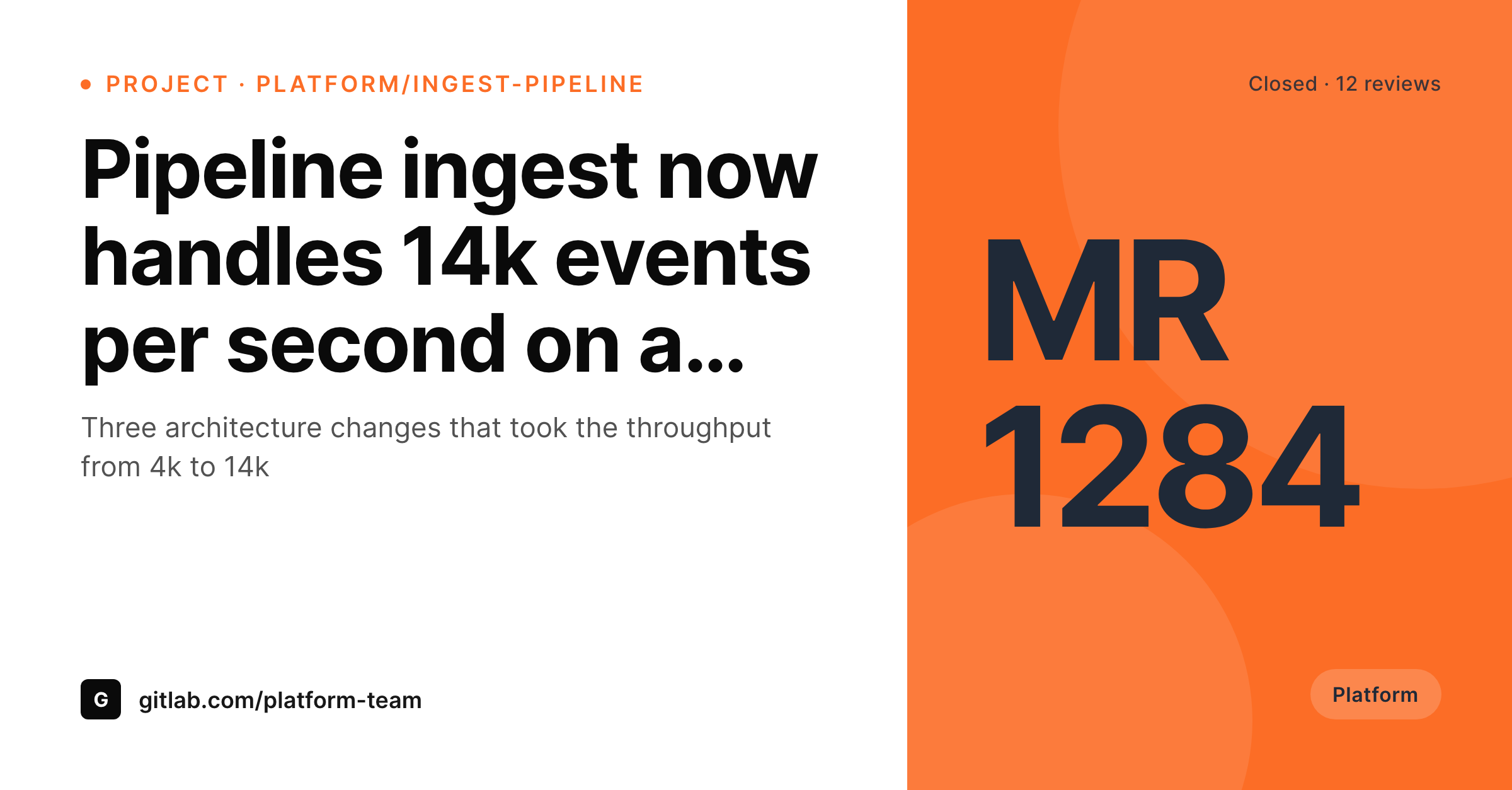
Sample GitLab project LinkedIn card
A 1200x627 LinkedIn post card: project description, MR count, pipeline status, and team brand, rendered from GitLab API data into the WordPress project post on save.
Comparison
Default theme OG vs GitLab-aware rendering
Default theme OG image
- Project pages share with the corporate homepage banner
- MR counts and pipeline status never appear on the share preview
- LinkedIn previews crop the image awkwardly for every engineering post
- Team brand colors and typography are missing from the share
- Stale screenshots stay in old posts even after the GitLab project moves on
SleekPixel
- Pulls GitLab project metadata via the API on a schedule or webhook
- Description, MR count, pipeline status, and language render automatically
- Project posts, milestone posts, and engineering blog all share the same family
- Bulk re-render after a brand refresh or template change
- Self-managed and SaaS GitLab both supported, only WordPress changes
Features
What SleekPixel gives you for GitLab projects
Project description headlines
The GitLab project description becomes the WordPress card headline. The same line engineers read in the project lands on every share of the marketing post.
MR and pipeline meta
Current open MR count and pipeline status render as small meta. Engineering posts carry real activity signals on the share without screenshot work.
Team brand badges
The team brand color and short team mark render as a corner badge. Platform team posts and infra team posts each share with their own visual identity.
Use cases
What GitLab teams generate with SleekPixel
Project launch posts
Each project launch gets its own WordPress page and card. LinkedIn posts about the launch share with the project description and the team brand on the preview.
Milestone retrospectives
Quarterly retrospectives carry their own cards showing the project, the period, and the headline metric. Engineering managers share the page on LinkedIn confidently.
Hiring posts
Senior engineering hiring posts on LinkedIn link the WordPress role page. The card shows the team brand and a short pitch, which lifts qualified-applicant rates.
The bigger picture
Why engineering-marketing shares compound for GitLab teams
Engineering managers and senior ICs hire and recruit through LinkedIn. A LinkedIn post about a project milestone reaches the exact audience an engineering team wants to bring in: peers at similar companies, candidates with relevant stack experience, partners who care about the same problem domain. The preview is the thing that determines whether the post earns a stop on the scroll or gets skipped.
A real engineering card with the project description and the team brand stops the scroll because it looks like a real engineering announcement. A theme banner does not. Across a year of engineering posts, the difference between branded and unbranded shares compounds into measurable recruiting funnel performance.
The second effect is that engineers themselves prefer to share their work when the share looks polished. Junior engineers writing their first launch post are more likely to actually post if the share preview looks like the kind of content they read on their feed. SleekPixel binds the rendering to the post type, so every project that ships gets the same polished share without anyone on the team designing a card manually.
The marketing surface stays consistent across project teams, even when the projects themselves are independent.
Questions
Common questions about SleekPixel for GitLab projects
Yes. The GitLab API is the same on self-managed and on GitLab.com, with the same endpoints and the same token model. The sync job runs against whichever instance hosts the project, and SleekPixel reads the resulting WordPress fields.
A GitLab API token plus a sync job, usually via WP Cron or an external scheduler. The job writes project description, MR count, pipeline status, and language into custom fields. SleekPixel reads those fields on save.
Yes, but most teams choose not to. A red pipeline status on a public marketing card is rarely the message you want to ship. The default templates show only successful or in-progress states; failures stay internal.
GitLab subgroups are fully supported. Each subgroup project has its own URL and metadata. The WordPress side creates one marketing post per project, regardless of how deep the subgroup nesting goes.
SleekPixel manages the OG meta and the rendered PNG. If you run Yoast or RankMath, they handle the meta tags for the rest of the site, and SleekPixel overrides only on the project post types where you want a custom card.
Yes. A token with read access to the private project pulls the metadata, and the WordPress marketing post exposes only the fields you choose. Internal projects can have polished public marketing pages even when the code itself stays private.
Yes. A taxonomy on the project post picks the template variant. Platform team projects can render with one accent, infra projects with another, data projects with a third. The rendering picks the right variant at save time.
Yes. One post can carry multiple format variants: a LinkedIn 1200x627, an X 1200x675, an Instagram 1080x1080. Each variant renders to its own PNG and the right format tag goes on the right meta property.
Pricing
More than 1000+
happy customers
Explore our flexible licensing options tailored to your needs. Upgrade your license anytime to access more features, or opt for a lifetime license for ongoing value, including lifetime updates and lifetime support. Our hassle-free upgrade process ensures that our platform can grow with you, starting from whichever plan you choose.
Lifetime ♾️
Most popular
EUR
once
- Unlimited websites
- Lifetime updates
- Lifetime support
...or get the Bundle Deal
and save €250 🎁
💎 Want everything forever? The All Access Pass is going away on 01.08.2026.
The Bundle (unlimited sites)
Pay once, own it forever
Elevate your WordPress site with our exclusive plugin bundle that includes all of our premium plugins in one package. Enjoy lifetime updates and lifetime support. Save significantly compared to buying plugins individually.
What’s included
-
SleekAI
-
SleekByte
-
SleekMotion
-
SleekPixel
-
SleekRank
-
SleekView
€749
Continue to checkoutBrowse more
- Lemmy post images
- Odnoklassniki banners
- Bluesky profile banner
- Threads profile banner
- TikTok cover images
- YouTube Shorts cover
- LinkedIn banner images
- YouTube banner art
- Lemon Squeezy product covers
- Facebook group banners
- X list banners
- Weibo post images
- LINE official account banners
- Mastodon link previews
- X ad images