






SleekPixel for Basecamp projects
Basecamp keeps the work calm and the chatter low. The trade-off is share previews: cycle recaps and message board updates that get cross-posted to a WordPress blog often share with a default theme image. SleekPixel reads project data synced into WordPress and renders branded cards per cycle, per message or per to-do list.
♾️ Lifetime License available
Basecamp content travels best with a real card
Basecamp shops tend to write more than most. Cycle recaps, heartbeats, written pitches, message board posts, all live inside the project. Many of those documents are also worth publishing externally as company updates, blog posts or client newsletters. The cross-post lands on a WordPress blog or marketing site, and there the trail goes cold visually. The default theme OG image takes over and the share preview reads as generic.
The fields that would make a real card all exist already in Basecamp: the project name, the cycle number or appetite, the hill chart state, the message author, the date. None of those fields reach the share preview because Basecamp does not produce custom OG images and a default WordPress theme does not know about Basecamp concepts.
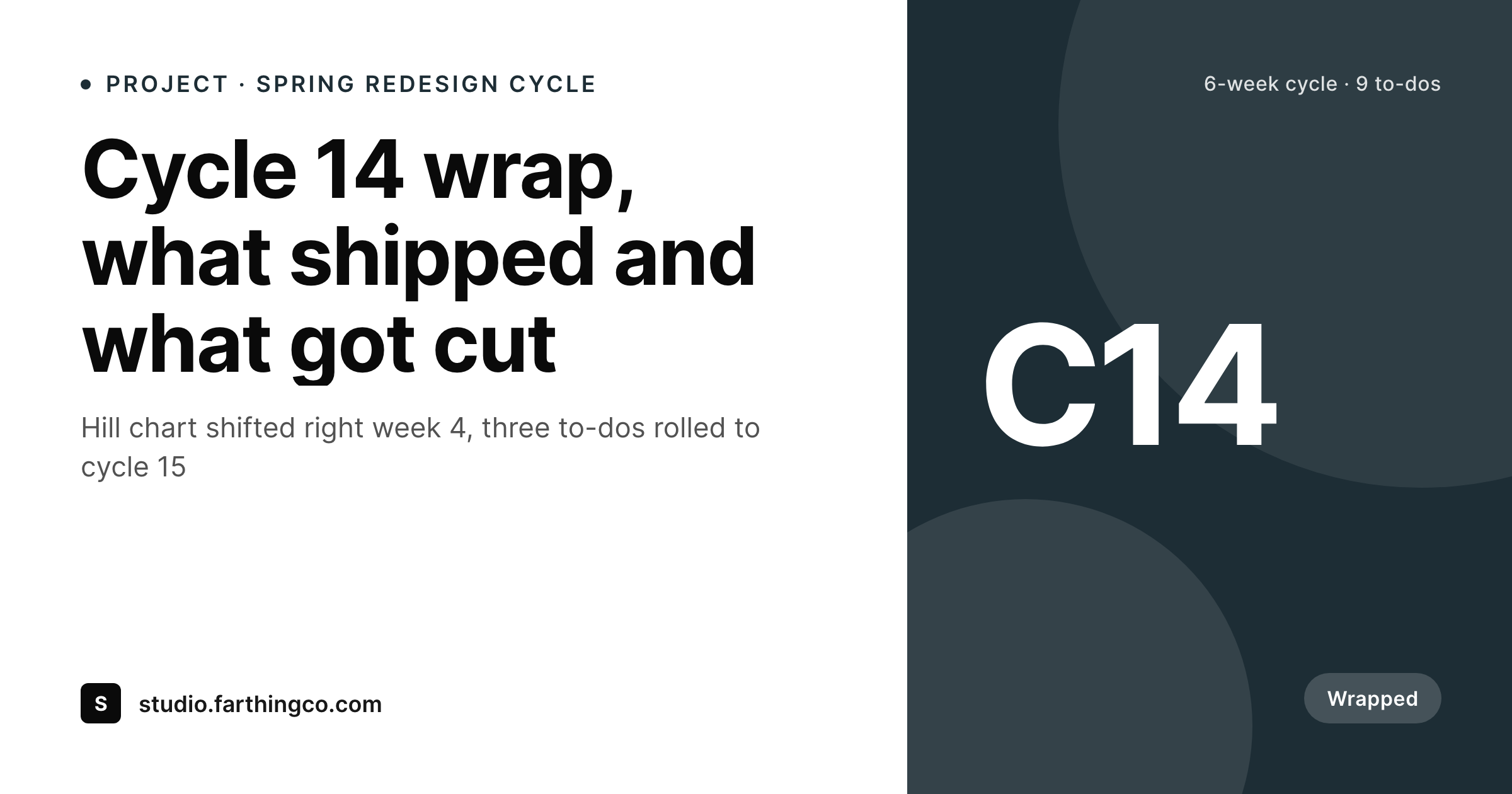
SleekPixel sits on the WordPress side. Basecamp projects, messages or to-do lists that are republished to WordPress (via Zapier, the Basecamp API or copy-paste) become posts with bound fields. SleekPixel renders a 1200 by 630 card from those fields, with the project name, the cycle, a clean date stamp and the team wordmark. Cross-posted Basecamp content stops sharing as a homepage banner and starts sharing as a real publication.
Workflow
From Basecamp project to branded card
Bring Basecamp content into WordPress
Build the recap template
Save and render
Cross-post safely
Output
Sample Basecamp cycle recap card
A 1200 by 630 OG image: project name, cycle number, cycle dates, hill state and brand wordmark, rendered from the WordPress post that mirrors the Basecamp project.
Comparison
Default theme OG vs Basecamp-aware rendering
Default theme OG image
- Cross-posted cycle recaps share with a stretched homepage banner
- Project name, cycle number and hill state never reach the share preview
- Heartbeats and pitches read as ordinary blog posts on social
- Manual card design stops happening after the first cycle
- Brand updates require redoing every past recap card by hand
SleekPixel
- Reads WordPress fields synced from Basecamp projects and messages
- Project name, cycle and hill state bind cleanly to card slots
- Re-renders when the synced post is updated from a Basecamp change
- Bulk re-render the recap back catalog after a template change
- Leaves Basecamp untouched, only the WordPress republish side changes
Features
What SleekPixel gives you for Basecamp projects
Cycle-aware framing
Six-week cycles and one-week clean-up periods each get a template variant. The card reads at a glance whether a post is a cycle recap, a heartbeat or a one-off message.
Hill state badge
If the synced post carries a hill state field (figuring it out, going down the hill, done), the card renders it as a small badge so the reader knows where the project stood.
Author attribution
Messages and pitches credit their original Basecamp author on the card. Cross-posted writing keeps its byline through the share preview.
Use cases
Who shares Basecamp work as branded cards
Public company updates
Basecamp shops that publish heartbeats and cycle recaps externally get a branded card per post. The company blog reads like a real publication.
Client recap deliveries
Agencies that share end-of-cycle recaps with clients via WordPress get branded cards in the client newsletter and Slack. The recap feels like a deliverable, not a forward.
Pitch and proposal archives
Shape Up shops that publish edited versions of pitches as essays get a clean card per pitch with the appetite and cycle of origin.
The bigger picture
Why Basecamp shops should ship cards as part of the cycle
Basecamp culture leans on writing. Cycle recaps, heartbeats and pitches are some of the highest-leverage internal artifacts a Shape Up shop produces, and many of them are too good to keep private. When those documents get cross-posted to a marketing blog or sent out as a client newsletter, the work behind them deserves a share preview that matches.
A default theme OG image collapses the project context into a generic banner and turns a serious recap into yet another company blog post. A real card with the project name, cycle and date does the opposite: the reader who clicks the share link arrives with the right expectations and the recap lands as an inside view of how the team builds. SleekPixel does not change how Basecamp works and does not pull data from Basecamp directly.
It reads what gets republished to WordPress and renders a card from those fields. The cycle stays calm, the writing stays the artifact, and the share image is the small consistent surface that ties every recap together across the public archive.
Questions
Common questions about SleekPixel for Basecamp projects
No. SleekPixel reads WordPress post fields. Getting Basecamp content into WordPress is a separate step, handled by Zapier, the Basecamp API, a custom script or even copy-paste into a custom post type. Once the post exists, SleekPixel renders the card from its fields.
For high-volume content, a Zapier or Make scenario watches a Basecamp project for new messages and pushes them into WordPress. For lower-volume artifacts like cycle recaps, many teams write the recap once in Basecamp and republish manually to a WordPress custom post type.
Not the chart visual itself, but the state can render as a badge. If the synced post has a 'hill state' field with values like 'figuring it out' or 'going down', the template applies a matching small badge on the card.
The appetite (six weeks, two weeks, etc.) is a synced field on the post and renders as part of the card meta. Cycle recaps can show both the appetite and the actual time taken, which makes the share more useful than a raw date stamp.
Yes, as long as you have a way to get content out of Basecamp Personal and into WordPress. The Basecamp API and Zapier integration cover both tiers. SleekPixel does not care which Basecamp plan produced the data.
Yes. A post type or category taxonomy selects the right template variant. Messages might render a clean essay card, to-do list recaps might render a checklist-styled card. The template selection happens at render time.
Archived Basecamp projects can still drive renders if the content was republished to WordPress before archival. The WordPress post is the source of truth for rendering, so archival in Basecamp does not affect the card.
Yes, as a complement. Many teams publish their cycle outcomes externally on a 'what we shipped' page. SleekPixel adds the branded share image when those individual recap pages get linked to from outside, so the page itself stays controlled by your WordPress template.
Pricing
More than 1000+
happy customers
Explore our flexible licensing options tailored to your needs. Upgrade your license anytime to access more features, or opt for a lifetime license for ongoing value, including lifetime updates and lifetime support. Our hassle-free upgrade process ensures that our platform can grow with you, starting from whichever plan you choose.
Lifetime ♾️
Most popular
EUR
once
- Unlimited websites
- Lifetime updates
- Lifetime support
...or get the Bundle Deal
and save €250 🎁
💎 Want everything forever? The All Access Pass is going away on 01.08.2026.
The Bundle (unlimited sites)
Pay once, own it forever
Elevate your WordPress site with our exclusive plugin bundle that includes all of our premium plugins in one package. Enjoy lifetime updates and lifetime support. Save significantly compared to buying plugins individually.
What’s included
-
SleekAI
-
SleekByte
-
SleekMotion
-
SleekPixel
-
SleekRank
-
SleekView
€749
Continue to checkoutBrowse more
- Xiaohongshu cover images
- Threads post cover
- Instagram collab post images
- Rumble thumbnails
- Lemon8 post
- Beacons.ai banner
- LinkedIn post images
- Snapchat Discover tiles
- Discord server icon
- Threads story-style images
- Odnoklassniki banners
- Instagram grid tiles
- LinkedIn showcase page banners
- Rednote (Xiaohongshu) post
- Twitter/X header