






SleekPixel for Marketo emails
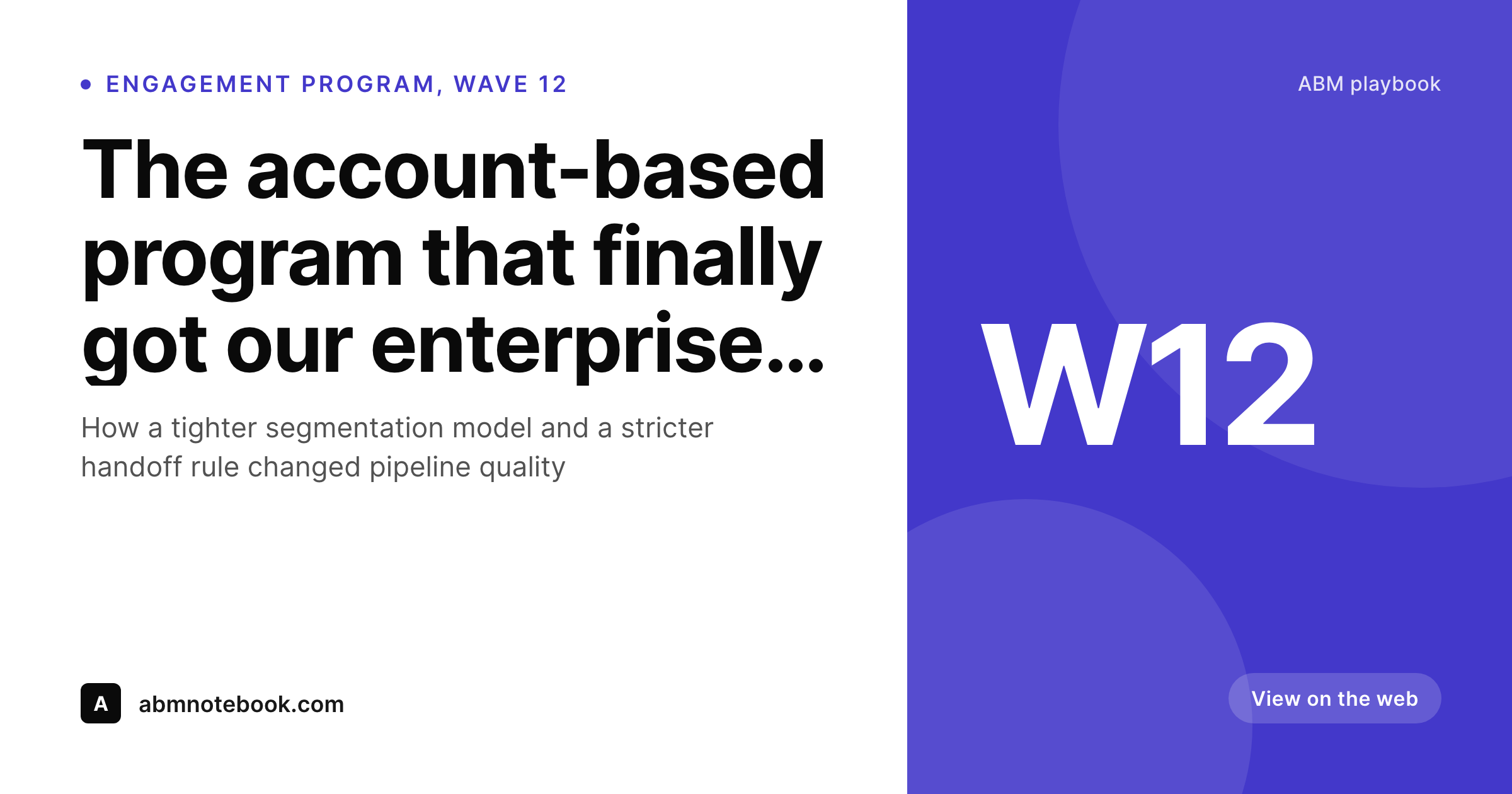
Marketo runs deep account-based marketing and large-program email for enterprise marketing teams. When campaigns mirror into a WordPress archive, SleekPixel renders branded covers from the program, wave and subject fields on the post.
♾️ Lifetime License available
Marketo programs need archive presence the brand controls
Marketo Engage is one of the most established enterprise marketing automation platforms, with deep program-based architecture, account-based marketing flows and tight integrations with Salesforce and Adobe Experience Cloud. Marketo customers tend to be mid-market and enterprise B2B teams running large segmentation models, multi-wave engagement programs and account-targeted sends. The volume and structure of those programs is substantial; the public visibility on the brand's own domain rarely matches.
Most Marketo-powered brands mirror selected campaigns into a WordPress archive for the public record: ABM thought-leadership emails that pair with content marketing, customer-success digests that get referenced in renewal conversations, event-driven invitations that sales reps forward to their accounts. Those archive URLs end up in LinkedIn shares, sales-rep emails, partner introductions and analyst-relations conversations. Every one of those touches reads the WordPress page's OG image as the first visual.
For most teams the OG image defaults to the homepage banner or a featured image cropped wrong, which makes every shared campaign look like every other shared campaign. The careful program architecture inside Marketo, the wave structure, the account segmentation, the program tag, collapses to a single generic preview at the share layer. SleekPixel renders a real cover on save from the archive fields. Program name, wave number, audience tier and subject all live on the post; the template reads them and emits a cover that signals the depth of the program rather than the absence of design effort.
Workflow
From Marketo program to social-ready archive
Design the cover template
Mirror the Marketo campaign
Share the archive URL
Edit and re-render
Output
What a Marketo archive cover ships with
A 1200 by 630 PNG: program tag, wave number, subject line and send date, rendered from the archive post fields on save.
Comparison
Default Marketo archive share vs SleekPixel
Default Marketo archive image
- Theme falls back to the homepage banner on every archived Marketo campaign
- Program structure and wave numbering never come through visually
- Account-segmented sends share with the same default as broad broadcasts
- Featured images crop wrong on LinkedIn and analyst-relations previews
- Manual cover art lags behind program revisions across the year
SleekPixel
- Render fires on save for every archived Marketo campaign post
- Program tag, wave number and subject pulled from existing fields
- og:image and twitter:image written automatically
- Per-program templates for ABM, customer success and event programs
- Bulk re-render the archive when programs or brand evolves
Features
What SleekPixel gives you for Marketo emails
Program-aware
Program name and wave number render onto the cover when stored on the archived post. ABM and engagement program structure stays legible at share time.
Per-program templates
ABM emails, customer-success digests and event programs each pick their own cover layout from the program field on the post.
Edits regenerate
Subject revisions, wave renames or audience-tier updates trigger a re-render on next save. The archive stays aligned with the live program state.
Use cases
Who uses SleekPixel for Marketo emails
Enterprise B2B marketing
Marketo customers running multi-wave engagement programs archive key sends to WordPress. SleekPixel makes shared URLs open with real program context.
Account-based marketing teams
ABM teams targeting named accounts need every share to reinforce the brand. The cover renders the tier or industry tag automatically from the post.
Demand gen at scale
Large demand-generation programs produce many campaigns per quarter. Templates ensure consistent visual identity across every archived program send.
The bigger picture
Why Marketo brands need archive covers worthy of the program
Enterprise B2B marketing programs are large investments. A multi-wave ABM program inside Marketo represents months of strategy work, account research and content production. When the resulting campaigns share publicly with a default homepage banner, the share preview communicates nothing about the depth of the program behind it, which means every LinkedIn impression and every sales-rep forward is a wasted reinforcement of brand seriousness.
The cover preview is one of the few moments in an enterprise marketing cycle where the brand has direct creative control over a public touchpoint, and leaving it on a default is a small but constant drag on perceived competence. The second reason is the breadth of the audience that consumes a Marketo program's outputs. Beyond the named-account recipients, the archived campaigns get seen by industry analysts, partner ecosystem contacts, customer-success advocates and internal sales teams.
Each of those audiences forms their impression of the brand partly from the share previews they encounter. SleekPixel makes every one of those previews a real branded cover rendered from the program data, which compounds across hundreds of archived sends into the kind of consistent brand presence that enterprise buyers expect.
Questions
Common questions about SleekPixel for Marketo emails
Yes, indirectly. The program structure lives inside Marketo; SleekPixel runs on the WordPress side. If your import flow stores the program name, wave number and audience tier as custom fields on the archived post, the cover template renders them. The mapping is set up once and applies to every subsequent campaign.
Common patterns: Marketo webhook to a custom wp-json endpoint, Adobe Experience Cloud integration where Adobe handles the connector, a Salesforce-mediated flow where the campaign-sent event triggers a downstream WordPress post, or a manual mirror by the content ops team. SleekPixel reads the resulting fields regardless of route.
Yes, if the tier or industry is stored as a custom field on the archived post. Most ABM-aware integrations include this in the payload because it is the most useful piece of audience context for downstream attribution. The template renders it in a small badge.
Those are reps-facing tools inside Marketo and Salesforce; they do not produce public archive posts. SleekPixel applies to marketing campaigns mirrored to WordPress. If a sales-facing template is published as a public reference page, that page can have its own cover via the standard mechanism.
Tokens and dynamic content vary the email body per recipient inside Marketo. The WordPress archive captures a canonical public version of the campaign. SleekPixel renders the cover for that canonical version; per-recipient variations stay inside Marketo's send infrastructure.
Yes. Programs are typically tagged on the archived post as a custom field. The template router picks a matching cover layout per program. Enterprise setups usually have a small number of program-family templates (ABM, customer success, event, demand gen) that handle dozens of sub-programs cleanly.
Yes. Marketo is part of Adobe Experience Cloud, and the integration patterns above apply whether your account is Marketo-only or part of a broader Adobe stack. The WordPress archive is the touchpoint SleekPixel addresses, regardless of where the campaign came from upstream.
Yes. Run the bulk re-render command and every existing archive post renders with the new template using its existing fields. A multi-year archive of program-based campaigns usually completes in a few minutes, including legacy waves from earlier program structures.
Pricing
More than 1000+
happy customers
Explore our flexible licensing options tailored to your needs. Upgrade your license anytime to access more features, or opt for a lifetime license for ongoing value, including lifetime updates and lifetime support. Our hassle-free upgrade process ensures that our platform can grow with you, starting from whichever plan you choose.
Lifetime ♾️
Most popular
EUR
once
- Unlimited websites
- Lifetime updates
- Lifetime support
...or get the Bundle Deal
and save €250 🎁
💎 Want everything forever? The All Access Pass is going away on 01.08.2026.
The Bundle (unlimited sites)
Pay once, own it forever
Elevate your WordPress site with our exclusive plugin bundle that includes all of our premium plugins in one package. Enjoy lifetime updates and lifetime support. Save significantly compared to buying plugins individually.
What’s included
-
SleekAI
-
SleekByte
-
SleekMotion
-
SleekPixel
-
SleekRank
-
SleekView
€749
Continue to checkoutBrowse more
- ARR milestone cards
- data visualization cards
- before-after comparison images
- office hours card
- anniversary promo card
- preorder cards
- track release cards
- security advisory cards
- product tour cards
- remote first card
- X thread card
- feature comparison cards
- A/B test result card
- online course
- compliance update cards
- Odnoklassniki banners
- Farcaster cast images
- KDP hardcover cover
- Gumroad product covers
- Xiaohongshu cover images
- Klaviyo email banner
- LinkedIn newsletter headers
- Instagram carousel slides
- Ghost feature images
- LinkedIn banner images
- Ko-fi shop images
- Twitch alert
- X Space banners
- Amazon A+ content images
- Lens Protocol posts