






SleekPixel for Tutor LMS
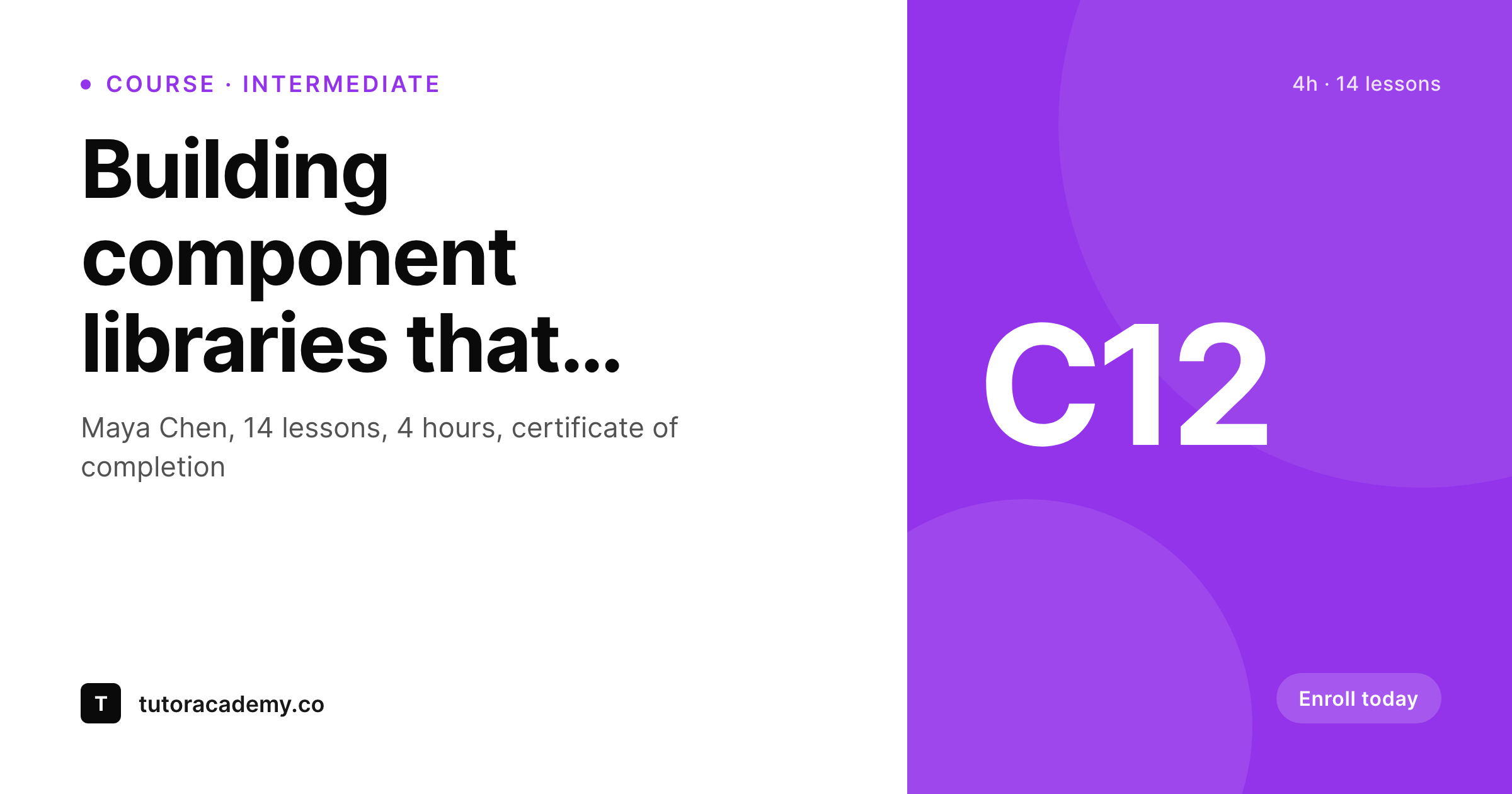
Tutor LMS stores course title, instructor, duration, level, and lesson count on every course post. SleekPixel reads those fields on save and renders a share image with the course identity, so a forwarded link previews as a real course rather than a generic site banner.
♾️ Lifetime License available
LMS catalogs need visuals at every level
Tutor LMS organizes content into courses, topics, lessons, and quizzes, with instructors assigned per course and per lesson. Each course post carries a course title, an instructor, a duration field, a difficulty level, a lesson count, and often a price. The course archive page renders this metadata as a tidy card. The share preview, on the other hand, falls back to whatever the theme or SEO plugin configured as the site default. A learner sharing a course link to a peer gets a generic banner that gives no signal that this is a course, let alone which course.
The reason is the same as on every WordPress LMS: graphics are a separate task that competes with the actual teaching work. The instructor records the lessons, builds the assessments, supports the students, and graphics get made for launch and then for nothing else. Six months in, the catalog has dozens of courses and a handful of branded thumbnails. New courses share blank, lesson links share blank, instructor profile pages share blank.
SleekPixel reads Tutor LMS post fields and composes a card that names the course, instructor, duration, and level on save. '4 hours, 14 lessons, intermediate' renders into the OG image alongside the instructor's name and avatar. The image saves to uploads as a real PNG and og:image points at it. New courses added later get the same card automatically. Affiliate shares, learner referrals, and instructor self-promotion all unfurl with branded previews because the rendering is bound to the save event, not to a designer's queue.
Workflow
From Tutor LMS course to branded card
Build course and lesson templates
Bind Tutor LMS fields
Save a course
Distribute the catalog
Output
What gets generated per Tutor LMS course
A 1200 by 630 OG card with course title, instructor name, duration, level, lesson count, and brand mark, rendered on save and saved to uploads as a real PNG.
Comparison
Site fallback versus SleekPixel
Default theme OG image
- Course share previews show the site banner with no course identity
- Lesson and topic page links unfurl with no course or module context
- Instructor profile shares have no name or avatar in the preview
- Catalog rebrands force redoing every course thumbnail by hand
- New courses added after launch share without any branded card
SleekPixel
- Reads Tutor LMS post fields: course, lesson, instructor, duration, level
- Cards show duration, lesson count, and level from course meta
- Instructor name and avatar pull from the assigned WordPress user
- Regenerates on save: course updates flow to share cards
- Bulk regenerate covers an entire catalog after a brand refresh
Features
What SleekPixel gives you for Tutor LMS
Course-aware
Reads Tutor LMS course post type and metadata, including duration, level, lesson count, and assigned instructor. Each card carries the right hierarchy.
Instructor faces
Instructor headshot from the user profile slots into every course card. Multi-instructor catalogs show the right face for each course.
Level and duration
Beginner, Intermediate, Advanced labels render onto the card alongside duration. Learners see the commitment in three seconds, before the click.
Use cases
What Tutor LMS catalogs generate with SleekPixel
Course landing pages
Each course shares with a card showing title, instructor, duration, and level. Affiliate links and email pushes open with branded previews.
Lesson and topic pages
Each lesson page renders a thumbnail used as the OG image. Forwarded links keep the course context and the lesson title intact.
Instructor profiles
Instructor profile pages render share cards with name, courses taught, and avatar. Self-promotion on social opens with a real introduction, not a site banner.
The bigger picture
Why catalog visuals affect Tutor LMS conversions
Tutor LMS sites typically grow through some mix of organic search, affiliate referrals, and learner-led referrals. Each pathway depends on what a prospective learner sees in the first three seconds of clicking a forwarded link. A course landing page that shares with a card showing title, instructor, duration, and level converts better than one that shares with a generic site banner, because the prospective learner can answer the most basic questions (is this a course, who is teaching it, how long is it, how hard is it) before they decide to click.
The compound effect across a catalog of dozens of courses and thousands of monthly shares is significant for any LMS with an affiliate program or active learner community. The second reason is internal completion and retention. Existing learners progressing through a curriculum see the same cards day after day in dashboards, lesson previews, and emails.
Visual consistency between launch courses and post-launch courses signals that the catalog is current and well-maintained, which keeps learners engaged. Patchy visuals signal a stale catalog and slow completion, and slow completion correlates with cancellations. SleekPixel binds rendering to the Tutor LMS save event, which means new courses match old courses and the catalog stays cohesive without anyone in operations doing thumbnail exports on the side.
Questions
Common questions about SleekPixel for Tutor LMS
Yes. Tutor LMS Pro adds quizzes, certificates, drip content, and additional course meta, all of which live on the standard course and lesson posts as custom fields. SleekPixel reads any meta key, so Pro fields like certificate templates or drip schedules can render onto the card if the template is configured for them.
Yes. Tutor LMS stores the lesson count on the course post meta, and the template can render '14 lessons' or '4 hours, 14 lessons' alongside the duration. The count updates automatically when lessons are added or removed.
Yes. The frontend course builder writes to the same post types and meta keys as the admin builder. Whether an instructor edits the course in the WordPress admin or in the Tutor frontend dashboard, saving triggers the SleekPixel render the same way.
Quiz and assignment post types can have their own templates. A quiz card might show the quiz title, course, and number of questions. Useful for free quiz lead magnets that share independently of the parent course.
Yes. A certificate template can read the learner's name, course title, and completion date, then render a personal card the learner can post about. Drives word-of-mouth: learners share their completion publicly, which doubles as marketing for the catalog.
If the course meta stores multiple instructor IDs, the template can render up to two avatars before falling back to a 'plus 2 more' label. For the typical solo-instructor case, the assigned instructor's avatar and name render directly.
Renders happen on save, not on page load. Learners browsing the catalog hit cached PNGs. Even sites with thousands of lessons run smoothly because each lesson only re-renders when its post is updated. The bulk regenerate command is the heaviest operation and runs once per template change.
Yes. The bulk regenerate command walks every course, lesson, topic, and instructor profile and rebuilds each card. After a logo update or a color refresh, one command updates the entire catalog without manual edits.
Pricing
More than 1000+
happy customers
Explore our flexible licensing options tailored to your needs. Upgrade your license anytime to access more features, or opt for a lifetime license for ongoing value, including lifetime updates and lifetime support. Our hassle-free upgrade process ensures that our platform can grow with you, starting from whichever plan you choose.
Lifetime ♾️
Most popular
EUR
once
- Unlimited websites
- Lifetime updates
- Lifetime support
...or get the Bundle Deal
and save €250 🎁
💎 Want everything forever? The All Access Pass is going away on 01.08.2026.
The Bundle (unlimited sites)
Pay once, own it forever
Elevate your WordPress site with our exclusive plugin bundle that includes all of our premium plugins in one package. Enjoy lifetime updates and lifetime support. Save significantly compared to buying plugins individually.
What’s included
-
SleekAI
-
SleekByte
-
SleekMotion
-
SleekPixel
-
SleekRank
-
SleekView
€749
Continue to checkoutBrowse more
- Lemon Squeezy product covers
- Spotify podcast covers
- Spotify Canvas
- Ghost feature images
- Facebook ad images
- Xiaohongshu cover images
- Twitch starting soon screen
- YouTube Music cover art
- Warpcast frame images
- eBay listing images
- YouTube Shorts covers
- YouTube community images
- Patreon tier images
- LinkedIn newsletter headers
- Substack podcast cover