






SleekPixel for Patreon tiers
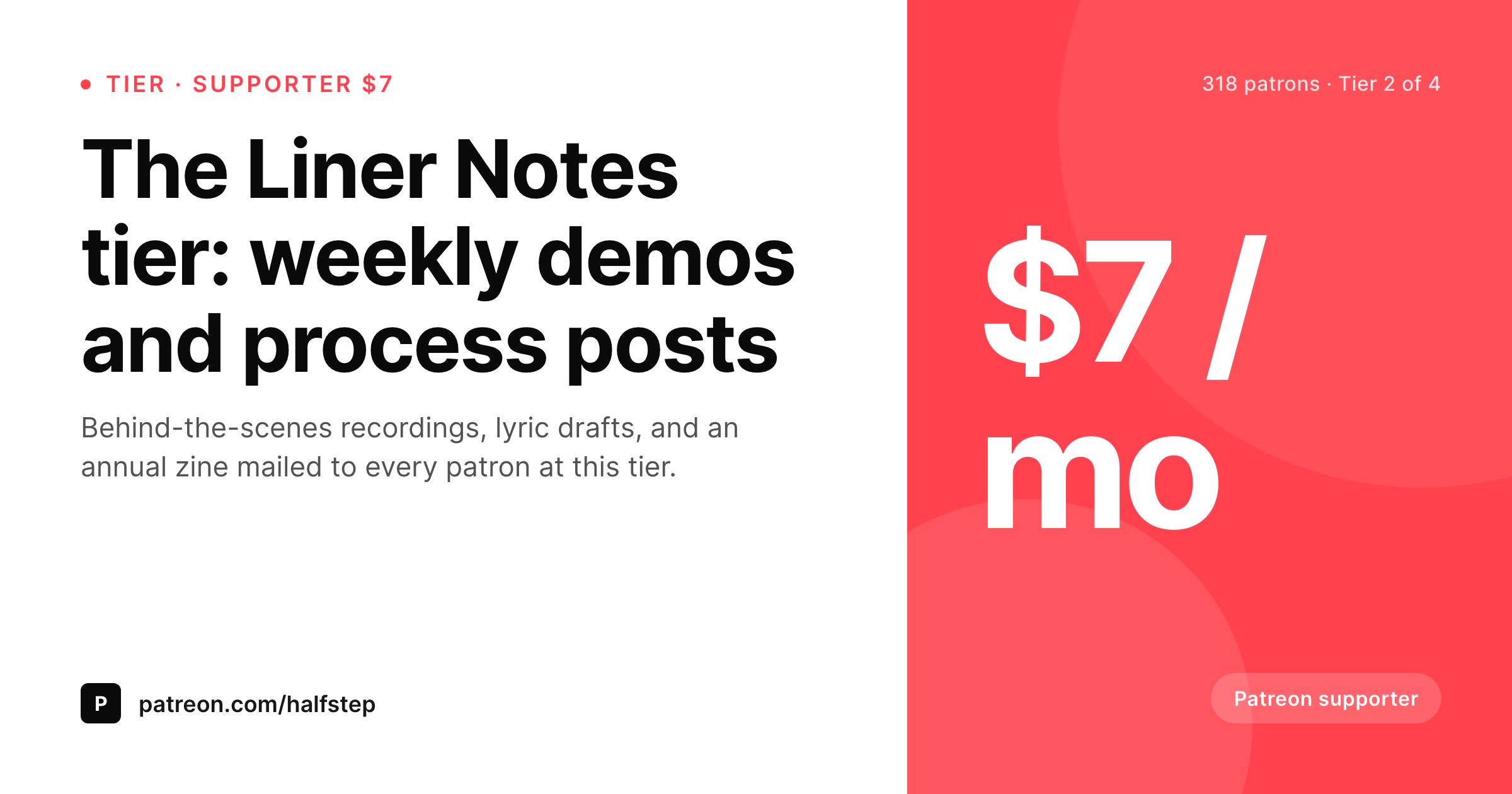
Patreon runs the recurring billing and the patron-only posts. WordPress often runs the public landing page that explains the tiers to new patrons. SleekPixel renders an OG and Twitter card per tier so every share unfurls with the tier name, recurring price, and patron count.
♾️ Lifetime License available
Patreon handles billing, WordPress hosts the brand
Patreon does the recurring billing, the patron-only feed, and the message room. What it does not try to be is the brand site for a creator. A musician, a podcaster, a writer, or an illustrator who runs a Patreon typically also runs a WordPress site for the public face of their work: the blog, the back catalog, the about page, and crucially, a page that explains the Patreon tiers in their own words.
That explainer page is where most shares of the Patreon offer happen. A creator drops the URL into a newsletter, a podcast description, or a Twitter thread, and the reader unfurls the preview before deciding to click. If the preview is a default theme banner, the reader has to read the surrounding copy to figure out what the click leads to. The tier names, the recurring price, and the patron count all sit in WordPress fields and never reach the preview.
SleekPixel reads the tier post fields on save and renders a card with the tier name, the topic line, the recurring price, and the patron count if you bind it. The PNG saves to uploads and the og:image and twitter:image tags update for the WordPress URL. Patreon itself stays unchanged. The WordPress side ships a real preview for every newsletter mention, podcast show notes line, or tweet that points at the tiers page.
Workflow
From Patreon tier to share-ready WordPress page
Build the WordPress tier post type
Design the tier template
Save the WordPress post
Share the tier page
Output
Per-tier card layout
A 1200 by 630 OG and Twitter card: tier name, headline subtitle, recurring price, patron count, and brand wordmark, rendered from the WordPress tier post on save.
Comparison
Default WordPress unfurl vs Patreon-aware rendering
Default theme OG
- Patreon tier explainer pages unfurl with a homepage banner on the WordPress side
- Tier names, prices, and patron counts never reach the share preview
- Raw Patreon URLs share with Patreon's own card, not the creator's brand
- Manual cards per tier or per launch skip after the first month
- Brand or pricing changes require redoing every past tier card by hand
SleekPixel
- Reads WordPress fields for each Patreon tier marketed through WP
- Single-tier and multi-tier explainer pages share the same template family
- Tier name, recurring price, and patron count render automatically
- Bulk re-render every tier card after a price or brand change
- Runs alongside any Patreon button or block on the WordPress side
Features
What SleekPixel gives you for Patreon tiers
Tier-aware headlines
The tier name and topic line render as the card headline and subtitle, so the share preview names the tier rather than the creator's homepage.
Patron-count slot
Optional badge with current patron count, useful social proof for the higher tiers. Updates whenever the WordPress post saves.
Recurring price slot
Recurring price renders as a corner mark with the cadence label, signalling the commitment level on the share preview itself.
Use cases
Who runs Patreon plus a WordPress front
Musicians and podcasters
Independent musicians and podcasters use WordPress as the brand site and Patreon as the billing layer, with each tier unfurling a real card.
Writers and illustrators
Writers running long-form blogs on WordPress link to a Patreon for paid support, with the tier explainer page sharing a branded preview.
Video creators
Video creators with a WordPress portfolio site link out to Patreon tiers, where the explainer page unfurls with the tier name and price on every share.
The bigger picture
Why per-tier cards matter for indie creator income
Patreon income for most creators sits at the intersection of small audience and high signal. A creator with 5,000 newsletter subscribers might have 200 patrons, and the difference between 200 and 300 patrons can be the difference between part-time and full-time work. The marginal patron usually comes from an existing reader or listener who finally clicks through after seeing the tier explainer page mentioned three or four times.
The share preview is the visual at every one of those touch points. Without a real card, the preview names nothing and the conversion to click depends on the surrounding copy. With a real card, the tier name, the recurring price, and the patron count all show up in the preview, and the reader can evaluate the commitment before clicking.
The second compounding effect applies for creators with multiple tiers. A clean per-tier card family makes the support ladder feel coherent rather than scattered, and small choices like rendering the patron count on the higher tiers double as gentle social proof. SleekPixel produces those cards on every WordPress save without manual export, and the Patreon side keeps doing the billing as before.
Questions
Common questions about SleekPixel for Patreon tiers
No. SleekPixel reads WordPress post fields. Patreon continues to handle billing, patron management, and the patron-only feed. Only the WordPress tier explainer page needs to exist for the share card to render.
Then the preview is whatever Patreon renders. SleekPixel only helps when you share the WordPress explainer page. Most creators move to a WordPress page for the brand control and OG previews.
If you grant the Patreon API access for your own creator account, a small scheduled script can pull the patron count per tier and write to a custom field. SleekPixel reads the field on render.
Yes. The free variant drops the price slot and renders a 'free tier' badge instead. The rest of the template, name, topic, count, brand mark, stays the same.
Yes. The template binds by post field, not by tier. Every WordPress tier post renders through the same template family with different headlines, prices, and badges.
Rename it on the WordPress post too, and the next save re-renders the card with the new name. SleekPixel binds to the WordPress field, not to Patreon directly.
Benefits live on the WordPress explainer page itself, not on the share card. The card stays minimal: name, topic, price, count, brand mark. Benefits are best read on the actual page.
Yes. The card binds to WordPress fields, not to Patreon. Swapping Patreon for another billing platform means changing the join URL on the WordPress post; the rendering pipeline and the card stay the same.
Pricing
More than 1000+
happy customers
Explore our flexible licensing options tailored to your needs. Upgrade your license anytime to access more features, or opt for a lifetime license for ongoing value, including lifetime updates and lifetime support. Our hassle-free upgrade process ensures that our platform can grow with you, starting from whichever plan you choose.
Lifetime ♾️
Most popular
EUR
once
- Unlimited websites
- Lifetime updates
- Lifetime support
...or get the Bundle Deal
and save €250 🎁
💎 Want everything forever? The All Access Pass is going away on 01.08.2026.
The Bundle (unlimited sites)
Pay once, own it forever
Elevate your WordPress site with our exclusive plugin bundle that includes all of our premium plugins in one package. Enjoy lifetime updates and lifetime support. Save significantly compared to buying plugins individually.
What’s included
-
SleekAI
-
SleekByte
-
SleekMotion
-
SleekPixel
-
SleekRank
-
SleekView
€749
Continue to checkoutBrowse more
- Facebook cover photos
- Instagram bio link banners
- SoundCloud banner
- Fansly banner
- TikTok ad images
- Ko-fi shop images
- X Space banners
- X social cards
- TikTok profile banners
- YouTube community images
- Telegram bot avatar
- Patreon post thumbnails
- Discord server banners
- X community banners
- Apple Podcasts covers