






SleekPixel for Microsoft PowerPoint decks
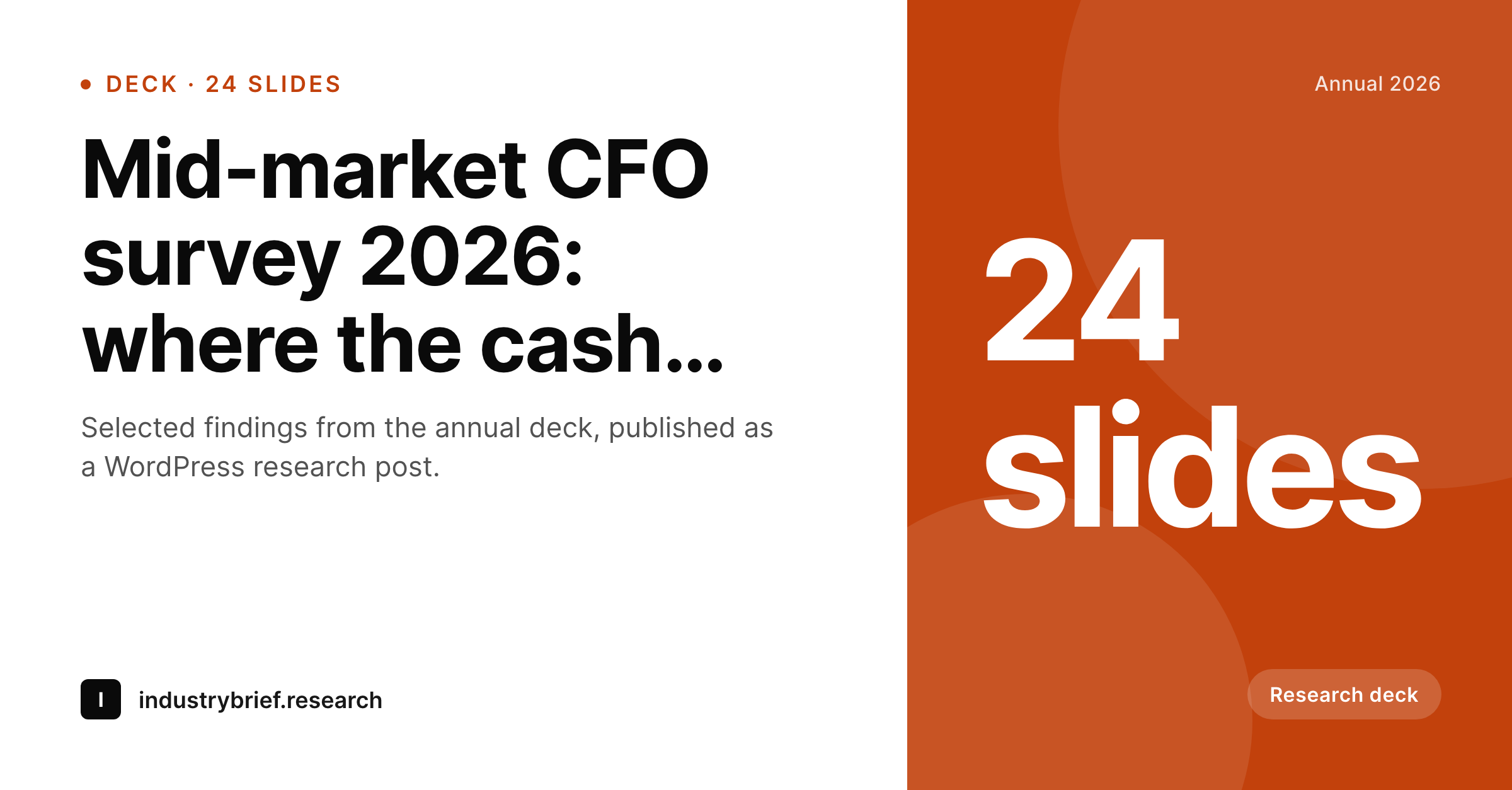
Research, analyst, and enterprise marketing teams who turn PowerPoint decks into WordPress posts get a 1200 by 627 LinkedIn-shaped share card per post on save, with the deck title and slide count visible on the unfurl.
♾️ Lifetime License available
PowerPoint is the boardroom, WordPress is the audience
PowerPoint is the dominant deck tool in enterprise and analyst environments. Annual surveys, market sizing studies, customer briefings, board presentations, all of them get built in PowerPoint, and many of them get summarised into WordPress posts that live on a research library, an analyst blog, or a corporate marketing site. The deck-to-post handoff is usually manual, an analyst pulls out the key findings, writes a narrative recap, and ships the post.
The share image is where the workflow has historically frayed. PowerPoint cannot render anything that becomes a WordPress share preview. The recap post unfurls with a theme default or a thumbnail of the title slide that looks rough as a 1200 by 627 LinkedIn card. SleekPixel solves the missing layer. On save, the post title, slide count, deck edition, and author render into a LinkedIn-shaped card with the right composition and dimension. The og:image and og:title tags update, the LinkedIn renderer picks up the new card cleanly.
For research and analyst teams, the slide count and edition string on the card add real signal. An LinkedIn feed scrolled at speed needs the card to communicate not just topic but format and depth. '24 slides' tells the reader this is a substantial deck, 'Annual 2026' tells the reader this is current, and the deck title carries the actual finding. The PowerPoint side stays exactly as the team uses it, including all the messy edit history of a senior analyst slide deck.
Workflow
From PowerPoint deck to LinkedIn-ready post
Build the deck in PowerPoint
Write the recap in WordPress
Save the post
Share on LinkedIn
Output
What gets generated per deck-derived post
A 1200 by 627 LinkedIn-shaped share card with the deck title, slide count chip, edition string, and author byline, rendered on save and pointed at by the og:image meta tag.
Comparison
Title-slide screenshot versus SleekPixel
Title-slide screenshot as OG
- Title-slide screenshot used as the share preview reads poorly at 1200 by 627 thumbnail size
- Slide count and edition never appear on the unfurled link
- Author byline misses on the share card so research reads as unowned
- LinkedIn-specific dimension is wrong when a 1200 by 630 OG card is reused
- Visual consistency across an annual research series drifts year over year
SleekPixel
- Renders a 1200 by 627 LinkedIn-shaped card on save inside WordPress
- Slide count, edition, and author byline all surface on the card
- Brand template locks visual identity across multi-year research programmes
- No PowerPoint plugin needed, the rendering happens entirely on the WordPress side
- Bulk regenerate covers an archive of past deck-derived posts in one command
Features
What SleekPixel gives you for Microsoft PowerPoint decks
LinkedIn-shaped
1200 by 627 is the LinkedIn-specific aspect ratio that does not crop on the feed. SleekPixel renders this dimension natively for posts that need to travel on LinkedIn.
Slide count chip
A small corner chip shows the slide count from the source deck. Readers scanning LinkedIn see '24 slides' at a glance and understand the depth of the underlying research.
Edition string
Multi-year studies carry their edition, 'Annual 2026' or '4th edition' or 'Q1 2026 wave', visible on the card. Currency reads instantly on the unfurl.
Use cases
Where PowerPoint-driven research teams gain
Analyst research notes
Independent analysts and analyst firms publishing research notes from PowerPoint decks to WordPress get LinkedIn cards that show the slide count and edition on every share.
Annual survey recaps
Enterprise research teams running annual surveys, CFO surveys, CMO surveys, IT spending studies, get a per-edition card that ages well across multi-year programmes.
Customer briefing decks
B2B vendor marketing teams turning customer briefing decks into public recap posts get LinkedIn-friendly share cards that respect the deck title and slide count.
The bigger picture
Why research content needs LinkedIn-shaped share cards
Research content lives on LinkedIn. Annual surveys, market studies, analyst notes, all of them get their initial reach from LinkedIn shares by analysts, executives, and the research team itself. LinkedIn unfurls links into a 1200 by 627 card rather than the OG-standard 1200 by 630, and a card sized for the OG dimension loses its bottom band when LinkedIn crops it.
The first reason a LinkedIn-specific dimension matters is render fidelity, the card has to land on the feed looking exactly as intended. The second reason is the signal in the corner. Research posts compete in feeds against everything else, and a slide count chip combined with an edition string communicates substance and currency in a single glance.
Readers scrolling at speed are choosing between dozens of posts a minute, and the cards that signal depth and freshness get the click. The third reason is durability across a multi-year programme. An annual survey that runs for five years builds authority through visual consistency on its share cards, and the template-driven approach ensures every year's edition obeys the same design while the edition string makes the year visible.
Questions
Common questions about SleekPixel for Microsoft PowerPoint decks
No. SleekPixel does not call the PowerPoint API or parse the .pptx file. The deck stays in PowerPoint, the recap post lives in WordPress, and the share card is composed from WordPress post fields and meta.
The slide count gets stored as a post meta field on the WordPress side, populated either by hand or by an internal script. SleekPixel reads the field by name. The deck itself stays untouched.
1200 by 627, which is LinkedIn's specific share dimension. This avoids the crop that happens when a 1200 by 630 OG card hits the LinkedIn renderer.
Yes, if configured. SleekPixel supports multiple templates per post type. A research post can render both the LinkedIn 1200 by 627 card and a Twitter 1200 by 675 card on the same save.
Yes. Edition lives as a post meta field, so you can populate it with any string, Annual 2026, Q1 2026, 4th edition, Wave 7. The template renders whatever string you store.
The PowerPoint platform does not affect SleekPixel. The rendering happens entirely on the WordPress host once the recap post saves, regardless of where the source deck was built.
Yes, if the team exports the title slide or a chosen highlight as a PNG and uploads it to the WordPress media library. The template can position it as a background, inset, or corner element.
Yes. The bulk regenerate WP-CLI command iterates every recap post and renders fresh cards with the current template. A five-year archive of annual studies rebuilds in minutes.
Pricing
More than 1000+
happy customers
Explore our flexible licensing options tailored to your needs. Upgrade your license anytime to access more features, or opt for a lifetime license for ongoing value, including lifetime updates and lifetime support. Our hassle-free upgrade process ensures that our platform can grow with you, starting from whichever plan you choose.
Lifetime ♾️
Most popular
EUR
once
- Unlimited websites
- Lifetime updates
- Lifetime support
...or get the Bundle Deal
and save €250 🎁
💎 Want everything forever? The All Access Pass is going away on 01.08.2026.
The Bundle (unlimited sites)
Pay once, own it forever
Elevate your WordPress site with our exclusive plugin bundle that includes all of our premium plugins in one package. Enjoy lifetime updates and lifetime support. Save significantly compared to buying plugins individually.
What’s included
-
SleekAI
-
SleekByte
-
SleekMotion
-
SleekPixel
-
SleekRank
-
SleekView
€749
Continue to checkoutBrowse more
- Etsy shop banners
- YouTube playlist covers
- Discord event cover
- Tidal cover art
- Weibo post images
- Patreon post thumbnails
- Slack channel headers
- LinkedIn event banners
- Rumble thumbnails
- Rednote (Xiaohongshu) post
- Instagram ad images
- Twitter header banners
- Fansly banner
- GitHub social preview images
- Bluesky feed banner