






SleekPixel for Buttondown newsletters
Buttondown keeps the email side delightfully simple. SleekPixel adds the same simplicity to the WordPress mirror: render a per-issue card on save with subject, issue number, and date, so the public archive looks edited the moment an issue lands.
♾️ Lifetime License available
Buttondown writers tend to keep things lean, including the design queue
Buttondown attracts writers who want a simple, plain-text-friendly email tool without the layers of a Substack or a beehiiv. The newsletters are often personal, technical, or independent in tone. The writers tend to ship issues at a steady rhythm and trust that the writing speaks for itself. Design budgets are small or nonexistent. That choice is part of the appeal.
The cost of the lean approach shows up at the share layer. A Buttondown issue with a public web archive page on WordPress shares with whatever default the WordPress theme produced. Forwards to Twitter, Slack, and Mastodon all land with the homepage banner. The writing carries the issue, but the share preview leaks the polish the writing actually has. Readers seeing the link in a Twitter feed have no visual context for what they are clicking into.
SleekPixel runs on the WordPress side and renders a per-issue share card from the archive post fields. Subject becomes the headline. Issue number, date, and reading time render as meta. The brand mark sits at the bottom. The newsletter starts sharing with the same understated polish that the writing already has. The writer keeps publishing in Buttondown without changing anything in the email tool itself.
Workflow
From Buttondown issue to mirror card
Mirror Buttondown to WordPress
Build a restrained template
Save the archive post
Share from any channel
Output
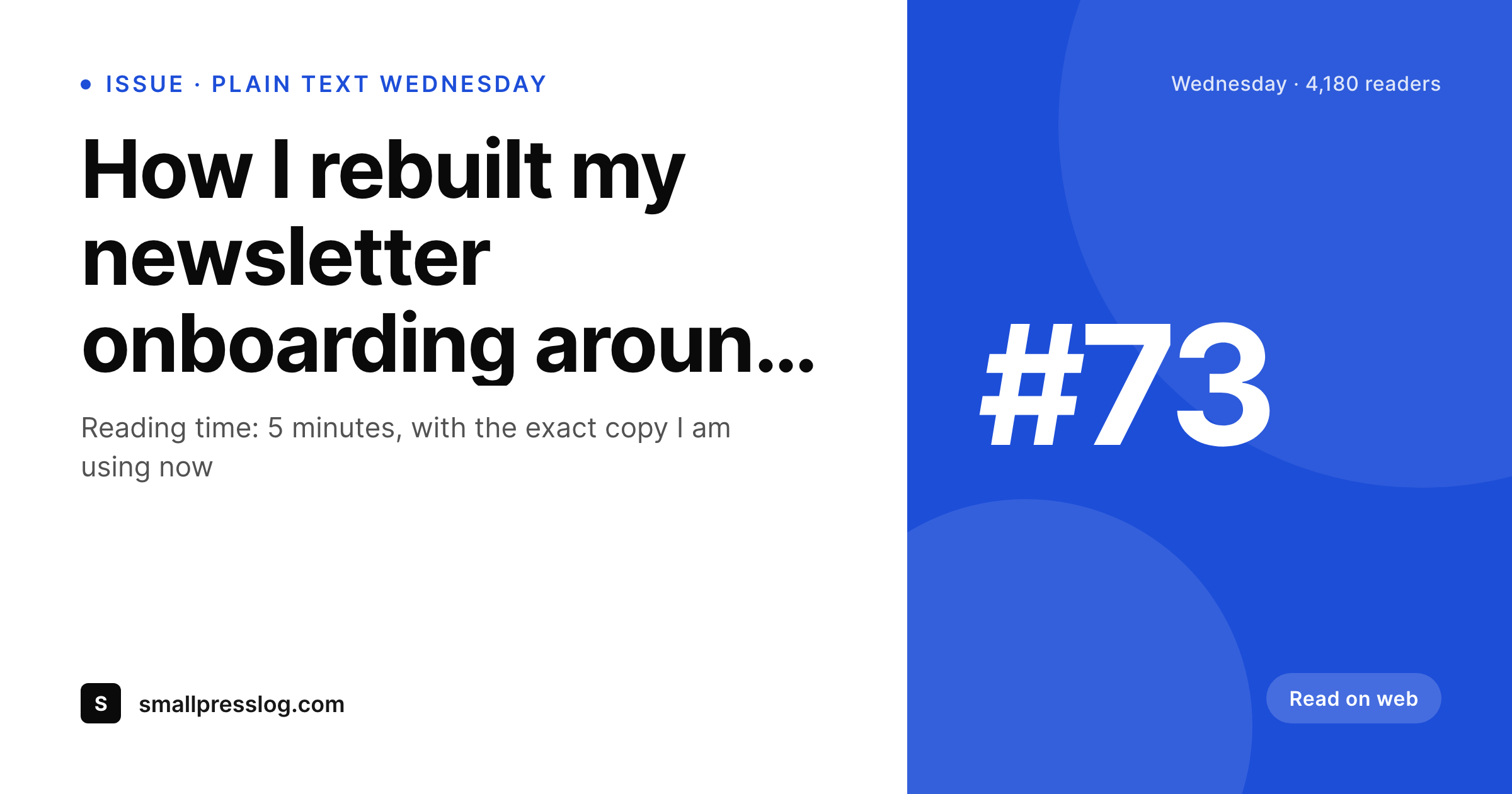
Sample Buttondown issue card
A 1200x630 OG image: issue subject, issue number, send date, reading time, and brand wordmark, rendered from the WordPress archive post on save.
Comparison
Default mirror OG vs Buttondown-aware rendering
Default theme OG image
- Mirror archive on WordPress shares with the homepage banner
- Issue numbers and send dates never appear on the preview
- Manual Canva exports stall by issue 8 of every newsletter
- Mastodon and Bluesky shares look generic regardless of issue topic
- Rebrands force redoing every past archive card by hand
SleekPixel
- Reads the WordPress archive post for every Buttondown issue
- Subject, issue number, and send date render onto the share card
- Plain, restrained template matches Buttondown's aesthetic by default
- Bulk re-render the archive after a brand refresh in one pass
- Leaves Buttondown's email tool untouched, only WordPress changes
Features
What SleekPixel gives you for Buttondown newsletters
Plain-text-friendly
Templates can stay restrained, with type-led layouts and minimal ornament. The card carries the subject line and an issue number, nothing more if you want.
Original send date
The card shows the original Buttondown send date, even if the WordPress mirror was created later. Forwards reflect the correct issue timeline.
Light per-issue accents
An optional accent color can shift per issue or per category without breaking the overall restraint. Useful for serialized issues or guest-author weeks.
Use cases
What Buttondown newsletters generate with SleekPixel
Public web archive
Every issue mirrored to WordPress shares with a real card. Mastodon, Bluesky, and Slack forwards land with subject and issue number visible.
Technical issues with code
Technical newsletters often share with developers on Mastodon and GitHub. The card carries the issue subject and topic so previews land with engineering context.
Back-issue roundups
Year-end best-of posts and topic-cluster roundups carry their own cards, and every linked issue shares with consistent branding.
The bigger picture
Why understated visuals still need to exist
Buttondown culture leans toward restraint, and that restraint is part of why readers subscribe. The mistake is reading restraint as 'no visual presence' when what readers actually want is consistent, type-led design that signals the publication takes itself seriously without overcompensating. The default WordPress theme OG image is not restraint, it is absence, and absence reads as neglect rather than as a deliberate choice.
A real issue card with the subject, an issue number, a small brand mark, and otherwise generous whitespace is exactly the kind of thing a Buttondown writer would produce by hand if they had time. SleekPixel produces it automatically on save, which is the only way it actually happens at the cadence of a real publication. The second compounding effect is platform-share variety.
Buttondown writers tend to be active on Mastodon, Bluesky, and other smaller networks where share previews are taken seriously by the audience. Each of those networks pulls the same OG image, so one rendered card from one save covers every channel. The publication looks edited everywhere without the writer spending evenings on share design.
Questions
Common questions about SleekPixel for Buttondown newsletters
Buttondown's hosted archive is fine for Buttondown URLs. The reason to add a WordPress mirror is SEO control, longer-form pages, and URL ownership. SleekPixel only covers the WordPress half of that combined setup, where most external backlinks land.
Buttondown publishes a public RSS feed. A scheduled WP-Cron or a feed-import plugin creates the WordPress archive post on each new issue. SleekPixel does not handle the sync; it renders the share image once the post exists in WordPress.
Yes. The default for Buttondown-style newsletters is a quiet card with type-led layout, small brand mark, and an issue number. No background images, no gradients, no decoration. The card looks like a piece of editorial design rather than a marketing asset.
Yes. The mirror post can carry a tier field, and the template can render a 'paid' badge on members-only issues. The actual content gating happens in Buttondown or in WordPress depending on your setup. SleekPixel only handles the share image rendering.
Mastodon and Bluesky both respect og:image meta tags. The same SleekPixel-rendered PNG that Twitter pulls is the one Mastodon and Bluesky pull. One save covers every network that respects the OG protocol.
Yes. A category taxonomy or a custom field on the archive post picks the template variant. Personal essays might render one variant, technical write-ups another, with a small visual cue that signals the category at a glance.
The render adds about a second to the WordPress save. Visitor traffic serves a static PNG from uploads, so there is no per-view rendering cost. The publish flow stays effectively as fast as a normal WordPress save.
The WordPress archive and its rendered images stay where they are with stable URLs. You update the ingestion pipeline to read the new tool's feed. Past issues keep their working share previews without any re-render needed.
Pricing
More than 1000+
happy customers
Explore our flexible licensing options tailored to your needs. Upgrade your license anytime to access more features, or opt for a lifetime license for ongoing value, including lifetime updates and lifetime support. Our hassle-free upgrade process ensures that our platform can grow with you, starting from whichever plan you choose.
Lifetime ♾️
Most popular
EUR
once
- Unlimited websites
- Lifetime updates
- Lifetime support
...or get the Bundle Deal
and save €250 🎁
💎 Want everything forever? The All Access Pass is going away on 01.08.2026.
The Bundle (unlimited sites)
Pay once, own it forever
Elevate your WordPress site with our exclusive plugin bundle that includes all of our premium plugins in one package. Enjoy lifetime updates and lifetime support. Save significantly compared to buying plugins individually.
What’s included
-
SleekAI
-
SleekByte
-
SleekMotion
-
SleekPixel
-
SleekRank
-
SleekView
€749
Continue to checkoutBrowse more
- Pinterest Idea Pins
- Instagram collab post images
- Weibo post images
- Substack podcast cover
- Spotify playlist cover
- Twitch stream overlay images
- Notion page covers
- Fanvue page banner
- Warpcast frame images
- YouTube podcast thumbnails
- Flickr cover photo
- YouTube Shorts cover
- Snapchat Discover tiles
- Passes page banner
- X Space banners