






SleekPixel for GitHub README banners
Templated 1280x640 README banners rendered from your project post data, hot-linkable from any GitHub README via the rendered file URL. Version bumps and renames update the banner without redrawing the file.
♾️ Lifetime License available
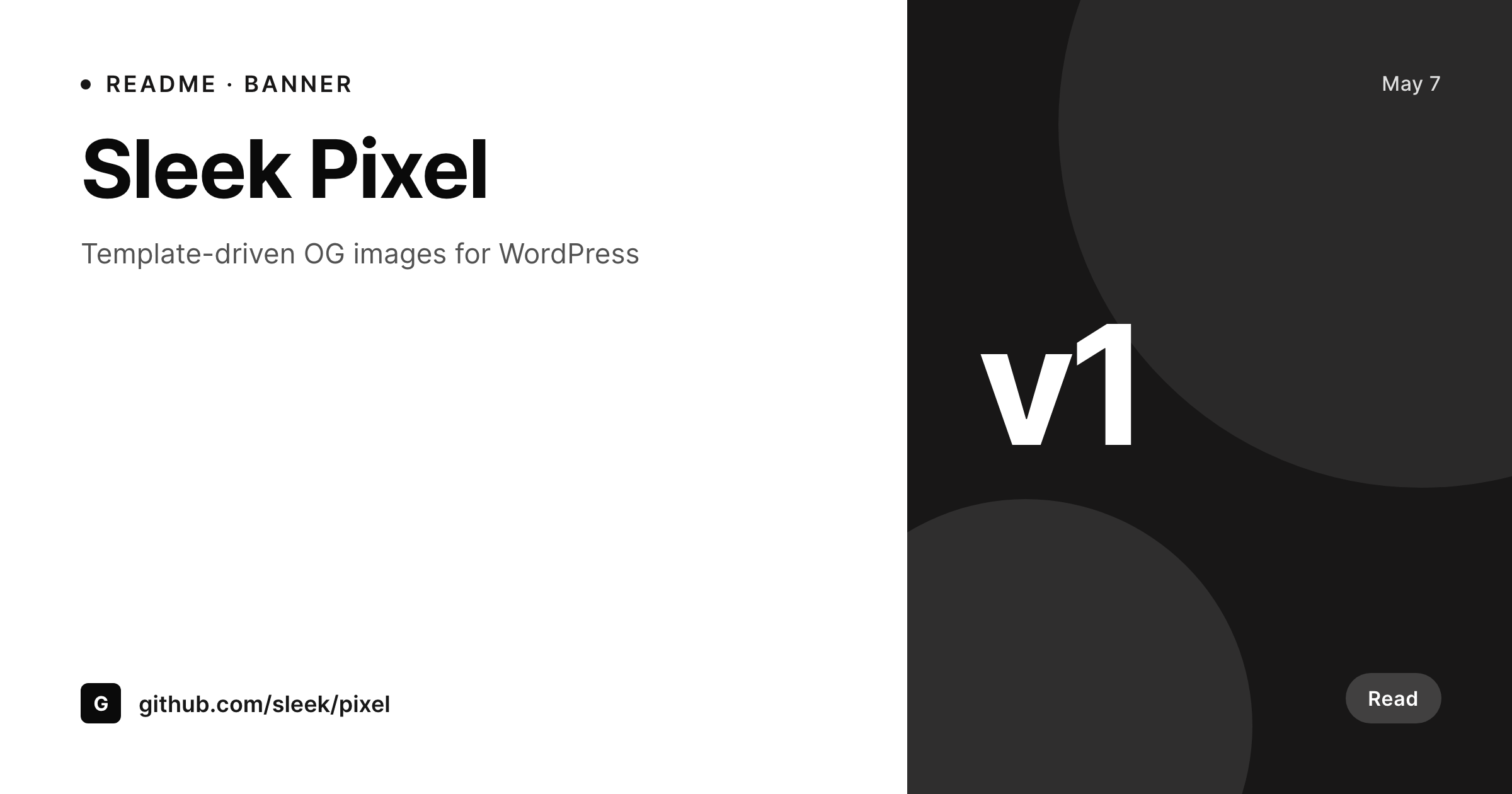
README banners are the second hero of an open-source project
The first thing a developer sees on a GitHub repo is the README, and the first thing they see in the README is the banner. A real README banner with the project name, the tagline, and the version reads as a project that takes itself seriously. A blank README that drops straight into a list of badges reads as a side project. Done manually, the banner is a Figma export uploaded to the repo's assets folder, and it ages out the moment the version bumps because nobody reopens the file.
SleekPixel makes the README banner a render of a project post in WordPress. The template is 1280 by 640, in HTML and CSS, with slots for the project name, the tagline, the version, and any custom field. README files reference the rendered file by URL, so a version bump in the project post updates the banner across every README that references the URL. An org with twenty libraries shares the template family, so every README banner reads as one team without per-repo design.
For repos that prefer to commit the file rather than hot-link, SleekPixel exposes a download button in the WordPress editor sidebar. The PNG is named after the project, ready to drop into the assets folder and reference relatively from the README.
Workflow
From project post to GitHub-ready README banner
Design the template
Bind the project fields
Save the post
Hot-link or commit
Output
What gets generated per project
A 1280x640 PNG sized for a GitHub README banner, with the project name, tagline, version, and any field mapped from the project post.
Comparison
Manual README banners versus SleekPixel
Manual / Figma / no banner
- Most repos skip the banner because Figma rounds are not worth the time
- Banners that exist still show v0.3 long after the project shipped v2
- Twenty repos under one org each get a banner in a different style
- Tagline rewrites in the project post never propagate to the banner
- Designers refuse to redo the file every time a version bumps
SleekPixel
- 1280x640 PNG rendered per project post on save
- Project name, tagline, and version fields bind into the template
- Hot-linkable from a README via the rendered file URL
- Sidebar download for repos that prefer to commit the file
- Real PNGs in uploads, served from your own domain
Features
What SleekPixel gives you for GitHub README banners
Per-project render
Each project post produces its own 1280 by 640 README banner with the right project name, tagline, and version.
Hot-linkable
READMEs reference the rendered file by URL, so a version bump in the project post propagates to every README pointing at it.
Sidebar download
Prefer to commit the banner? Click download in the editor sidebar and place the PNG in the repo's assets folder.
Use cases
Where README banners shape the project read
Library suite
An org publishing a suite of libraries renders a banner per library from the same template, with each library's name and version.
Version bumps
Major or minor version bumps update the banner version on save without a Figma round trip.
Docs site mirror
Docs sites that mirror project posts share the same banner between the docs hero and the GitHub README.
The bigger picture
Why README banners decide the first impression on GitHub
Open source has a small attention budget. A developer scanning a list of starred repos or a search result clicks through, looks at the README hero, and decides in seconds. A real banner with the project, the tagline, and the version anchors that decision and earns the next thirty seconds of reading.
A missing banner leaks attention. Manually maintained banners survive the first launch and then go stale on the first version bump because the file does not auto-update. SleekPixel makes the banner a render of the project post, so version bumps and tagline rewrites propagate without a Figma round trip.
An org of twenty libraries reads as one team because every README banner came out of the same template. Hot-linking means a single source of truth between the docs site and the GitHub README, with the project post deciding what the banner says.
Questions
Common questions about SleekPixel for GitHub README banners
No. The rendered file lives on your WordPress uploads. READMEs reference it by URL (hot-link) or you can commit a downloaded copy to the repo's assets folder. SleekPixel does not push to GitHub via API.
1280 by 640 by default, sized to render cleanly at the top of a GitHub README. The dimension is configurable in the template.
Yes. Bind a version field on the project post and the template renders the version tag prominently.
Yes. GitHub allows external image URLs in READMEs, and the rendered file is a static PNG on your own domain. It loads inside the README and on github.com itself.
Use the editor sidebar download to grab the PNG and commit it to the repo's assets folder. Reference it relatively from the README.
Yes, including self-hosted custom fonts. The template is HTML and CSS, so any font you can serve works.
In the WordPress uploads directory as real PNGs, served from your own domain. They are in the media library and included in normal backups.
No. Rendering happens on save. There is no per-view API call and no usage cap.
Pricing
More than 1000+
happy customers
Explore our flexible licensing options tailored to your needs. Upgrade your license anytime to access more features, or opt for a lifetime license for ongoing value, including lifetime updates and lifetime support. Our hassle-free upgrade process ensures that our platform can grow with you, starting from whichever plan you choose.
Lifetime ♾️
Most popular
EUR
once
- Unlimited websites
- Lifetime updates
- Lifetime support
...or get the Bundle Deal
and save €250 🎁
💎 Want everything forever? The All Access Pass is going away on 01.08.2026.
The Bundle (unlimited sites)
Pay once, own it forever
Elevate your WordPress site with our exclusive plugin bundle that includes all of our premium plugins in one package. Enjoy lifetime updates and lifetime support. Save significantly compared to buying plugins individually.
What’s included
-
SleekAI
-
SleekByte
-
SleekMotion
-
SleekPixel
-
SleekRank
-
SleekView
€749
Continue to checkoutBrowse more
- eBay listing images
- Reddit subreddit banners
- Substack post headers
- LinkedIn article covers
- LinkedIn showcase page banners
- KDP hardcover cover
- Bluesky profile banners
- Rumble thumbnails
- Facebook ad images
- Farcaster cast images
- X ad images
- Twitch camera frame
- Dribbble shot covers
- Twitter card images
- YouTube Shorts covers