






SleekPixel for greeting card shop
Birthdays, holidays, sympathy, congrats. Each WooCommerce product or seasonal drop renders into a 1080x1080 card the shop can post the morning the SKU goes live.
♾️ Lifetime License available
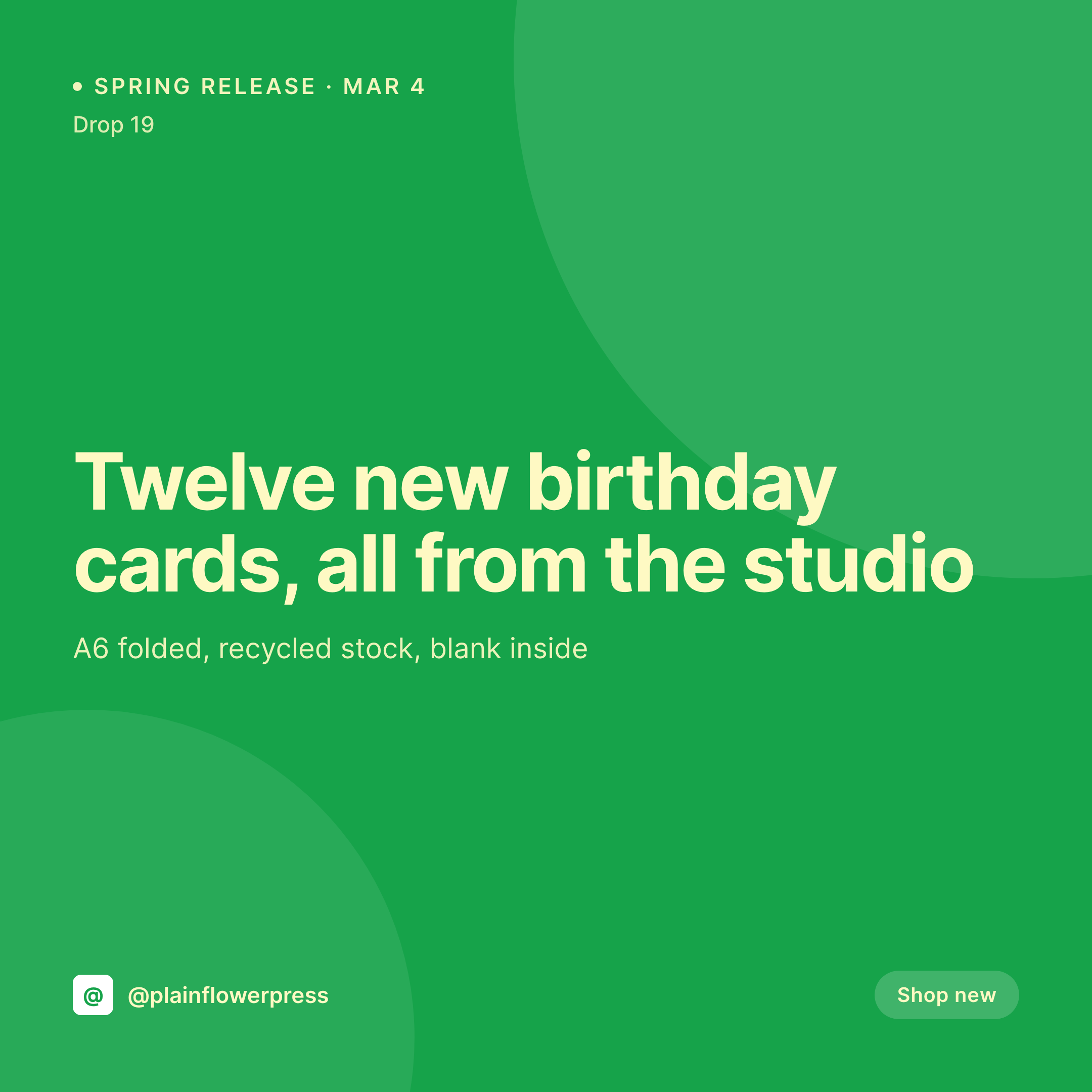
Drops, restocks, and the daily card grind
A greeting card shop's grid is built on releases and restocks. A new birthday card on Tuesday, a Mother's Day set in April, a Valentine's drop in late January. Each one is a square image with the card title, the format (A6 folded, A2 flat, square notecard), the stock, and a clean studio photo of the card on a colored surface. Each one needs to ship the morning the SKU goes live so the launch on Instagram matches the launch on the shop.
The data is already on the WordPress site. The shop runs WooCommerce, and each card has fields for format, stock, blank vs printed inside, illustrator credit, and image. The hero photo is in the media library after the photographer hands the shoot off. The typing is done. The gap is the 1080x1080 PNG that the shop owner would otherwise build in Canva for every new design.
SleekPixel renders that PNG on save. The card product saves at 09:00, the release card lands in uploads with the format, stock, and illustrator credit already set. The owner posts at 09:30 when the shop goes live. The grid stays consistent across a year of holidays and everyday releases because the template was set once and never moves.
Workflow
From product entry to drop day post
Map product fields
Design one square template
Schedule the release
Post on drop day
Output
What gets generated per card
A 1080x1080 square card with the card title, format, stock, blank or printed inside, illustrator credit, and price. Pulled from the WooCommerce product.


Comparison
Default greeting card shop image vs SleekPixel
Default greeting card shop image
- Owner builds a Canva card per new design on the morning of the drop
- Format and stock on the post drift from what the shop page lists
- Illustrator credit gets dropped from the post when the owner is in a rush
- Holiday drops, everyday cards, and notecards all use slightly different templates
- Wholesale buyers see different cards than retail customers because the post was rebuilt twice
SleekPixel
- Save the product post, the 1080x1080 release card lands in uploads
- Format, stock, illustrator credit, and price pulled live from the WooCommerce product
- Square format sized for Instagram and Facebook grids
- Sidebar download from Gutenberg for the owner to post in seconds
- One template across drops and seasons keeps every card on-brand
Features
What SleekPixel gives you for greeting card shop
Card per SKU
Every new birthday, holiday, or sympathy card saves with a square card. The title, format, and stock come from the product post.
Illustrator credit
Credit fields on the product render in small type on the card so every illustrator's work shows up with their name attached.
Owner fast lane
Product is saved at 09:00, the release card is in uploads. The owner downloads from the sidebar and posts at 09:30.
Use cases
Who uses SleekPixel for greeting card shops
Indie greeting card studios
Small studios releasing 6 to 12 new cards a season post each new SKU with the format, stock, and illustrator pulled from WooCommerce.
Seasonal and holiday brands
Holiday sets and seasonal drops render with the season's palette and the drop date in the badge.
Multi-illustrator card shops
Shops that carry work from multiple illustrators credit each artist on the public release card with their name and handle.
The bigger picture
Why greeting card grids feel like a studio or a stock supplier
A greeting card shop's Instagram grid is the storefront for both retail and wholesale buyers. A buyer for a museum gift shop or a stationery chain scrolls the grid before sending an inquiry, and the grids that win that buyer over read as cohesive bodies of work, not collections of cards on different backdrops. Most shops lose this on drop day, when the owner is in Canva at 08:45 trying to get a card live for a 09:00 release, and the resulting post drifts a little in type, palette, and crop.
The fix is to derive the post from the product. The title, the format, the stock, and the illustrator are typed once into the WooCommerce fields. Saving the product renders the release card with those values into a template designed alongside the shop's printed catalog.
The grid reads as one studio across a year of holidays, the wholesale buyer sees a body of work, and the owner gets the drop day morning back.
Questions
Common questions about SleekPixel for greeting card shop
All three. SleekPixel reads any post type and any field, so WooCommerce products, EDD downloads, and custom card CPTs all feed the same template.
Yes. Templates can be conditional on category, season, or custom field. Holiday drops use one layout, everyday cards another, all pulling from the same fields.
Yes. The illustrator field on the product renders in small type on the card. Each artist's work shows up with their name attached.
Yes. A status field on the product can switch the badge text and accent so sold-out and restock cards read differently from new releases.
Yes. Editing the product re-renders the card with the new values. The image attached to the product URL is always current with the shop.
Yes. The OG image is wired to the same render. A customer sharing the product URL in DMs or Slack sees the release card in the preview.
No. SleekPixel renders the image and saves it to uploads. Posting is a manual step from the platform's app or a scheduling tool.
No. SleekPixel renders static PNG and JPG only. Stories and video are out of scope, the focus is still images tied to product data.
Pricing
More than 1000+
happy customers
Explore our flexible licensing options tailored to your needs. Upgrade your license anytime to access more features, or opt for a lifetime license for ongoing value, including lifetime updates and lifetime support. Our hassle-free upgrade process ensures that our platform can grow with you, starting from whichever plan you choose.
Lifetime ♾️
Most popular
EUR
once
- Unlimited websites
- Lifetime updates
- Lifetime support
...or get the Bundle Deal
and save €250 🎁
💎 Want everything forever? The All Access Pass is going away on 01.08.2026.
The Bundle (unlimited sites)
Pay once, own it forever
Elevate your WordPress site with our exclusive plugin bundle that includes all of our premium plugins in one package. Enjoy lifetime updates and lifetime support. Save significantly compared to buying plugins individually.
What’s included
-
SleekAI
-
SleekByte
-
SleekMotion
-
SleekPixel
-
SleekRank
-
SleekView
€749
Continue to checkout