






SleekPixel for terms update cards
Terms of service updates trigger a notice window for every customer. SleekPixel renders one og:image per update in WordPress, generated from the post fields on save.
♾️ Lifetime License available
Terms updates have a clock attached, and the share has to carry it
A terms of service update has a legal weight that most marketing posts do not. There is usually a notice window, often 30 days, during which customers can review the changes and either accept them or terminate the agreement. The share asset that goes out alongside the notice is the first artifact every customer legal team interacts with, and it has to communicate the version, the effective date, and the broad shape of the change.
Companies that publish terms updates infrequently often skip the share asset entirely. The result is a procurement inbox where the email subject line carries the version and the unfurl is a generic company tile. Legal reviewers triaging the notice in their queue have to open the link to find out whether the change is material, whether the effective date is in their renewal window, and whether to escalate.
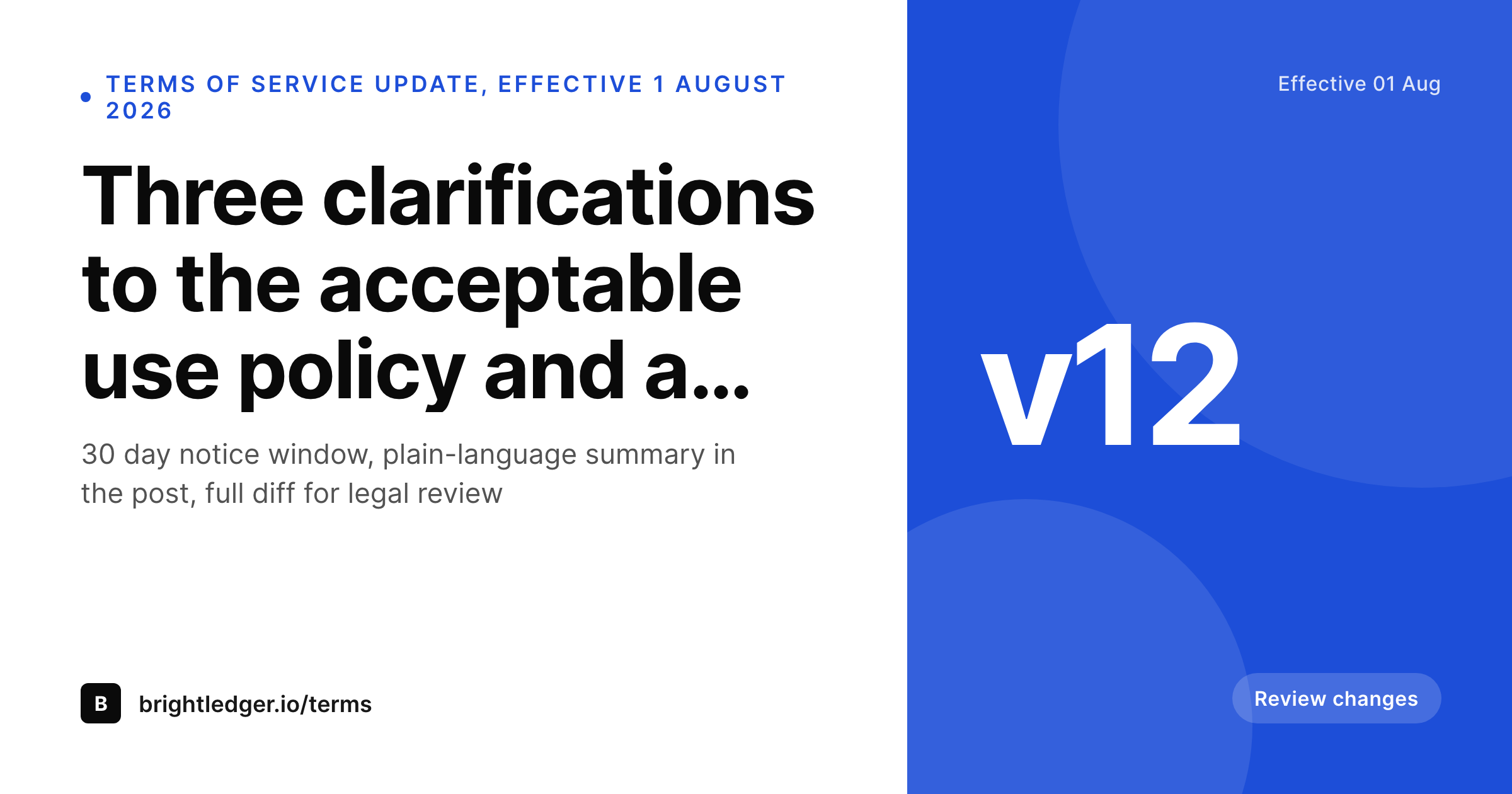
SleekPixel binds the terms update card to the post. Version, effective date, change summary, and the notice-window length bind to fields. The render fires on publish, writes the PNG to uploads, and the post is ready for the in-app banner, the customer email, and the trust-hub feed without any design step.
Workflow
From terms revision to a published share card
Design the terms update template
Configure the terms update post type
Publish the update
Adjust the effective date if needed
Output
What a generated terms update card looks like
A 1200x630 share card with the version, effective date, change summary, and notice-window length pulled from the post.
Comparison
Default terms update image vs SleekPixel
Default terms image
- Same site logo on every terms update regardless of version
- Effective date and notice window hidden inside the post
- Material-change indicator missing from the share preview
- Procurement reviewers cannot triage terms notices by unfurl alone
- No regeneration path when the effective date is pushed back
SleekPixel
- Render fires on publish for every terms update
- Version, effective date, and notice window from post fields
- Material-change badge bound to a boolean field
- Change summary line in the share preview
- Effective-date shifts regenerate the card
Features
What SleekPixel gives you for terms update cards
Version and date in the share
Bind version and effective date to post fields. Customers can identify which update they are receiving and when it takes effect, without opening the post.
Notice window visible
Show the notice-window length, the 30 or 60 days that customers have to review. Procurement teams can immediately determine whether the window fits their internal cycle.
Material-change flag
Optional badge that flags material updates. Material flags trigger a different routing inside customer legal teams, so the signal belongs in the share, not buried in the page.
Use cases
Where terms update cards earn their keep
B2B SaaS legal and ops teams
Companies that revise terms once or twice a year. Each update gets a card that customer legal can triage without opening every link in the queue.
Marketplaces and payment platforms
Platforms with merchant terms that change as regulations evolve. The card carries the version and the effective date for every merchant notice.
Multi-region operators
Companies with separate terms per region. The card carries the jurisdiction tag so the right notice reaches the right customer legal team.
The bigger picture
Why terms updates need a real share card
Terms updates are one of the few customer communications that come with a contractual clock attached. The notice window is legally meaningful, and the customer-side triage of the notice happens largely off the marketing surface, inside procurement queues and customer legal workflows. The share preview is the first artifact those workflows see, and a card that carries version, date, and change summary makes the triage cheap.
The procurement reviewer can route a non-material update to the standard accept path and a material update to a deeper review, all from the unfurl. SleekPixel removes the design dependency from the legal publishing flow, which means the policy team can ship updates on the cadence that makes sense for the business, and the customer side experiences a consistent, professional notice every time.
Questions
Common questions about SleekPixel for terms update cards
Yes. Bind the notice-window pill to a per-post field. Different updates can carry different windows, and the card always reflects the current value.
SleekPixel renders the image and writes the meta tags. The in-app banner is a product concern, but it can reference the same PNG, so the in-app and the email show the same card.
Yes. Add a change-count field on the post and render it in the badge slot. Customers see at a glance whether the update touches one section or many.
Templates can read the active locale and pick a layout per language. Translated summaries and date formats render correctly without separate manual exports.
Yes. Configure two templates against the same post, one for the announcement page and one for the redline page. Both render on save.
SleekPixel renders the image and writes the meta tags. The notification flow itself is a product concern, but the rendered PNG and the post URL plug straight into the existing email template.
Yes. Each terms update post is its own version. The card and the post both persist, useful for an archival history page that lists every version with its share card.
Yes. The admin includes a bulk regenerate action that re-renders every terms update under a chosen template, useful after a brand refresh.
Pricing
More than 1000+
happy customers
Explore our flexible licensing options tailored to your needs. Upgrade your license anytime to access more features, or opt for a lifetime license for ongoing value, including lifetime updates and lifetime support. Our hassle-free upgrade process ensures that our platform can grow with you, starting from whichever plan you choose.
Lifetime ♾️
Most popular
EUR
once
- Unlimited websites
- Lifetime updates
- Lifetime support
...or get the Bundle Deal
and save €250 🎁
💎 Want everything forever? The All Access Pass is going away on 01.08.2026.
The Bundle (unlimited sites)
Pay once, own it forever
Elevate your WordPress site with our exclusive plugin bundle that includes all of our premium plugins in one package. Enjoy lifetime updates and lifetime support. Save significantly compared to buying plugins individually.
What’s included
-
SleekAI
-
SleekByte
-
SleekMotion
-
SleekPixel
-
SleekRank
-
SleekView
€749
Continue to checkoutBrowse more
- media mention card
- checklist download card
- demo day card
- holiday promo card
- monthly roundup cards
- syllabus cards
- fundraising announcement cards
- recap card
- product tour cards
- tweet screenshot card
- growth experiment card
- infographic card snippets
- cohort announcement card
- weekly roundup cards
- workshop cards
- Gumroad product covers
- LinkedIn document post covers
- Spotify Canvas
- Pinterest Idea Pins
- YouTube Shorts thumbnails
- X ad images
- Behance banner
- Open Graph images
- Rednote (Xiaohongshu) post
- Facebook cover photos
- YouTube Shorts cover
- Twitter header banners
- Bandcamp banner
- Mailchimp email headers
- Amazon A+ content images