






SleekPixel for muay thai gym
Class name, kru, round structure, and gear note already live in the booking plugin or class CPT. SleekPixel renders a 1080x1080 card on save so clinch night ships with a graphic, not a Canva rebuild.
♾️ Lifetime License available
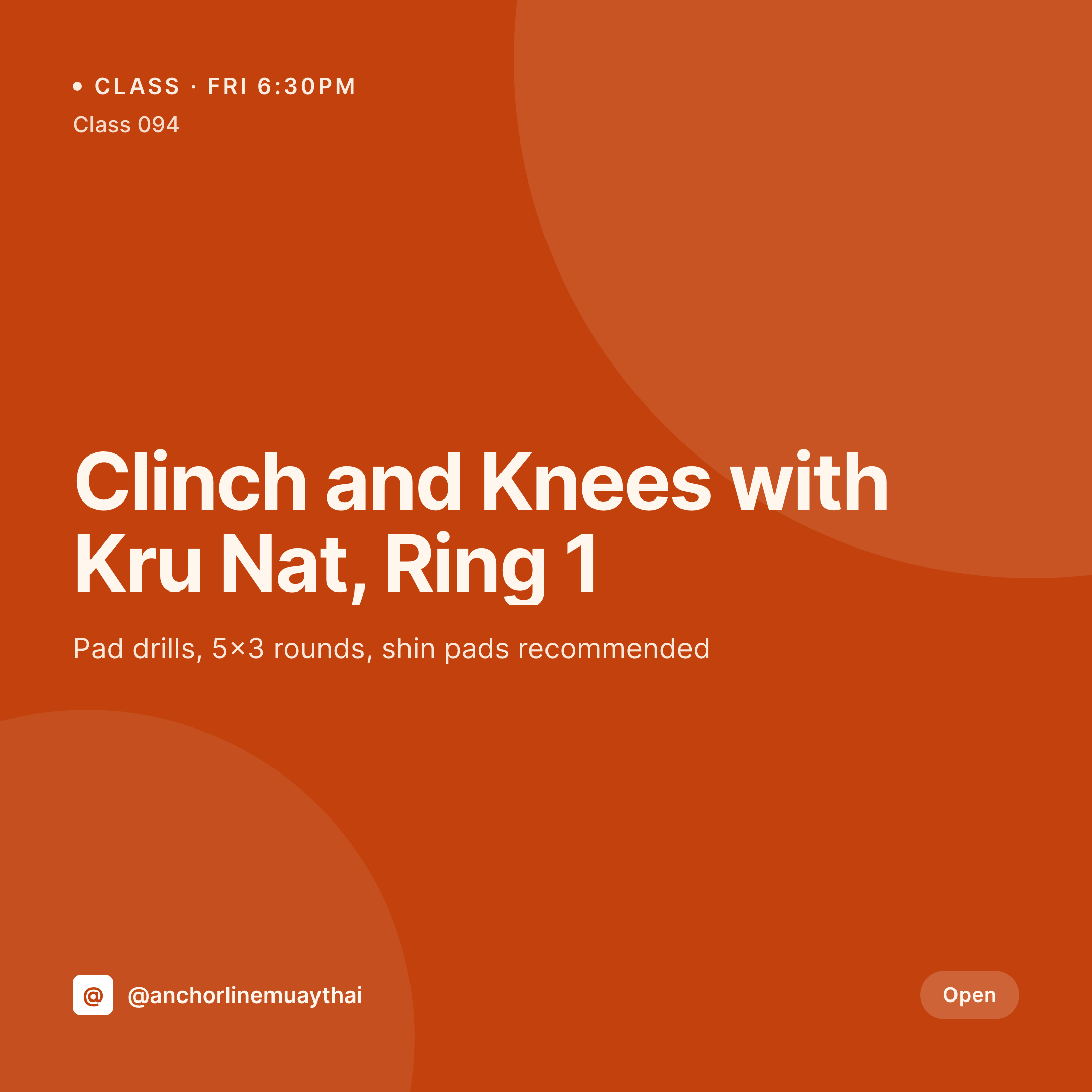
From ring schedule to grid post
A muay thai gym posts its week from the schedule. Clinch and knees on Friday with Kru Nat, Thai pad night on Monday with Kru Som, the Saturday sparring with shin pads. Each post is a square card with the class name, the kru, the round structure, and the gear note. The grid has to look traditional because students and recruits are reading it for signs that the gym takes the art seriously and trained somewhere real.
The data is already on the WordPress site. The gym uses Zen Planner, Mindbody, or a custom class CPT with the class name, kru, ring or area, round structure, and gear note structured. The kru portrait and the ring shot are in the media library. The gap is the 1080x1080 PNG that the front desk otherwise rebuilds in Canva every week.
SleekPixel renders that PNG on save. The class post updates with the kru and round structure, the card lands in uploads with the gear note and start time locked in. The gym posts the card from a phone the night before. The schedule page uses the same render as the class hero. The grid reads as one gym across krus, formats, and weeks.
Workflow
From ring schedule to grid card
Map class and gear fields
Design one square template
Update the schedule
Post the night before
Output
What gets generated per class
A 1080x1080 square card with class name, kru, ring, round structure, and gear note, pulled from the class CPT or booking plugin.


Comparison
Default muay thai gym image vs SleekPixel
Default muay thai gym image
- Front desk rebuilds class cards in Canva every week between sessions
- Round structures on the card drift from what the kru actually runs
- Gear notes get left off and new students show up without shin pads
- Sub-kru swaps don't make it to the social post in time
- Thai pad nights and sparring end up with mismatched typography
SleekPixel
- Save the class post, the 1080x1080 card lands in uploads
- Class name, kru, round structure, and gear note pulled live from the post
- Square format sized for Instagram and Facebook feeds
- Schedule hero stays in sync with the social card automatically
- Level palette so beginner, intermediate, sparring, and fight team read distinctly
Features
What SleekPixel gives you for muay thai gym
Class fields, mapped
Pull class name, kru, ring or area, round structure, and gear note from Zen Planner, Mindbody, or a custom class CPT.
Gear note rendered
Hand wraps, gloves, shin pads, mouthguard. Required gear renders on the card so new students arrive ready for the round.
Level palette
Beginner, intermediate, sparring, and fight team each map to a palette so the grid stays scannable by level.
Use cases
Who uses SleekPixel for muay thai gyms
Independent muay thai gyms
One ring, a tight schedule, a coordinated grid that doesn't need a designer to refresh weekly.
Beginner programs
Foundations classes for new students get a warmer card style without softening the traditional muay thai feel of the rest of the grid.
Amateur fight teams
Fight team prospects get a separate template variant with weight class, next bout date, and venue rendered.
The bigger picture
Why a traditional-looking grid recruits the right students
Muay thai students notice when a gym takes the lineage and the rituals seriously. A grid that uses the right kru titles, the right round counts, and gear notes in the right language signals that the gym trained somewhere real, not just learned the moves from YouTube. Cards rendered from the schedule keep the class, kru, and gear note matching the booking page, so a recruit who watched the grid on Sunday night arrives at the right ring on Monday with hand wraps in their bag.
The grid stays coherent through sub-kru weeks and seasonal pushes because the template absorbs the changes.
Questions
Common questions about SleekPixel for muay thai gym
Yes. SleekPixel reads class fields from the WordPress mirror of Zen Planner, Mindbody, or GymMaster, plus any ACF or Meta Box fields.
Yes. A gear field on the class post renders on the card. Foundations classes can require only hand wraps, sparring can require gloves and shin pads.
Yes. A kru taxonomy term can route to a variant template, or a kru photo and name can render on every class card.
Each format routes to a variant palette and may render a different round structure on the card.
Yes. The class hero image and the social card are both wired to the same render.
Update the kru field and the card re-renders with the new kru's name and photo automatically.
Yes. A fight card variant renders the fighter's name, weight class, opponent, date, and venue from a separate fight CPT.
No. SleekPixel renders the image and saves it to uploads. Posting is a manual step from the app or a scheduling tool.
Pricing
More than 1000+
happy customers
Explore our flexible licensing options tailored to your needs. Upgrade your license anytime to access more features, or opt for a lifetime license for ongoing value, including lifetime updates and lifetime support. Our hassle-free upgrade process ensures that our platform can grow with you, starting from whichever plan you choose.
Lifetime ♾️
Most popular
EUR
once
- Unlimited websites
- Lifetime updates
- Lifetime support
...or get the Bundle Deal
and save €250 🎁
💎 Want everything forever? The All Access Pass is going away on 01.08.2026.
The Bundle (unlimited sites)
Pay once, own it forever
Elevate your WordPress site with our exclusive plugin bundle that includes all of our premium plugins in one package. Enjoy lifetime updates and lifetime support. Save significantly compared to buying plugins individually.
What’s included
-
SleekAI
-
SleekByte
-
SleekMotion
-
SleekPixel
-
SleekRank
-
SleekView
€749
Continue to checkoutBrowse more
- KDP paperback cover
- Kindle book cover
- Klaviyo email headers
- Telegram channel images
- Audible audiobook cover
- Telegram channel banner
- Instagram carousel slides
- Amazon Storefront banners
- Twitch stream overlay images
- Reddit subreddit banners
- SoundCloud track art
- Bluesky link cards
- TikTok ad images
- Dailymotion thumbnails
- Mastodon post images