






SleekPixel for award announcement images
SleekPixel reads each award post's title, recipient, awarding body, and year and generates a custom OG image on save. No more uploading celebratory PNGs by hand - the announcement post becomes the source.
♾️ Lifetime License available
Stop redesigning the same award card for every honor
Awards arrive in clusters - quarterly industry rankings, annual list inclusions, occasional recognitions from partners. Each one calls for a celebratory graphic that does the recipient justice and matches the brand. The reality is that those graphics ship in a flurry of last-minute design work, often with the wrong year still in the corner of the file someone forgot to update.
SleekPixel removes the manual design from the cycle. You build one layout in the WordPress admin with fields like {award_title}, {recipient_name}, {awarding_body}, and {year}. Every time you publish an award announcement, SleekPixel renders the template with the post's actual data and attaches the result as the og:image. LinkedIn, Twitter, Slack, and email previews all show the same on-brand card.
Edit the template once and every prior award card updates. Add a new field for the awarding body's logo, every announcement inherits it. The post copy lives in the CMS; the social card is just a function of it.
Workflow
From award notification to social-ready in one save
Design the template
Connect to the awards post type
Save the announcement
Share anywhere
Output
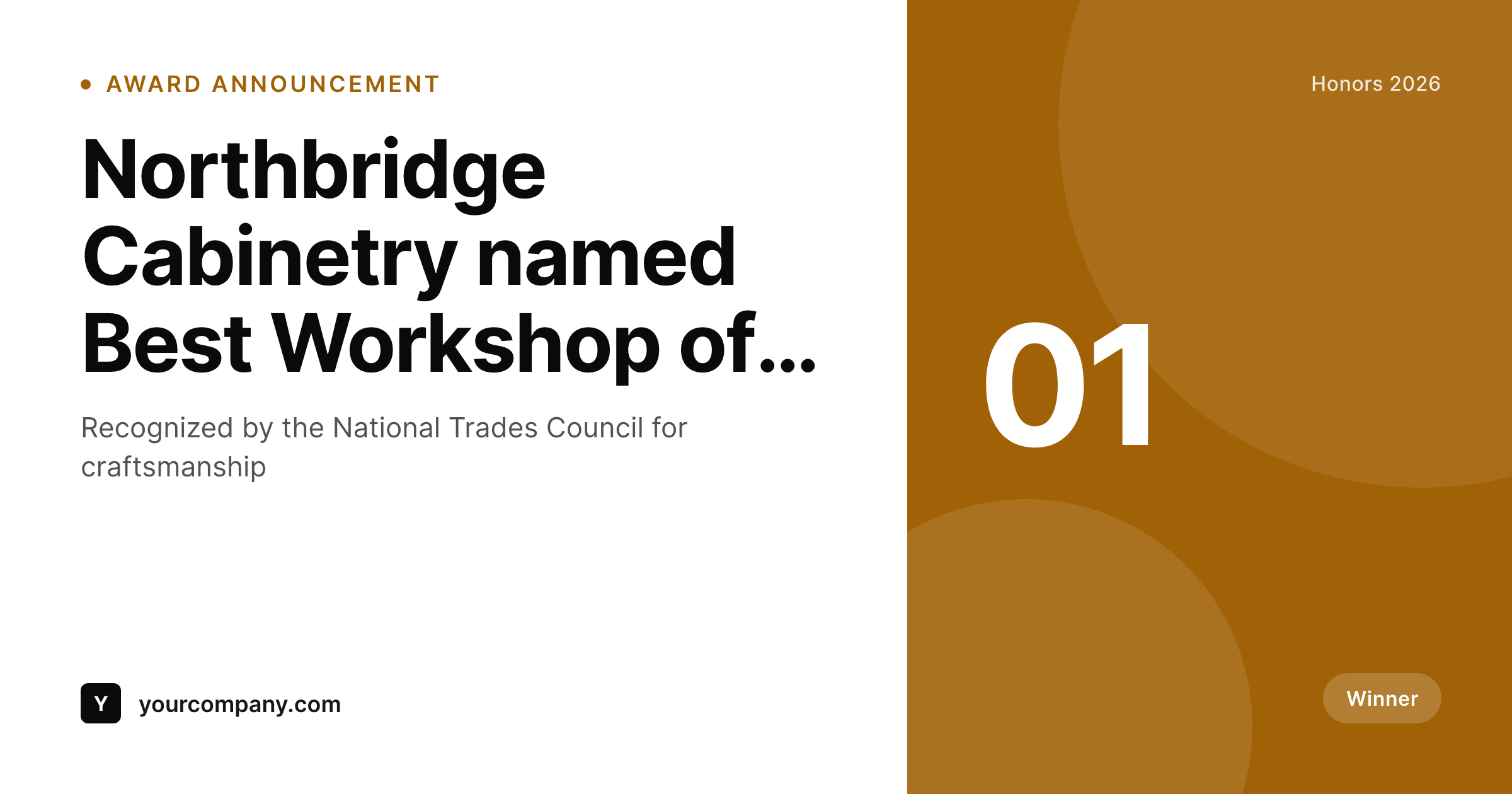
Sample social card from an award post
This card was rendered from an announcement post's award title, recipient, and year. Same template, every recognition.
Comparison
Hand-made award graphics vs SleekPixel
Designer builds each announcement
- Each award waits in a design queue before announcement ships
- Old templates with last year's date get reused by mistake
- Recipient names get misspelled in PNGs that already shipped
- Brand refresh means redrawing the entire archive of past awards
- No bulk update - every honor lives in its own static file
SleekPixel
- Auto-generated announcement card per award on save
- Per-award variables: award title, recipient, awarding body, year, category
- One template = one consistent visual identity across every honor
- Edit the template once and every award card refreshes
- Falls back gracefully if a field is missing
Features
What SleekPixel gives you for award announcement images
Template-driven
Design the award card layout once with text, shapes, ribbons, and dynamic fields. Every announcement inherits it automatically on save.
OG + Twitter meta
SleekPixel writes the og:image, twitter:image, and twitter:image:alt meta tags directly on each post - no theme code to touch.
Regenerate on demand
Updated the template? Bulk-regenerate every past award's image from the admin so the archive looks like it was made yesterday.
Use cases
Where this fits best
Companies on industry lists
Inc. 5000, Forbes lists, regional rankings - every inclusion gets a clean announcement card the same morning the list drops.
Internal recognition programs
Employee-of-the-month, anniversary milestones, team awards - all rendered to the same template with the recipient's name and date.
Awards-driven institutions
Universities, professional associations, and certifying bodies announce dozens of recognitions a year on a single template.
The bigger picture
Why a consistent award card matters
Awards announcements are the rare moment a customer or peer reposts your content unprompted. A list inclusion, a recognition from a major body, an industry win - any of them can outperform a quarter of paid social on a single share. What kills the moment is an announcement post with a generic site logo as the link preview, or worse, the wrong year on a hand-edited PNG.
The companies that compound award attention are the ones whose announcements look polished and current, every time. Doing that by hand requires a design step at exactly the wrong moment, when the team is busy celebrating or coordinating. A template that pulls the award title, recipient, and year from the announcement post removes the design step.
SleekPixel makes the on-brand card the default outcome of writing the post, the same way Notion and Linear treat their launch graphics.
Questions
Common questions about SleekPixel for award announcement images
Yes. SleekPixel writes the og:image meta tag directly into the document head - it doesn't depend on theme support. If your theme already outputs og:image, SleekPixel takes precedence and overrides it cleanly.
The template renders without it. You can set defaults per field (e.g., 'Recognition' for missing categories) or design the layout so missing fields collapse gracefully. Nothing breaks if data is incomplete.
Yes. The admin has a one-click bulk regeneration that re-renders all images for posts using the template. Useful after brand updates or template tweaks.
No. The image is rendered once at save time and stored as a static PNG/JPG. Visitors load a regular image URL - no rendering happens at view time.
Yes - they read the og:image meta tag on first share. Both have card debuggers (LinkedIn Post Inspector, Twitter Validator) you can use to clear their caches if you're testing.
Yes. SleekPixel supports per-category, per-tag, and per-CPT templates. Routing rules in the admin pick the right template for each award automatically.
Add it as a media field on the award post and reference it in the template. SleekPixel supports image fields, so each card can show the correct logo for the body that issued the recognition.
Stores. Each generated image is a real PNG/JPG saved to the uploads folder. This keeps page loads fast and means images survive even if the plugin is later disabled.
Pricing
More than 1000+
happy customers
Explore our flexible licensing options tailored to your needs. Upgrade your license anytime to access more features, or opt for a lifetime license for ongoing value, including lifetime updates and lifetime support. Our hassle-free upgrade process ensures that our platform can grow with you, starting from whichever plan you choose.
Lifetime ♾️
Most popular
EUR
once
- Unlimited websites
- Lifetime updates
- Lifetime support
...or get the Bundle Deal
and save €250 🎁
💎 Want everything forever? The All Access Pass is going away on 01.08.2026.
The Bundle (unlimited sites)
Pay once, own it forever
Elevate your WordPress site with our exclusive plugin bundle that includes all of our premium plugins in one package. Enjoy lifetime updates and lifetime support. Save significantly compared to buying plugins individually.
What’s included
-
SleekAI
-
SleekByte
-
SleekMotion
-
SleekPixel
-
SleekRank
-
SleekView
€749
Continue to checkoutBrowse more
- Facebook ad images
- YouTube channel banners
- Twitch schedule banners
- X list banners
- TikTok profile banners
- Twitch stream overlay images
- VK community cover photos
- Substack podcast cover
- Snapchat Discover tiles
- Behance project covers
- Spotify podcast covers
- Bluesky feed banner
- Mastodon link previews
- Facebook Marketplace images
- kbin post images