






SleekPixel for paintball field
Speedball, woods, scenario, and mil-sim weekends already live on the booking schedule. SleekPixel turns each event post into a 1280x720 thumbnail with field name, all-day price, and gear policy on the image, so the highlight reel ships the same Monday.
♾️ Lifetime License available
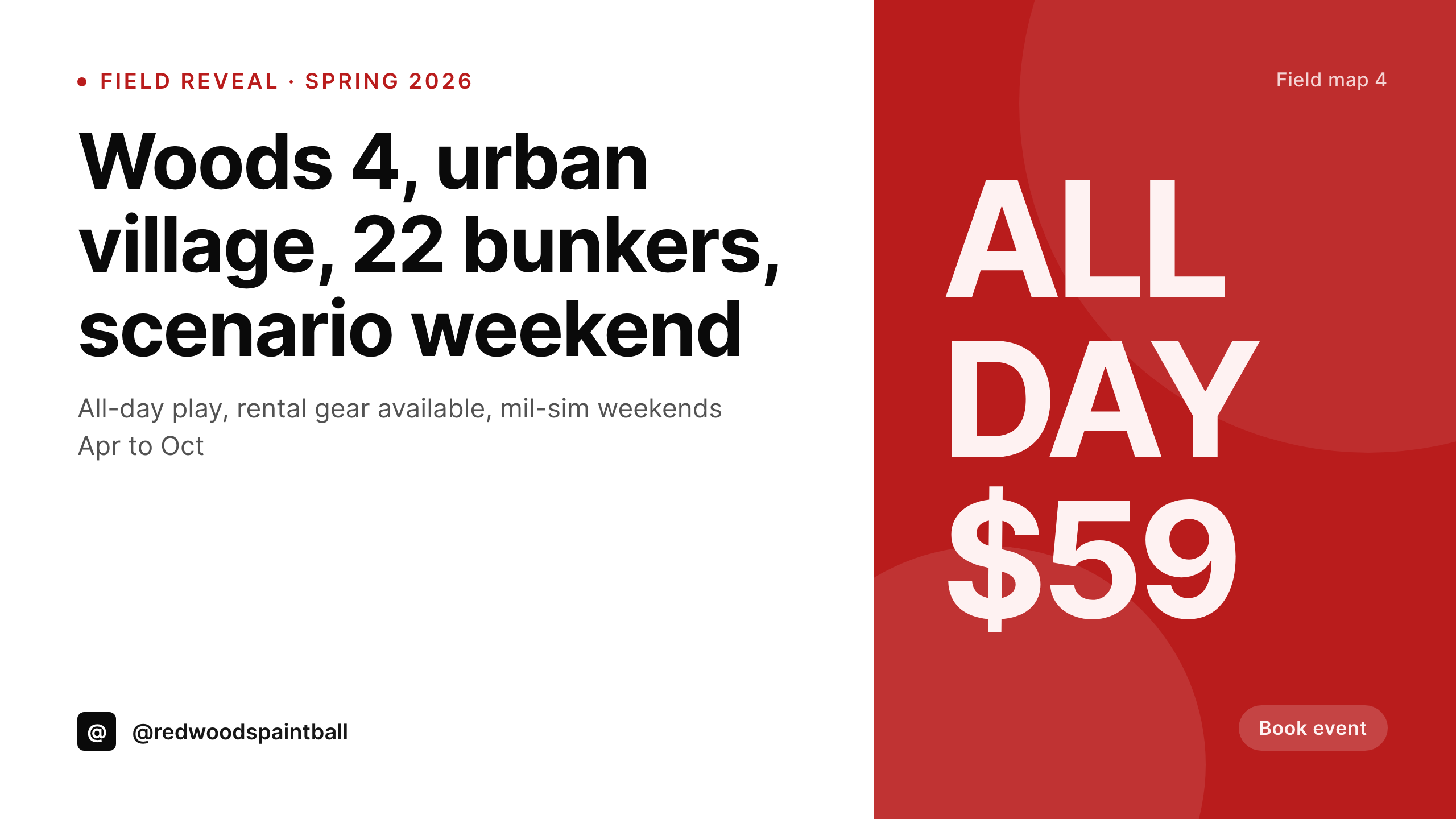
Saturday's footage, Monday's thumbnail
A paintball field runs an event every weekend. Speedball league on Saturday, walk-on woods on Sunday, scenario weekend once a month, and a school break camp in spring. Each event has its own field map, its own price, its own rental package, and its own GoPro footage that ends up on YouTube on Monday. The booking page on the site already says which field is open. The YouTube thumbnail is the part that takes the founder until Tuesday to rebuild in Canva.
The data is on WordPress already. Most fields run an event CPT or a WooCommerce product with custom fields for field number, scenario type, walk-on price, rental price, and gear policy. The site shows the right info on each event page. What is missing is the matching thumbnail that pulls people from a YouTube recap into a Sunday booking.
SleekPixel renders the thumbnail from the event post. Saturday's event publishes, the 1280x720 PNG lands in uploads, the founder uploads the recap on Monday and just picks the file from the sidebar. The thumbnail carries the field name, the all-day price, and the next available date, so a viewer ending up on the channel knows where to book without leaving the player.
Workflow
From event schedule to posted thumbnail
Map the event fields
Design the thumbnail template
Publish the event
Upload Monday's recap
Output
What gets generated per event
A 1280x720 YouTube thumbnail with the field name, scenario type, all-day price, and next available date pulled live from the event post.
Comparison
Default paintball field image vs SleekPixel
Default paintball field image
- Founder rebuilds a YouTube thumbnail every Monday for the weekend recap
- Walk-on price on the thumbnail is a season behind the booking page
- Speedball, woods, and scenario weekends all use different fonts
- Rental gear policy is buried in the description, never visible on the thumbnail
- Field map number on the thumbnail does not match what players show up to
SleekPixel
- Every event post saves with a 1280x720 YouTube thumbnail
- Field name, scenario type, walk-on price, and rental policy pulled live
- OG image for the event booking URL renders alongside the thumbnail in one save
- Same template covers leagues, scenarios, and birthday parties
- Bulk regenerate after a price or gear policy change so every event card refreshes
Features
What SleekPixel gives you for paintball field
Field map on the image
Field 1 woods, Field 4 urban village, Field 7 speedball. The field number and type pull from the event post so viewers know where the recap was shot.
Thumbnail per recap
The Monday recap on YouTube gets a thumbnail with all-day price and next available date already on it, no rebuild from a Canva template.
Scenario events first
Mil-sim weekends, big-game scenarios, and zombie nights get a thumbnail that calls out the scenario by name, not just a generic action shot.
Use cases
Who uses SleekPixel for paintball fields
Speedball league recaps
Weekly speedball league posts each get a thumbnail with the standings and next match date, all from the league CPT.
Scenario weekend marketing
Mil-sim weekends, big-game scenarios, and themed events get a thumbnail and OG card with scenario name and all-day price.
Birthday and corporate parties
Group bookings render with party size, package tier, and rental gear included, so the social card matches the quote the parent or HR contact got.
The bigger picture
Why paintball fields need the thumbnail to match the booking page
A paintball field sells weekend slots, and most of those slots get booked by people who saw the recap on YouTube or Instagram first. If the thumbnail shows a price that no longer matches the field, or a rental package the field has dropped, the booking falls apart at checkout. The data is already on the site, because the booking page has to be accurate or the field cannot run the day.
Treating the thumbnail as a rendering of the event post means the field number, the scenario name, the walk-on price, and the rental policy stay in sync between the YouTube channel and the booking flow. The founder gets Monday back to film the next weekend instead of rebuilding a Canva file, and the recap channel actually feeds bookings instead of drifting off-brand over a season.
Questions
Common questions about SleekPixel for paintball field
Yes. Field number and field type are just post fields. Field 1 woods can use one template variant and Field 7 speedball another. All pull from the same event CPT.
Yes. A single event post can render multiple formats at once. The 1280x720 YouTube thumbnail, the 1200x630 OG card, and a 1080x1080 Instagram tile all save in one go.
Group booking products carry party size, package tier, and rental gear as fields. The template renders those fields on the card so the parent or HR contact sees the same number on the social post as in the quote.
Yes. WooCommerce booking products are still WooCommerce products. SleekPixel reads the resource fields, the duration, and the price and renders the thumbnail on save.
Yes. Templates can be conditional on category or taxonomy. Speedball league uses one layout, woods league another, scenario weekend a third. All pull from the same event fields.
No. Rendering runs on save in the admin. The front end serves the cached PNG. The og:image meta tag points at a static file, so link previews load instantly.
No. SleekPixel renders the image to uploads with og:image meta. Uploading to YouTube or posting to Instagram is a manual step or a scheduler's job.
Templates can swap by date range or taxonomy. Outdoor woods events use one layout from April to October, indoor speedball uses another in winter. The field mapping stays the same.
Pricing
More than 1000+
happy customers
Explore our flexible licensing options tailored to your needs. Upgrade your license anytime to access more features, or opt for a lifetime license for ongoing value, including lifetime updates and lifetime support. Our hassle-free upgrade process ensures that our platform can grow with you, starting from whichever plan you choose.
Lifetime ♾️
Most popular
EUR
once
- Unlimited websites
- Lifetime updates
- Lifetime support
...or get the Bundle Deal
and save €250 🎁
💎 Want everything forever? The All Access Pass is going away on 01.08.2026.
The Bundle (unlimited sites)
Pay once, own it forever
Elevate your WordPress site with our exclusive plugin bundle that includes all of our premium plugins in one package. Enjoy lifetime updates and lifetime support. Save significantly compared to buying plugins individually.
What’s included
-
SleekAI
-
SleekByte
-
SleekMotion
-
SleekPixel
-
SleekRank
-
SleekView
€749
Continue to checkoutBrowse more
- LinkedIn event banners
- LinkedIn newsletter headers
- X ad images
- Lemmy post images
- X community banners
- YouTube Shorts covers
- Beacons.ai banner
- LinkedIn article covers
- Instagram Reels covers
- Snapchat Spotlight covers
- GitHub README banners
- Ko-fi banners
- Nostr note images
- Facebook post images
- Twitch profile banner