






SleekPixel for BigCommerce products
Many BigCommerce stores run a WordPress content site alongside the storefront for SEO, journal posts, and lookbooks. SleekPixel renders branded share images for every product post on the WordPress side, so each product link previews with the right card.
♾️ Lifetime License available
BigCommerce checkout, WordPress storytelling
BigCommerce sits in the same hybrid pattern that Shopify popularized: a hosted commerce engine for checkout, paired with a WordPress site for editorial content, SEO, and brand depth. The BigCommerce store handles the product catalog, the cart, and the payment. The WordPress site handles the journal posts, the founder story, the press features, and the affiliate landing pages. Product mentions appear on both sides, and a meaningful share of social traffic clicks through from the WordPress URLs.
The official BigCommerce for WordPress plugin syncs products into WordPress as custom posts with title, price, image, and description fields. Some teams use that plugin; others build editorial product pages with ACF or a custom post type and link the buy button to the BigCommerce product URL. In both cases the WordPress page is the URL that gets shared, and by default that URL inherits whatever OG image the theme provides. Most themes provide the site logo, so every product mention previews identically.
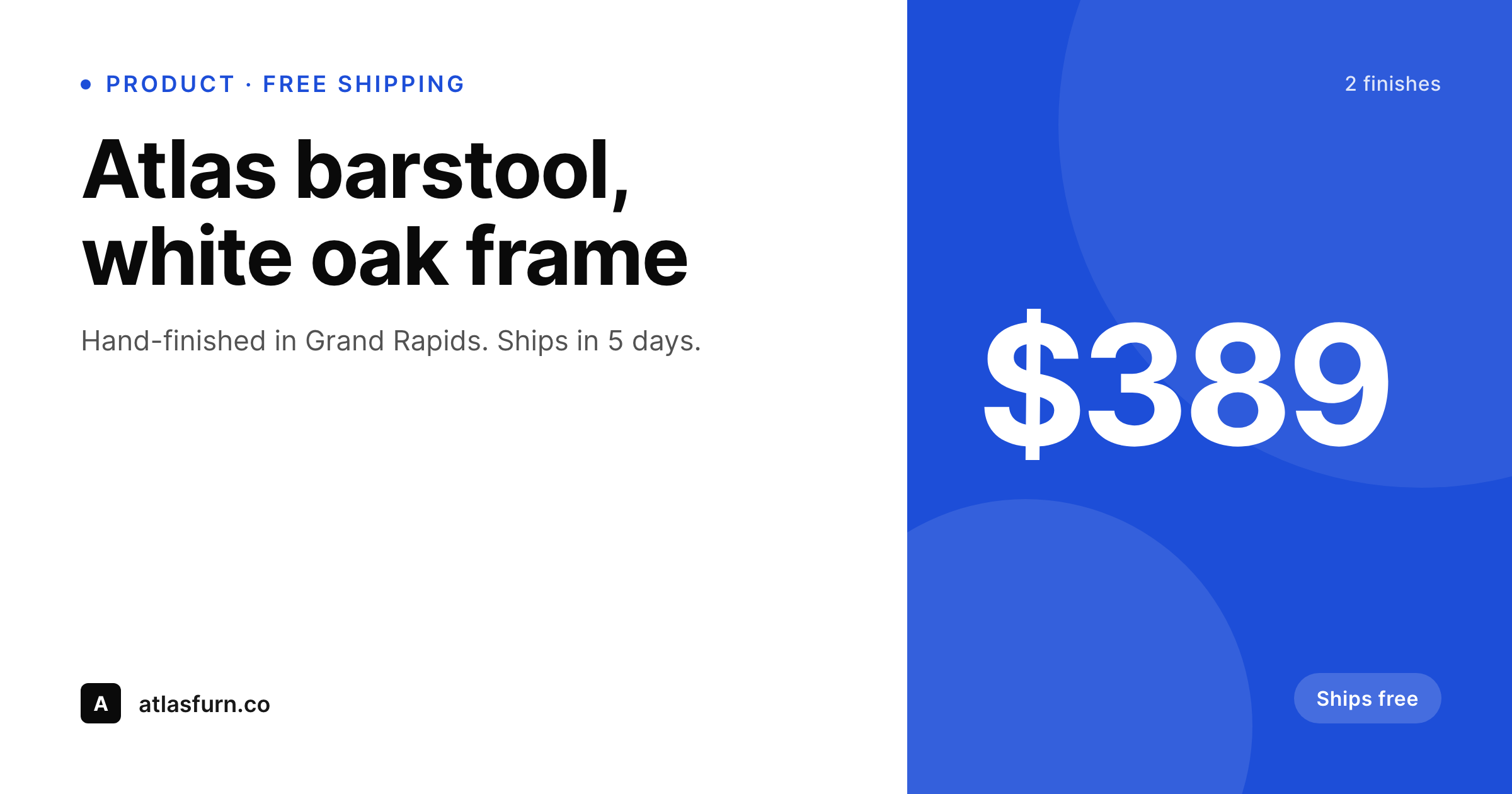
SleekPixel reads the BigCommerce product fields stored on the WordPress post and renders a branded share image on save. Title, price, featured image, free-shipping flag, and brand color all become part of the card. The result is that every product post shares with a real preview pointing to the BigCommerce checkout, with no manual export step in the loop.
Workflow
From BigCommerce sync to social-ready
Confirm where product data lives
Build a product template
Save the product post
Share, syndicate, sell
Output
What ships with every BigCommerce product post
A 1200 by 630 OG image with product title, price, image, shipping badge, and brand wordmark, rendered from the BigCommerce fields on the WordPress post.
Comparison
Default OG vs BigCommerce-aware rendering
Default site OG image
- Every product link previews with the same site logo regardless of product
- Price never appears in the share card even though it is on the page
- Free-shipping or in-stock status is invisible at the share level
- Brand updates require manually redoing share art for the entire catalog
- Affiliate posts open with stretched homepage banners on Pinterest and LinkedIn
SleekPixel
- Reads BigCommerce product fields synced into WordPress as post meta or ACF
- Title, price, featured image, and shipping badges render onto the card
- Compatible with the official BigCommerce for WordPress plugin
- Per-category template variants for furniture vs apparel vs accessories
- Bulk re-render the catalog when the brand evolves
Features
What SleekPixel gives you for BigCommerce products
Field-bound to BigCommerce sync
The official plugin and most third-party syncs store product fields as post meta. SleekPixel reads those fields directly with no remapping.
Shipping and stock badges
Free-shipping flags, in-stock states, and lead-time labels render onto the card only when the underlying field says they apply.
Category template variants
Furniture catalogs benefit from a different layout than apparel. SleekPixel switches template variants based on category taxonomy.
Use cases
Who uses SleekPixel for BigCommerce products
Hybrid BigCommerce + WordPress brands
The journal posts and lookbooks mention products. Each mention now shares with a per-product card instead of the brand logo.
Affiliate publishers and reviewers
Round-up posts and product reviews on WordPress link to BigCommerce checkouts. Each link gets its own social card on share.
PR and press coverage pages
Press feature pages that list products covered get matching share cards, useful when pitching to journalists or sharing in newsletters.
The bigger picture
Why per-product social cards matter for BigCommerce hybrid setups
BigCommerce-plus-WordPress brands are running two systems for one reason: the editorial flexibility of WordPress paired with the commerce reliability of BigCommerce. The split shows up in the share previews, where the WordPress side controls how product links look on Twitter, Pinterest, LinkedIn, and Slack. When every preview is the same site logo, the editorial investment in product storytelling stops at the page boundary.
The journal post does its job, then the share strips the product context and shows only the brand mark, which is the weakest possible recognition signal for a returning visitor or a cold prospect. The second reason is operational. BigCommerce catalogs evolve constantly: new arrivals, seasonal collections, price tests, free-shipping windows.
Manually exporting share art for each change is unrealistic, so the team either skips the work and accepts weak previews, or burns design hours on a maintenance task that never ends. SleekPixel reads the data already syncing from BigCommerce and renders on save, so the share image stays current with the catalog without anyone in operations spending evenings on thumbnail exports. The team gets back to building the catalog and writing the journal posts that actually move traffic.
Questions
Common questions about SleekPixel for BigCommerce products
Yes. That plugin syncs products as a custom post type with fields stored as post meta. SleekPixel reads those meta fields directly. Building a template against bigcommerce_product fields is the same workflow as building one against any custom post type.
If the product data only lives in an embedded widget or a headless API call, the WordPress post does not have the fields locally. You can store a mirror of the title, price, and image as ACF fields on the WordPress page, and SleekPixel renders from those. The actual checkout still calls the BigCommerce backend.
Only when the WordPress side updates. If your sync plugin polls BigCommerce and updates post meta, the next save triggers a re-render. Most syncs handle this automatically on a schedule. If product posts are hand-maintained, prices update when someone edits the post.
Yes. BigCommerce category data syncs as taxonomy terms. Templates can switch layout, accent color, or badge based on the assigned category, so furniture, apparel, and accessories each get the right visual treatment.
BigCommerce variant data syncs as part of the product post. If you want per-variant share images, each variant URL needs its own WordPress representation. The simpler path is to render the parent product and list variants as a footer line.
No. SleekPixel only writes OG and Twitter image meta tags on WordPress pages. BigCommerce inventory, cart, payment, and shipping are untouched. The plugin has no connection to the BigCommerce backend.
No. Stencil pages live on the BigCommerce domain and are rendered by BigCommerce, not WordPress. SleekPixel only handles the WordPress side. Stencil storefront OG images are managed within BigCommerce's own theme settings.
Rendering happens on save, not on page load, so visitor traffic does not affect performance. Bulk re-render through the admin is the heaviest operation and runs in the background. Catalogs of several thousand products render through over hours without blocking the admin.
Pricing
More than 1000+
happy customers
Explore our flexible licensing options tailored to your needs. Upgrade your license anytime to access more features, or opt for a lifetime license for ongoing value, including lifetime updates and lifetime support. Our hassle-free upgrade process ensures that our platform can grow with you, starting from whichever plan you choose.
Lifetime ♾️
Most popular
EUR
once
- Unlimited websites
- Lifetime updates
- Lifetime support
...or get the Bundle Deal
and save €250 🎁
💎 Want everything forever? The All Access Pass is going away on 01.08.2026.
The Bundle (unlimited sites)
Pay once, own it forever
Elevate your WordPress site with our exclusive plugin bundle that includes all of our premium plugins in one package. Enjoy lifetime updates and lifetime support. Save significantly compared to buying plugins individually.
What’s included
-
SleekAI
-
SleekByte
-
SleekMotion
-
SleekPixel
-
SleekRank
-
SleekView
€749
Continue to checkoutBrowse more
- Reddit post card
- product update images
- security advisory cards
- anniversary promo card
- behind the build card
- diversity report card
- assignment cards
- playbook cards
- stat callout cards
- certification announcement cards
- open startup cards
- countdown banners
- good vs bad cards
- contributor spotlight card
- mental model cards