






SleekPixel for burger joints
Specials, limited builds, collab burgers and Friday smashes all live in your WordPress menu already. SleekPixel turns each menu post into a feed-ready square and an OG image without a Canva detour.
♾️ Lifetime License available
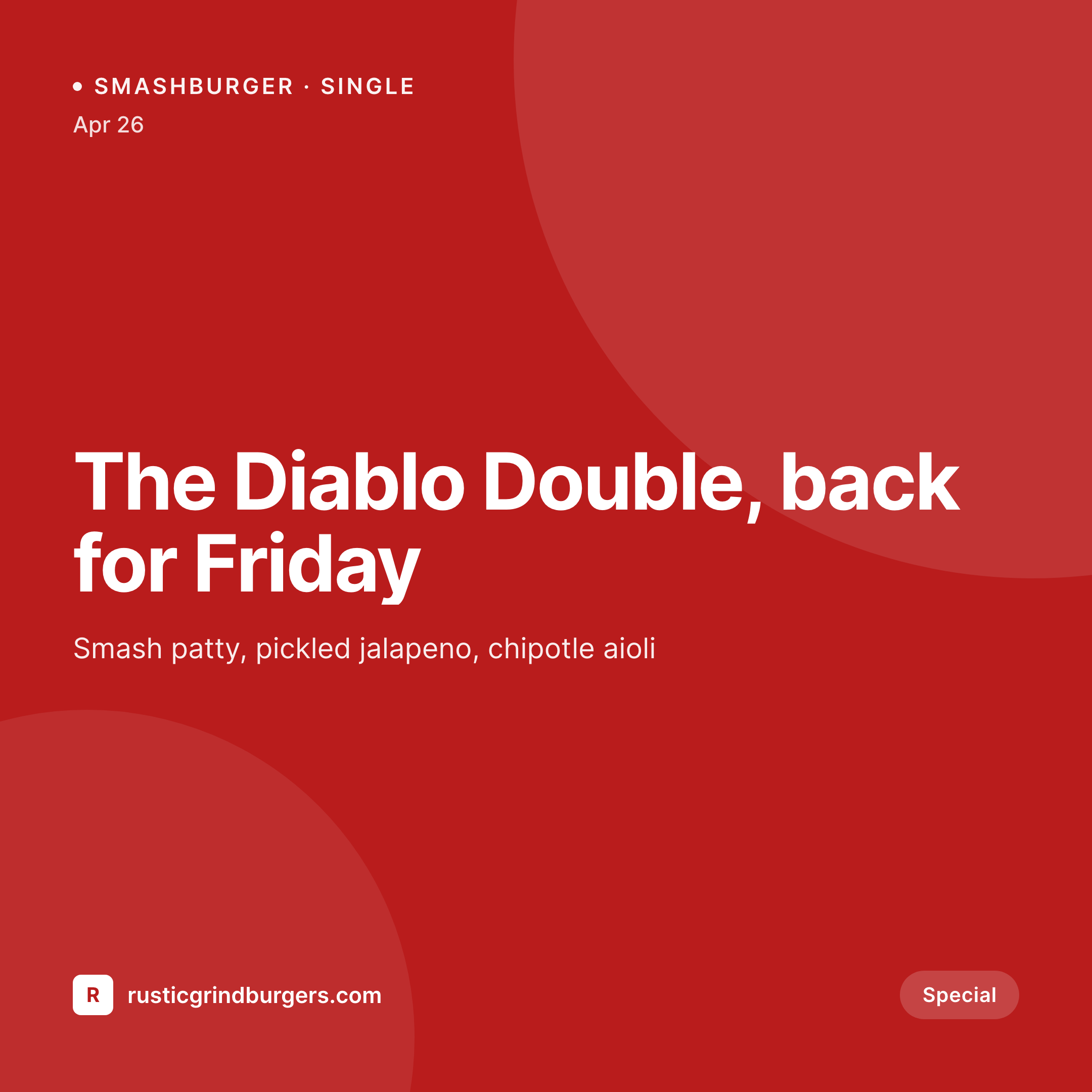
The burger changes every week, the art should keep up
A burger joint that runs weekly specials and limited collabs lives or dies on Instagram. The patty changes, the bun changes, the sauce changes, the price changes, and every change needs a square for the feed, a vertical for stories, and an OG image for the menu page so the smash burger post does not share with a stretched logo. Most kitchens fall back on phone photos and a Canva template that nobody owns, which means typography drifts, prices vanish, and the Friday drop goes out with last week's date still in the corner.
SleekPixel reads from the menu post type that already runs the website. Burger name, ingredient list, price, allergen badges, available days, and the hero shot are fields on the post. Those fields render into a templated 1080 square and a 1200 by 630 OG image the moment the post is saved. The square downloads from the editor sidebar, ready to drop into the Instagram app. The OG image fires automatically when the menu page is shared in DMs or pinned on Google Business.
The kitchen runs the kitchen. The same person who types up the special types it once, into the post, and the social rollout falls out the other side.
Workflow
From a Friday menu post to a feed-ready special
Build the burger template
Map the menu post type
Save the special
Post and share
Output
What renders for a Friday special
A 1080 square Instagram post built from one menu post: burger name, the price badge, available days, and a brand mark in the corner.
Comparison
Default burger joint image vs SleekPixel
Default burger joint image
- Phone photo with no price, no day, and no brand mark on the image
- Canva file owned by the last person who promoted a burger, then quit
- Different fonts on every special because the template gets re-saved
- OG image is the cafe logo, so a smash burger link shares as a logo
- Last week's date stays in the corner because someone forgot to swap it
SleekPixel
- Burger name, price, toppings and available days pull from the menu post
- One template renders the Instagram square and the OG image at once
- Allergen badges render as small icons so dietary callouts stay readable
- Story version downloads from the sidebar for printable shift specials
- Menu page OG image refreshes the moment the next special goes live
Features
What SleekPixel gives you for burger joints
Menu post aware
Reads the burger name, the ingredient list, and the price from the same custom fields the menu page uses. No second data entry.
Available days baked in
Friday-only or all-week renders into a small strip on the image, so customers know whether to drive over tonight.
Price as a badge
The current price renders as a corner badge that stays readable at thumbnail size in the feed.
Use cases
Who uses SleekPixel for burger joints
Weekly specials
Friday smash, Sunday double, Wednesday collab. Each special is one menu post and one render, not a Canva session.
Multi-location chains
Same template, per-location brand mark and city tag. The Brooklyn store and the Austin store stay visually related without sharing one feed.
Collab burgers and pop-ups
Guest chef name, hometown shop, and the collab dates render into the same template, with a guest avatar in a fixed slot.
The bigger picture
Why consistent menu art moves more burgers
Local food traffic is decided in two surfaces, the Instagram feed and Google Business. A burger joint with a feed full of mismatched phone photos reads as a cafe that opens when it feels like it, even if the food is excellent. A feed with a consistent template, readable prices, and clear available days reads as a kitchen that ships on a schedule, which is exactly the signal a regular needs to plan a Friday night.
The OG image matters in DMs, where a friend shares the menu link to a group chat. A stretched logo is forgettable, a burger card with the name and price baked in is a vote for showing up. The art does not replace the food, it removes the friction between the food and the customer's decision to drive over, which is the real bottleneck for an independent restaurant fighting for the same dinner slot.
Questions
Common questions about SleekPixel for burger joints
No. Instagram's public API does not allow third-party feed posting for personal or most business accounts. SleekPixel renders the PNG to uploads and offers it in the editor sidebar for download. Posting still happens through the Instagram app or a scheduler like Buffer.
Yes. If the menu uses WooCommerce products for ordering, the regular price and sale price fields are available as template variables. A Friday smash on sale renders with the strike-through price automatically.
Yes, as the featured image or a custom image field. SleekPixel does not generate food photography. The plugin composes the price, toppings and brand around your real burger shot, which is the asset that has to stay yours.
Allergen taxonomy terms on the menu post render as small icons inside the template. A vegan smash burger picks up a leaf badge automatically, no manual icon placement per special.
Yes. Build a second template at 1080 by 1920 bound to the same menu post type. Saving the special renders both, and the vertical lives in the same sidebar as a separate download.
Yes. Any menu plugin that stores items as custom posts with standard custom fields exposes those fields to the SleekPixel template. ACF, Meta Box and CMB2 all work, plus the native fields in popular menu plugins.
Run a bulk re-render from the SleekPixel admin. Every menu post re-renders with the new template, the OG image gets replaced in uploads, and existing links share the refreshed art. Useful when the brand identity shifts mid-year.
Yes. The available-days region is conditional, so a permanent classic burger renders without the day strip and the layout reflows. The same template handles both rotating specials and the year-round menu without two designs.
Pricing
More than 1000+
happy customers
Explore our flexible licensing options tailored to your needs. Upgrade your license anytime to access more features, or opt for a lifetime license for ongoing value, including lifetime updates and lifetime support. Our hassle-free upgrade process ensures that our platform can grow with you, starting from whichever plan you choose.
Lifetime ♾️
Most popular
EUR
once
- Unlimited websites
- Lifetime updates
- Lifetime support
...or get the Bundle Deal
and save €250 🎁
💎 Want everything forever? The All Access Pass is going away on 01.08.2026.
The Bundle (unlimited sites)
Pay once, own it forever
Elevate your WordPress site with our exclusive plugin bundle that includes all of our premium plugins in one package. Enjoy lifetime updates and lifetime support. Save significantly compared to buying plugins individually.
What’s included
-
SleekAI
-
SleekByte
-
SleekMotion
-
SleekPixel
-
SleekRank
-
SleekView
€749
Continue to checkoutBrowse more
- Instagram ad images
- Mailchimp email banner
- X list banners
- YouTube thumbnails
- eBay listing images
- Facebook event covers
- YouTube channel banners
- Snapchat Spotlight covers
- Snapchat snap images
- Instagram feed posts
- Instagram Reels covers
- Pinterest board covers
- YouTube banner art
- Instagram stories
- LinkedIn newsletter headers