






SleekPixel for steakhouses
Tomahawks, ribeyes, prix-fixe nights, and cellar pairings live in WordPress already. SleekPixel renders chophouse-quality OG images and reservation visuals from the same fields the menu uses.
♾️ Lifetime License available
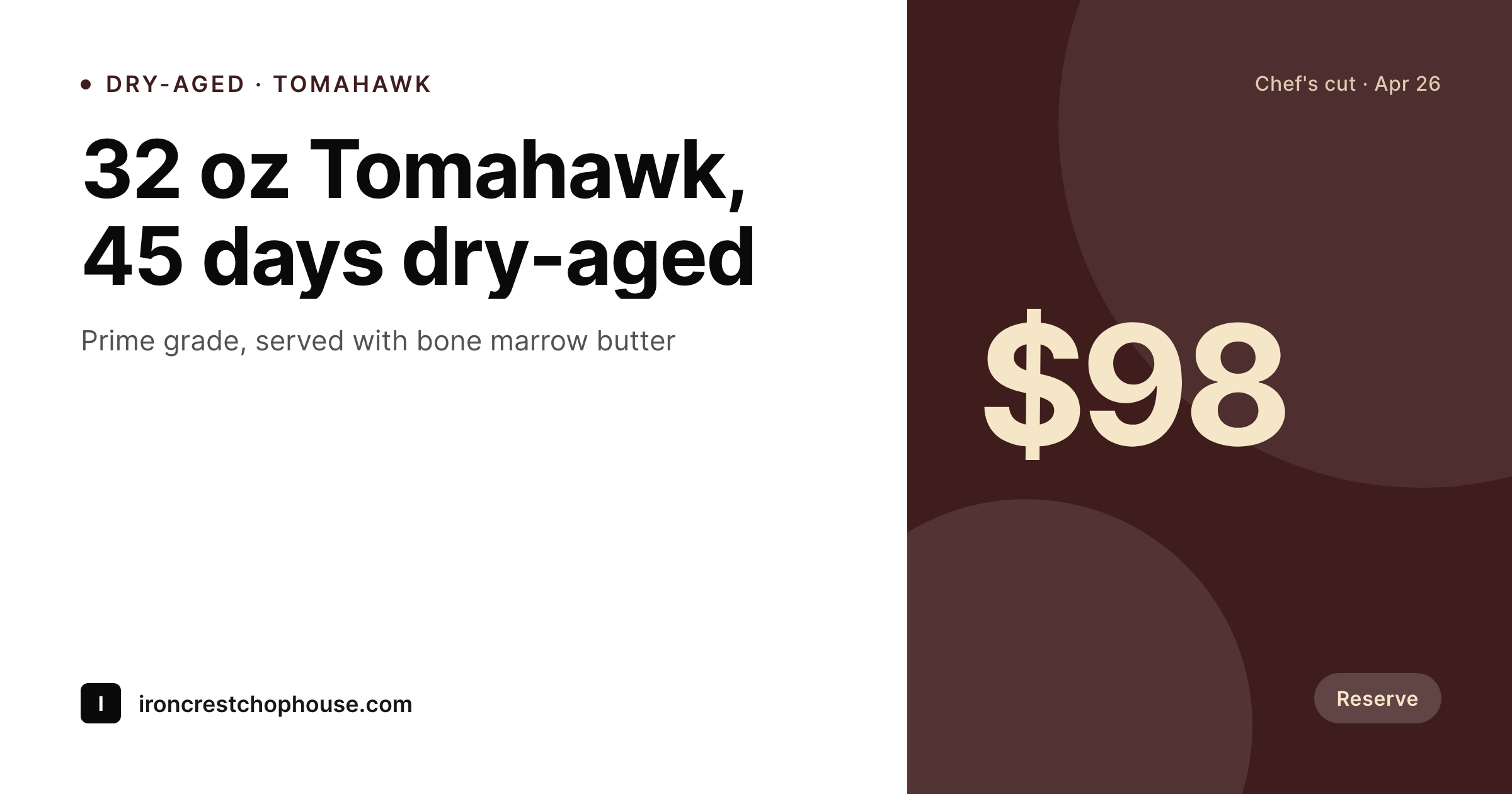
A steakhouse sells the room first, then the cut
A serious steakhouse does not get walked into by accident. Diners book a week ahead, often for an occasion, and the decision is made by a partner scrolling Resy on a Sunday afternoon. Every image they see, the OG image when the menu link gets sent into a group chat, the Instagram square advertising a Tuesday prix-fixe, the reservation page on the site, has to read like the room itself. Most independent chophouses run the marketing on a Canva file that nobody re-uses, so the Tomahawk that costs ninety-eight dollars shares with a logo and a lukewarm phone photo.
SleekPixel reads from the cut menu and the prix-fixe night posts already in WordPress. The cut, the dry-age days, the grade, the price, the chef's note, the pairing wine, the reservation URL, all live on the post. One template renders the OG image, the Instagram square for the feed, and a 9:16 for stories. Typography stays in the same serif the printed menu uses, the dry-age days render as a small numeral in the corner, and the reservation URL bakes into the lower edge so a screenshot still tells a friend where to book.
The marketing reads as the same restaurant the room is, which is the only standard a chophouse can afford.
Workflow
From a cut post to a chophouse-quality card
Build the cut template
Map the menu post type
Save the featured cut
Reserve and share
Output
What renders for a featured cut
A 1200 by 630 OG image built from the cut post: cut name, dry-age days, grade, price, chef's note, and the reservation URL in the corner.
Comparison
Default steakhouse image vs SleekPixel
Default steakhouse image
- OG image is the dining room logo, no cut, no price, no occasion signal
- Prix-fixe nights advertised with a phone photo of last week's dish
- Dry-age days handwritten on a different card every quarter
- Reservation URL never on the image, so screenshots dead-end in a group chat
- Story art uses Canva fonts the printed menu does not use
SleekPixel
- Cut name, dry-age days, grade and price pulled from the menu post
- Serif typography matches the printed menu, no font drift on social
- Reservation URL bakes into the corner so screenshots still route to Resy
- Prix-fixe night posts render their own cards with the menu listed inline
- Cellar pairings appear as a small italic line under the cut
Features
What SleekPixel gives you for steakhouses
Pairing built in
The cellar pairing field renders as a small italic note under the cut, so the recommended wine reaches a diner before the table is set.
Dry-age days as a numeral
Forty-five days renders as a small numeral in the corner of the cut card, the way the printed menu lists it.
Prix-fixe night templates
A separate template for prix-fixe nights lists the courses inline and renders one card per Tuesday or Sunday.
Use cases
Who uses SleekPixel for steakhouses
Featured cuts on the daily list
The featured cut for the night renders its own card from the menu post, with dry-age days and chef's note inline.
Prix-fixe and tasting menus
Tuesday prix-fixe and seasonal tasting menus render their courses on a vertical card for Stories and an OG for the reservation page.
Private dining and events
Private room availability and event-night templates render from a separate post type, keeping group inquiries on their own surface.
The bigger picture
Why steakhouse art has to read like the dining room
A chophouse sells a setting before it sells a cut, which means every image the restaurant ships has to feel like the room, the chairs, the linen, and the lighting it serves the steak under. A diner planning an anniversary scrolls past dozens of options on Resy and Google, and the decision is partly about food and largely about whether the visual identity matches the occasion. A Canva-built square that looks like an Instagram filter is a vote against the restaurant being a serious place.
A typeset card with the dry-age days as a numeral, the grade abbreviated correctly, and the reservation URL baked into the corner is a vote for the restaurant being exactly the place worth booking. The art also keeps the front of house from improvising. A consistent template means the prix-fixe card looks like the cut card looks like the private-dining card, and the brand the room has already built does not collapse the moment marketing moves online.
Questions
Common questions about SleekPixel for steakhouses
Yes. A wine post type with bottle, vintage, region, and price renders into a separate template. Most steakhouses keep wine cards on stories and the printed list, with the rendered image serving as a digital version for the email newsletter.
SleekPixel renders the reservation URL into the image as text, but does not integrate with the platforms directly. Pasting the Resy URL into the field on the post is enough for the image to carry the link, and the link still works as a normal hyperlink wherever the page is shared.
Yes. The field is a number, the template renders the unit, so forty-five renders as forty-five days in the design. Switching to a fifty-day program does not require template changes.
WPML and Polylang both expose translated post fields, and SleekPixel renders from the active language's fields. A French translation of the cut name renders into the same template as the English version, with the same dry-age numeral and the same price.
The same OG-sized image is exportable as a high-resolution PNG suitable for a tabletop insert. Most chophouses use the digital version for social and a print-only template for tabletop, with both bound to the same cut post so they never drift apart.
Yes, within the layout's text region. The template uses balanced wrap, so a two-line note still reads cleanly. Longer notes are usually better suited to the menu page itself, with the image carrying a tight one-liner.
Yes. Allergen taxonomy on the cut post renders as small icons, the same way the printed menu uses them. Most chophouses keep these subtle, and the template's icon row sits below the price.
Set the post to draft and the OG image stops serving on the page. Existing social posts retain the image since they reference the file in uploads, which keeps a feed history intact while the live menu reflects the current cuts.
Pricing
More than 1000+
happy customers
Explore our flexible licensing options tailored to your needs. Upgrade your license anytime to access more features, or opt for a lifetime license for ongoing value, including lifetime updates and lifetime support. Our hassle-free upgrade process ensures that our platform can grow with you, starting from whichever plan you choose.
Lifetime ♾️
Most popular
EUR
once
- Unlimited websites
- Lifetime updates
- Lifetime support
...or get the Bundle Deal
and save €250 🎁
💎 Want everything forever? The All Access Pass is going away on 01.08.2026.
The Bundle (unlimited sites)
Pay once, own it forever
Elevate your WordPress site with our exclusive plugin bundle that includes all of our premium plugins in one package. Enjoy lifetime updates and lifetime support. Save significantly compared to buying plugins individually.
What’s included
-
SleekAI
-
SleekByte
-
SleekMotion
-
SleekPixel
-
SleekRank
-
SleekView
€749
Continue to checkoutBrowse more
- VSCO cover
- Ko-fi shop images
- Farcaster cast images
- LinkedIn carousel slides
- Twitch starting soon screen
- Lens Protocol posts
- Bluesky feed banner
- TikTok Now image
- Twitter header banners
- Instagram feed posts
- LinkedIn ad images
- Threads post cover
- Instagram grid tiles
- Twitch offline banners
- Facebook ad images