






SleekPixel for plumber
Service descriptions, location pages, and blog posts on a plumbing company's WordPress site already have headlines, service tags, and photos. SleekPixel renders branded share images on save so Facebook, Google Business and Nextdoor links stop looking like every competitor's stock image.
♾️ Lifetime License available
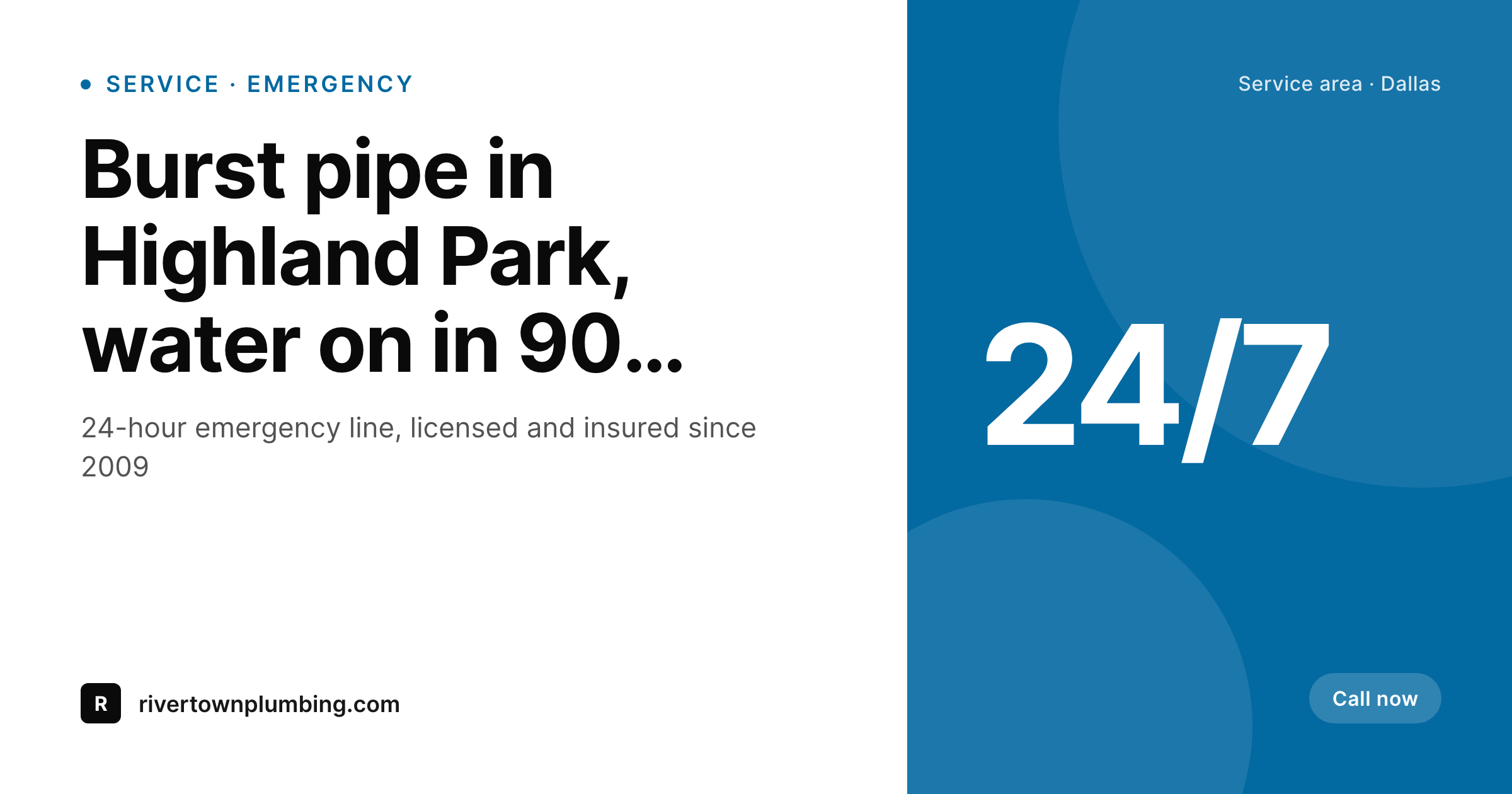
Plumbers all post the same stock-photo wrench
Local plumbers compete largely on trust signals, and the loudest trust signal a homeowner sees before booking is the share preview that pops up when a neighbor recommends a company on Facebook or Nextdoor. Most plumbing sites still surface the same generic stock image: a wrench on a white background, or a stock photo of a sink that came with the theme. The actual company, with the truck wrap, the named technicians, the real before-and-after photos from a Tuesday job in Highland Park, never makes it to the link preview. The recommendation gets buried under visual noise that looks identical to every other plumber in the metro.
The standard fix is to upload featured images by hand, a per-page chore that nobody on the dispatch desk has time for. The marketing intern starts the year strong, fades by April, and by summer every new service page is back to the default stock image. Across the year that is dozens of pages going out cold, even though the company has a brand, real photos, and a clear service area.
SleekPixel reads each post on save and renders the share image from the company's template. Service name, neighborhood served, technician on the job, and the company's primary brand color pull from post fields. The PNG lands in uploads, the og:image and twitter:image tags fire, and links shared by past customers on Facebook, Nextdoor, and in Google Business posts arrive with a real branded preview. The recommendation stops competing with stock art and starts looking like the company that actually showed up.
Workflow
From service page to share-ready in one save
Set the company template
Map service post types
Save the page
Customers share the link
Output
What ships with every service page
A 1200 by 630 share image carrying the service name, neighborhood, technician headshot, and the company wordmark, ready for Facebook, Nextdoor and Google Business posts.
Comparison
Stock-photo wrench vs auto-rendered service cards
Stock photo / Manual upload
- Same stock-photo wrench on every share, indistinguishable from competitors
- Service pages share with the theme's default banner, not the company brand
- Marketing intern uploads featured images for a month, then stops
- Real job photos sit unused in a Dropbox folder nobody links to the site
- Nextdoor recommendations land with broken or generic previews
SleekPixel
- Service, location and blog pages render branded share images on save
- Service tag, neighborhood, and technician name pull from post fields
- Truck wrap colors and company wordmark baked into the template
- Real before-and-after photos can swap into the image background
- Owner shares from a phone and the preview is always on brand
Features
What SleekPixel gives you for plumber
Service page cards
Every drain cleaning, water heater, and repipe service page saves with a share image that names the service and shows the company brand.
Location landing pages
Pages targeting individual neighborhoods or zip codes render share cards with the location name, the service area map, and the local phone line.
Job photo backgrounds
Real photos from completed jobs slot into the template background, so the share preview shows the company's actual work, not stock art.
Use cases
What plumbing companies generate with SleekPixel
Emergency service callouts
24-hour emergency landing pages share with a card that calls out the response time and the local phone number, making the urgency clear in the preview.
Neighborhood pages
Pages for individual suburbs and zip codes render share cards with the neighborhood name, distinguishing each from the rest of the site.
Technician spotlights
Posts profiling each licensed plumber on the team render with the technician's portrait and certifications, useful for hiring and trust building.
The bigger picture
Why share previews drive plumbing leads
Local services like plumbing run on word of mouth, and word of mouth in 2026 happens almost entirely on Facebook groups, Nextdoor, and Google Business posts. A homeowner whose water heater just failed asks the neighborhood group for a recommendation, and three neighbors paste links to plumbers they trust. Whichever link previews well in that thread is the one the homeowner clicks first.
A bare URL with no preview, or a generic stock image identical to two other competitor links, simply loses the click. The plumber whose link arrives with a clear branded preview, the company name visible, the service area called out, the photo recognizable as the same truck the neighbor saw last week, wins the call. That is not a marketing flourish, it is the moment a recommendation becomes a booking.
The second reason is consistency across pages. Plumbing sites typically run dozens of service pages, location pages targeting each suburb, and a blog covering common problems like slab leaks and tree roots in sewer lines. Without automation each of those pages drifts visually over the years.
SleekPixel binds the share image to the page itself, so a four-year-old post about polybutylene repiping shares with the same brand polish as today's emergency landing page. The cumulative effect across a few hundred pages is a company that looks established and organized, while the competitor across town still shares with the same stock wrench they had in 2018. Local search and social discovery both reward that level of consistency, and the plumber who automates it spends the saved time running the actual business.
Questions
Common questions about SleekPixel for plumber
Yes. SleekPixel renders from post fields and taxonomy, not from the page builder's HTML. Whether the service page is built in Elementor, Beaver Builder, Divi, or core Gutenberg, the share image renders the same way. The page builder controls layout on the website itself; SleekPixel handles the social share image separately.
Yes. If the service page or blog post has a featured image, SleekPixel can use it as the background of the rendered share card. The template overlays the service name, neighborhood, and brand wordmark on top, so the photo gets framed in the company's brand instead of standing alone.
Location pages are an ideal fit. The template can pull the neighborhood name from a custom field or page title, and the share image arrives showing the neighborhood explicitly. Search engines and social platforms both treat well-localized share content more favorably than generic site-wide art.
Yes. Each licensed plumber on the team can have a WordPress user profile with a photo. Pages tagged with that technician render share cards including their headshot and certifications. Useful for technician-led posts and team bio pages.
The template can include a slot for an availability tag - 24-hour, weekend, after-hours - and conditionally render an urgency badge on emergency pages. The share preview makes the response window clear without the homeowner needing to click through first.
Add new neighborhoods as taxonomy terms, create their location pages, and the share images render automatically. No need to design new social cards per neighborhood. The template scales with the service area instead of bottlenecking on graphic design.
The 1200 by 630 image format SleekPixel renders is the standard accepted by Facebook, Twitter, LinkedIn, and Google Business posts. Nextdoor reads og:image when neighbors paste links, so the same image shows up there too. One render covers every channel customers actually use.
No. The image is rendered once on save and stored as a static PNG in uploads. Visitors who land on the emergency page from a Google search load a regular image; no rendering happens at view time. The plumber on call does not lose a second to background processing.
Pricing
More than 1000+
happy customers
Explore our flexible licensing options tailored to your needs. Upgrade your license anytime to access more features, or opt for a lifetime license for ongoing value, including lifetime updates and lifetime support. Our hassle-free upgrade process ensures that our platform can grow with you, starting from whichever plan you choose.
Lifetime ♾️
Most popular
EUR
once
- Unlimited websites
- Lifetime updates
- Lifetime support
...or get the Bundle Deal
and save €250 🎁
💎 Want everything forever? The All Access Pass is going away on 01.08.2026.
The Bundle (unlimited sites)
Pay once, own it forever
Elevate your WordPress site with our exclusive plugin bundle that includes all of our premium plugins in one package. Enjoy lifetime updates and lifetime support. Save significantly compared to buying plugins individually.
What’s included
-
SleekAI
-
SleekByte
-
SleekMotion
-
SleekPixel
-
SleekRank
-
SleekView
€749
Continue to checkoutBrowse more
- Instagram highlight covers
- Fanvue page banner
- LinkedIn banner images
- Amazon Storefront banners
- Substack post headers
- X Space banners
- YouTube community images
- Shopify product images
- Facebook Shop product images
- Snapchat Discover tiles
- Pinterest board covers
- Twitch stream overlay images
- Rumble thumbnails
- Patreon post thumbnails
- Buy Me a Coffee banners