






SleekPixel for Etsy listings
Etsy sellers who run a WordPress blog for SEO and storytelling can render real share images for every WordPress post that promotes a listing. Pinterest pins, journal shares, and newsletter links all open with a branded listing card.
♾️ Lifetime License available
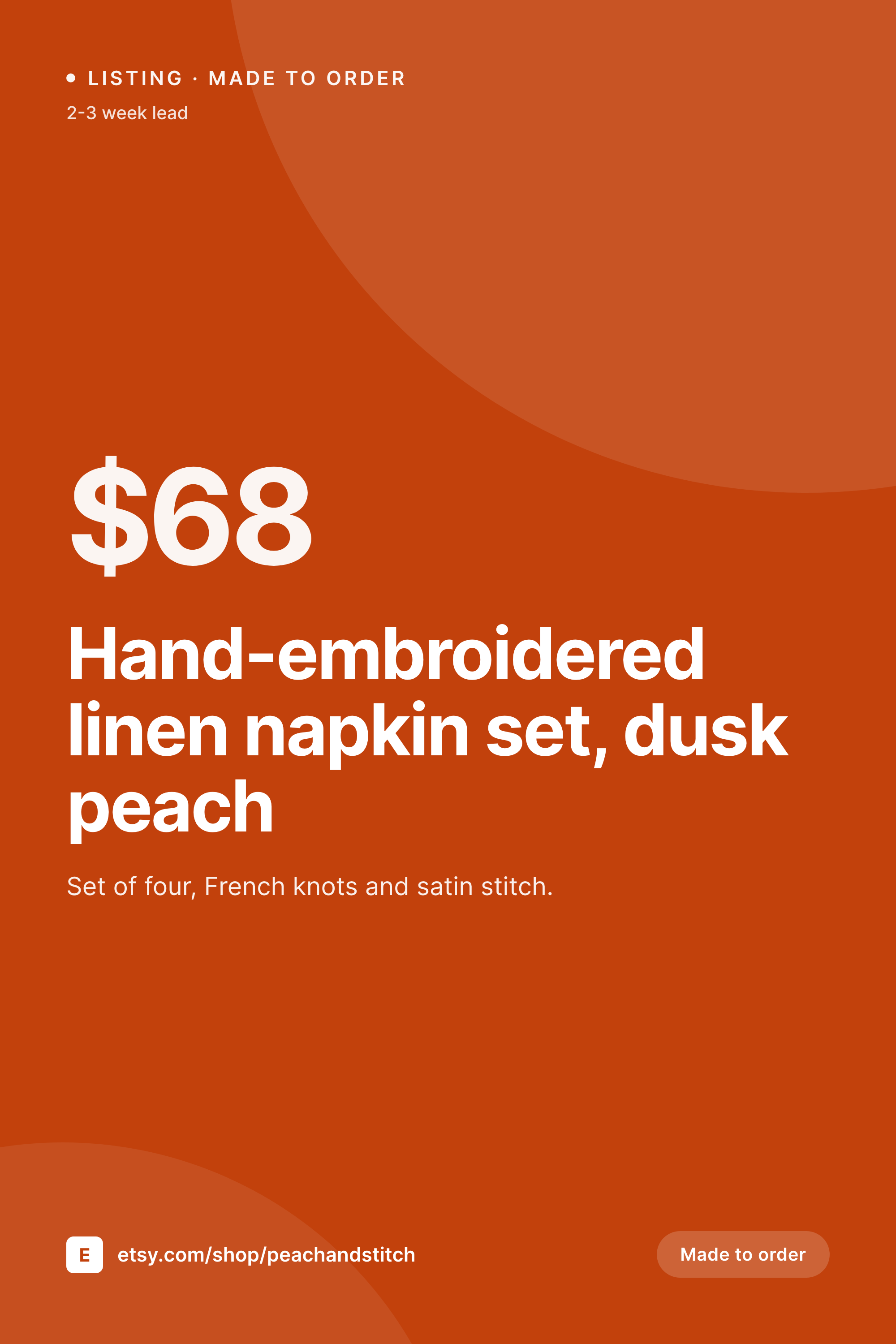
Etsy storefront, WordPress traffic
Etsy sellers earn through Etsy search, but the smartest ones build outside traffic too. A WordPress blog with how-to posts, behind-the-scenes journals, and roundup pages drives Pinterest and Google traffic into the shop. The journal posts mention listings, the roundup posts link to listings, and the Pinterest pin for each post is often what carries traffic from Pinterest into the WordPress page and then into Etsy.
Pinterest in particular favors vertical 1000 by 1500 pins. A WordPress post about a new embroidered napkin set, shared to Pinterest, gets the page's OG image as the pin source. By default that OG image is square or 1200 by 630, cropped for Twitter, and almost always the site logo or the post's featured image at the wrong ratio. So the pin underperforms because it does not look like a Pinterest pin: too narrow, too generic, no listing context.
SleekPixel renders proper 1000 by 1500 pins from the data on the WordPress post. Listing title, made-to-order badge, lead time, price, and shop handle all become part of the card. The pin lands on Pinterest with the right ratio, the right copy, and the right context. The Etsy listing itself stays exactly as it was; SleekPixel only affects how WordPress posts that promote it look in the share preview.
Workflow
From WordPress post to Pinterest-ready pin
Set up the post fields
Build the vertical pin template
Publish the journal or roundup
Schedule pins, share posts
Output
What ships with every Etsy listing post
A 1000 by 1500 Pinterest pin with listing title, price, lead time, made-to-order badge, and shop handle, rendered from the WordPress post's fields.

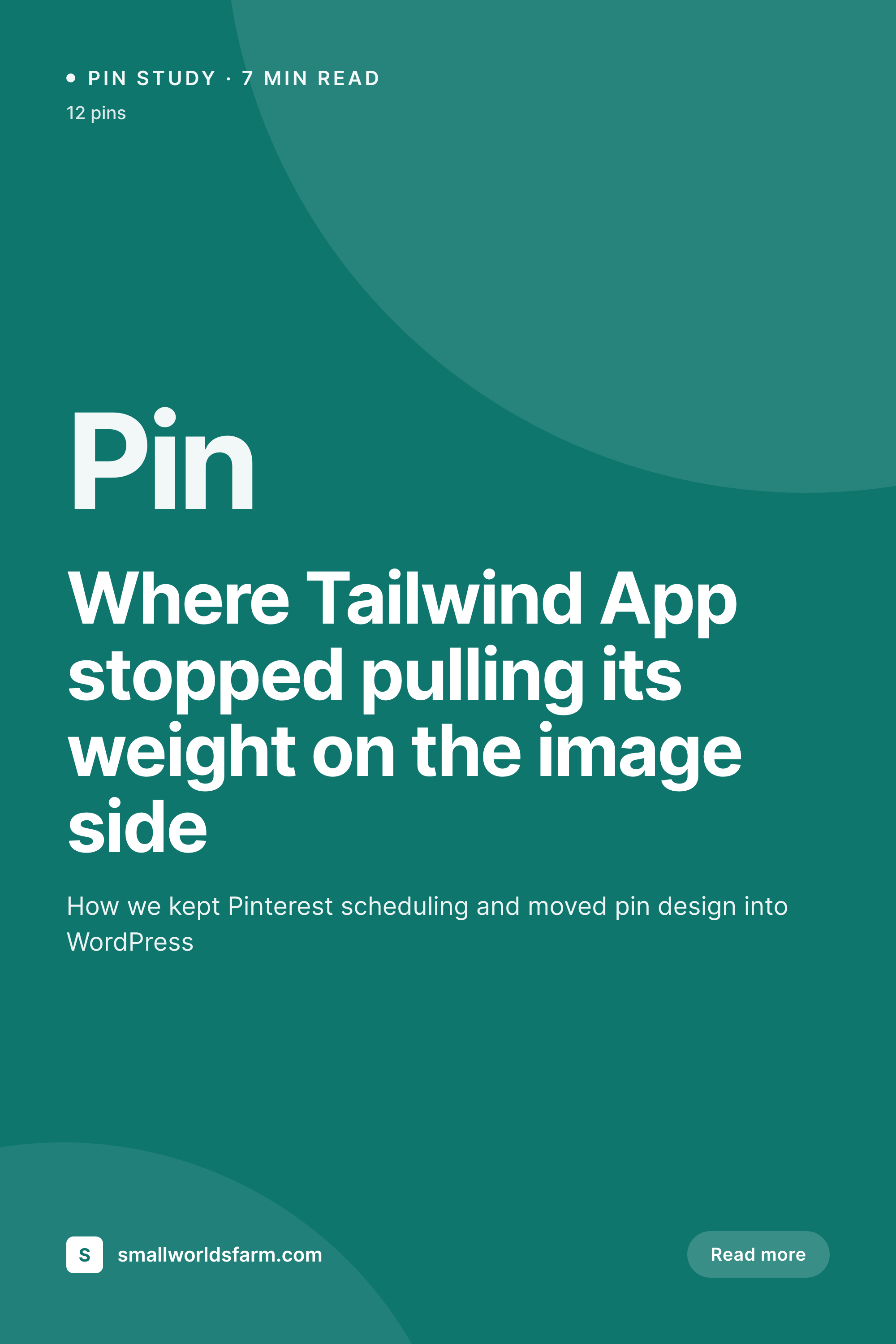
Comparison
Default Pinterest pin vs Etsy-aware vertical pin
Default site OG image
- Default OG images crop to the wrong ratio on Pinterest and lose listing context
- Made-to-order or ready-to-ship badges never appear in the pin
- Lead time, a key Etsy buying signal, is invisible in the share
- Price gets stripped from the pin even when prominent on the page
- Every listing mention shares with the same shop banner, no listing recognition
SleekPixel
- 1000 by 1500 vertical pins designed for the Pinterest feed ratio
- Made-to-order, ready-to-ship, and custom-order badges render conditionally
- Lead time, shop handle, and price pull from the WordPress post fields
- Per-collection palettes for embroidery, ceramics, prints, etc.
- Bulk re-render for seasonal campaigns or shop refreshes
Features
What SleekPixel gives you for Etsy listings
Pinterest-native ratio
1000 by 1500 vertical layout matches the feed's preferred aspect ratio, so pins do not get cropped or down-prioritized by the Pinterest algorithm.
Lead-time visible
Etsy buyers look for lead time before clicking. Templates render '2-3 week lead' or 'ships in 5 days' so the pin answers the buyer's first question.
Made-to-order badges
Conditional badges for made-to-order, ready-to-ship, custom orders, and one-of pieces give collectors and gift shoppers an instant signal.
Use cases
Who uses SleekPixel for Etsy listings
Etsy sellers with WordPress blogs
Sellers who built outside traffic through Pinterest and Google get a real listing card on every blog post that promotes their listings.
Gift guide and roundup posts
Seasonal roundups linking to multiple Etsy listings get individual share cards per listing when promoted from a WordPress index page.
Maker journal posts
Behind-the-scenes posts about how a piece is made share with the piece itself in the preview, not the maker's site logo.
The bigger picture
Why pin quality decides outside traffic for Etsy sellers
Etsy internal search is competitive and saturated, so the sellers who grow above the baseline almost all build outside traffic. Pinterest is the most reliable outside source for handmade and small-batch goods, and Pinterest rewards pins that look like pins: vertical ratio, clear typography, a single dominant image, and enough context for the user to decide to save or click. A WordPress post that shares to Pinterest with a square site logo violates every one of those rules and gets quietly ignored by the algorithm.
The pins that the seller did make by hand in Canva three months ago still circulate, but the new posts never reach the same audience because the default OG image is not pin-shaped. The second reason is consistency. Etsy shops grow when buyers recognize the shop across multiple touchpoints: an Instagram post, a Pinterest pin, a Google search result, a WordPress journal.
SleekPixel renders consistent share cards on every WordPress post that mentions a listing, so the brand surface looks coherent across every channel the seller is on. The shop wordmark, the accent color, and the type stack all stay aligned. New listings get matching pins automatically because rendering is from the data on the post, not from a designer's queue.
Questions
Common questions about SleekPixel for Etsy listings
No. SleekPixel is a WordPress plugin. Etsy does not allow third-party server plugins on listings or shop pages. The integration works by rendering share images for the WordPress pages that mention or promote Etsy listings.
Manually most often. The seller writes a blog post about a listing and fills ACF fields with title, price, lead time, and image. Some sellers automate this through Zapier or a custom CSV importer, but most start with manual entry.
Pinterest schedulers like Tailwind pull the page's OG image by default. SleekPixel can write a separate pinterest-pin meta tag with the 1000 by 1500 version. Schedulers that respect that tag will use the vertical pin; otherwise you can paste the rendered pin URL directly into the scheduler.
Yes. A field on the post indicates the fulfillment type, and the template renders the appropriate badge and lead-time copy. Ready-to-ship pins emphasize 'ships in 3 days', made-to-order pins emphasize the wait time and the custom option.
Pattern is Etsy's standalone storefront product and lives on the Etsy domain. SleekPixel does not render images on Etsy properties. It does render share images for WordPress posts that link to Pattern or Etsy listings.
Etsy Ads use Etsy's own image system. SleekPixel only affects WordPress pages. The pins and OG images rendered on the WordPress side improve the outside-traffic funnel; Etsy's internal ad system is separate.
Yes. A campaign field on the post can switch template accent colors, badge text, and badge color. A holiday roundup can swap to a holiday palette in one template change and re-render all the listing posts in that roundup.
No. Image rendering happens on save. Visitor pageviews hit cached files. Bulk re-render through the admin runs in the background and does not block other editing work.
Pricing
More than 1000+
happy customers
Explore our flexible licensing options tailored to your needs. Upgrade your license anytime to access more features, or opt for a lifetime license for ongoing value, including lifetime updates and lifetime support. Our hassle-free upgrade process ensures that our platform can grow with you, starting from whichever plan you choose.
Lifetime ♾️
Most popular
EUR
once
- Unlimited websites
- Lifetime updates
- Lifetime support
...or get the Bundle Deal
and save €250 🎁
💎 Want everything forever? The All Access Pass is going away on 01.08.2026.
The Bundle (unlimited sites)
Pay once, own it forever
Elevate your WordPress site with our exclusive plugin bundle that includes all of our premium plugins in one package. Enjoy lifetime updates and lifetime support. Save significantly compared to buying plugins individually.
What’s included
-
SleekAI
-
SleekByte
-
SleekMotion
-
SleekPixel
-
SleekRank
-
SleekView
€749
Continue to checkoutBrowse more
- open startup cards
- referral program cards
- checklist download card
- cohort announcement card
- release roadmap card
- product update images
- office hours card
- Product Hunt launch card
- review cards
- policy update cards
- compensation report cards
- did-you-know card
- song of the day cards
- meetup cards
- values card
- Linktree banner image
- Substack post thumbnail
- WhatsApp status images
- Instagram Shop product images
- KDP paperback cover
- Twitch overlay
- Mastodon post images
- Ko-fi shop images
- Instagram ad images
- TikTok shop images
- Mastodon link previews
- Snapchat Spotlight covers
- Depop listing images
- VK community cover photos
- WeChat Moments images