






SleekPixel for dance studio
Style, level, instructor, and meeting time live as fields on each class post. SleekPixel renders a 1200x630 share card on save, so every parent share opens with current dates and the studio's brand.
♾️ Lifetime License available
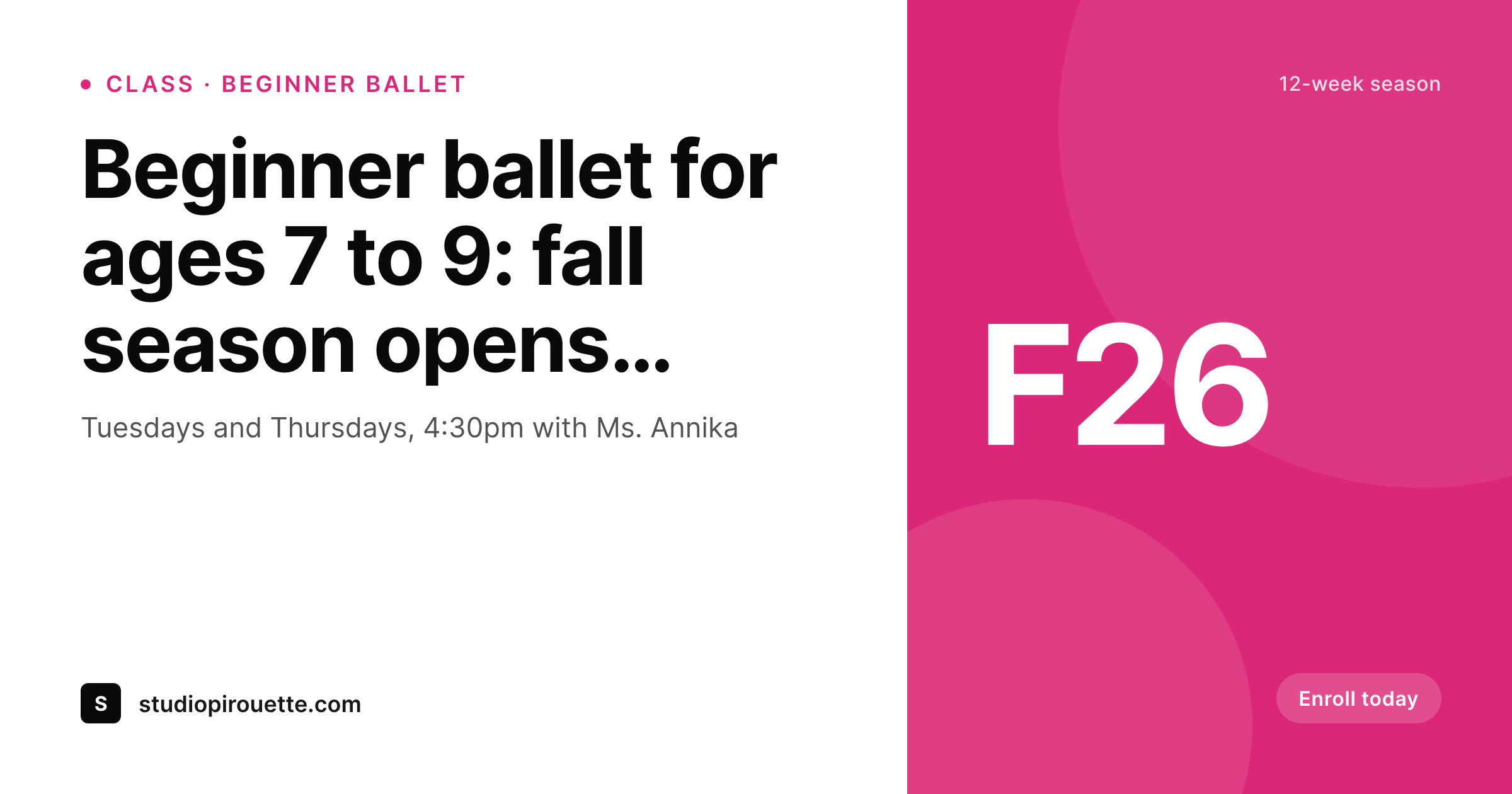
Dance studios live and die on visual consistency
A dance studio is a visual business. Parents pick a studio partly on the look of the space, partly on how the studio presents itself online, and the second one matters earlier in the funnel. Every class signup page, every recital announcement, and every instructor profile is a piece of marketing that has to look like it came from the same studio. Most studios run that marketing through one person juggling Canva, the recital costume order, and the parent text thread, and the share card on every link suffers because of it.
The class data is structured. Style (ballet, jazz, hip-hop, contemporary), level, age range, instructor, day, and time live on every class post. Recitals have date, venue, and program. Instructors have name, headshot, and specialty. The fields that drive the studio website should also drive the share card, but they do not, because the share card has been a manual export forever.
SleekPixel binds the share card to the post. One ballet class template, one jazz template, one recital template, one instructor profile template - each reads the existing fields and renders a 1200x630 PNG on save. The fall season schedule update happens once, in WordPress, and every class card refreshes with the correct day and time. The studio looks like the unified brand it is, without the studio director becoming a part-time graphic designer.
Workflow
From class draft to share-ready in one save
Map studio post types
Design templates per style
Publish normally
Bulk regenerate seasonally
Output
What gets generated per page
A 1200x630 OG image with class style, level, instructor, meeting time, and the studio's brand mark, all pulled from the class post.
Comparison
Canva exports vs auto-rendered studio cards
Canva / Manual export
- Fall season update means redoing every class flyer in Canva from scratch
- Recital date moves and the OG image still shows the original venue
- Instructor changes mid-semester leave class cards with the wrong name
- New class block (clogging, contemporary, parkour-fusion) ships without share art
- Studio rebrand stalls registration while every old class card gets redone
SleekPixel
- Each class, recital, and instructor post saves with its own branded card
- Style, level, day, and instructor pulled from WordPress fields automatically
- Bulk regenerate when seasonal schedules change or styles get added
- 1200x630 PNG stored in uploads, wired into og:image and twitter:image
- Manual download from the Gutenberg sidebar for parent emails and Stories
Features
What SleekPixel gives you for dance studio
Class cards
Each class page saves with style, level, instructor, and meeting time on a branded card. Parents share the link, the preview shows what they need.
Recital art
Recital and showcase posts render with date, venue, and featured groups. RSVPs and ticket links open with proper preview cards every time.
Instructor profiles
Name, specialty, headshot, and bio render onto a branded profile card. Guest masterclass instructors get share-ready art the same day.
Use cases
Where studio share cards earn their click
Instagram bio links
Class signup pages linked from the studio's Instagram bio show on-brand previews when parents click through, lifting enrollment from social referrals.
Parent emails
Season schedule emails forward inside parent group chats with proper preview cards, so referrals look as polished as the studio actually is.
Recital invitations
Recital RSVP links open with date, venue, and program on a branded card. Grandparents and out-of-town family see the event clearly before they click.
The bigger picture
Why polished share cards drive dance enrollment
Dance studio enrollment is a visual decision. Parents browse three or four studio websites in a single evening, often on a phone, and they form a strong gut read in the first ten seconds on each one. The class signup page is where that gut read crystallizes, and the share card is what they see when a friend texts them the link a week later.
A studio whose links open with branded, current cards reads as serious about its craft. A studio whose links share with a stretched homepage banner or no preview at all reads as casual, even when the teaching is excellent. The second factor is the studio director's calendar.
Most directors are also the head teacher, the costume coordinator, the parent communications lead, and the social media manager. The Canva queue gets the leftover hours, which means the marketing surface always looks one season behind reality. SleekPixel collapses the queue by binding the share card to the post itself.
The director updates the schedule once, every class card refreshes, and the marketing visuals catch up with the studio's actual offering automatically. Hours go back into student-facing work and the studio finally looks the way it teaches.
Questions
Common questions about SleekPixel for dance studio
Yes. Map style (ballet, jazz, hip-hop, contemporary) as a taxonomy and bind a per-term accent color to template slots. Ballet cards render in soft pastels, hip-hop in stronger contrasts, both still pull from the same template skeleton so the studio brand stays unified.
SleekPixel renders the share card for the WordPress class page that links to your registration system. Whether registration runs through Jackrabbit, DanceStudio-Pro, or a custom form, the WordPress page is what gets shared and what carries the OG image.
Yes. Add a 1080x1920 Story format to the recital template and SleekPixel renders both the 1200x630 OG card and the vertical Story image on save. Download the Story from the sidebar for Instagram and TikTok posts the day of the event.
Build a themed template variant and toggle it on for the relevant posts. Nutcracker rehearsal posts render with the seasonal accent, summer intensive posts render with their own variant. The base template handles standard classes year-round.
Yes, with consent. Add a featured students field to the recital post that points to media library images. The template can render up to four student headshots arranged on the card. Parents whose children are featured share the recital link with extra pride.
Yes. Add a location taxonomy and bind it to the template. Class cards render with the specific location name and address. Each location can have its own accent color while sharing the studio's master template, so the brand reads as one studio with multiple homes.
If tuition tiers and season passes live as posts (or as a custom post type), yes. Build a tuition template that pulls tier name, price, and what's included. The pricing page links share with the same polish as class pages.
Yes. Update the day or time field on the class post and save. SleekPixel regenerates the PNG and replaces it in uploads. New shares pick up the current image; previously cached previews on Facebook or LinkedIn refresh on next platform scrape.
Pricing
More than 1000+
happy customers
Explore our flexible licensing options tailored to your needs. Upgrade your license anytime to access more features, or opt for a lifetime license for ongoing value, including lifetime updates and lifetime support. Our hassle-free upgrade process ensures that our platform can grow with you, starting from whichever plan you choose.
Lifetime ♾️
Most popular
EUR
once
- Unlimited websites
- Lifetime updates
- Lifetime support
...or get the Bundle Deal
and save €250 🎁
💎 Want everything forever? The All Access Pass is going away on 01.08.2026.
The Bundle (unlimited sites)
Pay once, own it forever
Elevate your WordPress site with our exclusive plugin bundle that includes all of our premium plugins in one package. Enjoy lifetime updates and lifetime support. Save significantly compared to buying plugins individually.
What’s included
-
SleekAI
-
SleekByte
-
SleekMotion
-
SleekPixel
-
SleekRank
-
SleekView
€749
Continue to checkoutBrowse more
- LinkedIn carousel slides
- Flickr cover photo
- Snapchat Spotlight covers
- Gumroad product covers
- TikTok profile banners
- KakaoTalk channel banners
- eBay listing images
- X community banners
- Amazon A+ content images
- Lemon8 post
- GitHub README banners
- Pinterest Idea Pins
- X ad images
- Telegram channel cover images
- Twitch starting soon screen