






SleekPixel for Vimeo thumbnails
Templated 1280x720 video covers generated from WordPress film posts on save. Title, runtime, and director pulled from real fields, downloaded from the editor sidebar, ready for the Vimeo upload settings.
♾️ Lifetime License available
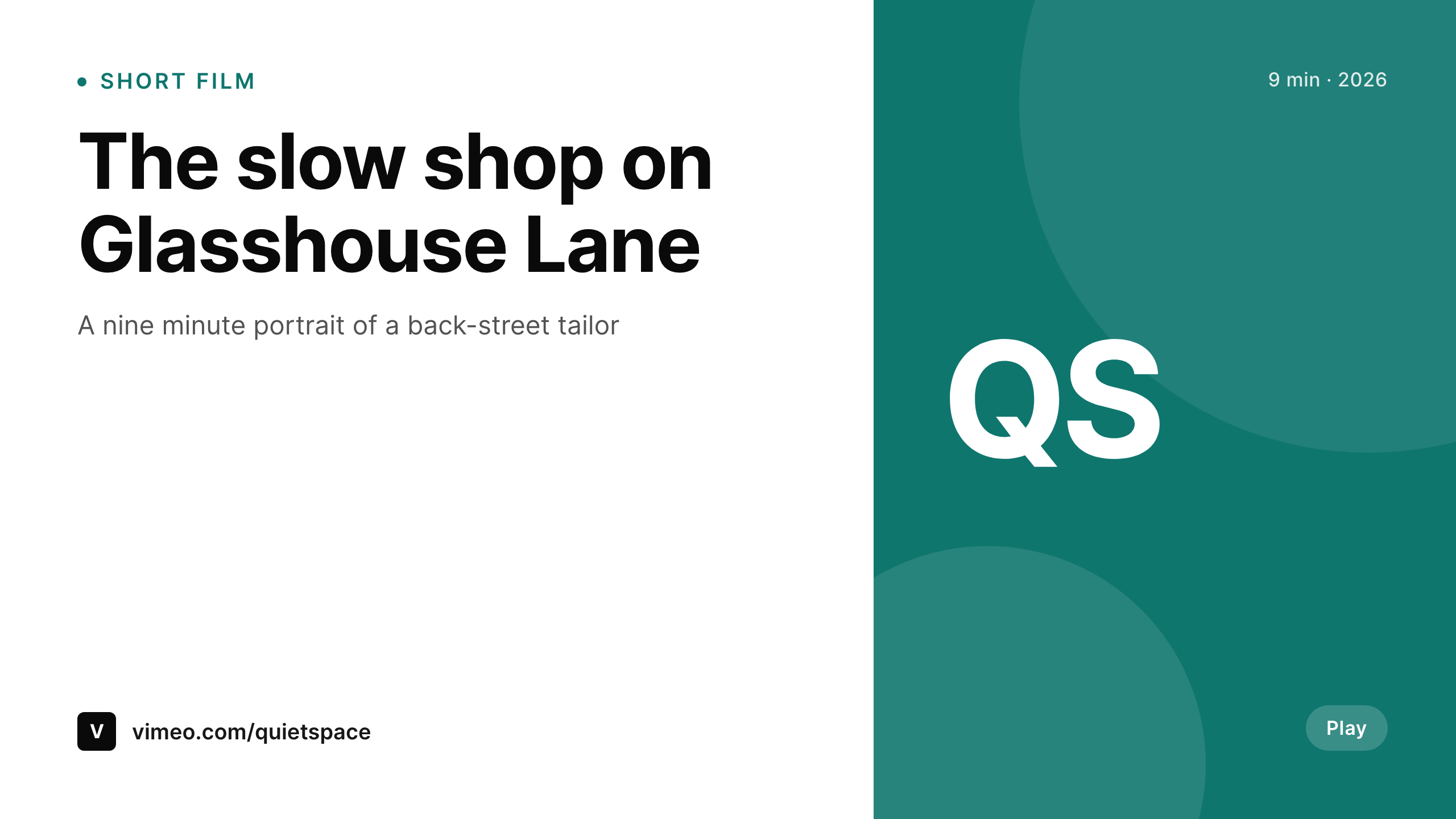
Vimeo thumbnails sit in higher-stakes surfaces than YouTube
Vimeo's video grid and embed cards skew toward higher-intent viewers: people on portfolio pages, festival microsites, brand decks, and embedded press features. The thumbnail is the cover the work shows up under in every one of those surfaces. A custom, on-brand thumbnail at 1280x720 reads as a maintained portfolio. A Vimeo auto-frame reads as a placeholder.
SleekPixel binds the thumbnail to a WordPress film or video post. Title, runtime, director, and brand mark live as fields. The template renders a 1280x720 PNG on save. The portfolio page on the studio site and the Vimeo cover pull from the same template, so the cover does not drift between surfaces.
Vimeo accepts custom thumbnails through the video settings. SleekPixel exposes a sidebar download per film post, so the producer drops the file into Vimeo without re-cropping the auto-frame.
Workflow
From film post to Vimeo cover
Design the thumbnail
Set up film posts
Save the film post
Upload to Vimeo
Output
What gets rendered per film
A 1280x720 PNG with the film title, runtime, director, and brand mark, sized for the Vimeo custom thumbnail upload.
Comparison
Auto-frame covers versus SleekPixel
Auto-frame from upload
- Vimeo auto-frame grabs whatever frame the upload happened to land on
- Portfolio embeds inherit the auto-frame and break the brand on the host site
- Title text on auto-frames is unreadable in grid and embed contexts
- Brand mark missing, embeds read as anonymous Vimeo videos
- Per-film thumbnail design in Photoshop falls off after the first release
SleekPixel
- 1280x720 PNG rendered per film post on save
- Title, runtime, and director pulled from real post fields
- Layout legible in portfolio embeds and Vimeo grid views
- Sidebar download per film, ready for Vimeo upload settings
- Same render serves the studio portfolio hero and Vimeo cover
Features
What SleekPixel gives you for Vimeo thumbnails
Embed-legible
The template renders at portfolio embed quality, so the cover reads cleanly when the film embeds on the studio site, on press features, or on partner microsites.
Per-film art
Each film gets its own thumbnail with its own title and runtime, instead of an auto-frame from the upload.
Sidebar download
Open the film post in Gutenberg, click download, and upload the PNG through the Vimeo video settings.
Use cases
Where Vimeo thumbnails pay off
Studio portfolios
Studio portfolios render thumbnails per film with director and runtime, so every embed reads as part of the studio brand.
Festival submissions
Festival submission preview pages show the film's cover with title and runtime rendered in, so programmers see context immediately.
Press features
Press articles that embed the Vimeo video pick up the branded thumbnail instead of a Vimeo placeholder, so the article looks aligned with the studio.
The bigger picture
Why custom Vimeo thumbnails carry studio brand weight
Vimeo videos appear in higher-stakes surfaces than most other video platforms. A studio portfolio embed, a festival programmer's preview page, a press piece, and a brand director's scouting tab all pull the Vimeo thumbnail. When the thumbnail is an auto-frame, every one of those surfaces inherits a placeholder.
When the thumbnail is a custom branded cover, every one of those surfaces inherits the studio brand. Most studios know this and still ship auto-frames because per-video Photoshop work is a recurring tax that nobody wins. SleekPixel removes the tax.
The film post holds the title, runtime, and director. The template renders on save. The producer downloads and uploads.
The portfolio reads as one studio.
Questions
Common questions about SleekPixel for Vimeo thumbnails
No. Vimeo accepts custom thumbnails through the video settings. SleekPixel renders the PNG and exposes a sidebar download. The producer uploads via Vimeo's video settings.
1280x720 by default. The dimension is configurable per template.
Yes, including self-hosted brand fonts.
Yes. Both platforms use 1280x720. The render serves as the Vimeo cover and as the YouTube thumbnail when the film is cross-posted.
The same PNG serves as the embed cover. The studio's portfolio page and the press embed pick up the same branded thumbnail.
If past films have posts with the right fields, batch regenerate renders covers for the whole archive in one pass.
In the WordPress uploads directory as real PNGs. They appear in the media library and are included in normal backups.
No. Rendering happens on save inside WordPress.
Pricing
More than 1000+
happy customers
Explore our flexible licensing options tailored to your needs. Upgrade your license anytime to access more features, or opt for a lifetime license for ongoing value, including lifetime updates and lifetime support. Our hassle-free upgrade process ensures that our platform can grow with you, starting from whichever plan you choose.
Lifetime ♾️
Most popular
EUR
once
- Unlimited websites
- Lifetime updates
- Lifetime support
...or get the Bundle Deal
and save €250 🎁
💎 Want everything forever? The All Access Pass is going away on 01.08.2026.
The Bundle (unlimited sites)
Pay once, own it forever
Elevate your WordPress site with our exclusive plugin bundle that includes all of our premium plugins in one package. Enjoy lifetime updates and lifetime support. Save significantly compared to buying plugins individually.
What’s included
-
SleekAI
-
SleekByte
-
SleekMotion
-
SleekPixel
-
SleekRank
-
SleekView
€749
Continue to checkoutBrowse more
- Pinterest Idea Pins
- Ko-fi banners
- Linktree banner image
- Twitch schedule banners
- X Space banners
- Shopify collection banners
- Snapchat Spotlight covers
- Instagram stories
- Snapchat Discover tiles
- Spotify Canvas
- Buy Me a Coffee banners
- Discord event cover
- Twitch stream overlay images
- Twitch offline banners
- KakaoTalk channel banners